Auto Clicker - Auto Tap
- 8.00
- 2.9
- Installs
- 1.00M
- Price
- Free

Screenshots

Analysis by Reviewed
Ever found yourself in a situation where you wished your phone could just tap on its own? Well, that's where Auto Clicker - Auto Tap swoops in like a superhero for your fingertips. This nifty little app has been making waves for those of us who love to game or need a hand with repetitive tasks on our devices. I took it for a spin, and here's my take on it.
Getting Started with Ease
First things first, downloading and setting up Auto Clicker - Auto Tap was a breeze. Available for both Android and iOS, you just need to install it and follow the simple on-screen instructions. The interface is user-friendly, with a clean design that doesn’t overwhelm you with too many options. It’s like the app is saying, "Hey, relax, I’ve got this."
Features That Stand Out
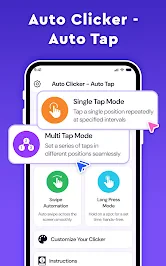
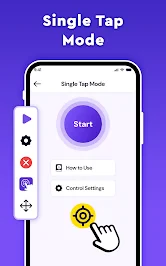
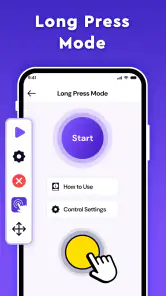
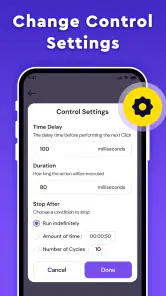
Now, let’s talk about what this app can actually do. The main feature is its ability to simulate taps on your screen without you having to lift a finger. You can set it up to tap a specific number of times or even loop indefinitely. This is particularly handy for gamers who need to farm resources or for anyone looking to automate a routine task.
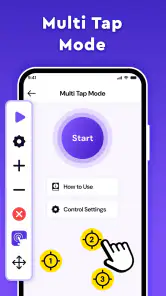
One of the things I loved was the multi-target mode. You can set up multiple tap points and let the app do its magic across different areas of your screen. It’s like having multiple fingers working in perfect harmony. And for those concerned about privacy, rest easy; the app doesn’t require intrusive permissions.
Performance and Usability
In terms of performance, Auto Clicker - Auto Tap runs smoothly. I didn’t experience any lags or crashes, which is a huge plus. The taps are precise and the app doesn’t interfere with other processes running on your phone. It’s like a silent partner helping you out without demanding anything in return.
Setting it up might take a little tweaking to get the timing just right, especially if you’re using it for gaming. But once you get the hang of it, it’s pretty much set and forget. I found it especially useful for games like "Clicker Heroes" or "Tap Titans," where tapping is the name of the game.
Final Thoughts
All in all, if you’re someone who spends a lot of time tapping away on your phone, Auto Clicker - Auto Tap is definitely worth a try. It’s a simple, yet effective tool that can save you a lot of time and effort. Plus, it’s free to use, with in-app purchases that you might not even need unless you’re going for the more advanced features.
So, whether you’re a gamer looking to up your game or just someone who wants to automate mundane tasks, this app is here to help. Just download it, set it up, and let your fingers take a well-deserved break.
Pros
- User-friendly interface
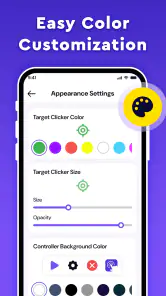
- Highly customizable settings
- Battery efficient
- No root required
- Works on all apps
Cons
- May trigger app bans
- Ads in free version
- Limited support for complex scripts
- Occasional bugs
- Requires Android 7.0+

- Category
- Tools
- Version
- 1.9











