Audiobooks.com: Books & More
- 22.97K
- 4.5
- Installs
- 5.00M
- Price
- Free

Screenshots






Analysis by Reviewed
I often reach for an audiobook when I want a story in the room but my hands are busy. That is the basic appeal of Audiobooks.com: Books & More: it turns listening into a way to fit books around the day rather than setting aside time to sit and read. I find that especially useful at home, where one person may be cooking, another tidying, and someone else trying to keep a quiet stretch for themselves. It is still an individual listening app, though, so a shared household needs a little coordination rather than assuming everyone can use one library interchangeably.
One household, different listening moments
A realistic use for me is starting a book while making breakfast, pausing when the kitchen gets noisy, then picking it up again on a walk. Another person in the home might prefer a podcast or a short audio show instead. The range of audio gives the app more flexibility than a player devoted to one audiobook at a time, but it also means that choosing something together can take longer than simply agreeing on a film. I would treat it as a convenient way for each person to find something to hear, not as a shared living-room queue that automatically suits everyone.
That distinction matters when devices move between people. A child borrowing a phone to play a story, for example, is not quite the same as a parent listening privately with headphones. Before handing over a device, I would check what is open and make sure the intended listener is using the right account context. I would not assume that a single household device will keep separate listening tastes or progress neatly apart; when individual histories matter, separate personal use is the safer expectation.
Setting boundaries before pressing play
Getting started is less about configuring a complicated household system and more about deciding who uses the app and on which device. If the phone is mostly yours, keeping your listening sessions personal is straightforward. If it is passed around, agree on a simple routine: let the current listener finish or pause their selection, avoid changing another person’s place in a book, and check the screen before starting playback. Those small habits prevent the familiar household problem of opening an app and discovering someone else’s audio in progress.
For parents, I would make the choice of title part of the handoff rather than relying on the app to make an age decision for the family. The app carries a Teen content rating, but that is a broad audience marker, not a substitute for an adult judging a particular book, podcast, or show. If a younger listener is involved, I would choose the content together and keep the device within the boundaries the household already uses. That is practical guidance, not a claim that the app supplies parental controls or separate child profiles.
There is also a useful distinction between app access and listening access. A free download does not mean every title is automatically included without cost: the app is free, while in-app purchases are listed from $14.95 to $199.99 per item. I would look at the purchase details before committing to anything and make sure the person handling the account understands what is being bought. That matters more on a shared device, where a casual tap by one family member can affect the account holder’s spending decisions.
Exploring the World of Audiobooks
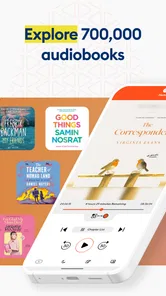
When I first stumbled upon Audiobooks.com, I was a bit skeptical. Could an app really capture the magic of reading? Spoiler alert: it absolutely does! The app boasts an impressive library of over 300,000 audiobooks, spanning every genre you can think of. Whether you're a die-hard mystery fan or a lover of romantic comedies, there's something here to tickle your fancy.
More From Our News Desk

Weather by Xiaomi Review: Clear at a Glance, Less Clear Up Close

X Under Pressure: Can It Recover When Posting Goes Wrong?

Clash of Clans Is Won Between the Battles

Android Auto Makes the Case for Quieter Car Software

MobiOffice: Transforming Mobile Productivity with Seamless Integration

EA SPORTS FC™ Mobile Soccer: Redefining Mobile Sports Gaming
Seamless User Experience
One of the first things I noticed was how intuitive the app is. Navigating through this vast collection is a breeze, thanks to its user-friendly interface. You can easily search for titles, discover new releases, or scroll through expertly curated lists. Plus, the app's recommendation system is spot-on, often suggesting books that align perfectly with my tastes.
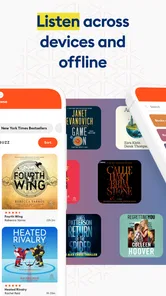
The listening experience is equally impressive. The audio quality is top-notch, making it feel as though the narrator is right there with you. You can adjust the playback speed to suit your listening style, which is a neat feature for those who like to savor every word or breeze through at lightning speed. Oh, and did I mention you can download books for offline listening? Perfect for those long commutes or when you find yourself in a Wi-Fi dead zone.
Making listening work around a real day
The most useful way I have found to choose an audiobook is to match its length and mood to the task, rather than picking solely by genre. A focused plot is easier to follow during a walk, while a familiar or lighter title can suit repetitive chores when my attention keeps shifting. For a new listener, that is a better test than starting with the longest book on the wish list: try a sample of the narrator’s style and see whether it feels comfortable before making a purchase.
Playback speed is worth treating as a personal setting rather than a race. A modest increase can help when I am listening during a routine task, but dialogue-heavy fiction often lands better at a natural pace, where pauses and character voices have room to work. If a passage becomes confusing, slowing down is more useful than rewinding repeatedly. I would also use the sleep timer deliberately: set it for a bedtime session, but choose a short enough interval that losing track of the plot overnight does not mean searching through a whole chapter the next day.
Offline listening changes the planning, not just the data connection. Before leaving home, I would download the title I expect to hear and confirm it is available on the device, especially if a commute or trip includes stretches without reliable service. This avoids depending on a signal at the exact moment I want to press play. It also means storage is a practical consideration: I would keep only current listens downloaded and remove finished titles when space becomes tight, rather than treating offline access as an unlimited archive.
A World Beyond Books
Now, let's talk about the "& More" part of Audiobooks.com: Books & More. This app isn't just about audiobooks; it's a treasure trove of podcasts and exclusive audio shows. It's like having a multifaceted entertainment hub at your fingertips. I found myself venturing into podcasts on topics I wouldn't normally explore, broadening my horizons while keeping me thoroughly entertained.
That mix is convenient, but it can also make the app feel less focused than a dedicated audiobook reader. If I open it with a particular book in mind, recommendations and other audio choices can become distractions; I do better when I search directly for the title or author first. If I only want podcasts, a podcast-first app may make more sense for organizing that listening habit. Likewise, someone who values owning print or ebooks, turning pages, or reading silently will be better served by a book-focused format. This app’s strength is listening, not replacing every way people enjoy books.
For households, podcasts and shows can be a handy alternative when people cannot agree on one long book. A short session can work while preparing dinner, then each person can return to a separate audiobook later. I would still avoid treating this as a family playlist: tastes, maturity, and attention spans vary, and a recommendation that suits one adult may not suit another listener. Choosing content intentionally is part of making a shared device comfortable for everyone.
Another highlight is the app’s sleep timer feature. As someone who loves to listen before bed, I found this function incredibly useful. It ensures I don’t miss a thing by gently pausing the book when I inevitably drift off to dreamland. Genius, right?
Account habits, age, and trust
When more than one person uses the same device, I would keep account ownership clear. The person who controls purchases should be the person who checks the purchase screen, rather than letting every listener assume that a title is already covered. With paid items in the mix, that simple boundary is more dependable than relying on everyone to remember which selections have a cost. If a household wants each listener to have a distinct personal library and separate progress, using individual accounts where appropriate is a more sensible approach than sharing one login by default.
The Teen rating is useful context for adults deciding whether the app belongs on a family device, but it does not tell me that every item inside is suitable for every teenager. Books and audio shows can differ widely in subject and tone. I would check a title’s description and make the decision based on the listener, particularly for younger teens or when the device is used without an adult nearby. For a child who needs tightly managed listening, an option built specifically around supervised children’s content may be a better fit.
It is also worth asking whether the household actually wants an app installed on a shared phone. Someone listening through headphones can enjoy a private session without changing the room for others, but a speaker playing a book can compete with conversation or other audio. I find headphones the simpler choice for personal listening, while a shared speaker works best when everyone has agreed on the selection. That is a household habit, not a special feature, but it makes the experience less frustrating.
Who will get the most from it
I would recommend the app to people who already enjoy spoken stories, commuters who want to use travel time, and anyone whose work around the house leaves their eyes and hands occupied. It is also a good fit for readers who struggle to make time for a printed book but can listen during a walk, a routine errand, or a quiet evening. The ability to explore audiobooks alongside podcasts and audio shows gives curious listeners more than one kind of session to choose from.
I would be more cautious if you rarely enjoy narration, need a clearly separated multi-person household library, or mainly want to read text. It is not ideal for someone expecting every title to be included automatically just because the app itself is free. Before settling in, check the price attached to a desired item and decide whether listening is worth that expense for you. If your priority is a no-cost public library service, a dedicated library app may be a better first place to look, depending on what is available to you. If your priority is physical books, an ebook reader, or a quiet page-turning experience, those alternatives remain more appropriate.
On the store, the app has an average rating of 4.5 from around 60,000 ratings, and it has passed 5 million installs. I take that as a sign that it has found a broad audience, not as a promise that every listener will like the narration, selection, or payment model. It is published by Storytel Audiobooks USA LLC, is free to install, and includes in-app purchases. The current version is 11.2.0, it has been available since August 22, 2012, and it requires Android 6.0 or later. Those details make it easier to judge basic compatibility, while the actual decision still comes down to whether you want audio-first entertainment and are comfortable checking individual purchase terms.
Coordination without turning listening into a chore
A simple household routine can prevent most avoidable friction: each person says what they are listening to, pauses playback before handing over the device, and avoids changing another listener’s position. If a title is downloaded for a trip, the person who chose it can confirm it is ready before leaving. These are small actions, but they are more reliable than assuming that everyone remembers the same book, device state, or purchase decision.
I would also keep expectations realistic around recommendations. Suggestions can help surface authors or genres I might not search for, but a shared device may reflect mixed interests or a recent listener’s choices. When a recommendation feels off, I would treat it as a prompt to browse, not proof that the app has misunderstood me permanently. Searching by a known author, narrator, or title is often the quickest way back to a specific listening mood.
For a household deciding whether to keep using it, the practical questions are straightforward: Will most listeners actually use audio? Is one person responsible for purchases? Does the family have a plan for age-appropriate choices? Can each listener keep their progress and preferences clear with the way they use their devices? If the answers are mostly yes, this can fit naturally into daily routines. If the household expects automatic family separation or wants children to browse independently without adult judgment, I would look for a service designed around those needs instead.
Final Thoughts
In a world where time is often a luxury, Audiobooks.com: Books & More offers a delightful escape. It transforms mundane tasks into adventures and brings stories to life in a way that’s both convenient and captivating. Whether you’re a seasoned audiobook listener or a curious newbie, this app is a must-try. Trust me, once you start, you’ll wonder how you ever lived without it.
My household verdict is more measured: I like it best as a personal listening companion that happens to work in a busy home, not as a shared family library that needs no ground rules. I would start with a title I genuinely want to hear, test the narrator and playback style, and make sure the purchase terms are clear before spending. If those basics suit you, it can turn chores, travel, and quiet evenings into useful listening time. If you need strong separation between listeners, tightly guided children’s access, or a reading experience built around text, another option will likely fit better.
Audiobooks.com: Books & More Frequently Asked Questions
Can I browse the Audiobooks.com library before deciding to download the app?
Audiobooks.com is designed around exploring an audiobook library that includes bestsellers, classic favorites, and other titles. Browsing and listening are different steps, though: access to books may involve a subscription or in-app purchases. If you are mainly interested in a particular title or genre, consider checking how it is offered in the app before committing to a purchase.
Does Audiobooks.com include content for younger listeners?
The app has a Teen content rating, which is a helpful starting point for families deciding whether it is suitable. That rating applies to the app overall and does not replace checking the content of an individual audiobook. Parents or guardians may want to review titles before a younger listener uses the library, especially when sharing a device or account.
Is Audiobooks.com compatible with my device?
Audiobooks.com is an app in the Books & Reference category, available for Android and iOS. On Android, it requires version 6.0 or later. The app has a Teen content rating, so it may be worth checking that rating before downloading, especially if the device will be used by a younger listener.
What is Audiobooks.com and what features does it offer?
Audiobooks.com is a comprehensive platform that provides access to over 300,000 audiobooks across various genres. It offers features like offline listening, custom bookmarks, sleep timers, and personalized recommendations. Additionally, users can enjoy podcasts, book summaries, and exclusive member-only content. The app is available on both Android and iOS, ensuring a seamless experience across devices.
Is there a free trial available for Audiobooks.com?
Yes, Audiobooks.com offers a free trial for new users, typically allowing access to one premium audiobook and two VIP selections. This trial period is a great way to explore the app's features and extensive library before committing to a subscription. However, terms and duration may vary, so it's advisable to check their website or app for the most current offer.
Pros
- Extensive library with diverse genres
- User-friendly interface and navigation
- Offline listening available
- Syncs across multiple devices
- Free trial for new users
Cons
- Requires paid subscription for full access
- Limited free content available
- No family sharing option
- Occasional app performance issues
- Ads in the free version











