Audio Master - Ringtone Maker
- 381.00
- 4.2
- Installs
- 1.00M
- Price
- Free

Screenshots
Analysis by Reviewed
If you've ever found yourself obsessed with a catchy tune and wished you could have it as your ringtone, then Audio Master - Ringtone Maker is the app you've been waiting for. This handy app turns your favorite songs into personalized ringtones in just a few taps, and let me tell you, it's as easy as pie!
Getting Started with Audio Master
First things first, let's talk about getting started with the Audio Master - Ringtone Maker. The app is available for both Android and iOS, so no worries about compatibility. Once you've downloaded it from the respective app store, you're ready to dive into the world of custom ringtones.
User-Friendly Interface
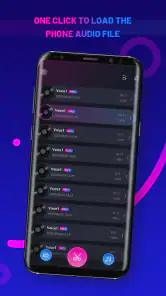
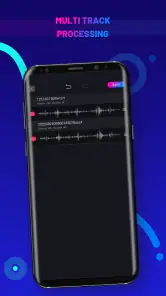
One of the first things you'll notice is the app's user-friendly interface. It's intuitive and straightforward, which makes it perfect for people of all tech levels. The main screen displays a list of your existing audio files, and from there, you can easily select the one you want to edit. I found it refreshingly simple, especially compared to other apps that make you jump through hoops just to cut an audio file.
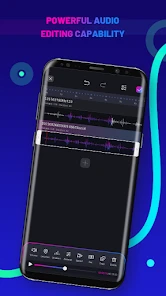
Once you've selected your track, the editing screen is where the magic happens. You can trim, cut, and merge audio files with precision, thanks to the app’s precise editing tools. It's almost like having a mini recording studio right in your pocket!
Features That Stand Out
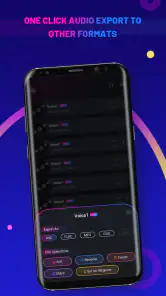
What sets Audio Master apart from the rest is its range of features. For starters, you can not only create ringtones but also alarm tones and notification sounds. This means you can customize every aspect of your phone’s audio alerts. The app supports a variety of audio formats, so no need to worry about converting files beforehand.
Another cool feature is the fade in and fade out effect, which adds a professional touch to your ringtones. It’s these little details that make a big difference, and Audio Master nails it.
My Personal Take
Now, onto my personal experience. I found the app to be incredibly efficient. The process of making a ringtone was not only quick but also fun. I especially enjoyed experimenting with different effects and seeing how they changed the feel of the ringtone. It's a great way to unleash your inner DJ without any pressure.
More From Our News Desk

Clash of Clans Is Won Between the Battles

Android Auto Makes the Case for Quieter Car Software

MobiOffice: Transforming Mobile Productivity with Seamless Integration

EA SPORTS FC™ Mobile Soccer: Redefining Mobile Sports Gaming

How Microsoft OneDrive Became a Mobile Productivity Giant

How Google Translate Breaks Language Barriers Effortlessly
Plus, the app doesn’t bombard you with ads, which is a huge relief. It’s rare to find a free app that doesn’t try to shove ads down your throat at every turn. Kudos to the developers for keeping it clean and user-focused.
Final Thoughts
In conclusion, if you're in the market for a reliable and feature-rich ringtone maker, look no further than Audio Master. Its ease of use, coupled with a powerful set of features, makes it a must-have for anyone looking to personalize their phone’s sound alerts. Go on, give it a try, and let your phone sing your favorite tunes!
Audio Master - Ringtone Maker Frequently Asked Questions
What features does Audio Master - Ringtone Maker offer?
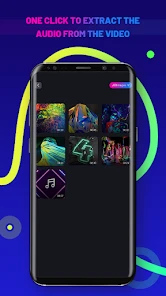
Audio Master - Ringtone Maker offers a comprehensive suite of tools for editing audio files, allowing users to cut, merge, and convert audio tracks. You can upload your favorite songs, trim them to your desired length, and extract audio from video files. The app also supports various audio formats, making it versatile and easy to use for creating custom ringtones.
Is Audio Master - Ringtone Maker free to use?
Audio Master - Ringtone Maker is free to download and offers a range of features at no cost. However, some advanced features and tools may require in-app purchases or a subscription. Be sure to check the app's store listing for details on any costs associated with premium features.
How user-friendly is the interface of Audio Master - Ringtone Maker?
The interface of Audio Master - Ringtone Maker is designed with user-friendliness in mind. It features an intuitive layout with easy-to-navigate menus and controls, making it accessible for users of all skill levels. Whether you're a novice or an experienced audio editor, you'll find the app straightforward and simple to use.
Can I use Audio Master - Ringtone Maker on both Android and iOS devices?
Yes, Audio Master - Ringtone Maker is available for both Android and iOS platforms. It ensures a seamless experience across devices, allowing users to create and customize ringtones regardless of their device type. Always check the app store for compatibility with your specific device model and operating system version.
Does Audio Master - Ringtone Maker allow sharing created ringtones?
Audio Master - Ringtone Maker enables users to share their customized ringtones directly from the app. Once you've created a ringtone, you can easily share it via social media platforms, messaging apps, or email. This feature makes it convenient to showcase your creations with friends and family quickly and effortlessly.
Pros
- User-friendly interface for quick editing
- Supports a wide range of audio formats
- Fast processing speed
- High-quality output ringtones
- Offers customization options for tones
Cons
- Limited advanced editing features
- Contains ads that may interrupt work
- Free version has limited features
- No cloud sync for projects
- Occasional app crashes reported
- Category
- Music & Audio
- Version
- 1.00.002











