Audacy: Radio & Sports Talk
- 23.46K
- 3.1
- Installs
- 5.00M
- Price
- Free

Screenshots

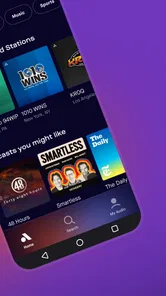
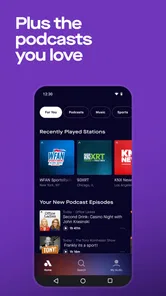
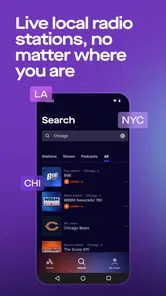
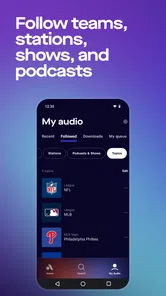

Analysis by Reviewed
I judge radio apps less by the first evening’s novelty than by whether they earn a place in my routine. Audacy: Radio & Sports Talk makes a strong first impression if you enjoy live voices, familiar stations, or sports discussion, but its lasting value depends on whether those formats fit the way you actually listen. I found it most appealing as a quick route to spoken audio and station-based listening, rather than as a replacement for every music or podcast app.
What the first week gets right
The appeal is easy to understand: instead of building a listening session around an album or a playlist, I can browse radio and talk content and settle into whatever suits the moment. A local station can make a commute feel connected to a place, while a national show is handy when I want a broader conversation. Sports fans have a particularly clear reason to try it: talk and commentary can fill the gaps between games, not just the time when a match is on.
For a realistic weekday routine, I might start a station while getting ready, continue listening during a drive, then switch to a sports discussion later. That kind of handoff is where a radio-focused app can be more useful than opening several separate sources. I would still check that the station or show I care about is available before making it my daily default; a broad selection is valuable, but personal fit matters more than an impressive-sounding catalog.
Making a station routine work
When I try a listening app, I give it a few ordinary situations rather than judging it during one long browse. With Audacy, that means checking whether I can quickly reach a station in the morning, whether its live talk suits a commute, and whether I can find something different when I have time to listen at home. Those small tests reveal more than simply scrolling through options: the lasting question is whether the app fits into moments when I would otherwise reach for the car radio or leave the room quiet.
I would also keep a simple distinction between discovery and routine. Browsing can help me stumble across a show, but once I know what I want, a short list of familiar choices is more useful than starting over each time. If I am sharing a drive or a kitchen with someone else, a local station can be an easy shared choice; if I want to follow one subject closely, a specific talk show is a more deliberate pick. The app’s value comes from having both kinds of listening available, not from treating every station as equally relevant.
How it holds up as a habit
Audacy is a free Music & Audio app from Audacy, Inc. It has been around since Jan 12, 2011, and its current version is 2025.11.0, which gives it the feel of an established service rather than a short-lived experiment. On Android, it supports version 6.0 and newer. The app is rated Teen, so it is not intended as a child-focused listening environment.
Its recurring value is strongest when I want live radio, news, or sports voices without planning a playlist first. That is a different kind of convenience from on-demand music services: those are usually better when I know the exact song, mood, or album I want, while Audacy makes more sense when I want a station to guide the session. For podcasts, dedicated podcast apps may suit listeners who want a more organized, episode-first routine; Audacy is more compelling when radio and talk belong in the same listening mix.
More From Our News Desk

 Gmail
Gmail in a Busy Inbox: Who Benefits Most?
From first account to crowded workday, Gmail earns its place through dependable search and flexible sorting—but its best fit depends on how much inbox maintenance you can tolerate.

 Prime Video
Switching to Prime Video: What Changes in Your Viewing Routine
Prime Video can make a compelling second home for streaming, but switching means learning a different catalog, rental layer, and route from browsing to playback.

 Universal TV Remote Control
 Works Best as a Reliable Backup
A phone remote earns its place through quick setup and reliable habits. Here is how to get more from Universal TV Remote Control—and where its limits show.

 Weather - By Xiaomi
Weather by Xiaomi Review: Clear at a Glance, Less Clear Up Close
Xiaomi’s weather app makes everyday forecasts quick to scan, but its calm surface can leave useful details and recovery paths harder to find than they should be.

 X
X Under Pressure: Can It Recover When Posting Goes Wrong?
A resilience-focused review of X, examining setup, mistaken posts, interruptions, weak connections, and the gaps that matter when recovery needs to be dependable.

 Clash of Clans
 Is Won Between the Battles
Its raids are quick; its community is a long-term project of coordination, teaching, rivalry, and shared responsibility—with all the friction that entails.
Latest News



That difference matters over a month, when the excitement of exploring a new app has faded. I would keep it if the stations become part of repeated routines—such as catching local conversation on the way to work or turning on sports talk after a game—rather than because I feel obliged to use every section. Someone who mainly wants to build a precise sequence of songs is unlikely to find the same recurring value here. A music service is better for that job; Audacy earns its place when the live, station-led format is itself the point.
What I would keep in mind
The main trade-off is that radio is less predictable than choosing a specific track or episode. A show may not be covering the topic I hoped for at that moment, and station-based listening asks me to accept the pace and programming rather than curate every minute. I’d use favorites or bookmarks to make repeat listening easier, but I wouldn’t expect those shortcuts to replace a deliberate library if I mainly listen to carefully selected albums or saved podcast episodes.
Streaming also depends on having a reliable connection, so I would not make it my only plan for a long stretch with poor reception. Before heading out, I’d open the app and confirm I can reach the station or show I want, rather than assuming a live stream will be convenient everywhere. That small check is especially useful if the listening session matters, such as following a game while traveling.
For a practical test, I would try the app at home on a stable connection before relying on it for a trip. That gives me a chance to find the station I intend to hear and judge whether its format holds my attention, without the added annoyance of doing the search in a hurry. If I am going somewhere with unreliable reception, I would choose a listening option suited to that situation instead of counting on a live stream to carry the whole journey.
Exploring the Features
First off, the variety of content available on Audacy: Radio & Sports Talk is absolutely mind-boggling. The app offers a plethora of radio stations, covering everything from music to news to sports. I was pleasantly surprised by the number of local and national stations I could access. Whether you’re in the mood for some soothing jazz or eager to catch up on the latest news, Audacy has got you covered.
One feature that particularly stood out to me was the sports talk section. As a sports enthusiast, I found myself glued to the app, listening to insightful discussions, live commentary, and expert analysis on my favorite teams and games. It’s like having a personal sports commentator in your pocket, which is pretty awesome, right?
The useful distinction for me is between listening for an event and listening around it. A live game or discussion can make the app a natural companion when I want the immediate conversation, while a station can fill the quieter stretches before or after. If I care about a particular team or topic, I would check that the relevant content is easy to locate before treating the app as my main source. A wide range of audio is only valuable when it includes the voices I actually want to hear.
Usability and Design
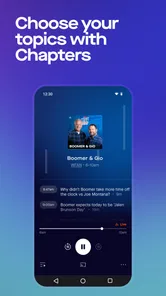
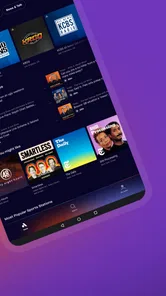
Now, let’s talk about the app’s design. It’s clean, intuitive, and easy to navigate. Even if you’re not tech-savvy, you’ll find yourself breezing through the menus without any hiccups. The layout is straightforward, with clearly labeled tabs and sections, making it super simple to find exactly what you’re looking for.
I must say, the streaming quality is top-notch. I’ve had experiences with other apps where buffering was a constant issue, but not with Audacy. The playback was smooth and uninterrupted, providing a seamless listening experience. Plus, the personalization features like bookmarking your favorite stations or shows make it incredibly convenient to jump back into your preferred content.
For everyday use, the key is to make those saved choices do practical work. I would bookmark a small number of dependable stations or shows, then use browsing only when I actually want to discover something new. This keeps short listening windows—waiting for an appointment, making breakfast, or settling in after work—from being swallowed by repeated searching. It is a modest habit, but it makes a station-based service feel more immediate.
There is a trade-off in that approach: a tightly curated set of favorites is efficient, but it can also make the app feel repetitive if I never look beyond it. I would revisit the wider selection occasionally, particularly if my routine changes or I want a different tone. The goal is not to collect options; it is to keep enough variety available that choosing a familiar station remains easy without turning the app into another catalog I have to manage.
Why It’s Worth Your Time
So, you might be wondering, is this app really worth downloading? In my opinion, absolutely. The range of content, coupled with a user-friendly interface, makes it a standout choice for anyone who’s into radio or sports talk. It’s like having the world of radio at your fingertips, ready to entertain and inform you any time, anywhere.
I also appreciate the way the app keeps evolving, constantly adding new features and stations to keep things fresh and exciting. It’s clear the developers are committed to providing a top-notch experience for their users.
In deciding whether it deserves lasting space, I would ask one plain question: does it replace a listening moment I already have, or does it create a new chore? If I naturally want a station while cooking, driving, or catching up on sports, it can become a low-effort part of the day. If I have to search around every time and rarely find a show that suits me, its broad scope will not solve that mismatch. I would judge it by repeat use, not by how much I explored on the first day.
Where it fits—and where it doesn’t
Audacy has 5M+ installs and an average rating of 3.2 from 45K ratings, with 23K reviews. That mixed reception is a useful reminder to treat it as a personal fit rather than an automatic recommendation. I’d suggest it to someone who regularly listens to radio, follows sports talk, or wants news and music alongside spoken shows. If you mostly want precise on-demand control, a music service built around albums and playlists may be a better everyday choice.
A practical tip is to save only the stations and shows you genuinely return to. A short favorites list makes the app more useful when you have a few minutes to listen, while bookmarking every interesting option can turn choosing into its own task. I’d also use radio for hands-busy moments—cooking, tidying, or driving—when a continuing stream is more convenient than repeatedly choosing what comes next.
There is a broader question about long-term fatigue: talk radio can become repetitive if the same subjects dominate your routine, and live programming cannot always match a particular mood. I’d balance it with music or a podcast when I want a different pace. That flexibility is the point; the app works best as one dependable listening option, not as a promise that every session will feel fresh.
The Teen rating is another reason I would make the listening choice deliberately in a family setting. I would not assume that a general radio and talk app is automatically suitable for a younger child just because it includes music. For my own use, that rating is a cue to treat the content as intended for teens and older listeners, rather than handing over the phone without considering what the child may tune into.
The rating history also makes me cautious about recommending it as a universal replacement for other audio apps. A middling average alongside a substantial audience suggests that people’s experiences are not all alike, so I would pay attention to how it behaves on my device and whether the stations I want are easy to reach. The most useful trial is personal: pick a few likely listening moments, try those sources, and see if the app reliably earns a repeat visit.
In conclusion, if you’re a fan of radio or sports talk, Audacy: Radio & Sports Talk is definitely worth checking out. It brings a world of audio entertainment straight to your device, offering something for everyone. So go ahead, give it a try and dive into a world of endless audio possibilities!
Audacy: Radio & Sports Talk Frequently Asked Questions
Can I listen to Audacy without creating an account?
Audacy: Radio & Sports Talk brings radio stations, podcasts, music, news, and sports talk together in one app. If you prefer to start listening without setting up an account, check the options presented when you open the app, as access and personalization can depend on the available sign-in choices. The app is free to download, so you can install it and see how its listening experience fits your routine.
Does Audacy work well for listening on the go?
Audacy is built around audio, making it a practical option for listening while commuting, exercising, or taking a break. You can explore radio stations, podcasts, music, news, and sports talk from the app. Streaming uses an internet connection, so your experience on the go will depend on your connection and mobile data plan. Connecting to Wi-Fi when available can help you manage cellular data use.
Can I find local radio stations and familiar shows on Audacy?
The app is intended for listeners who want to tune in to radio stations as well as explore podcasts, music, news, and sports talk. That makes it worth browsing if you are looking for stations or programs you already enjoy, alongside new audio to discover. The available choices can vary, so search and explore the app after installing it to see which stations and shows suit your interests.
What should I know about Audacy’s ratings and user feedback?
Audacy has an average rating of 3.2 from around 45,000 ratings, giving prospective listeners a snapshot of mixed experiences. Individual preferences and devices can shape how people feel about an audio app, so consider what matters most to you, such as the stations, shows, or podcasts you want to hear. The app has also received around 23,000 written reviews, which can offer additional perspectives.
What devices and operating systems can run Audacy: Radio & Sports Talk?
Audacy: Radio & Sports Talk is an app for listening to radio, music, podcasts, news, and sports talk. On Android, it requires version 6.0 or later, so it is worth checking your device’s software before downloading. Once installed, you can use the app to explore audio content and tune in to stations and shows.
Pros
- User-friendly interface
- easy navigation
- Extensive selection of radio stations
- Live sports talk and updates
- High-quality audio streaming
- Customizable station lists
Cons
- Requires stable internet connection
- Advertisements can be intrusive
- Limited offline listening options
- Some stations may have streaming delays
- Account creation needed for personalized features