Anki Pro: Flashcards Learning
- 389.00
- 3.7
- Installs
- 1.00M
- Price
- Free

Screenshots
Analysis by Reviewed
When I choose a flashcard app, I care less about how many cards I can make and more about whether I’ll actually return to them. A useful tool should make it easy to turn a subject into small prompts, fit reviews into spare minutes, and keep a growing collection manageable. Anki Pro: Flashcards Learning is an education app from Vedas Apps Ltd built around that kind of repeat practice. It is free to install, rated for Everyone, and has an average rating of 3.7 from around 25,000 ratings, so it is worth judging by its study approach as well as its broad appeal.
Choose it for a repeatable study habit
The main decision is whether flashcards suit the material you need to learn. They work well for vocabulary, definitions, dates, formulas, and other facts that can be recalled in response to a clear cue. They are less suitable as your only method for subjects that depend on extended reasoning, writing, or solving unfamiliar problems. I’d use the app to remember the building blocks, then practise applying them elsewhere.
For example, a language learner might make cards for new words and put a short phrase on the reverse, rather than memorizing an isolated translation. A student preparing for an exam could split a large topic into smaller decks and review one during a commute or while waiting for an appointment. Those small sessions are more realistic than expecting to find a long, uninterrupted block of study every day.
Getting Started with Anki Pro
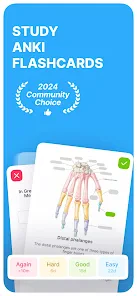
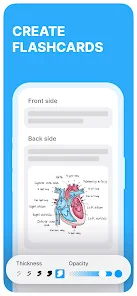
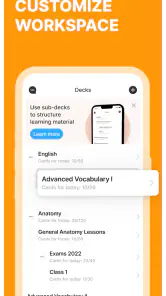
Okay, first things first. When you download and open Anki Pro: Flashcards Learning, you’re greeted with a sleek and intuitive interface that’s designed to be user-friendly. The app is all about flashcards, and if you’re anything like me, flashcards are a godsend for memorizing those tricky bits of information. From the get-go, creating and organizing flashcards is a breeze. You can customize your decks based on subjects or topics, making it super convenient to keep everything organized.
Features that Make a Difference
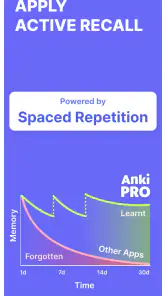
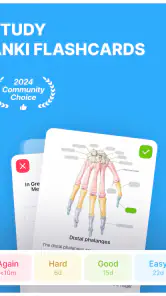
One of the standout features of Anki Pro is its spaced repetition algorithm. This nifty tool ensures that you’re reviewing the right information at the right intervals, which is scientifically proven to enhance memory retention. It’s like having a personal tutor reminding you when it’s time to refresh your memory on certain topics. Trust me, this feature is a game-changer, especially when prepping for exams or learning a new language.
The practical payoff depends on the quality of the cards you create. I’d keep each card focused on one question, use a specific prompt rather than a vague heading, and avoid putting a whole page of notes on the answer side. That makes it easier to tell whether I genuinely remembered the point or merely recognized a familiar block of text. If a card repeatedly feels confusing, I’d rewrite it instead of treating every missed review as a memory problem.
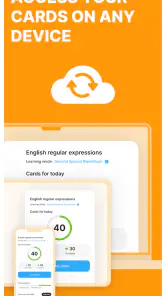
Another cool aspect is the ability to sync your decks across multiple devices. Whether you’re using your phone, tablet, or computer, Anki Pro ensures that your progress is saved and accessible from anywhere. This kind of flexibility is perfect for those of us who are constantly on the move but still want to squeeze in some study time whenever possible.
More From Our News Desk

Clash of Clans Is Won Between the Battles

Android Auto Makes the Case for Quieter Car Software

MobiOffice: Transforming Mobile Productivity with Seamless Integration

EA SPORTS FC™ Mobile Soccer: Redefining Mobile Sports Gaming

How Microsoft OneDrive Became a Mobile Productivity Giant

How Google Translate Breaks Language Barriers Effortlessly
The Learning Experience
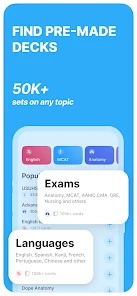
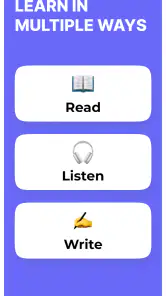
Using Anki Pro feels like having a personalized learning experience right at your fingertips. The app supports various media, so you can include images, audio, and even videos in your flashcards. This multimedia approach can be incredibly helpful for visual learners or those who need to hear information to retain it. Plus, the ability to share decks with friends or download shared decks from the Anki community is a fantastic way to access a wealth of knowledge and resources.
Shared material can save setup time, but I wouldn’t assume every downloaded deck matches the way I’m being taught or the level I need. I’d preview a small portion first, check that the wording and answers make sense, and edit cards that are too broad or use unfamiliar terms. For language study, audio can help make a card more than a spelling test; for a visual topic, an image can make the cue easier to recognize. Media is most useful when it supports a specific recall task rather than simply decorating a card.
But it’s not just about memorization. Anki Pro encourages active recall, which is a powerful technique to enhance learning. By actively engaging with the material, you’re more likely to store information in your long-term memory. It’s a bit like turning your study sessions into a fun and interactive game, and who doesn’t love a bit of fun while learning?
Where another study method may suit you better
Compared with paper cards, this app is more convenient when you want a deck to include media or to review it across devices. Paper may still be a better fit if you like spreading cards across a desk, sorting them by hand, or studying without a screen. Compared with a notes app, flashcards make you retrieve an answer rather than reread a page, but they take more care to prepare. For a lesson that needs a connected explanation, I’d keep notes or a textbook alongside the cards instead of forcing every idea into question-and-answer form.
There is also a trade-off between using shared decks and building your own. Shared cards can get you started quickly, while writing your own prompts makes you decide what matters and phrase it in a way that makes sense to you. I’d combine the two: borrow a deck as a starting point when it fits, then remove irrelevant material and add cards for the details your course or personal goal actually emphasizes.
A realistic routine, and the limits to expect
Imagine I’m studying a language after work. I could add a few new words while reviewing that day’s lesson, then use a short phone session the next morning to test recall. If I keep missing one word, I can check whether the prompt is too vague, whether the answer has too many details, or whether I need an example sentence. That small adjustment is more useful than simply making the deck larger. Syncing can make it easier to continue on another device, but I’d still build a regular review habit rather than relying on a last-minute cram session.
The app is not a shortcut around understanding, and flashcards can become tedious if a deck grows without a plan. A large collection of poorly written prompts may feel like busywork, while an overly ambitious daily routine is easy to abandon. I’d start with one subject, make cards only for information I need to retrieve, and keep each review session manageable. If I mainly need guided lessons, detailed explanations, or practice producing long answers, I’d choose a course, textbook, or writing-based routine as my main tool and use cards only as support.
The app is free to install, with in-app purchases ranging from $4.99 to $99.99 per item. I’d check what an optional purchase offers and whether it addresses a real need before paying; the basic decision is whether the flashcard workflow fits your study habits. Its current version is 2.13.0 and it requires Android 8.0 or later, which makes those details useful to check before installing on an older device. With over one million installs, it has reached a broad audience, but that alone does not tell me whether its approach is right for an individual learner.
Final Thoughts
So, there you have it! My experience with Anki Pro: Flashcards Learning has been nothing short of impressive. Whether you’re a student, a professional, or just someone looking to improve your memory skills, this app offers a comprehensive and engaging way to learn. The combination of spaced repetition, multimedia support, and cross-device synchronization makes it a standout choice in the sea of educational apps.
In a nutshell, Anki Pro is more than just a flashcard app; it’s a powerful learning tool that can adapt to your personal learning style. If you’re serious about enhancing your study sessions and retaining information more effectively, I’d say give Anki Pro a shot. Who knows? It might just become your new favorite study companion!
Anki Pro: Flashcards Learning Frequently Asked Questions
What kind of study material can I use with Anki Pro?
Anki Pro is designed for study through flashcards, so it can suit material that can be broken into brief prompts and answers. That might include vocabulary, definitions, facts, or exam concepts you want to recall actively. The format works best when cards are clear and focused; it is less like following a course made primarily of long video lessons.
Who develops Anki Pro, and what type of app is it?
Anki Pro is an education app developed by Vedas Apps Ltd. Its main focus is flashcard-based learning, with spaced repetition to help you revisit information over time. This makes it a practical option for people who want a dedicated tool for reviewing and memorizing material, rather than a general-purpose notes app or a full course platform.
What is the minimum operating-system version needed to install Anki Pro?
The minimum supported operating-system version is 8.0. Before downloading, check the software version on your device to make sure it meets that requirement. This can help you avoid installation problems and decide whether Anki Pro is compatible with the phone or tablet you plan to use for studying. The app is available on Android and iOS.
Can Anki Pro help me prepare for exams or learn a language?
Yes. Anki Pro is built around flashcards and spaced repetition, making it useful for reviewing exam material as well as vocabulary and other language-learning topics. You can create cards around what you need to remember and revisit them over time. The approach is most helpful when you study regularly and keep your cards focused on clear, manageable pieces of information.
What is Anki Pro and how does it work?
Anki Pro is a flashcard-based learning application designed to help users memorize information efficiently through spaced repetition. The app allows you to create, download, and customize flashcards on various subjects. Users can study and review the cards at intervals determined by their performance, ensuring long-term retention of the information.
Pros
- Highly customizable flashcards.
- Supports multimedia elements.
- Sync across multiple devices.
- Offers spaced repetition feature.
- User-friendly interface.
Cons
- Initial setup can be complex.
- Limited customer support.
- Subscription required for full features.
- Some features are hidden behind paywalls.
- Occasional sync issues.
- Category
- Education
- Version
- 2.13.0