All Video Downloader - Browser
- 191.00
- 4.5
- Installs
- 10.00M
- Price
- Free

Screenshots





Analysis by Reviewed
If you're like me and often find yourself wanting to save videos from various websites for offline viewing, then All Video Downloader - Browser might just be your new best friend. This app promises to make video downloading a breeze, and after spending some quality time with it, I can say it largely delivers on that promise.
Getting Started with All Video Downloader
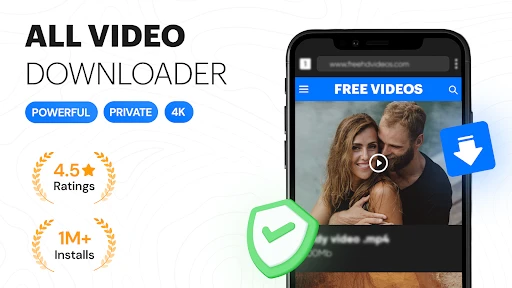
Downloading and setting up All Video Downloader - Browser is straightforward. Head to your app store, snag it, and within a few taps, you're ready to roll. The interface is clean and intuitive, which is a breath of fresh air compared to some other cluttered apps out there. Right off the bat, the browser integrates seamlessly, allowing you to navigate to your favorite video sites without any fuss.
Features That Stand Out
One of the first things you'll notice is the app's ability to sniff out downloadable content. It's like having a digital bloodhound that knows exactly where the good stuff is. As you browse, the app automatically detects videos and provides a download button, making the process as easy as pie.
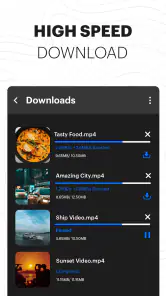
Another cool feature is the variety of formats and resolutions available for download. Whether you're looking for high-quality HD content or something more size-friendly for your device, this app has got you covered. Plus, the download speed is impressive, ensuring that you spend less time waiting and more time enjoying your videos.
Usability and Experience
Using the app feels smooth and efficient. The built-in video player is a nice touch, allowing you to preview videos before downloading them. I found this particularly useful when trying to decide between multiple versions of a video. Moreover, the app supports a wide array of websites, so you're not just limited to the big names. It's like having a universal remote for video downloading.
What I also appreciate is the ability to manage your downloads within the app. You can pause, resume, or delete downloads with ease, which adds to the overall user-friendly experience. It's little things like this that make a big difference in daily use.
Final Thoughts
All in all, All Video Downloader - Browser is a solid choice for anyone looking to expand their video library. It's user-friendly, packed with useful features, and performs consistently well. While no app is perfect, and there might be occasional hiccups with certain websites, the overall experience is overwhelmingly positive.
If you're in the market for a reliable and efficient video downloader, give this app a shot. It's a handy tool to have in your digital arsenal, and who knows, it might just become a staple in your app collection like it did in mine!
Pros
- Easy to use interface
- Supports multiple video formats
- Fast download speeds
- Built-in browser
- No login required
Cons
- Ads can be intrusive
- Limited free version
- No batch downloading
- Some formats unsupported
- Occasional crashes

- Category
- Video Players & Editors
- Version
- 6.9