Akron Beacon Journal Now
- 73.00
- 2.9
- Installs
- 10.00K
- Price
- Free

Screenshots


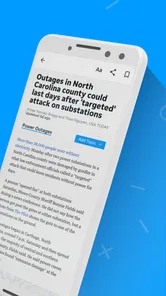

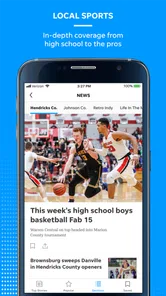
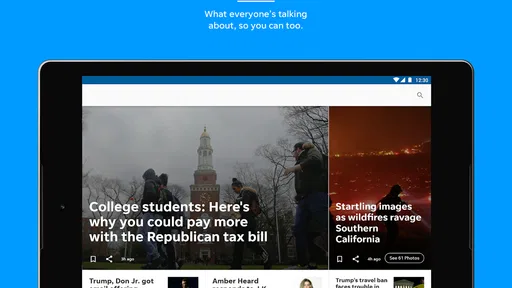
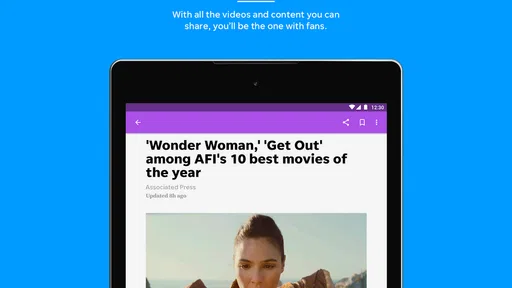
Analysis by Reviewed
I spent time with Akron Beacon Journal as a local news app from USA TODAY Co., and my overall impression is that it is most useful when you want Akron-area reporting in a focused mobile format rather than a broad stream of unrelated headlines. It sits in the News & Magazines category, is free to install, and carries an Everyone 10+ content rating. That makes the first step easy: you can try it without paying upfront and decide whether its local coverage fits your daily routine.
The app’s store summary points to a mix of local and national news, photography, and video. In practice, that combination gives it a different feel from a general news reader. The local angle is the reason to keep it installed, while the national material gives the app more to offer when you open it between local updates. I would recommend approaching it as a digital newspaper companion, not as a complete replacement for every source you use to follow breaking events.
How Akron Beacon Journal fits into everyday news reading
The first thing I noticed is how clearly the app’s identity is tied to its publication. The short store description simply identifies it as Akron Beacon Journal, which is helpful because there is no confusion about whether this is a generic USA TODAY feed or a dedicated local outlet. The developer is USA TODAY Co., but the app’s appeal depends on the Akron Beacon Journal brand and its local-news focus.
That focus matters most in ordinary situations. If I wanted to check what was happening around the Akron area during breakfast, I would open this before scrolling through a national news app. A general app may give me politics, business, sports, and world headlines, but it may not put local developments in front of me with the same priority. Here, the value comes from reducing that search effort.
The app also makes sense for readers who prefer a visual news experience. Photography can make a local story easier to understand, especially when the subject is a public event, a neighborhood change, or a developing situation. Video adds another layer for people who would rather watch a short report than read every detail immediately. I found that useful when I wanted a quick sense of a story before deciding whether to spend more time reading.
That does not mean every story benefits equally from images or video. For analysis, background, and detailed reporting, text remains the more practical format. I would treat the visual material as a way to enter a story, not as a substitute for reading the full article when the subject is important.
What the free access really means
The app is listed as free, so downloading and trying the basic product does not require an upfront purchase. That is a meaningful advantage for someone who is unsure whether a local publication belongs in their routine. You can judge the layout, the relevance of the headlines, and the balance between local and national coverage before deciding whether it deserves regular attention.
More From Our News Desk

Weather by Xiaomi Review: Clear at a Glance, Less Clear Up Close

X Under Pressure: Can It Recover When Posting Goes Wrong?

Clash of Clans Is Won Between the Battles

Android Auto Makes the Case for Quieter Car Software

MobiOffice: Transforming Mobile Productivity with Seamless Integration

EA SPORTS FC™ Mobile Soccer: Redefining Mobile Sports Gaming
There are also in-app purchases listed at prices ranging from $14.99 to $69.99 per item. I would not describe the app as entirely cost-free simply because installation is free. The important distinction is between trying the app without an initial charge and paying for any optional access or subscription-related value presented inside it. Before confirming a purchase, I would read the exact offer shown in the app and check what period or access level it covers.
That approach is especially important with a newspaper app because the value of paid access depends on how often you use it. Someone who checks local headlines once a week may be satisfied with free access if the available material meets their needs. A reader who returns every morning, follows local developments closely, or wants a deeper reading experience may find a paid option more reasonable. The listed purchase range gives a clear reason to compare the offer with your actual habits rather than assuming the most expensive option is automatically worthwhile.
I also like that the free starting point lowers the risk of making the wrong decision. Instead of committing to a subscription before understanding the app, I would install it, use it during a normal news cycle, and note which stories are accessible and which actions lead to a purchase screen. That simple test tells you more than the headline list alone.
What you get beyond a headline feed
The strongest part of the experience is the combination of local relevance and multiple formats. A headline feed is useful for scanning, but it can become tiring when every item looks identical. The presence of photography and rich video gives the app more texture. I found myself more likely to pause on a local story when the presentation helped me see the people or place involved.
One practical workflow is to use the app in two passes. On the first pass, I would scan the main headlines and open only the stories connected to my immediate interests. On the second, I would return to one or two articles that deserve more attention and use the visual material to build context. This prevents the app from becoming another endless scroll while still taking advantage of its broader presentation.
A second useful habit is to separate “need to know” from “want to explore.” Local news often includes items that are directly relevant to daily life, while national stories provide wider context. I would start with local headlines, then move to national coverage only if I had time. That order keeps the app’s main purpose intact instead of allowing the broader material to crowd out the Akron reporting that makes it distinctive.
The visual emphasis can also help readers who share news with family or friends. A photograph or video may communicate the basic situation faster than a copied headline. Still, I would share the full story rather than relying on an image alone, since a visual snapshot rarely includes all the qualifications or background that matter.
Where the experience can become frustrating
The average rating is 2.9 from around 122 ratings, with roughly 73 written reviews. I would not treat that number as a complete verdict, but it is a useful warning to keep expectations measured. It suggests that the app has not been a smooth fit for everyone, so I would test it personally instead of assuming that the publication’s usefulness guarantees a polished mobile experience.
My main concern with an app like this is the possible friction between reading casually and encountering paid access. A free download is convenient, but the moment a preferred article or feature requires an in-app purchase, the experience can feel interrupted. That is not automatically a problem; journalism costs money to produce. The issue is whether the payment terms are clear enough for you to understand what you are receiving before you commit.
Another trade-off is focus. The Akron connection is the app’s reason to exist on my phone, but readers who want a fully customized national news dashboard may prefer a general aggregator. An aggregator usually makes it easier to combine many publishers in one place, while a publication-specific app offers a clearer editorial identity. Neither approach is universally better. I would choose this app when local depth matters more than having every source in one feed.
There is also a time-management trade-off. Photography and video can make stories more engaging, but they can encourage a quick visual scan without the deeper reading that some subjects deserve. If I were trying to understand a complicated local issue, I would use the app to find the relevant report and then read carefully rather than relying on the most eye-catching element.
Small habits that make the app more useful
I would begin by checking the app at a consistent time instead of opening it repeatedly throughout the day. A morning scan can establish the main local topics, while a later visit can show whether an important story has developed. This keeps the app useful without turning it into a constant interruption.
I would also judge its value over several ordinary visits, not one unusually quiet or unusually busy news day. Local apps can feel excellent when a major story matches your interests and less impressive when the available headlines are outside your concerns. A fair trial should include routine days, because that is when you learn whether the app has enough relevance to justify space on your phone.
When a story includes video, I would use it as a quick orientation tool and then look for the written article if I need specifics. This is a small but important distinction: video may tell me what happened visually, while text is more likely to help me follow names, timelines, and explanations. Using each format for the job it handles best makes the experience less shallow.
Finally, I would keep an eye on the purchase prompts without treating them as a reason to abandon the app immediately. If I mainly want headlines, the free experience may be enough. If I repeatedly reach the same access limit and the reporting has become part of my routine, that is the point when I would compare the available purchase with how much I actually read. The decision should follow usage, not impulse.
Who is likely to get the most value
This app is a strong candidate for people who live in or care about Akron and want a direct route to local reporting. It may also suit former residents who still follow the area, family members checking on regional developments, and readers who prefer a publication’s own presentation over a mixed-source feed. The combination of local and national coverage means you do not have to leave immediately whenever you want broader context.
It is particularly appealing if photography and video influence how you consume news. Readers who find plain headline lists dull may appreciate the richer presentation. I would also consider it for someone who wants to form a simple daily habit: open the app, scan local developments, read one substantial story, and move on.
I would be more cautious about recommending it to readers who need a single app covering many cities, international sources, or highly personalized topics. A general news reader is probably better for that purpose. I would also suggest skipping it if you are unwilling to consider any paid access at all and the free material does not satisfy you during the trial. The app costs nothing to download, but the listed in-app purchase range means the broader value question cannot be answered by the word “free” alone.
Device and app details worth checking
The app was released on September 24, 2018, and the current version is 8.10.3. It requires Android 8.0 or later, so users of older Android phones should check compatibility before planning around it. For supported devices, the version information indicates that the app is maintained as a current product rather than being left at its original release state.
The Everyone 10+ rating is another useful point for households. It signals that the app is intended for a broad audience but may include news topics that parents would still want to consider before handing it to younger children. Since this is a news product, the subject matter can naturally vary with the day’s events. I would regard the rating as a general guide, not a promise that every article will suit every child.
Because the app is associated with USA TODAY Co. while carrying the Akron Beacon Journal identity, I would pay attention to which parts of the experience feel local and which feel broader. That distinction helps set expectations. If local reporting is the main reason you installed it, use that as your standard for judging success rather than expecting the app to behave exactly like a national news aggregator.
My final recommendation
I see Akron Beacon Journal as a sensible free trial for anyone who wants Akron-focused news with photography, video, and some national material in the same app. Its best quality is not the fact that it is available at no upfront cost; it is the convenience of putting a recognizable local news source in a dedicated mobile space.
At the same time, I would not recommend paying automatically. The average rating of 2.9 and the possibility of in-app purchases mean you should first test the reading flow, verify how much content is useful to you, and understand the exact purchase offer displayed on your device. That is the fairest way to judge paid value without assuming that free installation equals complete free access.
My verdict is to try it if Akron coverage is genuinely important to you, then decide based on repeated daily use. Keep it if the local reporting saves you time and the presentation helps you follow stories. Skip it in favor of a broader news reader if your priority is a highly customized, multi-source national or international feed. For the right reader, this is a practical local-news companion; for everyone else, its narrow geographic identity may be precisely what makes it less useful.
Akron Beacon Journal Now Frequently Asked Questions
What devices and operating systems can run Akron Beacon Journal Now?
Akron Beacon Journal Now is a mobile app for readers who want local and national news on a phone or tablet. On Android, it requires version 8.0 or later, so check your device’s software before downloading. The app is listed for iOS as well, and the relevant store page can help you confirm compatibility with your particular Apple device.
Who publishes Akron Beacon Journal Now, and what is its age rating?
The app is published by USA TODAY Co. and is categorized as a news and magazines app. Its content rating is Everyone 10+, which is useful to consider when deciding whether it is appropriate for a younger reader. The publication’s local-news focus may particularly appeal to people who want reporting connected to Akron and its surrounding communities.
What is Akron Beacon Journal Now?
Akron Beacon Journal Now is the mobile news experience for readers who want access to local reporting from Akron, Summit County, and surrounding communities. After installing the app, users can browse breaking news, politics, crime, business, sports, entertainment, and community coverage in one place. Its focus is regional journalism, making it more useful for local readers than a general national news app.
Is Akron Beacon Journal Now free to download and use?
The app is free to download, but access to all articles and premium features may depend on the current subscription model. Some content may be available to casual readers, while frequent reading can eventually require a digital subscription or account. In-app purchases range from $14.99 to $69.99 per item, so review the purchase details and terms before subscribing.
What content can I read in the Akron Beacon Journal Now app?
The application is designed to provide a broad selection of local and regional journalism, alongside national news. Its store description also highlights spectacular photography and rich video content. Depending on the current edition and available features, readers may find breaking news, local government coverage, sports, business updates, opinion articles, entertainment, investigative stories, and community reports. Coverage is especially valuable for people who live in or closely follow the Akron area.
Pros
- Fast access to breaking news from Akron and surrounding communities.
- Covers local politics
- schools
- sports
- business
- and community events.
- Personalized alerts help you follow important local stories.
- Clean layout makes articles easy to browse on a phone.
- Includes multimedia content such as photos and videos.
Cons
- Some premium articles may require a digital subscription.
- Advertising can interrupt browsing and take up screen space.
- News coverage is mainly focused on the Akron area.
- Article loading may depend heavily on your internet connection.
- Push notifications can feel frequent if not customized.













