AirPin PRO - AirPlay & DLNA
- 33.00
- 4.0
- Installs
- 10.00K
- Price
- $4.99

Screenshots


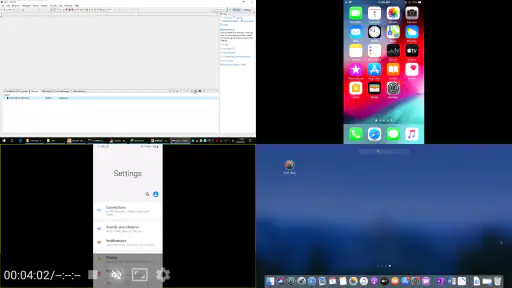
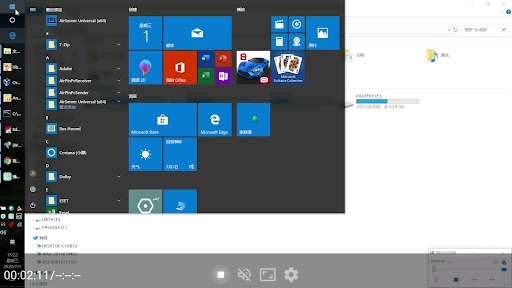

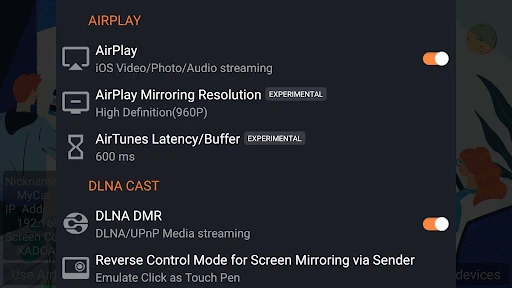
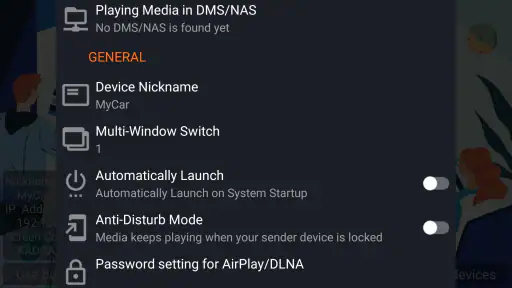

Analysis by Reviewed
Have you ever wanted to stream content from your iOS device to your TV without a hitch? Well, let me introduce you to AirPin PRO - AirPlay & DLNA. This nifty app is making waves in the streaming world, and for good reason. It bridges the gap between your phone and TV, effortlessly turning your living room into a personal cinema.
Effortless Streaming with AirPin PRO
The first thing that struck me about AirPin PRO - AirPlay & DLNA is how incredibly simple it is to use. I mean, who wants to fiddle around with complicated settings when all you want to do is enjoy your favorite movie or playlist? With this app, streaming your media is as easy as pie. It supports a range of devices and works seamlessly with AirPlay and DLNA, which means you're not confined to just one ecosystem. And the best part? No cables required!
Compatibility Galore
One of the standout features of AirPin PRO is its compatibility. Whether you're using an iPhone, iPad, or even an Android device, this app has got you covered. It doesn't just stop there; you can connect it with a variety of smart TVs, set-top boxes, and even projectors. I tested it with my Samsung Smart TV and was amazed at how quickly it connected. The app also supports multi-language options, making it accessible for users worldwide.
Quality and Performance
Now, let's talk about what really matters: performance. AirPin PRO delivers high-quality streaming without any noticeable lag or buffering. I tried streaming some high-definition content, and the quality was stunning. It felt like watching a Blu-ray movie, but without the physical disc. This app also supports 5.1 surround sound, so if you're an audiophile like me, you'll appreciate the immersive experience.
Another cool feature is its ability to mirror your device's screen. Whether you want to display photos, videos, or play games on a bigger screen, AirPin PRO handles it all with ease. And for those of you who love to multitask, the app allows you to stream different content on multiple devices simultaneously. It's like having your own personal media server at home!
Setting Up and Navigating
Setting up AirPin PRO is a breeze. The user interface is intuitive, and even if you're not tech-savvy, you'll have no trouble navigating through the app. I was up and running in just a few minutes, with no need for additional hardware or software. The app also provides excellent customer support, with detailed guides and FAQs to help you out if you get stuck.
In conclusion, if you're in the market for a reliable and powerful streaming app, look no further than AirPin PRO. It combines ease of use with high performance, making it a must-have for anyone looking to enhance their media experience. So, grab some popcorn, kick back, and let AirPin PRO take your entertainment to the next level.
Pros
- Seamlessly streams media across devices
- Supports multiple streaming protocols
- User-friendly interface
- High-quality video and audio output
- Frequent updates and improvements
Cons
- May experience occasional connection drops
- Requires paid version for full features
- Limited customization options
- Some compatibility issues with older devices
- Initial setup can be complex

- Category
- Video Players & Editors
- Version
- 5.6.1