YabaSanshiro 2 Pro
- 179.00
- 4.2
- Installs
- 10.00K
- Price
- $4.99

Screenshots
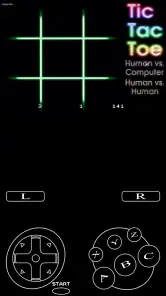
Analysis by Reviewed
I judge a retro emulator by more than whether it can launch a game: I want to know if I can read its menus, manage controls without frustration, and enjoy it in the places I actually use my phone. YabaSanshiro 2 Pro is a paid Android arcade game from devMiyax focused on Sega Saturn play. Its appeal is clear if you already have a Saturn collection in mind, but the experience depends on both your device and how comfortable you are setting up emulation.
What to check before setting it up
This is a focused purchase, not a general-purpose way to fill spare minutes. Before paying, I would ask myself two practical questions: do I have a particular Saturn game I want to revisit, and am I willing to handle the files and setup needed to play it? If the answer to either is no, a native mobile arcade game is likely to be a simpler use of both time and money.
It also helps to think about where you expect to play. A phone is handy for carrying a game between places, but the small display and touch input can make some Saturn titles less comfortable than they were on a television with a controller. A tablet may suit someone who wants more screen space, while a physical controller may help someone who finds virtual buttons awkward; neither option removes the need to check that the chosen game and setup work as expected.
Reading menus and finding your way
The basic idea is straightforward: this app emulates a Sega Saturn, so it is a different proposition from installing a conventional arcade game and tapping Play. You need to bring your own game files and understand how to load them. That extra step is a meaningful hurdle for newcomers, even if the interface itself feels approachable once you are inside it.
For an easier first session, I would prepare one game you are legally entitled to use and test it before building a large library. That makes it simpler to tell whether a problem comes from the file, the setup, or performance on your device. Saturn games also have their own menus, text, and visual style; a small phone screen can make some of that less comfortable to follow than a tablet screen.
Controls, comfort, and sensory load
Touch controls are convenient because they travel with the phone, but they cannot reproduce the feel of a physical Saturn controller. Fast action games may ask for precise, repeated inputs, and fingers can cover part of the picture. I would try a slower-paced title first to see whether the on-screen controls suit your hands and whether the layout stays comfortable during a longer session.
Screen size, brightness, sound, and the game itself all affect comfort. If visual effects or busy scenes tire you, take breaks and adjust the phone’s ordinary display and volume settings to suit the environment. A tablet may make text and details easier to see, while a controller can be a better fit for someone who dislikes touch input, provided their setup works with the device. Those are practical workarounds, not a guarantee that every game or control arrangement will feel right.
More From Our News Desk

Weather by Xiaomi Review: Clear at a Glance, Less Clear Up Close

X Under Pressure: Can It Recover When Posting Goes Wrong?

Clash of Clans Is Won Between the Battles

Android Auto Makes the Case for Quieter Car Software

MobiOffice: Transforming Mobile Productivity with Seamless Integration

EA SPORTS FC™ Mobile Soccer: Redefining Mobile Sports Gaming
Rediscovering the Sega Saturn Experience
Back in the day, the Sega Saturn was a titan in the gaming universe, and with YabaSanshiro 2 Pro, you can relive those glory days. The app is essentially a Sega Saturn emulator that allows you to play your favorite classic games with ease. The developers have done an incredible job in ensuring that the games run smoothly, and it's almost as if you're holding the original console.
Features That Make It Stand Out
One of the standout features of this app is its ability to support a wide range of Sega Saturn titles. Whether you're into action, adventure, or classic RPGs, this emulator has got you covered. The app also offers a high degree of customization, allowing you to tweak the graphics and controls to your liking, which is perfect for those who want a personalized gaming experience.
Another cool feature is the cloud save option. This means you can start playing on one device and pick up right where you left off on another. It’s super convenient for gamers on the go. Plus, the app is continually updated, ensuring that any bugs are quickly squashed, and new features are frequently added.
Getting Started with YabaSanshiro 2 Pro
Getting started with YabaSanshiro 2 Pro is a breeze. The interface is intuitive, making it easy for both seasoned gamers and newcomers to navigate. All you need to do is load your favorite game ROMs, and you're ready to roll. The app supports a variety of ROM formats, so compatibility is rarely an issue.
For those who might be new to emulators, there are plenty of resources and communities out there to help you get the most out of the app. Whether it's setting up the perfect control scheme or finding the best ROMs, the community is always ready to lend a hand.
Making a small-screen session work
For a realistic routine, I would set aside a few minutes at home to load a game, check that its menus are legible, and find a comfortable way to hold the phone before taking it on a commute. That is more useful than discovering mid-journey that a title depends on tiny text or awkward button placement. A short trial also helps me decide whether the game suits quick stops or calls for a quieter, longer session.
If you tend to play in shared or public spaces, sound is another consideration. You can lower the device volume or play without sound when the setting calls for it, but that may change how a particular game feels. I would test the experience in the same kind of environment where I plan to use it, rather than assuming a setup that works at home will be equally comfortable on a crowded train or in a bright outdoor spot.
Choosing it over a typical mobile game
A usual arcade game on Android or iOS tends to be ready to play immediately, with controls designed for a touchscreen and no need to source game files. This emulator trades that simplicity for access to Saturn software and the distinctive feel of that console’s library. It is a better fit for someone who already owns suitable game files and wants to revisit them than for someone looking for a quick, self-contained download.
A realistic use is a short commute or a quiet break: keep one game ready, play a manageable section, then stop when the next task begins. Before relying on a save for a longer journey, test your chosen game and save routine at home. That small check is useful because emulation involves more moving parts than a standard mobile game, and it avoids discovering a setup issue when you have limited time or connectivity.
Cost, compatibility, and practical trade-offs
The game is rated Everyone and costs $4.99, with optional in-app purchases listed at $0.99 per item. It has a 4.2 average from around 1.6K ratings, and its install count is over 10K. Those figures suggest an established niche audience, but they cannot tell you whether a particular Saturn title will work well on your phone. The current version is 1.16.5-PRO, and Android 7.0 is the minimum system requirement.
One useful way to approach the purchase is to decide first whether you have a specific Saturn game you want to play. If you do, test that game rather than assuming broad support means every title behaves identically. Emulation can vary by title and device, so a game that is important to you deserves a trial before you invest time in configuring a whole collection. The paid entry price also makes this less appealing as a casual experiment than a free-to-start game.
The Everyone rating describes the app’s content classification, not whether its text, controls, or visual presentation will work for a particular player. I would consider those separately: a player who needs larger text may prefer a tablet, and someone who depends on precise physical input may want to use a compatible controller or choose a game with less demanding controls. It is worth testing one title with your preferred arrangement before committing to longer sessions.
Where the experience can fall short
The biggest barriers are not nostalgia or interest; they are setup, file management, and control comfort. If you want a game that works instantly, dislike virtual buttons, or do not have game files you can use, this is probably the wrong choice. Someone who values dependable, uncomplicated play may be happier with a native mobile arcade title, while a person seeking the original Saturn feel may prefer playing on dedicated hardware.
It is also worth separating convenience from equivalence. A phone makes a Saturn game portable, but its screen and touch input do not automatically recreate the original playing experience. Try adjusting the controls and display for one title at a time, and keep your expectations specific: the goal is enjoyable access to classic software, not a promise that every game will feel identical to a console session.
One further trade-off is that experimentation takes attention. If a game does not behave as expected, you may need to check the file and settings before deciding whether the phone itself is the limiting factor. Keeping your first test simple—one game, one device, and one control arrangement—makes troubleshooting less confusing. It also gives you a fairer basis for judging the emulator than switching several things at once.
Who is most likely to enjoy it
I would recommend it most readily to someone with a clear Saturn-era favorite, patience for emulator setup, and a device they are comfortable using for longer play. It can also suit a curious retro player who enjoys learning how older console software behaves on modern hardware. For either person, starting with a single title keeps the commitment manageable and makes it easier to notice whether the experience is actually enjoyable.
I would steer away from it if the main goal is instant entertainment, if you do not want to manage game files, or if touch controls and a compact screen are deal-breakers. A conventional mobile arcade game is the more practical alternative for quick, uncomplicated play. Dedicated Saturn hardware is a stronger choice for someone who prioritizes the original controller-and-screen setup over portability.
Why You Should Try It
If you're a fan of retro gaming or just curious about the Sega Saturn era, YabaSanshiro 2 Pro is a must-try. It's not just about reliving old memories; it's about experiencing a pivotal part of gaming history in a modern way. The convenience of having your favorite classics on your phone or tablet is unmatched, and the app's performance is top-notch.
In a world where gaming is constantly evolving, it's nice to take a step back and appreciate where it all began. With its robust features and user-friendly design, YabaSanshiro 2 Pro is a gateway to the past that feels refreshingly new. So go ahead, download it, and let the nostalgia take over.
My inclusive verdict
My recommendation is conditional: this is an appealing specialist option for Saturn fans willing to handle setup and experiment with controls, not an effortless fit for every player or ability. The app has an Everyone content rating, but that does not mean every game, screen, or input method will suit every person. I would choose it for portable access to a particular Saturn favorite, and skip it if immediate play, large readable text, or consistently comfortable touch controls are essential.
My practical advice is to treat the first session as a compatibility and comfort check, not as a test of how many games you can add. If one title loads, looks clear enough, and feels comfortable with your chosen input method, the app has a stronger case for a place on your phone. If those basics do not come together, a native arcade game or original hardware may be a better match for the way you want to play.
YabaSanshiro 2 Pro Frequently Asked Questions
What devices and operating systems can I use YabaSanshiro 2 Pro on?
YabaSanshiro 2 Pro is an advanced emulator designed for Android devices, allowing users to play Sega Saturn games on compatible mobile devices. It provides a straightforward interface and can be used on smartphones and tablets. The game is listed for Android 7.0 and newer, so check your device’s software version before downloading.
What is YabaSanshiro 2 Pro, and what does it emulate?
YabaSanshiro 2 Pro is an arcade-category game and a Sega Saturn emulator developed by devMiyax. Its purpose is to let you play Sega Saturn games on Android, rather than provide a collection of games of its own. You will need to bring compatible game files to use with the emulator, and should only use files you are legally entitled to access.
What platforms does YabaSanshiro 2 Pro support?
YabaSanshiro 2 Pro is an advanced emulator designed for Android and iOS platforms. It allows users to play Sega Saturn games on their mobile devices. The app provides a user-friendly interface and is optimized for both smartphones and tablets, ensuring a smooth gaming experience across different devices. Make sure your device meets the necessary specifications to run the emulator effectively.
How do I install games on YabaSanshiro 2 Pro?
To install games on YabaSanshiro 2 Pro, users need to have legally obtained Sega Saturn game ROMs. After acquiring the ROMs, you can load them into the emulator through the app’s interface. The emulator supports various ROM formats, so make sure your files are compatible. Detailed instructions are available within the app to guide you through the process.
Does YabaSanshiro 2 Pro support online multiplayer features?
YabaSanshiro 2 Pro focuses primarily on emulating Sega Saturn games for single-player experiences. While it excels in providing authentic gameplay, it does not currently support online multiplayer features. The developers are continually updating the app, so future updates might include more features. Check the app's official page for the latest updates and announcements.
Pros
- High compatibility with Sega Saturn games.
- Supports OpenGL ES 3.x for better graphics.
- Customizable on-screen controls.
- Regular updates and bug fixes.
- High-quality sound emulation.
Cons
- Limited performance on older devices.
- Requires BIOS file for full functionality.
- In-app purchases for some features.
- Not all games run smoothly.
- Occasional graphical glitches.
- Category
- Arcade
- Version
- 1.16.5-PRO