Solitaire
- 40.95K
- 4.6
- Installs
- 10.00M
- Price
- Free
Screenshots
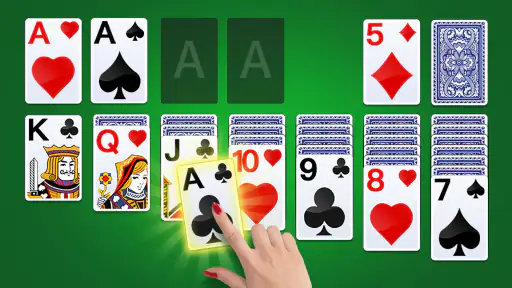
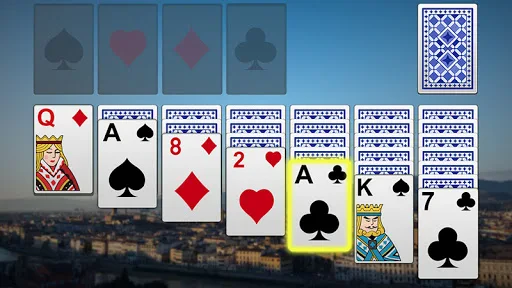
Analysis by Reviewed
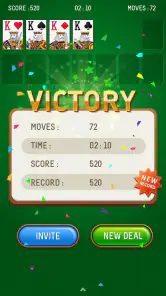
I like card games that give me a clear little task without demanding a long session, and Solitaire fits that role naturally. Mouse Games’ version brings the familiar solo card puzzle to mobile, where a round can fill a quiet pause or provide a few minutes of focus between other things. It is a free card game, rated for Everyone, and its straightforward premise is easy to understand even if you have never played before. The appeal is simple: arrange the cards, make the best of the moves available, and see whether the deal can be cleared.
A Familiar First Impression
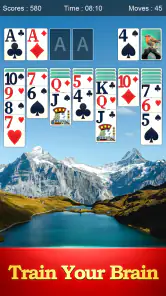
When I first downloaded the Solitaire app, I was hit with a wave of nostalgia. The interface is clean and straightforward, just like the original desktop version we all played when we should have been working. The developers have done a fantastic job of keeping that old-school charm while adding some new features to keep things interesting.
User-Friendly Interface
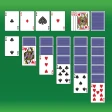
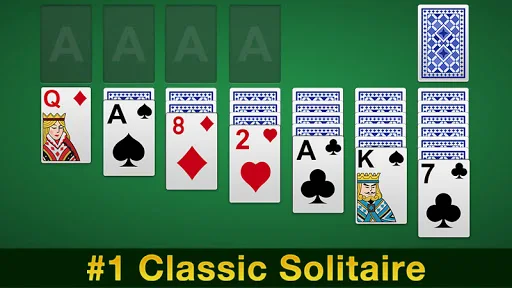
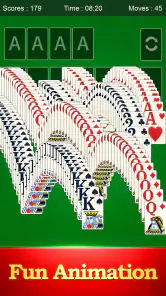
One of the first things I noticed was how intuitive the app is. Whether you're a seasoned Solitaire pro or a newbie just looking to kill some time, the user interface is incredibly easy to navigate. The cards are large and easy to read, and the drag-and-drop functionality is smooth as butter. You can tell a lot of thought went into making the gameplay as seamless as possible.
Customization Galore
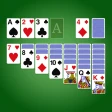
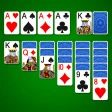
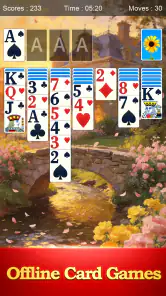
I was pleasantly surprised by the level of customization available in the app. You can choose from different card designs and backgrounds to suit your personal style. Feeling a bit fancy? Opt for a classic green felt background. Want something more modern? There are sleek, minimalistic options as well. This feature adds a personal touch that I really appreciated.
Additional Features
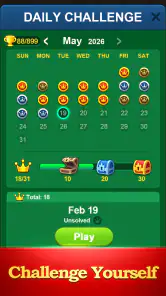
Now, let's talk about the extras that set this app apart from just any old Solitaire game. There's a hint system for those tricky moments when you're stuck and can't seem to find your next move. Plus, the app includes daily challenges that keep you coming back for more. These challenges offer a fun way to test your skills and even compete with friends. Who knew Solitaire could be a social activity?
Performance and Ads
In terms of performance, the app runs smoothly without any noticeable lag. However, I did encounter a few ads here and there. They're not overly intrusive, but if you're someone who can't stand interruptions, you might find them a bit annoying. Thankfully, there's an option to remove ads through a one-time purchase, which could be worth it if you plan on playing regularly.
How the Cards Shape the Experience
Art That Keeps the Cards in Focus
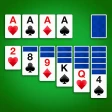
The visual treatment is most successful when it supports the puzzle instead of competing with it. Choosing a card face and background you can read comfortably matters more than picking the most decorative combination, especially during a longer session. I’d start with a high-contrast design, then change the table look only if it makes the cards harder to distinguish. That small choice can reduce eye strain and keep attention on the next useful move.
The familiar tabletop look also gives the game a settled mood. There is no elaborate setting to learn or story to follow; the cards themselves are the point. That makes this version a good fit when I want something calm and self-contained, but less appealing if I’m looking for visual spectacle, characters, or a sense of progression beyond solving the deal.
A Pace for Short Breaks
Solitaire works best for me in small, interruptible stretches. I might open it while waiting for a kettle to boil, play a few turns during a commute, or use a round to reset after concentrating on work. Because the puzzle has a clear state, I can think through a move without needing to keep track of a plot or a team. If a day is busy, I can stop when I need to; if I have more time, I can continue with another deal.
That flexibility has a practical limit: this is still a game that asks me to look at the cards and reason about what is exposed. It is not quite the same as putting on background audio while doing something that needs full attention. For a short wait in a place where I can glance at the screen, it works well; in a crowded moment when I need to watch my surroundings, I would rather leave the next move for later.
Making Challenges Work for You
The daily challenges add a reason to return, but I wouldn’t treat them as a commitment. They suit players who enjoy a regular prompt and a slightly more goal-oriented session. If you prefer a completely unstructured game, the ordinary card puzzle is still the core attraction. And if a challenge feels frustrating, using a hint can help you get unstuck; I’d first scan the tableau and stock carefully, though, since spotting a move yourself is part of the satisfaction.
A useful way to approach a challenge is to pause before drawing or moving cards and check whether any exposed card can open a column or reveal another face-down card. That quick scan helps avoid playing on autopilot. I also try not to treat a hint as proof that its suggested move is automatically the best long-term choice: it can point out a legal possibility, while I still need to judge what it makes available next. This keeps assistance helpful without turning the round into a sequence of taps.
What the Hints Change
A hint is most useful as a nudge, not as a substitute for deciding. When I’m stuck, I can use it to notice a move I overlooked, then consider whether that move actually opens a useful sequence. This is a better habit than tapping for help after every pause: hints can keep a casual round moving, while relying on them too quickly takes away some of the puzzle-solving. Players who want a demanding strategic test may prefer a version with stricter play or more control over the rules.
The game’s familiar approach also makes it a gentle place to relearn the basic rhythm: uncover what is hidden, make room where possible, and avoid moving cards just because a move is available. Beginners can take their time and use hints when they lose track of the board. Experienced players may get more satisfaction from setting their own discipline, such as looking for a move that reveals a card before making a less useful rearrangement. The app does not need to teach a complicated system to make those small decisions matter.
Where It Sits Among Card Games
Compared with other mobile solitaire games, this one leans on familiar play, readable cards, and a few approachable extras rather than asking me to learn a new format. That makes it easy to recommend to someone who wants a direct Klondike-style experience, though players seeking a broad collection of card games or a heavily competitive experience should look elsewhere. The daily challenges and friend competition add variety, but they don’t change the basic solitary rhythm of arranging cards.
That distinction is useful when choosing between this and other card apps. If I want a quick solo puzzle, a full collection of unrelated games would add options I may never use, while a head-to-head card game brings pressure and another person’s pace. Mouse Games’ version is better suited to playing at my own speed. On the other hand, if I want to learn several variants, compare detailed statistics, or make competition the point of a session, I would look for a specialist app built around those priorities rather than expect this one to become something broader.
Who Will Enjoy It—and Who May Not
I’d point beginners toward it because the simple layout and hint support make the first games less intimidating. It also suits people who already know the classic and want a familiar time-filler on a phone. With a 4.6 average from around 215,000 ratings and over 10 million installs, it has clearly found a large audience, and its current version is 5.5. The game first appeared on January 18, 2017, and its minimum operating-system requirement is Android 4.0.
The Everyone age rating makes it suitable for a wide audience, and its simple premise is easy to share with someone who has not played a mobile card game before. I would still consider the person’s preferences: someone who enjoys patient, turn-by-turn thinking may settle into it quickly, while a player who needs constant action could find the pauses between decisions dull. It is also not my pick for someone looking for a story-led campaign, a deep multiplayer scene, or a large variety of distinct games.
A Realistic Everyday Session
For a realistic routine, I’d keep it as a low-pressure break rather than a game that needs a dedicated evening. If interruptions are likely, play when you can give the board a little attention; the ads may break the calm for some people. Mouse Games is the developer, and the free download makes it easy to try before deciding whether the advertising trade-off suits you. I wouldn’t choose it for a no-interruption experience, a narrative campaign, or a deep multiplayer card scene.
For example, if I have a few minutes before an appointment, I can begin a deal and use the first turns to see what is available. If I am called in before I finish, the game’s straightforward board is easier to return to than a story or timed match that expects continuous attention. If I have a longer wait, I can take more care with the available moves or try a daily challenge. The key is to treat each round as a small puzzle, not as a promise that every deal will be quick or winnable.
Because the game is free, trying it is a low-risk way to see whether its style suits you. The trade-off is that ads can interrupt the quiet flow, and the original experience does not feel as uninterrupted as a paid, ad-free alternative. I would not spend money simply to make the app feel more feature-rich; I’d only consider an ad-removal purchase if the interruptions became a regular annoyance and I intended to keep playing. If that friction would spoil every session, choosing a different version from the start makes more sense.
Sound, Mood, and the Final Deal
The overall mood comes more from the familiar cards and measured pace than from a dramatic soundtrack or elaborate world. That restraint is a strength: it keeps the game easy to dip into and leaves the decisions in the foreground. At the same time, anyone who wants rich audio feedback or a more immersive presentation may find the experience plain. I’d use it with the sound at whatever level feels comfortable, treating the puzzle—not the atmosphere—as the main event.
That plainness is part of the game’s identity rather than a hidden promise of a bigger experience. The design gives me a recognizable table, a readable layout, and a task I can understand at a glance. It does not need a dramatic setting to make a sequence of card decisions satisfying. If I want a soothing visual pause, a background or card style that stays legible is more useful than decoration that draws my eyes away from the board.
In conclusion, the Solitaire app brings a delightful twist to the classic card game, making it a worthy addition to your mobile game collection. Its user-friendly interface, customization options, and added features make it more than just a simple card game. Whether you're playing to unwind after a long day or to challenge yourself with the daily puzzles, this app has something for everyone. So go ahead, give it a try, and let the card stacking begin!
Solitaire Frequently Asked Questions
Does Solitaire work on older Android phones and tablets?
Mouse Games’ Solitaire supports Android 4.0 and later, which makes it an option for many older phones and tablets as well as newer devices. Before downloading, check your device’s Android version in its settings. If it meets the minimum requirement, you can try the game’s classic card format without needing a recent operating system.
Is Solitaire appropriate for children and family play?
Solitaire is rated Everyone, so it is considered suitable for a broad audience. Its focus is on arranging cards and planning moves, making it a straightforward choice for players who enjoy quiet, individual games. It is a single-player experience rather than a group activity, but family members can still take turns or compare how they approach a layout.
How much space does Solitaire take up, and is it easy to get started?
Solitaire is a familiar card game, so players who already know the basic rules can begin arranging cards without learning a complex set of mechanics. Newcomers can also approach it one move at a time, focusing on uncovering cards and building sequences. Check the download page on your device for the app’s current storage requirement before installing.
Is this Solitaire game suitable for a quick break or longer play sessions?
Solitaire is a single-player card game, so you can play at your own pace and pause between moves. A round centers on arranging cards and uncovering hidden ones, making it easy to pick up for a short break or continue while you work through the layout. Its straightforward format suits both casual play and players who enjoy thinking through each move.
What is Solitaire and how do you play it?
Solitaire is a classic card game that involves stacking cards in sequence and alternating colors, aiming to organize them into four foundational piles by suit. The game begins with seven columns of cards, and the objective is to clear these columns by uncovering and arranging the cards into the correct order. It’s a single-player game and can be played on both physical cards and digital platforms.
Articles Related to Solitaire
Clash of Clans Is Won Between the Battles
Its raids are quick; its community is a long-term project of coordination, teaching, rivalry, and shared responsibility—with all the friction that entails.
Android Auto Makes the Case for Quieter Car Software
The car interface is no longer judged by how much it can do, but by how quietly it helps. Android Auto shows what drivers now expect—and what still gets in the way.
MobiOffice: Transforming Mobile Productivity with Seamless Integration
MobiOffice: Word, Sheets, PDF is redefining mobile productivity with a surprising blend of functionality and innovation.
EA SPORTS FC™ Mobile Soccer: Redefining Mobile Sports Gaming
Dive into EA SPORTS FC™ Mobile Soccer, where immersive gameplay and strategic depth transform mobile sports gaming.
Pros
- Easy to learn and play.
- Relaxing gameplay experience.
- No internet required.
- Boosts mental agility.
- Suitable for all ages.
Cons
- Limited game variations.
- Can become repetitive.
- Ads in free version.
- No multiplayer mode.
- Basic graphics.
- Category
- Card
- Version
- 5.5