Race Craft - Kids Car Games
- 818.00
- 4.5
- Installs
- 10.00M
- Price
- Free

Screenshots

Analysis by Reviewed
Zooming into the world of kids’ racing games, Race Craft - Kids Car Games is like a turbocharged blast of fun right at your fingertips. If you’ve got little ones at home who are all about cars and speed, this app is a treasure trove of excitement that you might want to check out. Let’s dive in and see what makes this app rev up the engines of young racers everywhere.
Who this racing game suits
I’d look at Race Craft first for a child who enjoys making things as much as driving them. The appeal isn’t only reaching the finish; it’s the chance to shape a route and then see a car travel across it. That makes it a better fit for a short, shared play session than for a child looking for a deep racing simulation. Budge Studios’ game is aimed at children, and its Everyone age rating fits that family-friendly positioning.
For a practical after-school routine, I’d let a child build one track, race it, then talk through one change to try next. That gives the session a natural stopping point and turns the editor into a simple creative activity rather than an endless string of races. It can also be a useful choice when a child wants to play independently nearby, though younger players may still appreciate an adult showing them how the building and racing steps fit together.
Unleashing Creativity and Speed
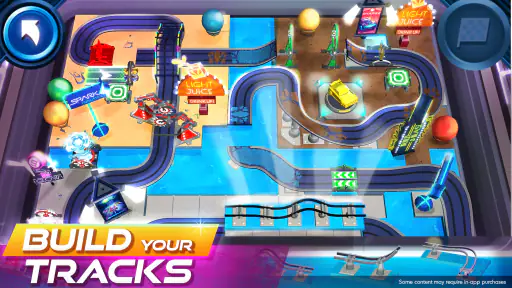
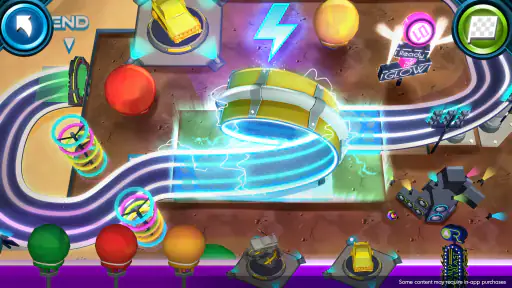
What I absolutely adore about Race Craft - Kids Car Games is how it beautifully marries creativity with speed. The game starts with the kids building their very own race tracks. It’s a neat little feature that lets them get creative before hitting the speedway. The interface is user-friendly, allowing even the youngest of gamers to design tracks that twist, turn, and loop to their heart's content. It's like giving them their own sandbox to play in, where the only limit is their imagination.
Building and Racing
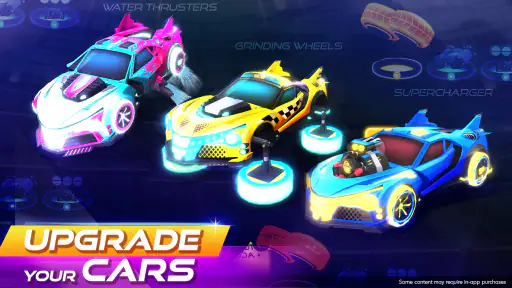
Once the track is set, it’s time to choose a car. The app offers a delightful selection of colorful and quirky cars that are sure to catch any child's eye. Watching the kids pick their favorite ride and see their faces light up is a joy in itself. With a quick tap, they’re off to the races, maneuvering through their custom-built tracks. The controls are straightforward, ensuring that the focus remains on fun rather than frustration. It’s all about the thrill of the race and the joy of seeing their creations come to life.
Making each run feel like a test
One useful way to play is to treat each race as a small experiment. Rather than rebuilding everything when a run feels awkward, I’d suggest changing one section at a time and seeing whether the result feels better. That keeps the creative part manageable for younger players and gives them a clear reason to replay a track. It also helps a parent understand what the child is enjoying: designing unusual routes, choosing a car, or simply watching the race unfold.
That loop is lighter than the progression in many conventional racing games, where the main draw is mastering a fixed course or improving a vehicle over repeated events. Here, the custom route is the point, so it may suit a child who gets bored with identical laps. The trade-off is that anyone hoping for realistic handling, serious competition, or a long campaign should choose a more traditional racer instead.
More From Our News Desk

Weather by Xiaomi Review: Clear at a Glance, Less Clear Up Close

X Under Pressure: Can It Recover When Posting Goes Wrong?

Clash of Clans Is Won Between the Battles

Android Auto Makes the Case for Quieter Car Software

MobiOffice: Transforming Mobile Productivity with Seamless Integration

EA SPORTS FC™ Mobile Soccer: Redefining Mobile Sports Gaming
Small ways to make the building loop work
When I’m helping a child get started, I’d encourage them to build a route they can explain before racing it: where they want the car to go, which turn they are most curious about, and what they would change if the run surprises them. This is not about making the “best” track. It gives a child a simple plan and makes the race feel connected to their choices, rather than like a button-tapping activity with no purpose.
There is also a useful trade-off in keeping the first designs modest. A child who tries to make every track complicated straight away may spend more time adjusting than enjoying the race. Starting with a simple route and changing one element at a time makes it easier to see what the editor lets them do and what they personally find fun. I’d treat the car’s run as feedback for the next design, not as a score of the child’s ability.
Educational and Engaging
Beyond the fun and games, there's an educational element subtly woven into the app. Kids are not only sharpening their hand-eye coordination but also learning the basics of physics as they tweak their tracks for optimal performance. The app encourages problem-solving and strategic thinking, making it a sneaky but effective educational tool. Plus, the satisfaction of seeing a well-designed track leading to victory is a fantastic way for kids to build confidence.
Spending, progress, and fairness
The game is free to download, with in-app purchases listed from $0.99 to $14.99 per item. I’d make that purchase range part of the family conversation before handing over a device: a child can enjoy the core idea of building and racing, while any paid extras should be treated as optional spending rather than a requirement. I can’t infer what each item unlocks from the price range alone, so I wouldn’t promise that paying makes progress faster or gives a competitive advantage.
For families comparing children’s games, that distinction matters. A free starting point makes it easy to try the track-building concept, but a parent should review purchase options with the child and use the device’s purchase controls if accidental spending is a concern. The game has a 4.5 average from around 27,000 ratings, and it has been installed over 10 million times; those figures suggest a broad audience, not a guarantee that every child will enjoy its particular mix of construction and racing.
What a family can judge before spending
I’d separate two decisions that can easily get mixed together: whether the child likes the game’s basic activity, and whether any paid item seems worth considering. A few sessions focused on making and testing routes can answer the first question without turning a child’s excitement into pressure to buy something. If a purchase prompt appears, I’d pause and read what is being offered with the child, rather than assuming that it is needed to keep playing or to make a track work.
For fairness, the sensible conclusion is a limited one. The stated prices tell me that paid purchases are available, but they don’t tell me what those purchases contain or how they affect play. I would not describe the game as pay-to-win, nor claim that spending is irrelevant to progression. A parent who cares about competitive balance should check the purchase details directly and decide based on the actual item, while remembering that the main attraction here is creative track-making rather than a serious ranked contest.
What to expect from a quick play session
On a busy day, I’d use it as a compact activity: let a child make a route, race it once, and decide whether to keep experimenting or put the device away. The key advantage is that the child has a creative choice before the driving begins, which gives the session a different rhythm from a standard race game that drops players straight into a fixed track. If the child wants lots of new objectives or a clear sequence of unlocks, that lighter structure may feel limited rather than relaxing.
One practical tip is to agree on a stopping point before play starts, such as finishing the current race or testing one more track change. That works especially well for younger children, who may want to keep adjusting a creation once they have started. It also makes this a better fit for a short wait or a quiet break than for occupying a child for a long stretch without supervision.
Choosing it over other racing games
Compared with the usual children’s racing game built around fixed tracks, Race Craft stands out because the child gets to make the route before driving it. That difference is most valuable for a child who likes construction toys, drawing paths, or testing “what if?” ideas. A conventional racer is a better match when the child mainly wants to steer around familiar courses, improve lap times, or compete directly. I would choose between them based on whether the child wants to create the challenge or simply take it on.
It is also worth separating this from open-ended building games. Here the making has a clear purpose: the track becomes something to race on. That can be more immediately satisfying for a child who wants a visible result, but less appealing to one who would rather build freely without a race as the payoff. If a child enjoys both parts, the combination gives a short play session a natural shape; if either part is unwanted, another kind of game may hold attention better.
Graphics and Sound
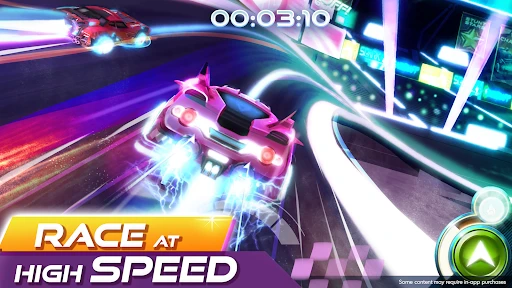
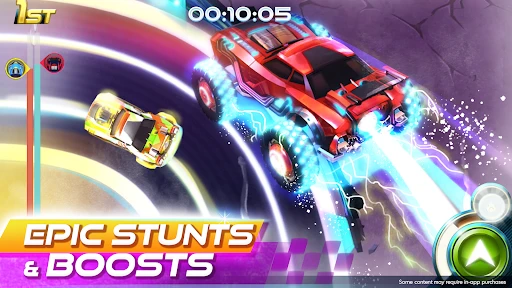
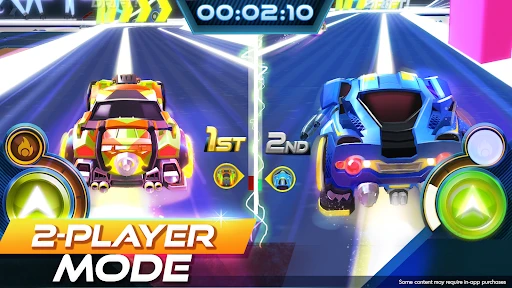
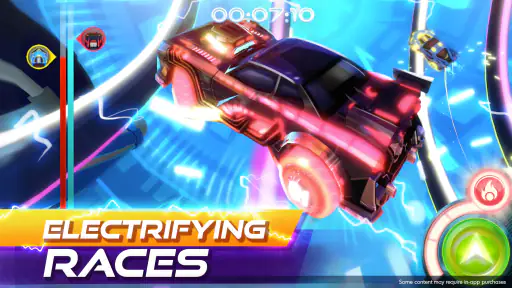
The vibrant graphics of Race Craft - Kids Car Games are a feast for the eyes. Each track and car is rendered in bright, engaging colors that make the game a visual delight. Coupled with upbeat and catchy sound effects, the game provides an immersive experience that keeps kids coming back for more. It’s like a mini racing carnival on your screen, complete with all the bells and whistles.
A few sensible expectations
I’d choose this over a conventional racing game when a child wants to invent the course, but I’d choose a more realistic racer for precise driving or head-to-head competition. It is also not the obvious pick for a child who prefers calm puzzles, stories, or games with clearly explained long-term goals. The track editor is the distinctive draw, yet that same focus means the experience depends on whether building and retrying holds the child’s attention.
For parents wondering whether it is suitable for a younger player, the Everyone rating and child-oriented focus make it a reasonable candidate to explore together. For those asking whether it costs money, it is free to start, with optional in-app purchases in the stated range; I’d check the purchase screen before allowing a child to buy anything. And if the question is whether it offers a competitive edge for paying, the listed purchase prices alone don’t answer that, so I’d avoid assuming either way.
Device fit and family boundaries
The minimum Android requirement is version 5.1, which gives families with an older Android device a concrete compatibility point to check before installing. I’d still make sure the device has enough room and that the child can use it comfortably, but I wouldn’t treat an age rating as a substitute for supervision or household rules. For a shared tablet, it can help to decide in advance whether the child can explore the purchase screen independently and when play should stop.
One realistic use is a short turn while dinner is being prepared: a child builds a track, watches one run, then leaves the device ready for an adult to review purchases or help with another design later. That arrangement suits the game better than handing it over with the expectation that it will occupy a child indefinitely. The creative loop gives a useful stopping point, but children who become absorbed in refining a route may still need a reminder that the session is ending.
The game was released on March 5, 2020, and its current version is 2025.2.0, with Android 5.1 as the minimum operating system requirement. I find that useful when checking whether an older device can install it, while the age rating helps frame whether it belongs on a family device. Budge Studios has made a clear choice to center play on making a track and trying it out, rather than presenting this as a serious motorsport simulator.
What I would verify for a child
Before leaving a younger player to explore on their own, I’d first sit beside them for one complete build-and-race cycle. That quickly shows whether the child understands how the two parts connect and whether they need help navigating the editor. It also gives a parent a natural opportunity to explain that purchases require permission. For an older child, a brief check-in may be enough; for a younger one, playing together at the start is a more practical way to set expectations.
There are limits to what I can judge about spending and fairness from the purchase range alone. It does not identify the contents of individual items, whether they affect progression, or whether they change competition. Those are the details I’d inspect before approving a specific purchase. This is a useful boundary rather than a reason to dismiss the game: families can try the creative racing idea first, then make a separate, informed decision about any optional spending.
In conclusion, Race Craft - Kids Car Games is a fantastic app for kids who love cars and racing. It’s more than just a game; it’s a platform that fosters creativity, learning, and fun. Whether your child is building the craziest track or racing against time, they’re bound to have a blast. So, if you’re looking for an app that keeps the kids entertained while also teaching them a thing or two, this could be your go-to choice. Ready, set, go download it and watch your kids zoom into a world of fun!
Race Craft - Kids Car Games Frequently Asked Questions
Does Race Craft - Kids Car Games need an internet connection?
If you’re considering Race Craft - Kids Car Games for a child, it’s useful to know what sort of play experience to expect. The game centers on racing and building tracks, giving children creative activities alongside the driving. Check your device’s app settings and the game’s behavior before relying on it in a place without connectivity, especially if you plan to download it for travel.
Will Race Craft - Kids Car Games work on my device?
Race Craft - Kids Car Games is available for Android and iOS devices. On Android, the minimum operating system is version 5.1, so check your device’s software before downloading. The game is free to download, which makes it easy to try, but it is still sensible to make sure there is enough storage and that the device is suitable for a child’s play before installing.
What age group is Race Craft - Kids Car Games intended for?
Race Craft - Kids Car Games is aimed at children, with its store summary highlighting boys and girls aged 4 to 12. It has an Everyone content rating, which reflects its family-oriented presentation. Parents can still consider whether the racing and track-building activities suit their child and review the available purchase settings before handing over a device.
Is Race Craft - Kids Car Games free to download?
Yes, Race Craft - Kids Car Games is free to download. It also includes optional in-app purchases, with items priced from $0.99 to $14.99. Families who want to avoid unexpected spending can check the device’s purchase controls before a child plays. The core appeal is the combination of racing and building tracks, so children can enjoy the game’s central theme while parents manage purchases.
What is Race Craft - Kids Car Games?
Race Craft - Kids Car Games is a vibrant and engaging racing game designed specifically for children. It combines exciting car racing with creative track-building features, allowing kids to craft their own racing tracks and race their custom cars. The game emphasizes fun, creativity, and safe gaming for young children. Developed by Budge Studios, it brings racing and creative play together in a child-focused mobile game.
Pros
- Engaging and colorful graphics.
- Easy-to-use interface for kids.
- Encourages creativity and learning.
- Regular updates with new content.
- Ad-free experience for distraction-free play.
Cons
- Limited free content available.
- In-app purchases can be pricey.
- Requires internet for some features.
- May not challenge older kids.
- Occasional bugs and crashes.
- Category
- Racing
- Version
- 2025.2.0