Bluey: Let's Play!
- 3.73K
- 4.2
- Installs
- 10.00M
- Price
- Free

Screenshots



Analysis by Reviewed
I usually judge a children’s game by what happens after the first burst of color wears off: does the world still invite a child to explore, or does it become a sequence of prompts to tap through? Bluey: Let's Play! makes a warm first impression, with a playful presentation that feels aimed at curious little hands. It is a casual game from Budge Studios, and its appeal is less about mastering difficult rules than about spending time in a familiar, friendly setting.
That makes it an easy option to consider for a young Bluey fan, especially when a parent wants a short activity that leaves room for make-believe. It is free to download, rated for Everyone, and supported by optional in-app purchases priced from $2.99 to $6.99 per item. I would go in expecting light, guided play rather than a deep game with a long progression to conquer.
Who will enjoy the pace
The best fit is a child who likes exploring rooms, noticing details, and inventing little stories around characters they already know. A child who wants strict goals, increasingly difficult levels, or a competitive challenge may lose interest sooner; a more traditional puzzle or action game would suit that mood better. I also think it works best when an adult is nearby at first, not to direct every tap, but to help a child settle into the idea of exploring at their own pace.
That first bit of company can be useful for a practical reason: a young player may not immediately know whether to follow a prompt, try an object, or make up a story. I would demonstrate one interaction, then let the child take over rather than narrating every choice. This keeps the game from becoming a test of whether they can follow adult instructions, and it gives you a quick sense of whether its relaxed style suits them.
Exploring Bluey’s World
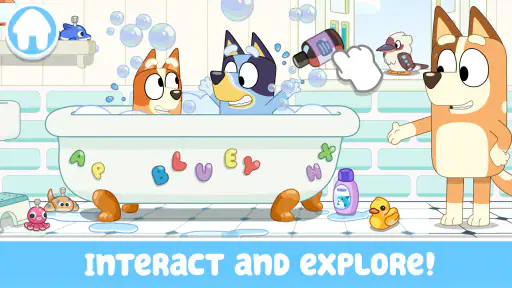
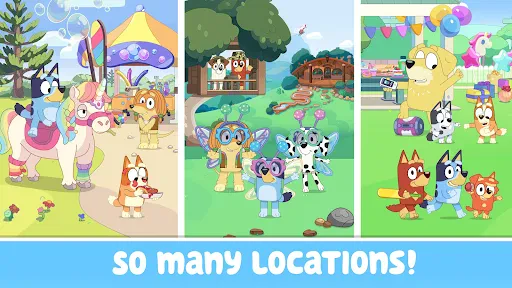
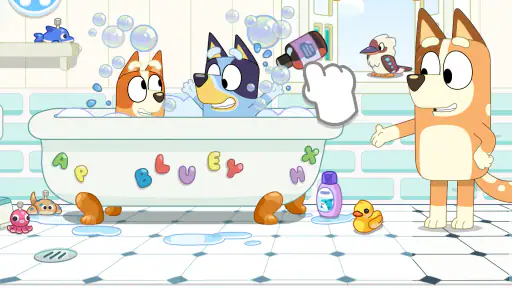
One of the most captivating features of this app is how it brings Bluey’s whimsical world to life. The graphics are stunningly vivid, and the animation is smooth, making it feel as though you’ve jumped straight into an episode of the show. You can explore different locations like Bluey’s house, the park, and even Granny’s place. Each setting is filled with interactive elements that encourage kids to tap, swipe, and discover new surprises.
How the setting shapes play
What I like about moving between places is that the locations give children a starting point for pretend play without demanding a complicated explanation. A familiar room can suggest one kind of story, while the park can suggest another; the child supplies the connection. For a Bluey fan, recognizing the world is part of the pleasure. For a child who does not know the characters, those same details may simply look cheerful rather than meaningful.
There is a small but useful way to make exploration feel less random: ask the child to pick one place and stay there long enough to find something they have not noticed. That turns a quick sequence of taps into a tiny search, while still leaving the child in charge. I would avoid setting a target such as “find everything,” because the relaxed appeal is precisely that the play need not become a checklist.
More From Our News Desk

Weather by Xiaomi Review: Clear at a Glance, Less Clear Up Close

X Under Pressure: Can It Recover When Posting Goes Wrong?

Clash of Clans Is Won Between the Battles

Android Auto Makes the Case for Quieter Car Software

MobiOffice: Transforming Mobile Productivity with Seamless Integration

EA SPORTS FC™ Mobile Soccer: Redefining Mobile Sports Gaming
Interactive Games and Activities
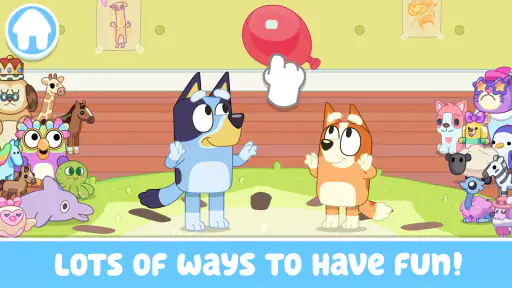
What truly sets this app apart is the variety of games and activities it offers. From hide-and-seek to treasure hunts, kids are spoilt for choice. The app includes mini-games that not only entertain but also help in developing problem-solving skills and creativity. Whether it’s helping Bluey and Bingo organize a backyard BBQ or embarking on a treasure hunt with Bandit, there’s never a dull moment.
In practice, the activities suit short bursts better than a long sit-down session with one demanding objective. A child can move from one idea to another as their attention shifts, which is handy when you have a little time to fill before dinner or while waiting for an appointment. The trade-off is that someone looking for a steadily rising challenge may find the variety more like a collection of play invitations than a campaign that builds toward a finish.
One of my personal favorites is the dance-off segment where kids can mimic Bluey’s dance moves. It’s a great way to get the little ones moving and grooving, and trust me, it’s infectious! You might find yourself joining in on the fun, trying to master those adorable dance routines.
For a parent, that dance moment can also be a natural cue to put the device down for a minute. Joining in, copying a move, or asking the child to invent a new one makes the activity social rather than passive. It is a better fit for a quick energy break than for a child who wants a quiet, seated puzzle, and it may not appeal much if they would rather control every part of a game themselves.
Learning Through Play
As a parent, I’m always on the lookout for apps that combine fun with learning, and this app does just that. Bluey: Let's Play! subtly incorporates educational elements that teach kids about cooperation, sharing, and empathy. The app encourages kids to play together, fostering a sense of community and teamwork.
I would treat those benefits as opportunities for conversation, not as a formal lesson or a guarantee that a child will learn a particular skill. If siblings are playing together, you can invite one to choose the next activity and the other to decide what happens in the story. That simple turn-taking routine makes the screen time more cooperative, but it depends on an adult setting the tone; the game cannot settle every disagreement over whose turn it is.
The voiceovers and sound effects are top-notch, featuring familiar voices from the TV show, which adds an extra layer of authenticity to the experience. The app also includes gentle prompts and guidance to help kids navigate through the activities, ensuring it’s user-friendly and intuitive for young users.
Sound, pacing, and a sensible session
The familiar voices help the setting feel welcoming, while the gentle guidance keeps the experience from feeling like a silent toy box with no direction. The overall rhythm is more suited to dipping in than to chasing a high score: children can listen, look around, and choose what catches their attention. That calm, character-led pace is a plus when a child needs an easy activity, though it is not the most engaging choice for someone who wants fast reactions or a competitive push.
A realistic everyday use is a short wind-down after coming home, before a meal or another family activity. I would let the child choose a place, explore for a few minutes, and then ask them to tell me what happened in their game. That gives the session a clear ending without turning it into a timer-based challenge. If the child gets absorbed in tapping through options rather than playing imaginatively, I would simply suggest drawing a scene or acting out a story instead.
Making it work in a family routine
A practical way to use it is as a brief wind-down activity after a busy afternoon: let a child choose a setting, then ask what they want Bluey and Bingo to do there. That small invitation turns tapping into shared pretend play, instead of treating the game as something to leave running in the background. It also gives a younger player a reason to return without needing an adult to invent a new task every time.
For two children sharing a device, taking turns choosing what to explore can prevent the familiar tug-of-war over who gets to tap next. I would keep expectations modest, though: the game’s activities can prompt conversation and imaginative play, but they are not a replacement for open-ended toys or face-to-face play. If your child mainly wants to run around outdoors or build stories without a screen, there is no need to make this the centerpiece of playtime.
Families may also find it useful to agree on a stopping point before opening the game: finish one activity, tell one short story, or put the device away when the grown-up says it is time. That boundary is easier to explain than an open-ended “play for a while,” particularly with a young child. I would also sit with them the first time they encounter a purchase prompt, so they understand that not every option is part of the free experience.
How it compares with other casual games
Compared with a typical casual game built around scores, timers, or repeated levels, this one leans on the appeal of its characters and places. That is a strength for children who enjoy pretend play, because the setting itself gives them ideas; it is a limitation for anyone looking for a clear sense of challenge or a reason to improve a score. If your child is not already interested in Bluey, a broader creative game may offer more room to make up characters and worlds from scratch.
That distinction can help with choosing between it and other familiar options. A puzzle game is usually a better pick when a child wants a definite problem to solve, while a drawing or building activity is stronger when they want to make something entirely their own. This game sits between those choices: its recognizable characters and places offer more direction than a blank creative canvas, but less structured challenge than a level-based game. I would choose it for imaginative, character-led play, not as a substitute for every kind of children’s game.
One useful approach is to let a child explore freely before stepping in with suggestions. If they seem unsure, a simple prompt such as “What could happen at the park?” can help them choose an activity without turning the game into a lesson. On the other hand, if they keep tapping without settling on anything, it may be a sign that they would rather watch an episode, draw, or play with physical toys at that moment.
That last point is worth keeping in mind: more choice does not always mean more engagement. If a child seems restless, I would not keep proposing new activities in an effort to make the game work. A quick change to a book, a toy, or outdoor play is often the more helpful response. The game is best treated as one pleasant option in a family’s mix of activities, rather than as a reliable way to occupy every child in every mood.
Practical details for parents
The game has a 4.2 average from around 123,000 ratings and more than 10 million installs, so it is a widely used choice among families. It was released on August 13, 2023, and its current version is 2025.4.1. Android devices need version 5.1 or later. Those details help with a basic compatibility check, but the more important question is whether your child likes this kind of gentle, familiar-world play.
There is no charge to download it, while optional in-app purchases range from $2.99 to $6.99 per item. I would make the purchase boundary clear before handing over a phone or tablet, especially if a child is used to treating every on-screen choice as something they can tap. It is also sensible to explore the app together at the start, so you can see how the activities feel to your child and decide whether the free experience is enough for your family.
Its Everyone age rating makes it appropriate to consider for a broad family audience, but a rating is not a personal recommendation for every child. A very young player may still benefit from an adult nearby to help with choosing and stopping, while an older child who wants difficult goals could find the pace too gentle. I would use the game’s style, rather than the age label alone, to judge whether it suits the child in front of me.
A Few Thoughts
In conclusion, if you’re looking for an app that’s both entertaining and educational, Bluey: Let's Play! is a fantastic choice. It’s a delightful blend of fun, learning, and adventure, all wrapped up in the charming world of Bluey. Whether you’re a fan of the show or just looking for a new app to keep the little ones engaged, this app ticks all the boxes.
I would soften that recommendation for families whose children do not know or care about Bluey, or who want a game with demanding objectives, frequent scoring, or a strong sense of progression. In those cases, a more open-ended creative app or a focused puzzle is likely to match their interests better. For a young fan who enjoys pretend play, though, the familiar setting can make it easier to get started than a blank screen or an unfamiliar game world.
So, what are you waiting for? Dive into Bluey’s world and let the adventures begin! My recommendation is to try it when your child wants a gentle, character-led play session, and to choose something else when they are craving a more demanding game. Its strongest quality is the easygoing mood: it gives Bluey fans a place to explore and make up stories, without asking them to treat play like a competition.
Bluey: Let's Play! Frequently Asked Questions
Is Bluey: Let's Play! suitable for a child who has never watched Bluey?
Yes. The game is presented as a casual children’s game centered on exploring, imagining, and creating with Bluey, so a child does not need to know the series to understand its basic appeal. Familiarity with the characters may add extra recognition, but the playful activities can also work as an introduction for young players who are meeting Bluey for the first time.
Does Bluey: Let's Play! have a child-friendly content rating?
Bluey: Let's Play! has an Everyone content rating, making it broadly suitable for family audiences. That rating can help parents decide whether the game is appropriate for their household, but it is still worth considering a child’s individual age, interests, and comfort with screen-based play. Parents can also explore the game together at first to see how its activities feel for their child.
Does Bluey: Let's Play! cost anything to download?
Bluey: Let's Play! is free to download, so families can try the game without paying an upfront price. It does offer optional in-app purchases, with items priced from $2.99 to $6.99. Before handing the device to a child, it is sensible to review purchase settings and decide whether purchases should require an adult’s approval.
Who makes Bluey: Let's Play!, and how popular is it?
Bluey: Let's Play! is a casual game developed by Budge Studios. It has attracted a large audience, with more than 10 million installs and an average rating of 4.2 from around 123,000 ratings. Those figures suggest that many families have tried it, though a rating alone cannot tell you whether its activities will suit your child’s interests.
What is Bluey: Let's Play! all about?
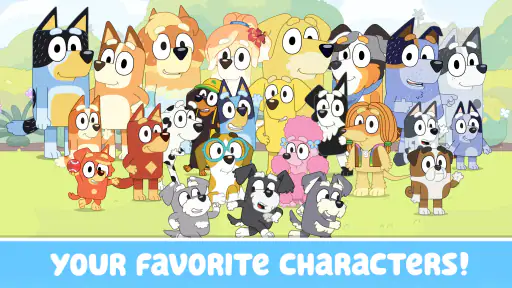
Bluey: Let's Play! is an engaging and interactive mobile game designed for children, inspired by the popular animated series Bluey. This app offers various mini-games and educational activities that encourage creativity, problem-solving, and fun. Players can explore Bluey's world, play with characters from the show, and embark on exciting adventures, all while learning new skills.
Pros
- Engaging gameplay for kids.
- Colorful graphics enhance experience.
- Educational content included.
- Easy to navigate interface.
- Encourages creativity and exploration.
Cons
- Limited content for older kids.
- Requires internet connection.
- In-app purchases can be pricey.
- Ads interrupt gameplay.
- Not suitable for non-English speakers.
- Category
- Casual
- Version
- 2025.4.1