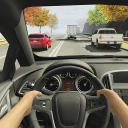
Dr. Driving
- 203.59K
- 4.3
- Installs
- 500.00M
- Price
- Free
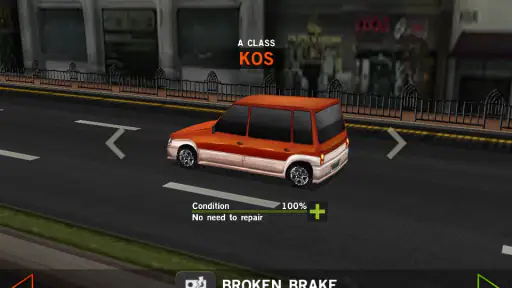
Screenshots
Analysis by Reviewed
When I want a mobile driving game that rewards careful handling more than flashy spectacle, Dr. Driving is an easy one to try. Its small, mission-focused approach works well when I have a few minutes to spare: I pay attention to steering and timing, then get back to my day. It is a game, not a substitute for real driving instruction, but its emphasis on controlled maneuvers gives each run a satisfying little challenge.
Who will enjoy a short driving challenge
I’d recommend it most to players who like a clear, small objective and don’t need a long career mode to feel that a session was worthwhile. It suits a quiet break at home or a wait in a place where you can look at the screen without rushing. Someone who wants to practise making measured steering inputs in a game may also enjoy it, as long as they understand that touch controls and game physics do not teach road skills.
It is less suitable for someone who expects every racing game to be about speed, dramatic overtakes, or elaborate vehicle customisation. The more useful question is whether you enjoy trying a maneuver, noticing what went wrong, and adjusting on the next attempt. If that loop sounds satisfying, the restrained format has a purpose; if it sounds like repetition without enough variety, a conventional arcade racer will probably hold your attention better.
Reads About Dr. Driving
Gameplay and Features
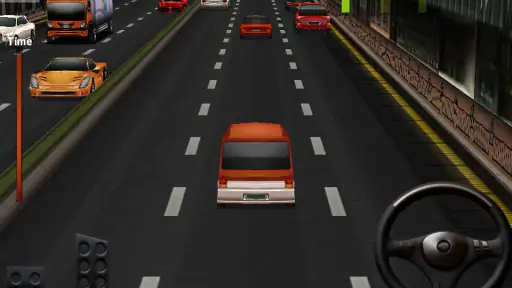
The first thing you’ll notice about Dr. Driving is its straightforward yet immersive gameplay. The game puts you behind the wheel with the task of navigating streets and completing missions that test your driving. From parking challenges to speed trials, the tasks are small enough to make a quick session feel complete. I would call them driving-themed challenges, rather than lessons: they can make you think about control, but they cannot teach safe real-world driving.
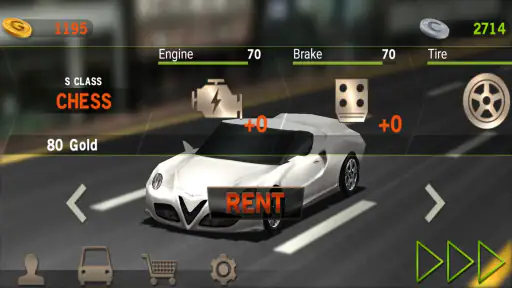
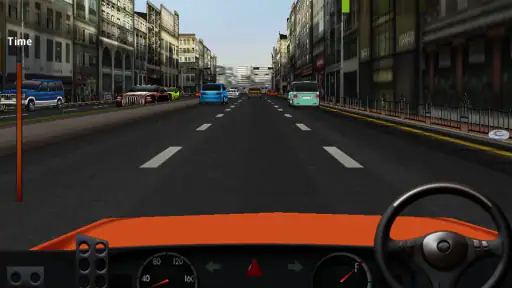
One of the standout features is its driving feel. The controls use a steering wheel, brake, and accelerator pedals, so you can make deliberate inputs instead of relying only on a single tap. Nailing a park or smoothly passing another vehicle gives me a clear sense of progress. The challenge comes from learning how much input a maneuver needs, and I find that repeated attempts are most satisfying when I can identify the adjustment that helped.
Why its compact format works
Dr. Driving is a racing game from SUD Inc. that takes a more restrained route than many racing alternatives. If you want long races, elaborate car collecting, or a constant stream of visual spectacle, a larger arcade racer is likely a better fit. Here, the appeal is the small task in front of you: make a maneuver cleanly, learn where your steering tends to go wrong, and try again. I like that focus when I want an active game without having to settle in for a full race.
The missions also reward a different kind of attention than simply holding the accelerator. A useful habit is to ease off early and make small steering corrections instead of reacting sharply at the last moment. That makes parking attempts feel less like guesswork and gives you a practical way to improve across retries. The trade-off is that a measured pace may feel dull if what you enjoy most is high-speed competition.
More From Our News Desk

X Under Pressure: Can It Recover When Posting Goes Wrong?

Clash of Clans Is Won Between the Battles

Android Auto Makes the Case for Quieter Car Software

MobiOffice: Transforming Mobile Productivity with Seamless Integration

EA SPORTS FC™ Mobile Soccer: Redefining Mobile Sports Gaming

How Microsoft OneDrive Became a Mobile Productivity Giant
Small adjustments make retries useful
When I’m stuck on a maneuver, I find it more helpful to treat each attempt as a quick test than to repeat it in exactly the same way. Change one input at a time: approach more slowly, brake sooner, or begin turning earlier. If I change everything at once, I can finish the task without understanding why it worked; isolating an adjustment makes the next attempt more informative.
This is also a reason to play when you can give the screen your attention. A brief pause before accelerating can help you read the space and decide what the next movement should be. It isn’t a complicated strategy, but it matters in a game where small corrections are more effective than a panicked turn. Players who dislike retries may find that same precision frustrating rather than rewarding.
Graphics and Sound
The graphics are not the most advanced I’ve seen, but they serve the game’s focused tasks. The visuals are clear enough for following what is happening on the road without trying to overwhelm the screen with spectacle. That modest presentation suits a game built around small maneuvers, although players who value striking environments and polished visual effects may find it plain beside newer racers.
The sound is simple, with engine noises, tire sounds, and occasional honks adding some atmosphere without taking over. I like that the audio does not demand much attention while I’m trying to judge a turn. It is functional rather than a feature I would install the game for, and anyone expecting a prominent soundtrack or cinematic sound design should set their expectations lower.
Picking it up and playing
What I like about Dr. Driving is that the basic idea is easy to understand. You can approach a mission as a small standalone challenge rather than needing to remember a long sequence from a previous session. The game is free to download, with optional in-app purchases priced from $1.99 to $9.99 per item. I’d begin by trying the regular play experience and only consider spending if a purchase clearly offers something I want; there is no reason to assume that paying is necessary to enjoy the core handling challenge.
For a realistic everyday use, I’d reach for it during a short wait rather than on a crowded commute: the missions are suited to brief play, and trying to steer accurately is easier when I can give the screen my attention. If I’m playing one-handed or distracted, I’m more likely to overcorrect. I’d also treat the controls as something to get comfortable with before attempting a tricky maneuver; a couple of low-pressure runs can make the steering feel less abrupt.
In practice, I’d keep it ready for a stationary break, such as waiting for an appointment to begin, and stop when I need to move or pay attention to someone. A mission-based game can seem convenient for filling gaps, but the steering controls still need focus. That small distinction matters: it is a good fit for a pause, not a reason to look down while walking or travelling in a situation where I should be alert.
The game is presented as a relatively compact option, which can be appealing if you prefer not to devote a large share of your phone to a single title. I would still check the available space on my device before installing, particularly if storage is already tight. For many players, the more important practical advantage is not file size but the ability to play a short challenge without committing to a long race.
There is also a multiplayer option, which gives you a way to compare your play with friends or other players. I see that as a useful change of pace after solo attempts, rather than a guarantee that every session will feel like a full competitive racing event. If social competition is your main reason for choosing a game, I’d compare it with racers designed specifically around sustained online competition.
Choosing the right moment to play
A useful everyday scenario is a short break between errands: I can try a single challenge, put the phone away, and return later without needing to remember a long sequence of events. That makes the game easier to fit around a busy day than a race that expects a longer stretch of uninterrupted attention. I would avoid playing while walking through a crowded place or during any commute that requires me to stay alert; accurate steering and divided attention are a poor combination.
If I want to compare my progress with someone else, the multiplayer option gives the game a social angle beyond repeating missions alone. I’d treat that as a change of pace rather than the main reason to install it. The core appeal remains the moment-to-moment handling, and players who want a larger competitive scene or a broader range of race types may be better served by another racing game.
What to expect from the current version
The game was released on June 19, 2013, and its current version is 1.72, so this is a long-running title rather than a brand-new racing release. I see that as a reason to judge it by the driving loop it offers now, not by assumptions about frequent reinvention. Its average rating is 4.3 from around 6.5 million ratings, and it has passed 500 million installs. Those figures show a broad audience, but they cannot tell me whether its deliberately modest style will suit you.
For existing players, the practical question is whether the familiar missions and controls remain enjoyable, not whether the version number promises a major overhaul. The game is free to start, with optional in-app purchases priced from $1.99 to $9.99 per item. I would try the basic experience first and spend only if a purchase clearly adds something I personally want; the core appeal is the driving challenge, not buying my way into enjoying it.
How its age affects expectations
A long-running release can be a comfortable choice if what you want is a familiar, direct driving game, but its history alone is not a promise of new systems or a major redesign. I would approach version 1.72 as the current form of an established game and decide based on whether its missions still feel engaging to me. For someone returning after a break, the simplest check is to play a few different tasks and see whether the controls and pace still suit their taste.
That perspective also helps when comparing it with newer racers. Many alternatives put more emphasis on speed, visual effects, or collecting vehicles; this game’s modest task-based approach is the contrast, not necessarily a claim that it does those other things better. If the main thing you want is a contemporary spectacle, choose a game built around that. If you want a compact test of careful driving inputs, its focused design is still the point.
Where it may not fit
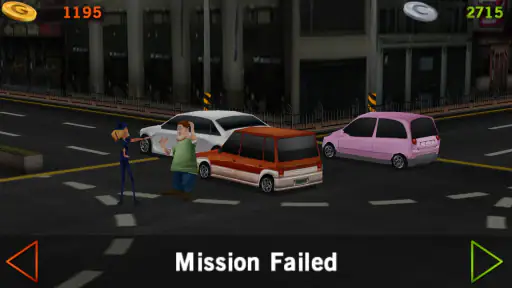
Although the controls are approachable, this is still a game of precision, and touch input can feel unforgiving when you are learning. If a parking attempt goes wrong, I’d slow down and change one thing at a time—steering angle, speed, or braking—rather than repeating the same rushed approach. That makes each retry more informative, but it also means the game can ask for patience that casual players may not want to give.
It is also worth keeping expectations grounded: the Teen content rating is a useful age guide, while the driving theme should not be mistaken for real-world training. Players looking for an elaborate simulation or a broad catalogue of race formats may be happier elsewhere. The appeal here is narrower and clearer: short driving tasks, manageable controls, and a chance to compare performance with other players.
Worth trying for the right kind of player
Before installing, I’d ask myself what I want from a mobile racing game. If I want something I can dip into, learn through repeated attempts, and enjoy without committing to a lengthy race, this is a sensible free starting point. If I want realistic road instruction, a deep simulation, or fast multiplayer racing as the main event, I’d look elsewhere instead of expecting this game to cover those needs.
The Teen rating is worth considering when choosing a game for a younger player, and I’d still make that choice based on the person and the family’s preferences. The controls are simple to understand, but precision tasks can be frustrating when someone expects immediate success. Letting a new player try an easier run before tackling tighter maneuvers is a practical way to see whether the challenge feels fun or merely fiddly.
What I would check before settling in
One small but useful decision is whether to play with sound on or off. The effects add context, but the game’s visual tasks do most of the work, so a quiet setting can be perfectly workable when you are waiting somewhere. I would avoid turning a quick break into a rushed attempt just because there is noise around me; if I cannot focus on the steering, it is better to pause than blame the controls for a distracted run.
For a new player, I’d spend the first few minutes learning how the steering wheel responds before judging the game’s difficulty. A control that feels sensitive at first may become easier to manage once you use smaller movements and leave more room to correct your line. Conversely, if the inputs still feel fiddly after a fair try, that is a good sign that a simpler one-touch racer might suit you better.
Final Thoughts
In conclusion, Dr. Driving is a distinctive mobile game for anyone who likes a small, hands-on driving challenge. It can make a short break more engaging, and the focus on measured maneuvers gives retries a purpose when you are willing to learn from them. I would not describe it as a driving course or a modern visual showcase; its appeal is the straightforward task in front of you, not a promise to cover every kind of racing experience.
My recommendation is to try it if you enjoy improving through repetition and want a lightweight alternative to full-scale racing games. I would skip it if you mainly want speed, polished spectacle, or a deep simulation. Its appeal is in the small satisfaction of getting a maneuver right, and that modest goal is exactly what makes it worth keeping around for the right player.
Dr. Driving Frequently Asked Questions
Does Dr. Driving take up much storage space?
Dr. Driving is a mobile racing game built around driving missions, including parking, fuel-efficiency, and speed challenges. Before installing, it is sensible to check the available space on your device, as with any game. Also confirm that your Android device runs version 5.0 or later, the minimum operating system needed for the current version.
Will Dr. Driving work on an older Android phone or tablet?
The current version of Dr. Driving requires Android 5.0 or later. If your phone or tablet runs an older version, it will not meet that requirement for installing the current game. Checking your operating system before downloading can save time, particularly if you use an older device. The game is designed for mobile play and focuses on completing driving tasks.
Are the controls in Dr. Driving easy to learn?
Dr. Driving uses straightforward controls that help make its driving challenges approachable, even if you are new to mobile driving games. The missions still reward attention and careful vehicle handling, particularly when parking or navigating traffic. Players looking for a simple game to pick up can get started with its task-based play, while improving control and completing objectives well provides room to build skill.
Does Dr. Driving include different types of missions?
Dr. Driving offers driving tasks rather than focusing only on conventional races. Its missions include parking, fuel-efficiency, and speed challenges, with traffic navigation and vehicle control forming part of the experience. This variety gives players different objectives to work toward and makes the game a potential fit if you enjoy practical driving challenges as well as racing games.
Can I choose different cars in Dr. Driving?
Dr. Driving’s gameplay centers on driving missions and completing objectives such as parking, fuel efficiency, and speed challenges. The experience is aimed at players who enjoy controlling a vehicle and working through focused tasks. If you are considering the game, its mission-based driving is the main appeal to keep in mind, rather than expecting a game built only around conventional races.
Pros
- Smooth and intuitive controls enhance gameplay.
- Wide variety of missions keeps it engaging.
- Low data consumption and fast loading times.
- Realistic driving physics for immersive experience.
- Multiplayer mode to compete with friends.
Cons
- Graphics are a bit outdated compared to newer games.
- Limited vehicle customization options.
- In-app purchases can be expensive.
- Some ads are intrusive during gameplay.
- No offline mode for uninterrupted play.
- Category
- Racing
- Version
- 1.72