PPSSPP - PSP emulator
- 30.42K
- 4.4
- Installs
- 100.00M
- Price
- Free

Screenshots
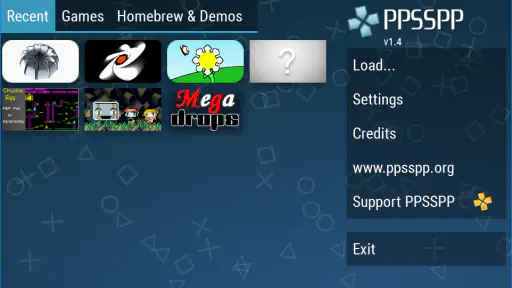
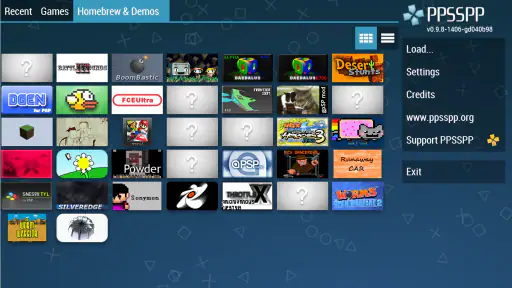
Analysis by Reviewed
I like the idea of carrying a PSP library on a phone, but the appeal of PPSSPP - PSP emulator goes beyond nostalgia: it can render games at high definition, giving older titles a cleaner look on a modern screen. The difference is most noticeable in games with small text or detailed scenery. It does not change how a game was designed, but it can make revisiting it feel less like squinting at a tiny handheld display.
What the sharper image changes
High-definition rendering is the capability I would center a decision on. A PSP game was made for a different screen, and simply stretching its original image across a phone can leave details looking soft. With PPSSPP, raising the rendering resolution can make edges and scenery appear clearer. That is most useful when a game asks you to read menus, follow small visual cues, or spend time looking at richly detailed environments.
I would still think of this as a presentation choice rather than a universal upgrade. A clearer picture cannot change a game’s original interface, camera, or pacing, and it will not make every title look equally different. On a small phone display, the improvement may be subtle; on a larger screen, or when text is hard to make out, it can matter more. The practical question is whether the sharper view helps you enjoy the game, not whether the highest setting is automatically best.
That balance is part of what makes this app interesting to me. PPSSPP is a free action game from developer Henrik Rydgård. It has a 4.4 average from around 1.7 million ratings and has been installed over 100 million times. It is rated Everyone, though parents should still consider the content of the specific game being played. The current version is 1.18.1, and it was released on November 10, 2012.
Why PPSSPP is a Game Changer
First things first, let's talk about why this emulator is a must-have for anyone who has ever loved the PSP. The PPSSPP - PSP emulator allows you to play all your favorite PSP games in full HD resolution. Yes, you heard that right! You can relive those epic gaming moments with upgraded graphics, making the experience even more immersive.
Setting Up is a Breeze
Now, if you're anything like me, you might be worried about the setup process. But trust me, it's as easy as pie. Once you download the app, it’s pretty straightforward to install. Just a few taps here and there, and you’re ready to roll. Plus, the emulator supports save states, so you don’t have to worry about losing progress in your games.
The practical catch is that an emulator is not the same thing as a library of games included with an app. You need game files you are entitled to use, and getting them onto a phone can take more effort than installing a typical mobile game. I would sort that out before planning a long session; the app itself cannot make a missing game file appear.
More From Our News Desk

Clash of Clans Is Won Between the Battles

Android Auto Makes the Case for Quieter Car Software

MobiOffice: Transforming Mobile Productivity with Seamless Integration

EA SPORTS FC™ Mobile Soccer: Redefining Mobile Sports Gaming

How Microsoft OneDrive Became a Mobile Productivity Giant

How Google Translate Breaks Language Barriers Effortlessly
One thing that really stands out is the customizable on-screen controls. You can tweak them to your liking, or if you’re feeling fancy, connect a gamepad for that authentic gaming feel. It’s like having a mini PSP in your pocket!
Performance: Smooth as Butter
Performance-wise, the PPSSPP emulator runs like a dream. I've tried games like "God of War: Chains of Olympus" and "Final Fantasy: Crisis Core," and they run smoothly without any noticeable lag. Of course, performance can vary depending on your device, but for the most part, it’s a seamless experience.
I would treat high-definition rendering as an option to tune, not a guarantee that every game will feel better. If a title slows down or your phone warms during a demanding session, try a less ambitious rendering setting before blaming the game file or abandoning the emulator. A sharper image is a nice extra; steady, responsive play matters more.
A commute-friendly routine
A realistic use case is a short role-playing game session on a commute. I would first make sure the game file is already available on the phone, then adjust the touch controls somewhere comfortable and test a brief stretch of play. When the ride ends, a save state can make it easier to pause at that exact moment; for a longer campaign, I would also use the game’s regular save system where appropriate. Trying both early helps avoid confusing a quick pause-and-resume with a dependable long-term save routine.
This workflow also exposes a small but useful trade-off: the convenience of a phone depends on preparation. A native mobile game usually opens with its content ready to play, while an emulator session may involve selecting a file, choosing a control setup, and finding a suitable rendering level. Once those choices are settled, returning to a game can feel straightforward, but PPSSPP is less appealing when you only have a minute and expect everything to be instantly arranged.
What's even cooler is the fact that the emulator supports a variety of file formats, so you don’t have to worry about compatibility issues. Whether it's ISO, CSO, or even some homebrew games, PPSSPP has got you covered.
Getting a comfortable control setup
Touch controls are more than a backup; for some games, they are the main reason a phone session feels either workable or frustrating. I would move the virtual buttons to places my thumbs can reach without covering dialogue or important action, then play a low-stakes section before committing to a long run. A layout that feels fine in a menu can become awkward when movement and several buttons are needed at once.
If you already own a compatible gamepad, trying it early is sensible, especially for games designed around the PSP’s physical controls. It can make longer sessions feel more natural and leave more of the screen visible. The trade-off is carrying and connecting extra hardware, so it is not automatically a better everyday setup. For quick, casual play, a carefully arranged touch layout may be more convenient; for a demanding action game, a controller can be the more comfortable choice.
What to Expect from a PSP Emulator
Compared with playing a native Android action game, PPSSPP asks for more setup and a gamepad may be preferable for titles built around physical buttons. In return, it gives you access to the distinct PSP library rather than another touch-first mobile design. Compared with original PSP hardware, a phone is more convenient to carry, but its touch controls cover part of the screen and its performance depends on the device. If you want instant access to a ready-made mobile game, a standard app-store title is the easier choice.
A useful first-session habit is to adjust the on-screen button layout before starting a long game. Move controls away from the areas where you need to see action or read dialogue, then try a short section to check whether the placement feels natural. If you plan to use a controller, test it early as well; that avoids discovering an awkward control setup after you have already settled into a game.
Settings that deserve a little patience
When a game looks good but feels less responsive than expected, I would change one setting at a time instead of repeatedly switching several options. That makes it easier to tell whether the sharper rendering is affecting performance or whether the issue lies elsewhere. Start with a short, repeatable part of the game, compare how it looks and feels, and keep the setting that gives you the best balance. The point is not to chase a maximum; it is to make the particular game comfortable on the particular phone.
The same measured approach helps when choosing between touch and controller play. Test a familiar section, rather than learning a difficult encounter while also learning a new layout. If a game has frequent pauses for menus or dialogue, touch controls may be perfectly acceptable; if it relies on quick inputs, a physical controller may be worth the extra setup. These are practical choices, not signs that one method is universally correct.
Community and Support
If you ever run into any hiccups, the PPSSPP community is there to back you up. There are tons of forums and resources available online where you can get tips, tricks, and troubleshooting help. Plus, the developers are continually updating the app to fix bugs and improve performance, which is always a plus in my book.
The app is a strong fit for players who already have PSP games they can use, enjoy revisiting older releases, and are willing to adjust controls or settings to suit a phone. I would skip it if you expect a curated catalogue inside the app, dislike configuring touch controls, or mainly want a game that works immediately without handling files. It is also worth remembering that an emulator does not remove the quirks of older games: some were designed for a physical handheld and can feel cramped on a phone, even when the image is clearer.
Choosing the right way to play
For someone who already owns a PSP and values its original controls, the handheld may still be the nicer way to play. PPSSPP is more compelling when portability means using a phone you already carry, or when the option to tune the image matters more than preserving the original hardware feel. A standard mobile game is the simpler pick for anyone who wants a no-setup session, while this emulator is for people who specifically want to run PSP games and accept a little preparation.
I would also be cautious about assuming every game will suit every phone equally. The app’s minimum OS is Android 2.3, but that compatibility detail does not promise the same speed or comfort on every device. If you are considering a game for regular use, begin with a short test: check that it opens, that the controls are manageable, and that the rendering setting feels stable. That is a better guide than judging the whole experience from one demanding title or from the app’s general reputation.
For families, the Everyone age rating applies to the app, not as a blanket description of every game loaded into it. I would check the content of the individual game before handing over a phone. That distinction is easy to overlook because an emulator can run a range of titles, and the app itself is only the tool used to play them.
Who gets the most from it
I would recommend trying PPSSPP if you have legitimate access to PSP game files, want to revisit a particular title, and are comfortable doing a little setup. The strongest use case is not simply “retro gaming”; it is having a specific game in mind and using the phone’s portability and adjustable image to make that game easier to enjoy in spare moments. Players who like experimenting with controls and settings will also get more out of it than people who want a fixed, guided experience.
On the other hand, I would point a friend toward a native mobile game if they have no PSP library, do not want to manage files, or mostly play in very short bursts. I would also suggest original hardware to someone who cares most about the feel and layout of the PSP itself. Those alternatives are not failures of PPSSPP; they simply suit different expectations better.
In conclusion, if you're a fan of retro gaming or just want to experience PSP games in a new light, the PPSSPP - PSP emulator is definitely worth checking out. It's easy to use, performs excellently, and offers a nostalgic trip down memory lane. So dust off those digital copies of your favorite PSP games and dive into the world of handheld gaming once more!
PPSSPP - PSP emulator Frequently Asked Questions
Does PPSSPP need an internet connection to play games?
PPSSPP is used to run PSP game files on your device, so the main play experience is centered on the emulator and the files you load rather than an online game service. You can open a compatible game from your device storage and play it locally. You will still need to obtain and prepare your game files separately, and online features may depend on the individual game and setup.
Can PPSSPP improve how PSP games look on a phone or tablet?
Yes. PPSSPP is designed to let you play PSP games at high definition and includes extra features intended to make the experience work well on modern screens. The visual result can vary with the game and your device, but the emulator can offer a sharper presentation than playing on original PSP hardware. If smooth performance matters most, you can adjust settings to suit your device.
Is PPSSPP available on Android and iOS?
PPSSPP is an emulator intended for mobile devices, including Android and iOS, so it can bring PSP gameplay to a phone or tablet. The precise installation process can differ between platforms, and the available options may depend on the device and operating system. Before downloading, check that you are choosing the version intended for your device and that you have space for the emulator and your game files.
Who develops PPSSPP, and is it suitable for younger players?
PPSSPP is developed by Henrik Rydgård and is a game emulator in the action category. The app itself is rated for Everyone, but the games you load can have their own content and age guidance, so parents should check each title individually. Since PPSSPP does not bundle a library of PSP games, the experience and suitability for a child depend largely on which game files are used.
Can PPSSPP run games directly, or do I need to provide game files?
PPSSPP is an emulator for playing PSP games, so you need to provide the game files you want to use. The app does not replace the games themselves. If you already have PSP game files prepared, you can load them through the emulator and choose a title to play. Make sure you have the legal right to use any game files you load.
Pros
- High compatibility with PSP games.
- Customizable on-screen controls.
- Supports save states for easy progress.
- High-resolution graphics enhancement.
- Wide range of platform support.
Cons
- May require powerful device for smooth play.
- Some games may have audio issues.
- Occasional crashes on certain games.
- In-app ads can be intrusive.
- Initial setup can be complex for beginners.
- Category
- Action
- Version
- 1.18.1