PPSSPP Gold - PSP emulator
- 1.79K
- 4.5
- Installs
- 500.00K
- Price
- $4.99

Screenshots
Analysis by Reviewed
I judge PPSSPP Gold mainly by one promise: it can render PSP games at a higher resolution on an Android screen. That matters because it changes how portable play looks, but it does not erase the compromises of moving a handheld game to a phone. In my experience, the real appeal is choosing a visual setting and control setup that suit both the title and the device, rather than expecting every game to look or feel perfect automatically.
What sharper rendering changes
Upscaling can make familiar details easier to pick out on a modern display, especially when you are used to seeing a PSP game at its original size. It can also make the gap between old artwork and a phone’s screen more noticeable: clean edges may look clearer, but the original textures and character designs remain what they were. I see it as a way to make an old game more comfortable to view, not as a remaster.
My practical advice is to start with a conservative rendering setting and change one thing at a time. If a game feels smooth and looks good, there is little reason to chase a higher resolution just because the option exists. If play becomes uneven, step back down before changing several settings at once; that makes it easier to tell whether the visual adjustment was the cause. Different PSP games can put different demands on a phone, so a setting that suits one title may not suit the next.
How it fits into everyday play
On a phone, the most useful benefit is being able to return to a game in short sessions without carrying a separate handheld. A familiar title can work well during a quiet break or while travelling, provided you have a stable place to hold the device and enough time to get through the game’s own menus. The experience is less convenient if you are trying to learn a complicated game on a small touchscreen at the same time as learning the emulator.
Touch controls make it possible to play without extra equipment, but they occupy part of the display and do not reproduce the feel of physical PSP buttons. Before settling in, I would adjust the on-screen layout to keep important action visible and to put the buttons where your thumbs naturally rest. An external controller can be a better choice for games that need quick, repeated inputs; for slower or familiar play, touch may be perfectly acceptable.
Files and first setup
The emulator does not function as a storefront for PSP games. You need game files to play, so it is worth sorting that out before you buy or spend time customizing anything. I would begin with one game file that you are entitled to use, keep it somewhere easy to find, and check that it launches before building a bigger library. Clear filenames and a simple folder structure save time later, particularly if you keep several games on the phone.
That first test is useful for more than confirming that a game opens. It lets you judge whether the controls feel workable, whether the image is comfortable to look at, and whether your phone handles that particular title well. Those checks answer the practical question a general feature list cannot: will the games you actually want to play be enjoyable on your device?
More From Our News Desk

Weather by Xiaomi Review: Clear at a Glance, Less Clear Up Close

X Under Pressure: Can It Recover When Posting Goes Wrong?

Clash of Clans Is Won Between the Battles

Android Auto Makes the Case for Quieter Car Software

MobiOffice: Transforming Mobile Productivity with Seamless Integration

EA SPORTS FC™ Mobile Soccer: Redefining Mobile Sports Gaming
Relive the Golden Days of PSP Gaming
If you’ve ever felt like revisiting the classic games of the PlayStation Portable, then PPSSPP Gold is your golden ticket. This app acts as a powerful emulator that lets you play your favorite PSP games right on your smartphone. Yes, you heard that right! All those hours spent on Final Fantasy, God of War, and many other iconic titles are now just a download away.
Why Choose PPSSPP Gold?
One of the standout features of PPSSPP Gold is its ability to enhance the original graphics of PSP games. You can boost the resolution to enjoy sharper visuals, making those pixelated memories come to life in high definition. It’s like giving your old games a fresh coat of paint. Plus, the app supports a wide range of games, so you’re not limited to just a few titles.
Another aspect that gamers will appreciate is the customization options. You can tweak the controls to fit your device’s screen, ensuring that every jump, punch, and special move feels just right. It even supports external controllers, which is a big win if you’re all about that authentic gaming experience.
Making a game fit your routine
I find the best use case is a title you already know well, rather than trying to learn a demanding game while also adapting to touch controls. For example, on a train ride I might pick up a familiar game for a short session, use the on-screen layout, and save a controller for playing at home. Touch controls keep the setup simple, but fingers can cover important parts of the picture, and fast action can feel less precise than with physical buttons. Moving or resizing the controls, where the game allows, is worth doing before a long session.
There is also a useful way to think about game choice: a title that relies on deliberate inputs may feel comfortable on a touchscreen, while one that asks for repeated, exact button presses may be a better fit for an external controller. That distinction matters more than the emulator’s graphics settings. If you already own a compatible controller, it can make a phone feel closer to a dedicated handheld; if you do not, PPSSPP Gold remains playable, but the screen controls may take patience.
The Setup – Easier Than You Think
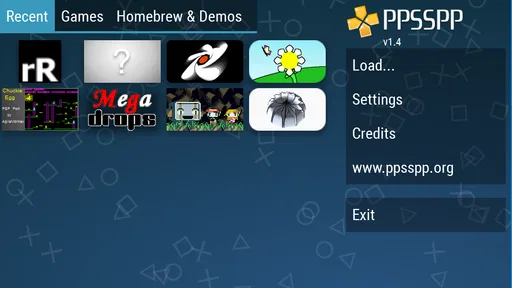
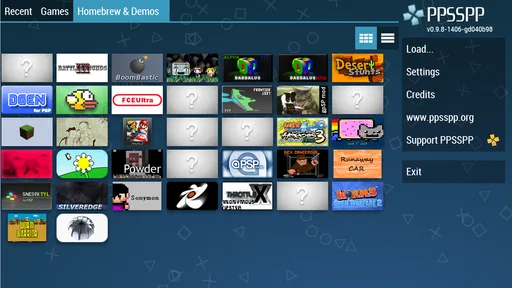
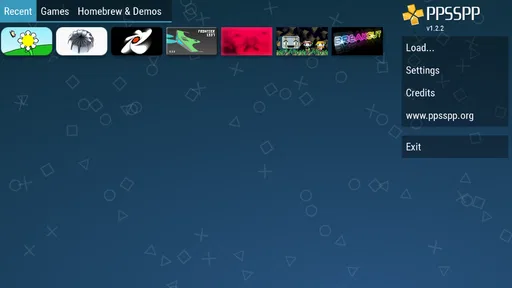
Getting started with PPSSPP Gold is surprisingly simple. Once you download the app, all you need are the ISO files of your favorite games, and you’re good to go. The interface is user-friendly, making it easy to navigate through your game library. And for those who worry about tech hurdles, there are plenty of guides and forums online to help you out.
The ISO requirement is an important part of the decision, not a detail to leave until later. This app emulates games; it is not a shop for PSP titles. Before paying, think about whether you already have game files you can lawfully use and whether you are comfortable organizing them on your device. Keeping a small, clearly named collection can make browsing less fiddly than dropping files into one crowded folder. I would test one game first, confirm that it launches and feels right, and only then spend time setting up a larger library.
Where the Gold edition fits
PPSSPP Gold costs $4.99, carries an Everyone age rating, and has an average rating of 4.6 from around 27,000 ratings, with about 1,700 reviews and over 500,000 installs. Those figures suggest a well-established option, but they do not guarantee that every PSP game will run equally well on every phone. Gold is a paid choice for someone who specifically wants this emulator; it is not the right purchase if you expect it to include games or remove the need to configure controls and settings.
Compared with playing PSP titles on original hardware, the phone route trades dedicated buttons and a familiar handheld feel for convenience and adjustable visuals. Compared with a general mobile action game, this is not a ready-made catalogue: you need your own game files, and the experience depends on compatibility and setup. If you want something you can install and play immediately without handling files, a conventional mobile game is the easier choice. If your goal is to revisit PSP games, this emulator has a much more specific purpose.
Performance-wise, the app runs smoothly on most modern devices. However, if you’re using an older phone, you might need to adjust the settings a bit to optimize performance. But once it’s up and running, it’s a seamless trip down memory lane.
Who will get the most from it?
I’d recommend it to Android users who already have PSP games they can use, enjoy tweaking a setup until it feels comfortable, and value portability more than the exact feel of original hardware. It is especially appealing if sharper graphics and the option of touch or external controls suit the way you play. I’d skip it if you want an included game library, dislike configuring controls, or mainly play titles that feel awkward without physical buttons.
Final Thoughts
In conclusion, PPSSPP Gold - PSP emulator is a fantastic tool for anyone looking to relive the PSP era. With its impressive graphics enhancements, customizable controls, and a vast library of supported games, it’s a no-brainer for gaming enthusiasts. It’s more than just an emulator; it’s a bridge to the past, offering a chance to experience those classic moments all over again.
So, if you’re ready to embark on a nostalgic journey or simply want to discover what the PSP buzz was all about, give PPSSPP Gold a try. Trust me, you won’t regret it!
Choosing it over other ways to play
The closest alternative is using original PSP hardware. That route preserves the familiar buttons and avoids adapting a game’s controls to a touchscreen, which can matter more than a sharper image for action titles. The Android version is more convenient when you want your games on a device you already carry, and its adjustable rendering gives you a choice the original screen does not. I would choose based on what frustrates me less: carrying or maintaining another handheld, or giving up dedicated controls.
Compared with ordinary Android action games, this is a different kind of commitment. A mobile game is generally ready to launch with its own content and controls; an emulator asks you to bring compatible game files and spend a little time getting the presentation comfortable. That extra setup is worthwhile if revisiting PSP games is the point. If you simply want a quick action game with no file organization, a native mobile title is the more straightforward option.
A sensible way to test your setup
For a realistic first evening, I would install the emulator, try one game I already know, and play a short stretch using the default touch layout before making changes. If the buttons obscure the picture or sit awkwardly under my thumbs, I would reposition them before judging the game itself. Then I would compare a modest visual setting with a sharper one, keeping whichever offers the better balance on my phone. This small, controlled test is more useful than copying a configuration intended for someone else’s device.
It also helps to treat each title as its own case. A game that looks crisp at increased resolution may still be uncomfortable if its controls demand precise timing, while a less visually demanding game can be enjoyable with touch input. If one title does not suit the phone, that does not automatically make the whole emulator a poor fit; it may simply be a game better played with a controller or on original hardware.
Who should think twice
The app is less appealing if you expect a complete library to arrive with the purchase, or if managing game files sounds like work you do not want. It may also disappoint someone who values physical buttons above portability, especially when their preferred games involve frequent, exact inputs. And while the Android minimum is version 2.3, that compatibility floor should not be mistaken for a promise that every game will perform equally well on every device.
Henrik Rydgård’s emulator has been available since Jan 4, 2013, and its current release is version 1.18.1. The age of the project makes it a familiar, established choice for people seeking PSP emulation on Android, while the practical experience still comes down to your chosen game, phone, settings, and controls. I would not buy it on reputation alone; I would first make sure the emulator’s file-based approach matches how I want to play.
My recommendation
At $4.99, PPSSPP Gold makes sense to me when the goal is specifically to play PSP games on Android and I already have a lawful way to provide the games. Its value is not that it turns every title into a flawless modern release. It is that it gives me a portable route back to a collection, lets me tune the image, and offers touch or external-control options depending on the situation.
With an average rating of 4.6, the app is clearly popular with many players, but I would still make the decision around my own library and habits rather than a rating. If I want pick-up-and-play convenience without setup, I would choose a native mobile game. If I want the original handheld feel above all else, I would stay with PSP hardware. For someone comfortable with a little configuration who wants old PSP favorites close at hand, this is a focused and worthwhile option.
PPSSPP Gold - PSP emulator Frequently Asked Questions
Can PPSSPP Gold play games from the original PSP system?
Yes. PPSSPP Gold is an emulator designed to play PSP games on a mobile device. It recreates the PSP software environment, so you can load compatible game files and play them without using the original handheld. The app’s store summary highlights high-definition play and extra features, while the experience can vary depending on the game and your device.
Does PPSSPP Gold need an internet connection to play?
PPSSPP Gold is an emulator for playing PSP games stored on your device, rather than a service that streams games. Once the app and the game files are available locally, gameplay does not depend on an online game library. You may still need an internet connection for tasks such as downloading the app or accessing services provided by your device’s app store.
Will my PSP save files work in PPSSPP Gold?
PPSSPP Gold can use save data created while playing games in the emulator, which lets you continue a game later rather than starting over each time. If you are hoping to transfer save data from another setup, compatibility depends on the files and how they were created. Keep copies of important saves before moving or changing files.
Can I transfer games or saves between devices?
You can move game files and save data between devices using your usual file-transfer method, then load or locate them in PPSSPP Gold on the new device. Take care to preserve the folder structure and make a backup before replacing files. Moving the app itself does not automatically guarantee that its game files or saves will move with it.
Does PPSSPP Gold improve graphics compared with playing on a PSP?
PPSSPP Gold can render PSP games at high definition and includes extra features, which may make some games look sharper on a modern screen. The visual result depends on the game, your device, and the graphics settings you choose. Raising rendering quality can also affect performance, so it is sensible to adjust settings if a game feels slow.
Pros
- High compatibility with PSP games.
- User-friendly interface and controls.
- Regular updates and improvements.
- Supports HD resolution and shaders.
- Allows game save and load states.
Cons
- Requires powerful device for best performance.
- Some games may experience lag.
- Ads in free version can be intrusive.
- Limited support for certain game features.
- Occasional crashes on older devices.