

My Town : Fire station Rescue
- 55.00
- 4.3
- Installs
- 10.00K
- Price
- $4.49
Screenshots
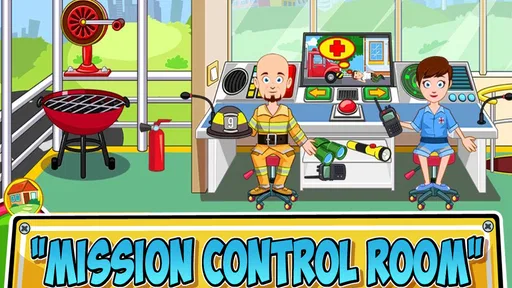
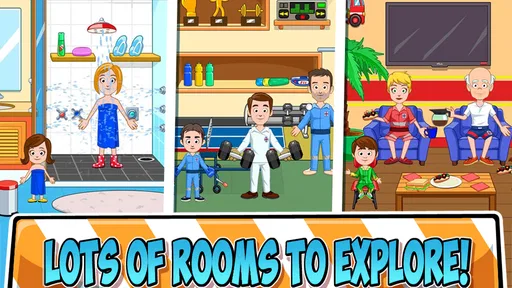
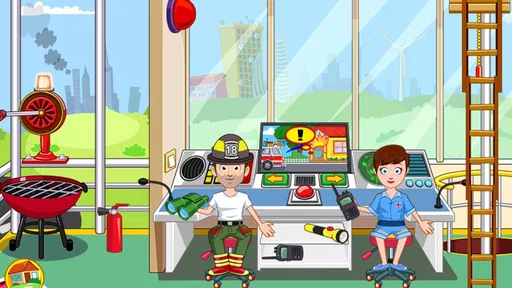
Analysis by Reviewed
My first impression of My Town: Fire Station Rescue was that it is less about winning a traditional game and more about giving children a friendly space to create rescue stories. The setting is immediately understandable: a fire station, characters who need help, and the simple idea that everyone can take part in an emergency adventure. As an educational game from My Town Games Ltd, it uses pretend play rather than lessons, quizzes, or reading exercises to encourage imagination and role-playing.
That distinction matters before you install it. I would not choose this as a game built around scores, timed challenges, or a clear campaign. I see it as a digital playroom for children who enjoy moving characters around, inventing conversations, and deciding what happens next. The store summary presents the idea of everyone becoming a hero, but in practice the appeal comes from letting the player direct the scene. A child can act as a firefighter, a person needing help, or someone working behind the scenes at the station.
The game is listed for Everyone, which fits its approachable presentation. It costs $4.49, so I would think of it as a paid creative toy rather than a free title to try casually and remove later. It has been available since March 1, 2017, and the current version is 7.03.06. Those details are useful when checking whether a device is compatible, especially because the game requires Android 8.0 or later.
What the fire station experience is really like
The strongest part of the game is the open-ended nature of the setting. Instead of pushing me through one fixed sequence, it gives the fire station context and lets me decide how to use it. That makes each session flexible. A short play period can involve one small rescue story, while a longer session can develop into a chain of events involving several characters and locations within the station environment.
For a first-time player, the lack of pressure is reassuring. There is no need to understand a complicated control scheme before beginning. The central activity is exploring the scene, selecting characters or objects, and arranging them into a story. Younger children may start by simply tapping and dragging things around. Older children can add dialogue, assign roles, and turn the same setting into several different scenarios.
I found that the educational value is indirect but real. The game can encourage sequencing, communication, empathy, and imaginative problem-solving. A child might decide that a character first notices trouble, then asks for help, then organizes a response. That is not the same as formal emergency training, and I would not present it as such. It is pretend play with a rescue theme, which makes it suitable for discussing cooperation without turning the session into a lecture.
The game works especially well when an adult plays nearby for a few minutes. Instead of taking over, I would ask questions such as, “Who needs help first?” or “What should the team do now?” This turns the screen into a prompt for conversation. The child remains in control of the story, while the adult helps connect the play with ideas like listening, sharing responsibilities, and staying calm.
More From Our News Desk

 Gmail
GmailGmail in a Busy Inbox: Who Benefits Most?
From first account to crowded workday, Gmail earns its place through dependable search and flexible sorting—but its best fit depends on how much inbox maintenance you can tolerate.

 Prime Video
Switching to Prime Video: What Changes in Your Viewing Routine
Prime Video can make a compelling second home for streaming, but switching means learning a different catalog, rental layer, and route from browsing to playback.

 Universal TV Remote Control
Universal TV Remote Control Works Best as a Reliable Backup
A phone remote earns its place through quick setup and reliable habits. Here is how to get more from Universal TV Remote Control—and where its limits show.

 Weather - By Xiaomi
Weather by Xiaomi Review: Clear at a Glance, Less Clear Up Close
Xiaomi’s weather app makes everyday forecasts quick to scan, but its calm surface can leave useful details and recovery paths harder to find than they should be.

 X
XX Under Pressure: Can It Recover When Posting Goes Wrong?
A resilience-focused review of X, examining setup, mistaken posts, interruptions, weak connections, and the gaps that matter when recovery needs to be dependable.

 Clash of Clans
Clash of Clans Is Won Between the Battles
Its raids are quick; its community is a long-term project of coordination, teaching, rivalry, and shared responsibility—with all the friction that entails.
Latest News



One important trade-off is that children who expect constant rewards may find the experience quiet. There is no obvious reason to keep repeating the same action unless the player enjoys changing the story. That is a strength for creative play, but a weakness for anyone looking for a game with missions, unlocks, or a strong sense of progression.
Getting started without making the first session complicated
After installing the game, I recommend beginning with a short, supervised exploration rather than explaining everything in advance. Let the child look at the fire station and identify what seems interesting. The first goal is not to complete a challenge; it is to understand that the environment can be rearranged into a story.
On a small phone screen, it helps to hold the device steadily and use deliberate taps. Children often tap repeatedly when they are unsure whether something responded. I found that slowing down makes the interaction easier to follow. If the device is shared with other people, starting with a clear agreement about handling the phone or tablet also prevents accidental exits and frustration.
The game is a better fit for a device running a reasonably recent version of Android, since Android 8.0 is the minimum operating system requirement. Before buying, I would check the device version rather than assuming that every older phone will run it. This is particularly important if the game is intended for a child’s hand-me-down device.
I would also set expectations about the paid format. Because the price is $4.49, the decision is straightforward: you are paying for access to this particular fire-station play experience, not signing up for a free trial. That can be preferable for parents who want to avoid the uncertainty of a free download, but it also means the game should match the child’s interests before purchase.
The developer, My Town Games Ltd, is known here through a recognizable style of character-based pretend play, but I would still judge this title on its own. A child who loves emergency vehicles, helping roles, and make-believe may connect with it immediately. A child who prefers puzzles or fast action may not.
The first meaningful success: create one complete rescue story
My suggestion for the first useful session is simple: create one beginning, middle, and ending. Start by choosing who needs help. Then decide which character notices the situation and what the response should be. Finally, finish the scene by bringing everyone to a safe outcome or changing the story so the problem is resolved.
This approach gives the child a clear achievement without inventing a score the game does not require. It also avoids the common mistake of treating the station like a collection of buttons to press. The meaningful success is not finding every possible interaction. It is making the setting tell a complete story.
A realistic everyday example would be a rainy afternoon when a child has finished homework but still wants screen time. I would sit beside them for the first few minutes and suggest a rescue scenario: one character notices a problem, another organizes the response, and a third waits for help. Once the child understands the pattern, I would step back and let them change the roles. The same scene can then become a story about teamwork, a practice conversation, or a completely silly adventure.
For younger players, the adult can narrate while the child controls the characters. For children who are beginning to tell longer stories, reverse the roles: let the child explain what is happening while the adult follows along. This makes the game useful for language practice without turning it into a worksheet. It also reveals whether the child enjoys the creative freedom or needs more structured guidance.
Another useful technique is to pause after the first rescue and ask the child to retell the events in order. If they can explain what happened and why, the game has supported more than tapping. If they prefer to restart with a different outcome, that is also valuable: the open-ended format makes experimentation part of the play.
The best first target is a finished story, not full exploration. Trying to inspect everything immediately can make the experience feel scattered. One complete scenario gives the child a mental map of how the game works and leaves room for curiosity in the next session.
Where new users may become confused
The biggest point of confusion is likely to be the difference between a creative sandbox and a conventional game. Some children will look for a start button, a mission list, or a clearly marked next level. If they do not find one, they may assume the game is not working. I would explain that the player is responsible for inventing the situation and deciding when it is over.
Adults can also misjudge the game by expecting the fire-station theme to teach detailed safety procedures. It may open a conversation about helping others, cooperation, and responsible behavior, but it should not replace real safety instruction. I would avoid presenting pretend actions as instructions for handling an actual fire or emergency.
Another source of friction is the absence of a single “correct” way to play. A child might move characters in an order that seems strange to an adult, or create a rescue that makes no realistic sense. Correcting every detail can remove the fun. Unless the child asks for help, I would let the story develop on its own terms and use questions instead of corrections.
There is also a practical difference between playing alone and playing with an adult. Alone, the game may be calming for a child who already enjoys imaginative play. With an adult, it can become a conversation starter. However, not every family wants to supervise open-ended screen time, and this title may feel less satisfying if the child needs a game that explains each objective independently.
The rating can help set expectations, but it does not tell you whether the play style suits your child. Everyone-friendly content does not automatically mean every child will enjoy it. I would choose it for a child who likes dollhouse-style scenes and role-play, not simply because the age category is broad.
How it compares with more familiar alternatives
Compared with educational games based on spelling, counting, memory, or problem-solving exercises, this one is much less academic. It does not appear designed to measure progress through correct answers. Its learning opportunities come from storytelling and social play. If your priority is practicing a specific school skill, a focused learning app would be a better choice.
Compared with action-focused firefighter games, the experience is gentler and more imaginative. There is less emphasis on speed and more on deciding who does what. That makes it easier to adapt for younger children, but it may disappoint players who want alarms, timed missions, upgrades, or challenging rescue mechanics.
Compared with a general digital dollhouse, the fire-station theme gives the play a useful starting point. Children do not have to invent an entire world from nothing; the rescue setting suggests roles and situations. The trade-off is that children uninterested in firefighters or emergency stories may run out of ideas sooner than they would in a broader sandbox.
The paid price also changes the comparison. A free alternative may offer more variety at no initial cost, while this game offers a more contained experience for a one-time purchase. I would choose this title when the child’s interest in the setting is strong enough to justify buying a focused creative game. I would skip it if I am only looking for the cheapest way to occupy a few minutes.
Small strategies that make the game more rewarding
One approach I found useful is rotating roles between scenes. In the first story, the child can be the person directing the rescue. In the next, they can play someone receiving help. This prevents the same interaction from becoming repetitive and encourages the child to think about different perspectives.
A second strategy is to use a “before and after” routine. Ask the child what the station is like before the emergency, then what changes after the team responds. This gives the open-ended play a simple structure and helps children notice cause and effect without requiring a formal lesson.
A third strategy is to limit the number of characters at the beginning. Bringing everyone into the story at once can make the scene hard to follow. Starting with two or three roles makes it easier for a first-time player to understand the sequence. More characters can be added when the child has a reason for them to be there.
I also recommend treating repeated play as a feature rather than expecting new content to do all the work. The value comes from changing the story, the roles, and the outcome. If the child always repeats the same rescue without adding anything new, that may be a sign that a more structured game would hold their attention better.
For parents, the most practical use may be short co-play sessions rather than leaving the child to discover every possibility alone. Five or ten minutes of conversation can make the experience richer than a much longer session of random tapping. The game gives you a setting; the questions and storytelling provide much of the educational benefit.
Who should choose it, and who should pass
I would recommend this game to families looking for a calm, child-friendly pretend-play experience with a clear rescue theme. It is particularly suitable for children who already enjoy acting out stories with figures, toy vehicles, or household objects. The Everyone rating makes it approachable, while the simple premise gives a first-time player an easy entry point.
I would be more cautious if the child needs explicit instructions, measurable goals, or frequent rewards. The game does not seem aimed at children who want to improve arithmetic, reading, or logic through exercises. It is also not the right pick for someone seeking realistic emergency simulation or a fast-paced challenge.
The rating of 4.3 from around four hundred ratings suggests that the game has found an audience, while its install count of over ten thousand shows that it is an established but relatively focused title rather than a massive mainstream hit. I would treat those figures as context, not as a substitute for matching the game to the child’s personality.
Because it costs $4.49, I would make the purchase after answering one practical question: will the child create stories, or will they only look for a task to finish? If the answer is storytelling, the price can be reasonable for a reusable digital play space. If the answer is task completion, another educational game may provide better value.
The next step after the first session
Once the child has completed one rescue story, I would not immediately search for every interaction. Instead, ask them to change one element: the person needing help, the order of events, or the ending. This keeps the second session connected to the first while showing that the game is built around choices rather than a fixed script.
After that, let the child lead the explanation. Ask what each character’s job is and why they chose that action. If the answers become more detailed over time, the game is doing what it does best: supporting imaginative communication through a familiar setting. If the child loses interest after one or two stories, that is useful information too. The title is focused, and not every player will want an open-ended fire-station world for long.
My final view is positive but specific. My Town: Fire Station Rescue is a gentle educational game that works best as guided pretend play, not as a conventional challenge. I like how quickly a child can move from exploring the station to inventing a complete rescue, and I appreciate that the theme encourages teamwork without requiring stressful action. Its limitations are equally clear: progression is self-directed, learning is informal, and the narrow setting may not suit every child.
If you are choosing it for a young player who enjoys rescue stories and imaginative scenes, I think it is a sensible paid option. Install it on a compatible device, begin with one small scenario, and help the child understand that they are creating the adventure rather than waiting for the game to assign one. Once that idea clicks, the fire station becomes a flexible stage for stories, conversation, and cooperative play.
My recommendation: choose it for creative role-play and short co-play sessions; skip it when your main goal is academic practice, competitive gameplay, or a guided sequence of missions.
My Town : Fire station Rescue Frequently Asked Questions
What is the age rating and educational focus of My Town: Fire Station Rescue?
My Town: Fire Station Rescue is an educational role-playing game rated for Everyone. Its pretend-play format gives children a chance to explore a fire station, take on firefighter roles, and invent rescue stories. The experience is built around imagination and everyday interaction rather than lessons or tests, so it may suit children who enjoy creating their own scenes and stories.
What is My Town: Fire Station Rescue?
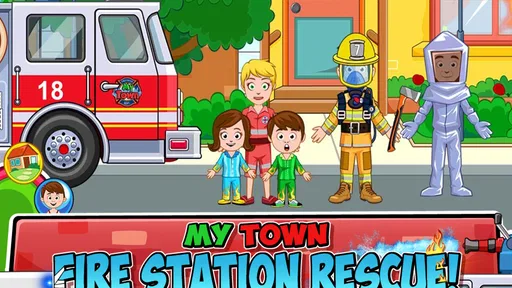
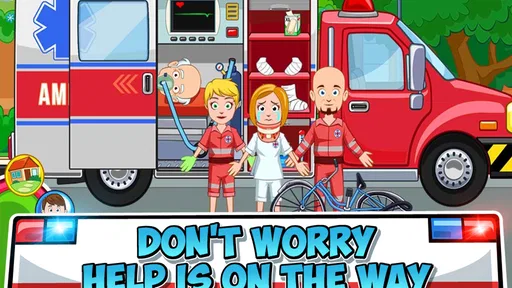
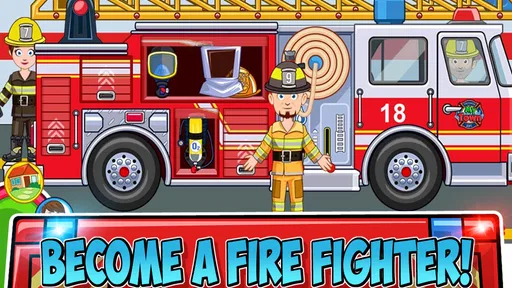
My Town: Fire Station Rescue is an interactive role-playing game for children in which players explore a fire station, create stories, and act out rescue missions. The game includes firefighters, emergency vehicles, a fire station, and different locations to investigate. Rather than following one fixed storyline, it encourages imaginative play, letting children decide what happens and how each character responds.
What can children do in My Town: Fire Station Rescue?
Players can explore the fire station, prepare firefighters for emergencies, drive or use rescue vehicles, and create pretend missions involving fires, accidents, and other situations. Characters can be moved around the environment, while objects can be picked up and used to build scenes. The open-ended design makes the game more about creativity and storytelling than winning or completing difficult levels.
Is My Town: Fire Station Rescue suitable for young children?
The game is generally designed for young children who enjoy pretend play, character-based games, and simple exploration. Its controls are easy to understand, with tap-and-drag interactions rather than complicated menus or fast challenges. Parents should still review the recommended age, store description, and available settings before downloading, since suitability may vary depending on a child’s reading ability and comfort with emergency-themed scenarios.
Does My Town: Fire Station Rescue require an internet connection?
The core gameplay is typically intended to work offline after the application has been installed, which is useful for travel or play without mobile data. However, an internet connection may be needed for the initial download, updates, store verification, advertisements, or optional purchases, depending on the version and device. It is a good idea to check the current Google Play or App Store listing for the latest requirements.
Pros
- Bright
- child-friendly graphics make the rescue setting easy to explore.
- Open-ended play lets children create stories without strict objectives.
- Multiple firefighter roles encourage imaginative role-play.
- Simple controls are suitable for younger players.
- Offline access makes it convenient for travel or limited connectivity.
Cons
- Some locations and characters may require additional purchases.
- The lack of structured missions can feel repetitive over time.
- Interactions are mostly simple and offer limited gameplay depth.
- Frequent tapping may be needed to discover usable objects.
- Performance can vary on older or lower-end devices.













