My Little Princess : Wizard
- 82.00
- 3.7
- Installs
- 100.00K
- Price
- $4.49

Screenshots

Analysis by Reviewed
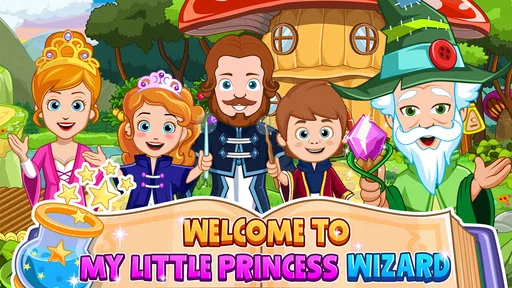
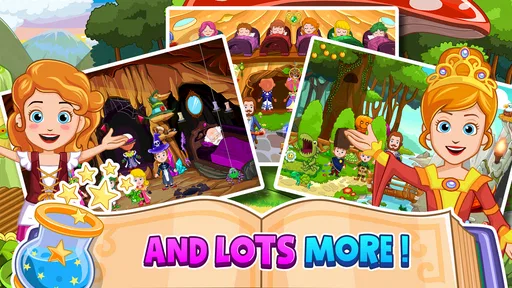
My first impression of My Little Princess: Wizard was that it is less about winning and more about giving a child a safe-feeling fantasy space to explore. I moved around its magical setting, tapped objects, tried different interactions, and found the appeal in making small stories rather than chasing a score. That makes it a distinctive educational game for children who enjoy pretend play, especially when the device is shared with a parent or sibling.
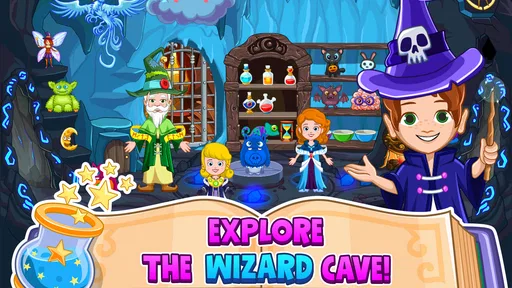
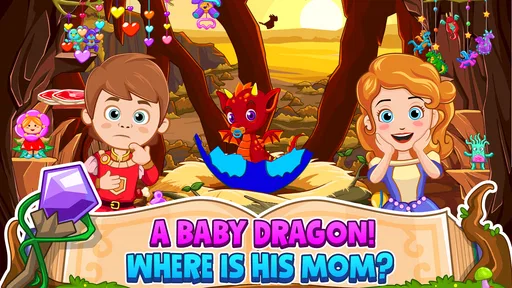
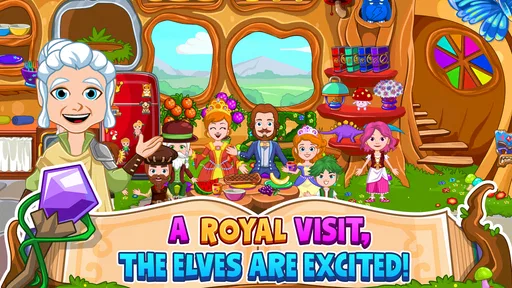
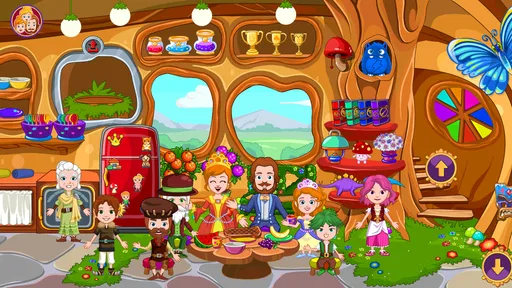
The central idea is simple: a child enters a wizard-themed world and experiments with the things placed around it. The pleasure comes from finding out what can be touched, moved, opened, combined, or used as part of an imaginary scene. It is a digital playroom rather than a lesson disguised as a game. I think that difference matters, because children who dislike drills may stay with it longer than they would with a conventional learning app.
How it works on a shared household device
In my experience, the best way to use this game is not to hand over the device with the expectation that it will entertain a child indefinitely. It works better as an open-ended activity that a parent introduces, watches briefly, and then lets the child lead. A younger player might simply explore the wizard environment, while an older child can turn the same space into a story involving characters, objects, and imagined problems to solve.
A realistic evening example would be a child waiting while dinner is prepared. Instead of opening a fast, noisy game, I would start this one and suggest a small challenge: create a magical room, decide who lives there, and act out what happens when something goes wrong. The child can then play independently, but the prompt gives the session direction. When the child finishes, asking what happened in the story is more useful than asking whether they completed a level, because the game is strongest when it encourages narration and choice.
Shared-device play also changes how I judge the experience. A sibling may want to control the screen at the same time, and this is where open-ended play can become either cooperative or frustrating. I found it helpful to agree on turns before starting: one child chooses the setting or character, while the other handles objects or acts out the next part of the story. This is not a built-in multiplayer system; it is a household routine that makes the flexible design easier to share.
That flexibility is one of the title’s quiet strengths. There is no single correct story that one child can spoil for another. A younger player can tap around without understanding every possibility, and an older one can add more detail later. If your family wants a game that two children can play competitively on one screen, this is probably not the right match. If you want a calm prompt for cooperative imagination, it makes more sense.
What I would decide before handing over the device
The purchase and play boundaries deserve a little attention. The game costs $4.49, and it also lists in-app purchases at $0.99 per item. I would make that clear before a child begins, particularly on a shared phone or tablet where more than one person uses the same store account. The simplest household rule is that children can explore the game but must ask before any purchase is considered.
More From Our News Desk

Weather by Xiaomi Review: Clear at a Glance, Less Clear Up Close

X Under Pressure: Can It Recover When Posting Goes Wrong?

Clash of Clans Is Won Between the Battles

Android Auto Makes the Case for Quieter Car Software

MobiOffice: Transforming Mobile Productivity with Seamless Integration

EA SPORTS FC™ Mobile Soccer: Redefining Mobile Sports Gaming
I would also install and open it myself first. That gives me a chance to understand the controls, check how the world feels on the particular screen, and decide whether the device is suitable for unsupervised use. This is especially sensible when the device belongs to an adult and contains work, messages, photographs, or other personal material. The game itself is child-oriented, but the surrounding device still needs ordinary household boundaries.
Another practical step is choosing a clear stopping point. Open-ended play can be absorbing precisely because it does not announce a final task. For a short session, I might ask the child to finish the current story, return the characters to a chosen place, and then put the device away. That small ritual avoids the sudden argument that often happens when a child is interrupted in the middle of pretend play.
For a shared tablet, I would keep the game in a visible, agreed location rather than letting every child decide when and how it is used. That is not about restricting imagination; it is about preventing one child from taking over the device whenever they want it. A simple rotation can work well: one session for free exploration, another for a story made together, and then a turn for a different activity.
There is also a useful distinction between buying the game and buying additional items. I would treat the initial purchase as the decision to try the experience, not as permission to keep adding content. If the child enjoys the core play, there is no need to rush into extra spending. Watching how often the game is actually used will tell you more than a child’s first excited reaction.
Coordination works better when adults supply the structure
The game gives children room to choose what happens, but it does not replace an adult’s role in organizing shared play. I found that a short instruction works better than a long explanation. “Make a wizard’s room and tell me who visits it” is enough to start. Giving five rules before the child touches the screen can make the activity feel like homework and weaken the very freedom that makes it attractive.
For siblings, I would use roles that change from session to session. One child can be the storyteller, another can arrange the scene, and then they swap. This prevents the child with the fastest fingers from controlling every interaction. It also turns the game into a quiet exercise in negotiation: the players have to agree on what the wizard wants, what an object is for, and what should happen next.
A helpful trick is to separate discovery from performance. During the first few minutes, let the child tap and test things without correcting them. Later, ask them to demonstrate one discovery to somebody else. That second step reveals whether they understood the interaction or merely repeated an accidental tap. It also gives a less confident child a chance to become the expert for a moment.
I would not use the game as a reward for every ordinary task, because that can make imaginative play feel like a prize that must be earned. It fits better into a predictable rotation of activities. On a rainy afternoon, it can sit alongside drawing, reading, or physical play. On a long journey, it can provide a quieter option, but I would still prepare another activity because open-ended games do not suit every mood.
Adults can add learning without turning the session into a test. Ask the child to remember where an object was placed, explain why a character entered a room, or invent a beginning and ending for the same scene. These prompts use the game’s strengths in language, sequencing, and creative decision-making. They are especially useful for children who have plenty of ideas but need encouragement to express them clearly.
Age, trust, and the limits of “educational”
The content rating is Everyone, which fits the gentle, child-focused presentation I experienced. Still, an age label cannot tell you whether a particular child will enjoy the controls or understand the open-ended format. Some children want clear goals, visible progress, and a definite reward. For them, this may feel vague or even boring after the novelty fades.
I would describe it as educational through play rather than as a structured teaching tool. It can support imagination, vocabulary, storytelling, and social coordination when an adult or sibling engages with the child. It does not replace a reading app, a numeracy game, or a guided lesson when the goal is to practice a specific academic skill. That distinction is important for parents choosing between this and a more traditional educational alternative.
Trust also means knowing when to step back. Constantly correcting a child’s invented story can make the game less enjoyable, especially when there is no need for the story to follow adult logic. I prefer to intervene for practical reasons—sharing, stopping, or purchase boundaries—while leaving the fictional decisions to the player. The child should feel that the wizard world belongs to their imagination, not to an adult’s script.
At the same time, I would not assume that every child can use a shared device without supervision simply because the game is suitable for Everyone. The relevant question is not only whether the content is appropriate. It is also whether the child can respect the household’s rules about time, handling the device, and spending. A trusted child may play alone for a while; another may need an adult nearby.
The game is also not ideal for a child who becomes upset when play has no obvious endpoint. In that case, I would create a small mission before starting: decorate one area, tell one short story, or show one discovery. This gives the session a beginning and an ending without forcing the game into a level-based structure it was not designed to provide.
What feels different from ordinary children’s game alternatives
Compared with puzzle apps, this experience gives up measurable progress in exchange for freedom. A puzzle game can tell a child exactly what to do and provide immediate feedback. Here, the child has to invent the reason for interacting with the world. That can produce richer pretend play, but it also means the adult may need to offer a starting idea when the child does not know what to do.
Compared with video-based children’s apps, the game is more active. The child is not simply watching a character perform; they are deciding where the story goes. That makes it a better choice when you want screen time to involve manipulation and imagination. It is less suitable when you need a passive, low-effort distraction while you are occupied elsewhere.
Compared with educational games built around spelling, counting, or quizzes, it has a broader but softer learning value. I would choose this for creative play and conversation, not for checking whether a child has mastered a particular concept. If your main goal is practice with a school subject, a focused learning app will be more efficient. If your goal is to encourage a child to invent, arrange, and explain, this one has a clearer personality.
Its strongest trade-off is the same feature that may limit it: there is room to do things your own way. Children who enjoy role-play can return to the setting with a new idea each time. Children who rely on instructions may need an adult to model the first story. I would make the choice based on the child’s play style rather than on the educational label alone.
Performance, longevity, and who should skip it
The game was released on March 15, 2018, and the current version is 7.03.02. It supports devices running Android 8.0 or later. Those details make it important to check the household device before buying, especially if the tablet is older and mainly used by children. A compatible operating system does not automatically guarantee that every older device will feel equally comfortable, so I would pay attention to screen size, touch response, and available storage during my own trial.
Its audience is established but not enormous: the game has over 100 thousand installs, with an average rating of 3.7 from around 3.1 thousand ratings. I read that as a sign of a specific, unevenly appealing experience rather than a universal favorite. The concept will delight children who like open-ended fantasy, while others may expect more direction and rate it less enthusiastically. That matches my own view: the design is appealing, but it asks the player to bring imagination to the session.
I would skip it if you are looking for competitive action, a long campaign, detailed academic instruction, or a game that manages two children automatically. I would also hesitate if your child quickly abandons activities without clear goals. In those cases, a level-based puzzle game or a subject-focused learning app will probably provide a better fit and less adult involvement.
I would recommend trying it for a child who enjoys dolls, miniature worlds, make-believe stories, and experimenting with objects. It can also suit a parent who wants a shared activity that leads naturally into conversation. The most rewarding sessions are not necessarily the longest ones. A focused ten-minute story can be more satisfying than leaving the child to wander until they lose interest.
My household verdict
After spending time with it, I see My Little Princess: Wizard as a creative play space with educational value, not a conventional lesson game. My recommendation depends on whether your household wants imagination or instruction from the screen. For storytelling, gentle exploration, and shared play, it has a warm and flexible approach. For measurable learning targets or independent, goal-driven progress, I would choose something more structured.
The purchase makes the most sense when an adult is willing to set boundaries around the shared device, explain the spending rule, and occasionally join the child’s story. That involvement does not need to be constant. A brief prompt, a turn-taking agreement, and a clear stopping point can transform an unfocused session into a genuinely useful family activity.
My final judgment is positive but specific: I would recommend it to families with a child who already enjoys imaginative play, while warning that the lack of traditional goals may feel limiting to other players. The Everyone rating makes it approachable, and the wizard setting gives the child an inviting place to begin. Just treat it as a digital toy box for stories rather than as a complete educational curriculum, and its strengths become much easier to appreciate.
For a shared household device, that distinction is the key. The game works best when everyone understands who is using it, how long the session will last, and what kinds of purchases require permission. With those expectations in place, it can become a calm way for a child and an adult—or two siblings—to create something together instead of merely consuming another piece of screen content.
My Little Princess : Wizard Frequently Asked Questions
What devices can run My Little Princess: Wizard?
My Little Princess: Wizard is available for Android and iOS devices. On Android, it requires version 8.0 or later, so it is worth checking your device’s software before downloading. The game is designed for touchscreens, where tapping and dragging let children explore its locations and interact with objects. Keeping the operating system up to date can also help with compatibility.
What is My Little Princess: Wizard?
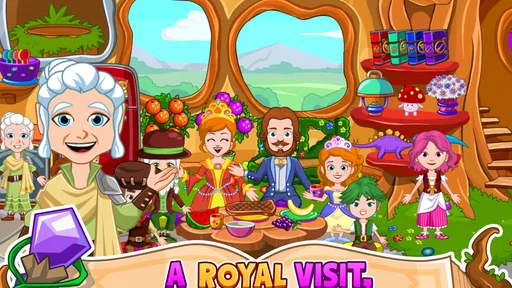
My Little Princess: Wizard is an interactive role-playing and exploration game designed mainly for children. It lets players enter a magical world filled with wizards, spells, fantasy characters, and imaginative locations. Rather than following a strict story or difficult mission system, the game encourages open-ended play, allowing children to tap, drag, discover hidden objects, and create their own adventures at their own pace.
Is My Little Princess: Wizard suitable for children?
The game is generally suitable for young children who enjoy fantasy, exploration, and pretend play. Its colorful graphics, simple controls, and non-competitive design make it easy to understand without requiring advanced reading or gaming skills. It is rated Everyone, and parents can still review the available content and device settings, especially because optional purchases may be available.
Does My Little Princess: Wizard require an internet connection?
My Little Princess: Wizard may allow much of its core gameplay to work offline after installation, which is useful for travel or situations without Wi-Fi. However, certain features, updates, or optional content may require an internet connection. Availability can vary between Android and iOS versions, so it is best to check the store listing and test the game after downloading before relying on it offline.
Is My Little Princess: Wizard free to download and play?
My Little Princess: Wizard is a paid game, priced at $4.49, and it also offers in-app purchases at $0.99 per item. Before downloading, parents may want to check the purchase settings on their device and use parental controls if children will be playing independently. Those controls can help prevent unintended purchases while still allowing children to enjoy the game’s imaginative play.
Pros
- Colorful wizard-themed world that encourages imaginative roleplay.
- Simple tap-and-drag controls are suitable for young children.
- Characters and locations can be combined for creative storytelling.
- Offline play makes it convenient during travel or without Wi-Fi.
- Gentle
- non-competitive gameplay avoids time pressure and losing.
Cons
- Some scenes and characters may feel repetitive after extended play.
- The open-ended format offers little guidance for children needing structure.
- Extra content may require in-app purchases beyond the initial download.
- Small on-screen items can be difficult to select on compact phones.
- Limited challenge may not hold the interest of older children for long.













