My City: Apartment Dollhouse
- 1.19K
- 4.1
- Installs
- 10.00M
- Price
- Free

Screenshots


Analysis by Reviewed
I’d treat My City: Apartment Dollhouse as a digital play space rather than a game with a finish line. Its appeal is the freedom to move through an apartment setting and invent small scenes, not chasing scores or racing through levels. That makes it an easy choice for a quiet break, especially for children who enjoy pretend play, and a less obvious fit for anyone looking for a tightly guided challenge.
It sits in the educational-game category, though its learning value comes mainly through imaginative play and making up situations rather than lessons or quizzes. My Town Games Ltd develops it, and the game is free to download. The age rating is Everyone, while optional in-app purchases range from $0.99 to $9.99 per item, so I’d check the purchase settings before handing a device to a child. The game has a 4.1 average from around 74,000 ratings, with over 10 million installs; that popularity is useful context, but it doesn’t tell you whether its style will suit your family.
What a play session feels like
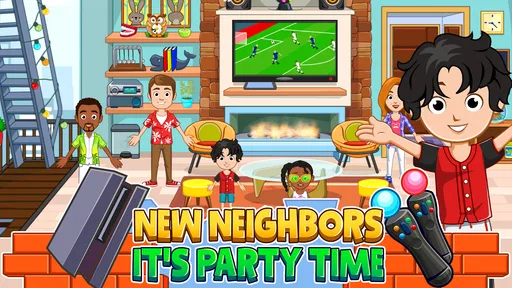
The low-pressure format is the main strength. A child can choose a character, move them around, and turn an ordinary room into a scene: getting ready to go out, welcoming a visitor, or deciding what happens during a made-up family gathering. There’s no need to understand a complicated objective first. In my view, that makes it particularly handy for short stretches of independent play, although younger players may still enjoy an adult joining in and suggesting a story prompt.
A practical way to get more from it is to give a session a small theme instead of simply tapping around. Ask a child to invent a reason for a character to visit, or to make a beginning, middle, and ending for a day at home. This keeps the play purposeful without turning it into a lesson. It also makes the game a better fit for shared play: one person can move the characters while another narrates what they are doing.
Spending and expectations
The free starting point is appealing, but it’s worth keeping the optional purchases in mind. I wouldn’t assume that every item or activity is available at no cost, and I’d agree on a spending rule before a child starts exploring. The listed purchase range gives a useful boundary, but the exact contents of individual purchases matter more to a parent deciding whether to approve one. In practice, I’d let a child try the free experience first and only consider paying if they keep returning to it and can explain what they want to add.
There’s no competitive pressure in the way I’d expect from a ranked or multiplayer game: the attraction is personal storytelling, not beating another player. That makes spending less about gaining an edge and more about access to optional content. Still, if you want a fully open-ended play app with no prompts to buy anything, you should check how purchases are presented on your device and use its purchase controls. The game’s free price doesn’t mean every possible addition is free.
Explore Your New Digital Home
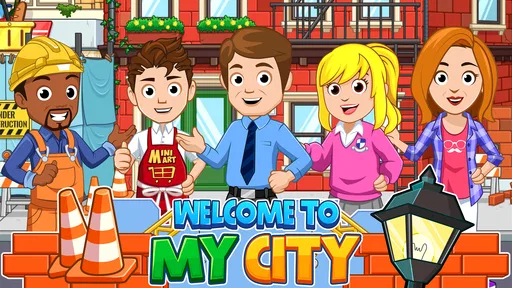
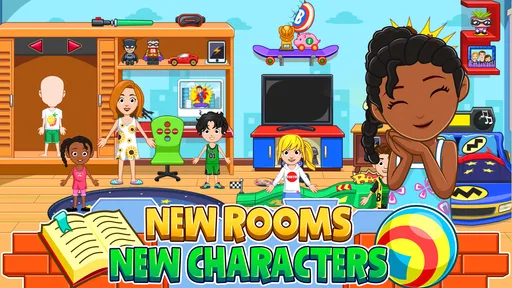
Once you fire up My City: Apartment Dollhouse, you're immediately transported to a dynamic world where you can do just about anything you fancy. The game offers a myriad of apartments to explore, each one brimming with interactive elements and surprises waiting to be uncovered. It's like having your own mini dollhouse right in the palm of your hand!
More From Our News Desk

Weather by Xiaomi Review: Clear at a Glance, Less Clear Up Close

X Under Pressure: Can It Recover When Posting Goes Wrong?

Clash of Clans Is Won Between the Battles

Android Auto Makes the Case for Quieter Car Software

MobiOffice: Transforming Mobile Productivity with Seamless Integration

EA SPORTS FC™ Mobile Soccer: Redefining Mobile Sports Gaming
One of the things I love most about this game is the attention to detail. Every room in the apartment is designed with a unique flair, offering countless opportunities for interaction. Whether it’s rearranging furniture, hosting a party, or simply hanging out with in-game friends, there’s always something to do. The developers really nailed it with the graphics, making everything look so inviting and cozy.
Characters and Customization
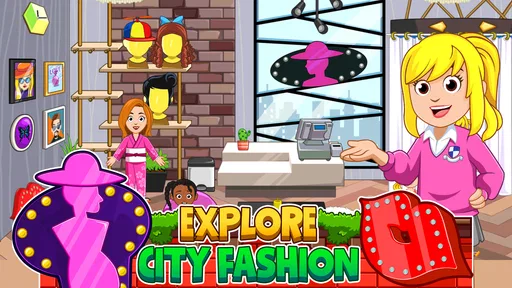
No apartment is complete without its residents, right? My City: Apartment Dollhouse comes with a diverse cast of characters you can play around with. The customization options are off the charts! From changing outfits to tweaking hairstyles, you can truly make each character your own. This makes it super engaging, especially for those of us who love a bit of creative freedom.
Speaking of creativity, the game does a stellar job at encouraging players to use their imagination. You can craft stories, role-play scenarios, and even create your own little world within the game. It's like being the director of your own animated series!
Gameplay and Experience
The gameplay is as smooth as butter, and the user interface is incredibly intuitive. Even if you’re not a seasoned gamer, you’ll find navigating through the game a breeze. The developers have done a fantastic job ensuring the controls are user-friendly, which is a huge plus in my books.
What truly sets My City: Apartment Dollhouse apart from other simulation games is its emphasis on exploration and discovery. Every nook and cranny of the apartment holds a potential new adventure. It's perfect for those who love to explore at their own pace without feeling rushed or pressured.
Oh, and did I mention the updates? The developers are consistently rolling out new content, keeping the game fresh and exciting. Whether it’s seasonal events or new items to decorate your apartment, there’s always something to look forward to. It’s like getting a little gift every now and then, keeping the excitement alive.
Final Thoughts
In conclusion, if you're looking for a game that offers endless fun and creativity, My City: Apartment Dollhouse is a wonderful choice. It’s suitable for all ages, making it a great option for family playtime or solo relaxation. Trust me, once you start playing, you’ll find it hard to put down. It’s like a little escape from reality, right in your pocket!
Choosing it for your child or your own downtime
Compared with a puzzle game, this one leaves the goal-setting to the player; compared with a classroom-style educational app, it puts pretend play ahead of instruction. I’d choose it for a child who likes dollhouses, character play, and making up dialogue, rather than one who wants clear tasks, spelling practice, or a steady stream of rewards. For a parent, that difference is useful: you can join in with a story, but you shouldn’t expect the app to teach a specific subject on its own.
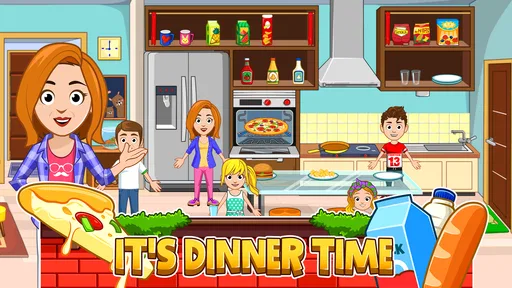
A realistic use case is a short wait at home while dinner is being prepared. A child can pick a simple scenario—someone arrives home, changes clothes, and invites a friend in—then play it out without needing a long setup or a competitive match. To keep the session from becoming aimless, I’d offer one starting idea and let the child decide what happens next. If they prefer action, timed goals, or a clear sense of progress, a conventional level-based game will probably hold their attention better.
Small trade-offs that matter
Open-ended play is also the main limitation: the child supplies the plot, so a player who needs instructions may find the experience less engaging. It can help to rotate roles or invent a fresh scenario rather than expecting the app to provide a new objective each time. I’d also avoid promising specific rooms or customization choices before checking what is available in the version on your device; what matters most here is whether the existing play space gives your child enough to imagine with.
The game is free, and its current version is 4.1.1, with Android support starting at version 8.0. Those details make it easier to check device suitability before installing, but they don’t answer every practical question a family might have. Purchase controls are worth setting up in advance, and if you’re comparing it with another dollhouse game, look at the actual free content and the way each one handles optional purchases rather than judging only by its theme.
My trust verdict
I’d recommend giving it a try if you want a calm, flexible setting for pretend play and are comfortable supervising optional spending. I’d skip it if you need structured educational exercises, a defined campaign, or a game that keeps a child busy through constant goals. Its strongest case is simple: it gives imaginative players a place to stage their own everyday stories, while asking adults to set sensible boundaries around purchases and screen time.
My City: Apartment Dollhouse Frequently Asked Questions
What is the age rating for My City: Apartment Dollhouse?
My City: Apartment Dollhouse is rated Everyone, so its intended audience includes children and families. The game is an educational dollhouse experience focused on exploring an apartment setting and creating stories. As with any app a child uses, parents can decide whether the style of play suits their child and can review device settings before letting them play.
How much storage space does My City: Apartment Dollhouse need?
Before downloading, it is sensible to check that your device has enough free storage for the game and its installation. The space required can vary with the device and the version available through its app store, so check the download screen on your Android or iOS device. Keeping some extra room free can also help avoid installation interruptions.
What devices can run My City: Apartment Dollhouse?
My City: Apartment Dollhouse is available for Android and iOS devices, including compatible phones and tablets. On Android, the minimum operating system requirement is version 8.0, so it is worth checking your device’s software before downloading. The game is free to install, making it easy to try if your device meets the requirement.
What is My City: Apartment Dollhouse?
My City: Apartment Dollhouse is a creative and interactive game designed for children, where players can explore and interact with various environments within an apartment-themed setting. It offers a virtual dollhouse experience, allowing kids to engage in imaginative play, create stories, and explore different rooms and items within the apartment. It encourages creativity and problem-solving, making it both fun and educational.
Is My City: Apartment Dollhouse safe for children?
Yes, My City: Apartment Dollhouse is designed with children in mind, featuring a safe and kid-friendly environment. The game does not contain inappropriate content, and it encourages learning and creativity. Parents can rest assured that the game is suitable for young audiences, providing a secure digital space for children to explore and enjoy their imaginative activities. Its age rating is Everyone, which helps parents quickly assess its intended audience.
Pros
- Interactive and educational gameplay.
- Colorful and engaging graphics.
- Promotes creativity and role-play.
- Wide range of characters and outfits.
- Offline play is available.
Cons
- May not appeal to older audiences.
- In-app purchases can be frequent.
- Limited storyline progression.
- Requires storage space for installation.
- Some features need internet access.