My Town : Hospital
- 203.00
- 4.2
- Installs
- 100.00K
- Price
- $4.49

Screenshots
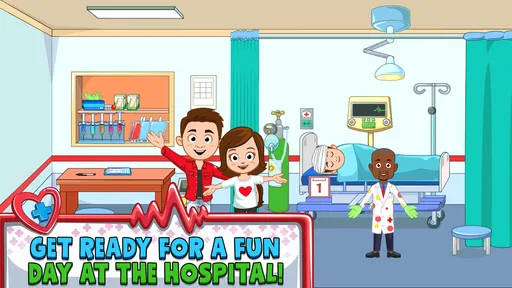
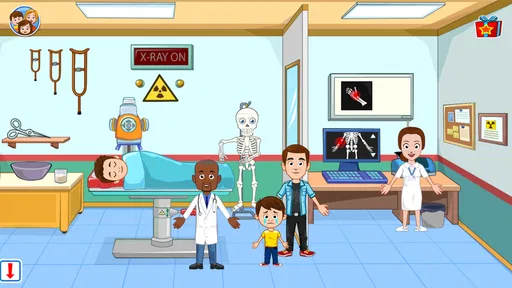
Analysis by Reviewed
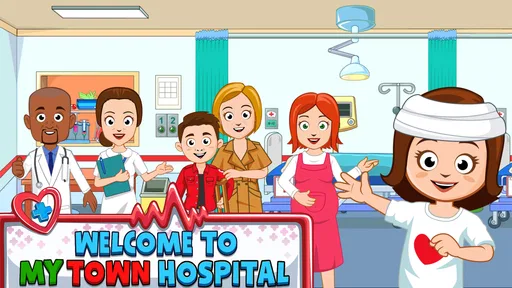
I approached My Town : Hospital as a small role-playing world rather than a traditional lesson-based game. That distinction matters. It is an educational game from My Town Games Ltd, but its value comes from letting children explore hospital spaces, characters, and everyday care situations through play. I found it most appealing when I treated it as an open-ended activity: choose a character, move through a room, create a little scenario, and let the child decide what happens next.
The game is aimed at Everyone, and that broad rating fits its gentle presentation. There is no need to understand a complicated rule system before starting. A child can begin by exploring, while an adult can join in and turn the setting into a conversation about doctors, patients, waiting rooms, treatment, or helping someone who feels unwell. This is better understood as guided pretend play with an educational setting than as a structured medical course.
What to consider before choosing it
My first decision criterion would be the child’s preferred style of play. If they enjoy arranging characters, inventing stories, and tapping around a familiar place, the hospital setting gives them plenty to talk about. If they expect quizzes, levels, points, or a clear lesson sequence, this may feel too loose. The game does not replace a reading app, a spelling game, or a carefully sequenced science tool; it offers a different kind of learning through imagination and conversation.
I would also consider how comfortable the child is with the hospital theme. For one child, a clinic can be an interesting place to explore. For another, it may bring back an unpleasant appointment or create worry about illness. The age rating is Everyone, but the right choice still depends on the individual child. I would sit with a nervous child for the first session rather than handing over the device and assuming the setting will feel reassuring.
The basic appeal is easy to understand from the moment I opened it: there are hospital rooms and characters to use as pieces in a story. Instead of following one fixed patient journey, I could make the room serve different purposes. A character could arrive for help, another could act as a caregiver, and the scene could change as I moved people and objects around. That freedom is the feature that separates this experience from a conventional educational exercise.
For a family deciding between this and another children’s game, I would ask three practical questions. Does the child enjoy open-ended play? Will an adult occasionally play along? Is the goal imaginative practice rather than measurable progress? When the answer to all three is yes, the purchase makes more sense. When the answer is no, a more structured alternative may hold attention longer and make its learning outcome easier to judge.
How the play works in an ordinary family moment
A realistic use case would be a quiet period after school. A child may have enough energy to play but not enough patience for a formal worksheet. I would open the hospital, choose a simple situation, and ask the child to show me who needs help and what should happen first. The child can lead the story while I ask gentle questions such as whether the character should wait, who might help, or how to make the room feel less frightening.
More From Our News Desk

Weather by Xiaomi Review: Clear at a Glance, Less Clear Up Close

X Under Pressure: Can It Recover When Posting Goes Wrong?

Clash of Clans Is Won Between the Battles

Android Auto Makes the Case for Quieter Car Software

MobiOffice: Transforming Mobile Productivity with Seamless Integration

EA SPORTS FC™ Mobile Soccer: Redefining Mobile Sports Gaming
That kind of session works because the app gives the conversation a setting without demanding that the child produce a correct answer. I noticed that the adult’s prompts can change the experience considerably. Without interaction, it is mainly a digital dollhouse. With a few thoughtful questions, it becomes practice in sequencing, empathy, and naming familiar roles. I would keep those questions open-ended, because correcting every detail would undermine the imaginative part that makes the game enjoyable.
One useful approach is to let the child create the first story without interruption, then replay the same situation with a different character. This reveals whether the child understands the roles or is simply moving figures around. It also avoids turning play into a test. The hospital environment becomes a safe way to discuss what people do when someone needs attention, while the child remains in control of the pace.
Where the hospital setting is especially effective
The strongest part of the game is its ability to make an unfamiliar or intimidating place feel understandable. A hospital contains many social roles, and children can explore those roles without needing a long explanation first. They can decide who is visiting, who is receiving care, and who is helping. I found that this encourages storytelling more naturally than an abstract educational screen filled with isolated questions.
It can also support preparation for a real appointment, although I would use it carefully. Rather than promising that a visit will look exactly like the game, I would use the setting to talk about broad ideas: asking for help, waiting for an adult, explaining that something hurts, and showing kindness to someone who is worried. That makes the app useful before a routine visit, especially when the child wants to rehearse through pretend play.
A second non-obvious strength is the way the open format supports sibling play. Two children can take different roles and negotiate what happens next. That can create disagreements, but it also gives the game a social purpose. One child may want to control the patient while the other prefers to be the doctor. I would treat that negotiation as part of the activity rather than stepping in immediately. The game is more valuable when children are creating together than when one child simply watches another tap.
There is also a practical advantage for short sessions. Because the experience is not built around a long campaign, a child can play for a little while, stop, and return later without needing to remember a complicated objective. That makes it suitable for a waiting room or a calm evening activity. I would still avoid using it as an automatic distraction during every difficult moment, since the best learning comes when the child is engaged rather than merely occupied.
Small techniques that make the experience richer
I found three habits particularly helpful. First, begin with a role swap. Let the child decide what the adult should do, then ask the child to take the helper’s role. This encourages perspective-taking without presenting it as a lesson. Second, use the rooms as prompts for a beginning, middle, and ending: someone arrives, something happens, and the characters leave or continue caring for one another. Third, invite the child to explain a choice instead of asking whether it is right. These approaches add depth without requiring any extra tools.
Another useful technique is to create a “quiet story” for a child who dislikes dramatic play. The characters can simply visit, wait, talk, and go home. This avoids making every hospital scene about an emergency. It also helps separate healthcare from fear. In my experience, keeping the tone calm and ordinary makes the setting more approachable than constantly inventing serious problems.
Parents can also use the game to notice what a child already understands. A child may know that a doctor helps people but not understand why a patient waits, why different adults have different jobs, or why a caregiver asks questions. I would listen to the story first and only add information when it fits naturally. The app is not a diagnostic tool, but it can reveal useful openings for real-world conversations.
How it compares with other choices
Compared with a typical educational quiz, this game wins on freedom and emotional accessibility. A quiz can show whether a child selected the expected answer, while this hospital experience gives more room for language, pretend roles, and personal interpretation. The trade-off is that progress is less visible. There is no simple score to show what was learned, so parents who want clear milestones may prefer a structured learning app.
Compared with a general digital dollhouse, the hospital theme gives play a stronger purpose. A child is not only arranging characters; they are exploring care, cooperation, and a place that may be part of real life. However, a general world-building game may offer a broader range of everyday settings. If the child quickly loses interest in medical environments, a wider pretend-play setting could be a better long-term choice.
Compared with a medical simulation, this is the gentler option. I would choose it for younger children who need simple role-play rather than technical explanations. Families looking for accurate anatomy, detailed health information, or realistic procedures should look elsewhere. The game’s educational value is social and imaginative, not a substitute for professional guidance or formal health education.
Compared with a storybook, the game gives the child more control. A book offers a carefully shaped narrative and dependable language practice; this app offers interaction and repetition. A child can revisit the same room and invent a different outcome, which is useful for imagination. The cost is that the narrative quality depends on the child and adult, so it may feel less satisfying to someone who prefers a complete story written by an author.
I would also think about device habits. An open-ended game can encourage longer play because there is no natural final chapter. I would set a stopping point before starting, especially with a child who finds transitions difficult. The absence of a fixed ending is a creative strength, but it means the adult has to provide the boundary that a level-based game might provide automatically.
What the price means in practice
The listed price is $4.49, with in-app purchases priced at $0.99 per item. I see the paid entry as reasonable only if the child will return to the hospital setting more than once. A single curious session may not justify buying it, particularly when a family already has several pretend-play games. On the other hand, repeated story-making can make a one-time purchase feel more worthwhile than an app that is used once and forgotten.
The important trade-off is not only the amount spent; it is the style of value. This is a game whose usefulness grows when an adult, sibling, or friend adds conversation. If the child usually plays alone and prefers explicit goals, the purchase may feel less rewarding. If the family values imaginative play and can revisit the same setting in different ways, the open format gives the price a better chance of paying off.
I would review the purchase options with the child’s habits in mind rather than buying every available item immediately. Start with the core experience, see whether the hospital theme holds attention, and only then decide whether additional items are worthwhile. That approach limits unnecessary spending and gives the family a clearer sense of whether the app is genuinely being used.
The game runs on Android from version 8.0 onward, and its current version is 7.03.09. That makes device compatibility worth checking before purchase, especially on an older tablet. I would also leave enough storage and test the game on the actual device the child will use. A larger screen generally makes shared play easier because two people can see the rooms and characters without constantly passing the device around.
Who should choose it, and who should skip it
I would recommend it to parents seeking a calm, imaginative educational game for conversations about care, helping, and hospital environments. It is particularly suitable for children who enjoy role-play and do not need a reward system to stay involved. It can also work well for a parent who wants to join for ten minutes, follow the child’s lead, and turn a simple scene into a discussion about empathy and everyday routines.
I would be more cautious for children who become anxious around medical topics. The Everyone rating does not guarantee that every child will find the theme comfortable. I would introduce it together, watch the child’s reaction, and stop if the hospital setting makes them uneasy. For a child who wants action, puzzles, or a clear challenge, this may also be the wrong purchase. A more goal-driven game would probably provide stronger motivation.
Families looking for curriculum-aligned teaching should choose a dedicated learning product instead. This app can support vocabulary and social understanding, but it does not give me the same confidence as a focused tool designed around reading, mathematics, or scientific concepts. Its educational benefit depends on how the child plays and how adults respond, which is both its charm and its limitation.
My recommendation after using it
My overall view is positive, with a clear condition: choose it for imaginative hospital role-play, not because the educational label suggests a formal course. The game has enough room for children to invent situations, change roles, and talk about helping others. Its best moments happen when the device becomes a shared storytelling prompt rather than a babysitter.
The game has an average rating of 4.2 from around 1.9 thousand ratings, and it has passed 100 thousand installs. Those figures suggest that it has found an audience, but they do not change my main advice: the right fit depends more on play style than popularity. I would buy it for a child who enjoys open worlds and cooperative storytelling, and I would skip it for a child who needs levels, answers, and visible progress.
My final recommendation is to treat My Town : Hospital as a reusable pretend-play space. Set a short session, play the first story together, and see whether the child naturally invents roles and explanations. If they do, the game can become a thoughtful way to explore care and empathy. If they only tap briefly and ask for a more active challenge, switching to a puzzle, quiz, or broader role-playing alternative will probably be the better decision.
My Town : Hospital Frequently Asked Questions
What devices can run My Town: Hospital?
My Town: Hospital is a game for devices running Android 8.0 or later. Before downloading, check your device’s operating system version and make sure you have enough available storage for the installation. The game is published by My Town Games Ltd and is an educational title, with a hospital setting designed for open-ended play.
How much does My Town: Hospital cost, and are there additional purchases?
My Town: Hospital costs $4.49, and in-app purchases are available at $0.99 per item. Consider these costs before downloading, especially if a child will be using the device. You can use your device’s parental controls to require approval for purchases and help prevent accidental spending. The game has an Everyone age rating.
What is My Town: Hospital, and what can children do in the game?
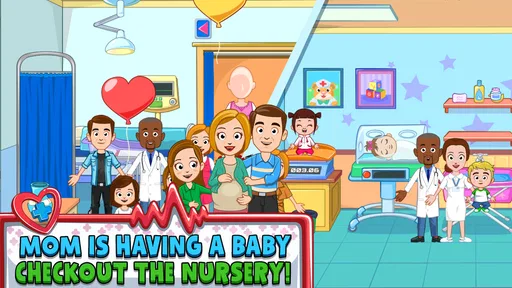
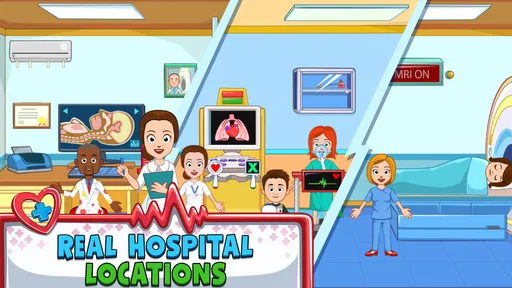
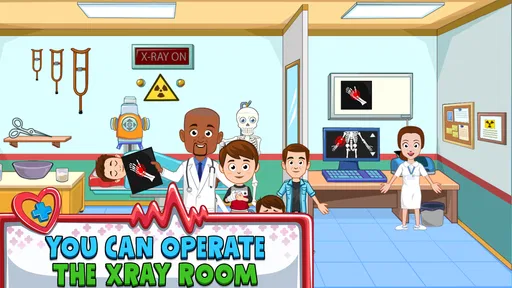
My Town: Hospital is a children’s role-playing and storytelling game set in a friendly medical center. Players can explore different rooms, such as examination areas, reception spaces, and patient rooms, while creating their own stories. They can act as doctors, nurses, patients, parents, or visitors, interact with characters, move objects, and use hospital-themed items without following a fixed mission structure.
Is My Town: Hospital suitable for young children?
The game is designed primarily for children who enjoy imaginative play, and its colorful presentation makes the hospital setting feel approachable rather than frightening. However, parents should still consider their child’s age, reading ability, and sensitivity to medical themes. Younger players may need help understanding the controls, while older children can usually explore the locations and create scenarios independently.
Does My Town: Hospital require an internet connection to play?
After the game has been installed and its necessary content is available on the device, most of the role-playing experience can generally be enjoyed offline. An internet connection may still be needed for downloading the app, receiving updates, restoring purchases, or accessing certain platform services. Parents should also check the store listing and device settings because requirements can change between versions.
Pros
- Bright
- child-friendly graphics make the hospital easy to explore.
- Many rooms and characters encourage imaginative role-play.
- Simple controls are suitable for younger children.
- Open-ended gameplay allows children to create their own stories.
- Works well for short
- casual play sessions without strict objectives.
Cons
- Some content may require in-app purchases to unlock.
- The lack of clear goals can feel repetitive over time.
- Frequent tapping and dragging may be difficult on smaller screens.
- Limited challenge means older children may lose interest quickly.
- Performance can vary on older devices with slower loading times.













