

My Town : Cinema
- 57.00
- 4.3
- Installs
- 10.00K
- Price
- $4.49

Screenshots
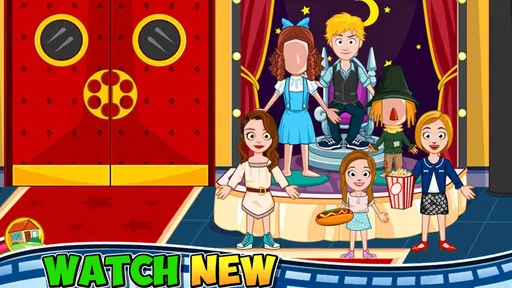
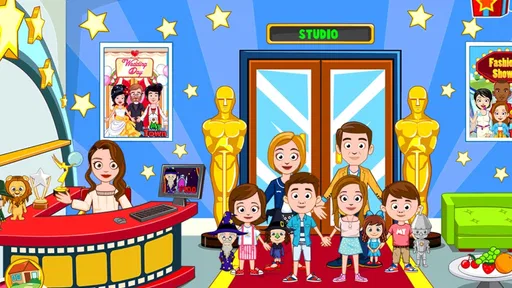
Analysis by Reviewed
My Town : Cinema is an educational role-playing game built around the idea of making movies rather than simply watching them. I found its appeal in the freedom to move between different parts of a cinema production: choosing a scene, taking on an acting role, arranging the action and letting children explore what happens behind the screen. It is aimed at Everyone, but its relaxed, imaginative design is especially suitable for children who enjoy pretend play more than rules, timers or difficult challenges.
My first impression was that this is less a conventional game and more a digital playset. The goal is not to beat a level or collect a high score. Instead, the player experiments with characters and movie situations, invents small stories and repeats favorite scenes in different ways. That makes it easy to pick up for a short session, although children looking for a clearly defined mission may find the open-ended format a little vague.
How the cinema playset works in everyday play
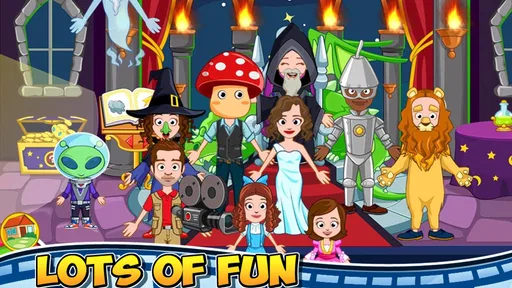
The central attraction is the chance to explore thirty different movies and step into the roles involved in creating them. The store summary presents the experience as becoming an actor and director, and that description matches the way the game feels in use: the child is encouraged to decide what should happen rather than follow a fixed script.
I like this approach because it gives the game a gentle educational quality without turning it into a lesson. A child can practice sequencing events, choosing characters for a situation and explaining why a scene makes sense. Even a simple session can become a storytelling exercise when the player decides who enters first, what the characters are doing and how the scene should end.
A useful way to introduce it is to give the child a small assignment. For example, ask them to create a short movie with a beginning, a problem and an ending. The first scene might establish the characters, the middle can introduce a surprise, and the final scene can resolve it. This makes the open design easier to understand while still leaving room for the child’s own ideas.
Another practical routine is to let one child direct while another acts. The director chooses the order of events, and the actor performs the character’s part. Swapping roles helps reveal whether the game is being used creatively or merely tapped at random. It also turns a solo app into a simple shared activity between siblings or a parent and child.
The strongest part of the experience is not the number of movie settings, but the way it turns screen time into guided pretend play. That distinction matters. This is not an educational title that teaches spelling, arithmetic or factual knowledge in a traditional way. Its learning value comes from imagination, communication, planning and role-play.
More From Our News Desk

 Gmail
GmailGmail in a Busy Inbox: Who Benefits Most?
From first account to crowded workday, Gmail earns its place through dependable search and flexible sorting—but its best fit depends on how much inbox maintenance you can tolerate.

 Prime Video
Switching to Prime Video: What Changes in Your Viewing Routine
Prime Video can make a compelling second home for streaming, but switching means learning a different catalog, rental layer, and route from browsing to playback.

 Universal TV Remote Control
Universal TV Remote Control Works Best as a Reliable Backup
A phone remote earns its place through quick setup and reliable habits. Here is how to get more from Universal TV Remote Control—and where its limits show.

 Weather - By Xiaomi
Weather by Xiaomi Review: Clear at a Glance, Less Clear Up Close
Xiaomi’s weather app makes everyday forecasts quick to scan, but its calm surface can leave useful details and recovery paths harder to find than they should be.

 X
XX Under Pressure: Can It Recover When Posting Goes Wrong?
A resilience-focused review of X, examining setup, mistaken posts, interruptions, weak connections, and the gaps that matter when recovery needs to be dependable.

 Clash of Clans
Clash of Clans Is Won Between the Battles
Its raids are quick; its community is a long-term project of coordination, teaching, rivalry, and shared responsibility—with all the friction that entails.
Latest News



A calm format for younger players
The Everyone age rating makes sense for the tone. The game is designed to be approachable, and its subject matter is familiar: films, characters, acting and directing. I would still recommend that an adult play alongside a younger child at first, not because the concept is difficult, but because the lack of a strict objective can leave some children unsure what to do next.
Once the basic idea is clear, the child can usually create their own structure. One useful trick is to begin with a movie type the child already enjoys, then ask them to change one element. They might use the same characters in a different setting or give a familiar scene a new ending. This encourages experimentation without requiring the child to understand every possibility immediately.
The game also works well for children who are reluctant to write stories. They can act out ideas visually and explain them aloud instead of putting them on paper. A parent can then ask questions such as “What happened before this?” or “Why did that character choose to do that?” In my view, those conversations are where much of the educational benefit appears.
What the current edition offers
The current version is 7.03.06, and the game remains focused on its cinema theme rather than trying to become a broad collection of unrelated activities. That focus is helpful: children know they are entering a movie-making space, and parents can quickly understand the type of play involved.
My Town Games Ltd is the developer behind the title. The game has been available since November 16, 2016, so it is not a new concept trying to establish itself. Its continued presence gives it the feel of an established entry in the My Town line, while the current version shows that the product has continued to receive version updates over time.
Those facts are useful for existing users, but I would not treat a version number alone as proof of a major redesign. The most reliable way to judge the current edition is by the experience it provides now: a cinema-themed role-play environment with multiple movie situations and an emphasis on freeform storytelling. I would separate that confirmed current identity from any assumption that every update has transformed the gameplay.
For Android users, the listed minimum requirement is Android 8.0. That makes the compatibility question fairly straightforward: check the operating system before purchasing, particularly if the game is intended for an older tablet. On a suitable device, the bigger practical consideration is not technical complexity but whether the child enjoys open-ended play.
How it compares with ordinary educational games
Many educational games are built around a visible answer: solve the puzzle, select the correct word or complete the exercise. My Town : Cinema takes the opposite route. It does not appear to measure success through correct responses. Instead, it gives the child a setting in which choices become the content of play.
That makes it a better choice than a worksheet-style app for a child who already spends enough time on drills and wants to invent stories. It is a weaker choice for a parent seeking structured academic practice. If the main goal is reading fluency, number recognition or a clearly progressive curriculum, a dedicated learning app will be more suitable.
Compared with traditional dress-up or dollhouse games, the cinema theme adds a useful layer of purpose. The player is not only arranging characters in a room; they can imagine that each arrangement is part of a production. That framing encourages children to think about scenes and roles. However, children who prefer unrestricted home-building or collecting may find the movie concept narrower than a general virtual dollhouse.
Compared with interactive storybooks, this title offers more room for the child to control events, but less of a finished narrative. A storybook supplies plot, pacing and language. Here, the child supplies much of that structure. I see this as a strength for creative players and a limitation for children who want to be carried through a polished story.
Practical ways to get more from each session
One of the best workflows is to use a three-step storytelling card system, even without adding anything inside the game. Before starting, ask the child to choose a character, a place and a problem. During play, they arrange a scene that shows the problem. At the end, they explain how the characters solved it. This gives direction to the freeform design without taking control away from them.
A second useful approach is to replay the same movie with a changed role. Let the child direct once, then act the next time. The difference can reveal how much they are thinking about other characters’ actions rather than only their own. It is a small adjustment, but it turns repetition into a social and communication exercise.
I also recommend treating the game as a prompt for offline activity. After a session, a child could draw a poster for the movie they created, tell the story to another family member or act out one scene without the device. This prevents the app from becoming an isolated screen habit and makes the cinema theme part of a wider creative routine.
For younger children, avoid presenting all the possibilities at once. Start with one movie setting and a single character goal. Once the child understands that they can direct events, add another character or ask them to change the ending. This gradual introduction is more effective than explaining the whole game in advance.
Where the experience can feel limited
The same freedom that makes the game approachable can also make it feel directionless. A child who expects levels, rewards or a clear next step may ask what they are supposed to do after exploring the first scenes. Adults may need to provide the prompts that a more structured educational title would normally provide.
Replay value depends heavily on the child’s imagination. A creative player can return repeatedly and invent new combinations, while another player may explore the available movie situations once and then lose interest. The game therefore rewards participation from the child more than passive consumption.
The educational value also needs to be understood accurately. This is learning through storytelling and role-play, not a substitute for a focused school subject. I would not choose it as the only educational app on a device. Its role is better described as imaginative enrichment, especially when an adult talks with the child about the scenes being created.
The price is $4.49, which places it in the paid-app decision category rather than the casual free-download category. For families that prefer an uninterrupted, focused play experience, paying upfront may be preferable to navigating a free app designed around other commercial choices. For families that are unsure whether their child enjoys open-ended cinema play, the purchase deserves more thought because the value depends on sustained interest rather than a fixed sequence of content.
The game has an average rating of 4.3 from 328 ratings, with 57 written reviews. I read that as a generally positive reception, but not as a guarantee that every child will enjoy the format. Ratings cannot predict whether a particular child wants storytelling freedom or prefers goals and feedback, so that personal fit remains the most important factor.
Who should choose it, and who should skip it
I would recommend it to parents looking for a calm creative game that can support pretend play, conversation and simple story planning. It is particularly suitable for children who enjoy acting, arranging characters and making up situations. It can also work well during a short quiet period when the child needs an activity that does not depend on fast reactions.
It is less suitable for a child who becomes frustrated without explicit instructions. If your child asks for missions, scores, unlockable stages or a definite finish line, a puzzle-based educational game may provide a better experience. The same is true if your priority is measurable academic progress; this title should complement, not replace, a more targeted learning tool.
I would also think carefully before choosing it for a child who prefers watching complete stories rather than creating them. The cinema theme might sound like a collection of films, but the meaningful activity is participation. The child is expected to make decisions and invent context, not simply sit back and consume a finished show.
What existing users should expect from updates
For someone who already owns an earlier edition, the current version should be approached as the present form of the same cinema-focused idea. The version number is 7.03.06, but I would not promise a particular new feature or dramatic change without direct confirmation. What can be said confidently is that the title continues to be positioned around movie role-play, acting and directing.
That distinction is important when deciding whether to return. If the original appeal was the cinema setting and your child still enjoys inventing scenes, the current edition remains relevant. If the child stopped playing because the freeform structure felt repetitive, an update number by itself may not solve that underlying issue. The real question is whether a new storytelling challenge, shared play session or different way of using the scenes can renew interest.
Parents considering the game for the first time should also keep the platform requirement in mind. It needs Android 8.0 or later, and it is listed with more than ten thousand installs. Those details help establish the practical scale and compatibility of the product, but they do not replace trying to match its play style to the child.
My recommendation after using it
I see My Town : Cinema as a focused creative sandbox for children who enjoy making stories. Its best moments happen when the player is encouraged to explain decisions, switch between actor and director and build a scene with a clear beginning and ending. Used that way, it offers more than tapping through a themed environment.
I would buy it for a child who likes pretend play and for a family willing to spend a few minutes turning open exploration into a story challenge. I would skip it when the goal is formal academic instruction, competitive gameplay or a guided narrative with a guaranteed conclusion.
Overall, the game’s value comes from how adults and children use its cinema setting together. It is not trying to replace a classroom exercise or a traditional adventure game. It is a digital stage: quiet, flexible and most rewarding when the child is given room to direct the action. For the right player, that freedom is the reason to choose it; for the wrong player, it is the main reason to look elsewhere.
My Town : Cinema Frequently Asked Questions
How much does My Town: Cinema cost, and where can I download it?
My Town: Cinema costs $4.49. It is a paid game, so check the official Google Play Store or Apple App Store page for your device before downloading, where you can confirm the current price and platform details. Using an official store also helps ensure you get the version intended for your phone or tablet.
What can children do in My Town: Cinema?
The game invites children to explore a cinema, play different roles, and make up their own stories. They can watch 30 different movies, become an actor, or take on the director’s role, while interacting with characters and cinema-themed objects. Its open-ended approach makes it a good fit for players who enjoy imaginative play more than completing a fixed sequence of challenges.
What is My Town: Cinema?
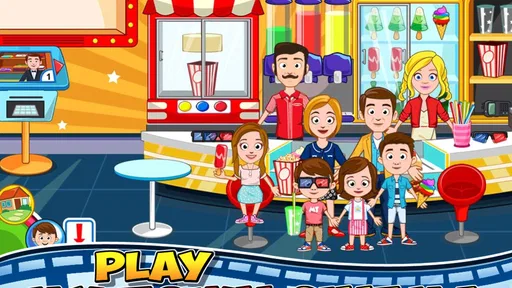
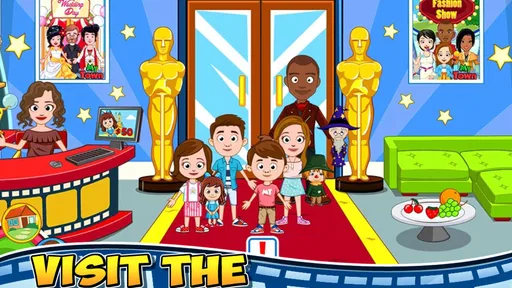
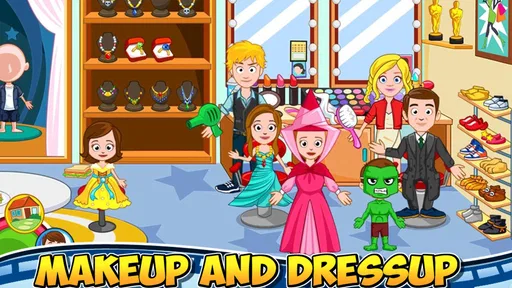
My Town: Cinema is a digital role-playing and pretend-play game where children can explore a movie theater and create their own stories. Players can move characters between different areas, interact with cinema-themed objects, choose outfits, and act out scenes involving moviegoers, staff, friends, and family. It is designed around open-ended creativity rather than a fixed storyline or traditional win-and-lose gameplay.
How does the gameplay work in My Town: Cinema?
The game focuses on exploration and interactive storytelling. You can visit different cinema locations, tap objects to discover their functions, dress characters, and arrange scenes as you like. There are no strict missions that force you to follow one path, so children can invent stories about buying tickets, watching films, working at the theater, or enjoying snacks. Progress mainly comes from discovering new interactions and creating imaginative scenarios.
Is My Town: Cinema suitable for children?
My Town: Cinema is generally aimed at children who enjoy creative role-playing games, especially younger players who prefer simple controls and colorful environments. The gameplay is easy to understand because most actions are based on tapping, dragging, and moving characters around. It has an Everyone age rating, but parents should still review the app’s privacy information, advertising settings, and any available purchase options before allowing a child to play.
Pros
- Creative role-play with cinema-themed characters and locations.
- Simple controls make it accessible for younger players.
- Many objects can be moved
- combined
- and used for storytelling.
- Works well for open-ended
- screen-free-style imaginative play.
- Bright visuals and friendly animations keep the experience engaging.
Cons
- Some locations and characters may require additional purchases.
- Limited objectives can feel repetitive for children seeking structured gameplay.
- Large scenes may perform slowly on older phones or tablets.
- Progress can feel less rewarding without traditional missions or challenges.
- Frequent updates may be needed to access the latest content and fixes.













