

My Little Princess : Stores
- 28.00
- 4.2
- Installs
- 10.00K
- Price
- $4.49

Screenshots


Analysis by Reviewed
My Little Princess: Stores is the kind of children’s game I open when I want something calm, visual, and easy to understand rather than another app built around points, timers, or competition. Developed by My Town Games Ltd, it places a child in a castle-themed world where the main appeal is touching objects, moving characters, and creating little scenes. I found it more like a digital playroom than a traditional game, and that difference is important when deciding whether it deserves a place on a family device.
The current Android listing presents it as an educational game for Everyone, with a 4.2 average from around 246 ratings and over 10K installs. It costs $4.49, while optional in-app items are priced at $0.99 each. That makes it a purchase to consider rather than a completely free experiment, although the absence of a competitive structure means the value depends mostly on how often a child returns to open-ended play.
How the castle feels in everyday use
My first impression was that the castle works best when a child is allowed to explore without an adult constantly explaining what to do. The interaction is immediately readable: tap something interesting, see what happens, move a character, and build a small story from the results. There is no need to understand a complicated menu before starting, which is a real advantage for younger players who may be comfortable with touchscreens but not with reading instructions.
I would describe the experience as guided pretend play rather than a goal-driven adventure. The child can imagine a visit, a celebration, a family routine, or a fantasy scene inside the castle. One session might involve moving between rooms and trying objects; another might focus on arranging characters and acting out a story. That flexibility gives the game a longer life than a short sequence of puzzles, but it also means a child who expects missions, unlockable stages, or a clear ending may wonder what they are supposed to accomplish.
A realistic use case is a quiet period after school. A parent can hand over the device for a short, supervised break and ask the child to create a castle scene featuring a visitor, a meal, or a small story. Because the play is not based on winning, the child is less likely to become frustrated by failure. I also like that the adult can participate without taking over: asking “What is happening in this room?” or “Who lives here?” turns the screen activity into a simple storytelling exercise.
The educational value is informal rather than lesson-based. I would not choose it as a replacement for a structured literacy, mathematics, or language-learning app. Its contribution is closer to imaginative organization, vocabulary practice, sequencing, and social storytelling. When a child explains why a character is moving somewhere or what an object is being used for, the learning comes from conversation and play rather than from a score.
Why the open-ended format works for some children
Children who enjoy role-play will probably understand the appeal quickly. They can repeat familiar routines, change the arrangement, and invent variations without being told that one answer is correct. That makes the experience approachable for children who are discouraged by timed tasks or repeated quiz questions. It can also be useful for siblings or a parent and child who want to build a shared story together.
More From Our News Desk

 Gmail
GmailGmail in a Busy Inbox: Who Benefits Most?
From first account to crowded workday, Gmail earns its place through dependable search and flexible sorting—but its best fit depends on how much inbox maintenance you can tolerate.

 Prime Video
Switching to Prime Video: What Changes in Your Viewing Routine
Prime Video can make a compelling second home for streaming, but switching means learning a different catalog, rental layer, and route from browsing to playback.

 Universal TV Remote Control
Universal TV Remote Control Works Best as a Reliable Backup
A phone remote earns its place through quick setup and reliable habits. Here is how to get more from Universal TV Remote Control—and where its limits show.

 Weather - By Xiaomi
Weather by Xiaomi Review: Clear at a Glance, Less Clear Up Close
Xiaomi’s weather app makes everyday forecasts quick to scan, but its calm surface can leave useful details and recovery paths harder to find than they should be.

 X
XX Under Pressure: Can It Recover When Posting Goes Wrong?
A resilience-focused review of X, examining setup, mistaken posts, interruptions, weak connections, and the gaps that matter when recovery needs to be dependable.

 Clash of Clans
Clash of Clans Is Won Between the Battles
Its raids are quick; its community is a long-term project of coordination, teaching, rivalry, and shared responsibility—with all the friction that entails.
Latest News



The same freedom can be a weakness for children who need a strong sense of direction. In a conventional educational game, the next activity is usually obvious. Here, the adult may need to suggest a starting point or create a small challenge. I found that a simple prompt works better than asking a child to “just explore”: “Can you prepare the castle for a guest?” gives the session a purpose without turning it into a rigid lesson.
Another useful approach is to treat the game as a storytelling tool. Before opening it, I would choose one theme, such as preparing a room or welcoming someone. During play, I would ask the child to explain the order of events. This turns tapping and moving objects into a beginning, middle, and end. It is a more meaningful use of the app than leaving a child alone with unlimited wandering, especially if the goal is language development.
What the current release tells me
The current version is 7.03.02, and the game was released on Nov 15, 2017. That combination suggests a product with a long presence and ongoing version history rather than a newly launched experiment. I see the current release as evidence that the app has continued to receive attention, but I would not treat a version number by itself as proof of a particular feature, redesign, or performance improvement.
For an existing user, the practical point is simple: update expectations should remain modest and evidence-based. A newer version can matter for compatibility or refinement, but it does not automatically change the core identity of the game. The central experience remains a castle-based play space, so anyone hoping for a completely different type of educational title should look elsewhere instead of assuming that a later version transforms it into a conventional learning course.
The minimum operating-system requirement is Android 8.0. That is useful when checking an older family tablet before purchasing. If the device runs an earlier system, compatibility becomes a deciding issue rather than a minor technical detail. On a supported device, I would still test the game with the child present before planning a long trip or relying on it for a particular routine, because children notice loading or control friction much faster than adults do.
My Town Games Ltd has positioned the title within its child-friendly world of interactive play, and the Everyone content rating makes it easier to consider for a broad family audience. Even so, an age label should not replace parental judgment. The most suitable age depends on a child’s ability to navigate touch controls, stay engaged without explicit goals, and understand that pretend play is the main activity.
How it compares with ordinary alternatives
Compared with a puzzle game, this title offers less measurable progression but more room for personal stories. A puzzle app is usually better when the child wants a clear answer, a challenge, and a visible sense of completion. My Little Princess: Stores is better when the child wants to arrange a scene, repeat an action, and decide what happens next.
Compared with a lesson-focused educational app, it offers less direct teaching. It will not replace an app designed around reading practice, counting exercises, or step-by-step instruction. Its advantage is that it can make learning feel less like a lesson. The child practices communication and imagination indirectly, especially when an adult joins in and asks questions about the castle world.
Compared with free children’s games, the upfront price of $4.49 may feel like a barrier, particularly if the child has not shown interest in open-ended role-play. On the other hand, families who dislike aggressive competition or who prefer to know the basic cost before handing over a device may find a paid title easier to evaluate. The optional $0.99 items still deserve attention, so I would review purchase controls before letting a child play independently.
Compared with a physical dollhouse or building set, the app is quicker to reset and easier to carry. A child can change the scene without putting toys away, which is convenient during travel or a waiting period. Physical play remains stronger for tactile exploration and for children who enjoy handling real objects. I see the digital castle as a companion to that kind of play, not a universal replacement.
Small techniques that improve the experience
My most useful tip is to set a story limit before starting. Give the child one character, one destination, and one problem to solve. For example, the character needs to prepare a room before a visitor arrives. This prevents the open environment from becoming a string of disconnected taps and gives the child a reason to describe actions.
A second technique is to switch roles. Let the child direct the adult for a few minutes: the child decides where a character goes and explains why. Then ask the child to become the storyteller while the adult performs the actions. This exposes whether the controls are intuitive and encourages clearer language without making the activity feel like homework.
A third trade-off concerns session length. Because there is no obvious finish line, the game can continue until an adult ends it. I recommend agreeing on a stopping point before play begins, such as completing one story or preparing one room. That works better than interrupting suddenly after a long period, and it helps distinguish creative play from passive screen time.
There is also a practical way to judge whether the purchase is worthwhile: watch what the child does after the first novelty fades. If the child invents new scenes, explains character actions, and returns with a different idea, the open format is doing its job. If the child repeatedly taps without creating a story and soon asks for a more structured game, the price may be better spent on a title with explicit activities.
Where the experience still has limits
The biggest limitation is the lack of a clearly defined learning path. Parents looking for progress reports, skill levels, or a sequence of lessons will probably be disappointed. The game can support learning conversations, but it does not make those outcomes automatic. An adult’s involvement is a strength when shared play is the goal and a weakness when the child needs a self-guided educational curriculum.
Open-ended play can also expose differences between children. One child may immediately invent a detailed story, while another may need repeated prompts. That is not necessarily a control problem, but it means the title should be matched to the child rather than judged as a universal educational solution. I would skip it for a child who becomes bored without rewards, missions, or clear instructions.
The paid structure requires a little care as well. The main purchase is straightforward to understand, but optional items can complicate the family’s spending rules. I would make the decision about purchases before handing over the device and use the platform’s parental controls where appropriate. That small preparation avoids turning imaginative play into an argument about an unexpected transaction.
I would also avoid promising that the game will occupy a child for a fixed amount of time. Its appeal depends on mood, age, and whether the child enjoys pretend play that day. It may be excellent for a short creative activity and less successful as a long, independent distraction. Families who need a predictable, self-contained session should favor a more structured alternative.
Who should choose it, and what to watch next
I recommend it most to families with children who like castles, characters, and making up situations from ordinary objects. It is especially suitable when a parent wants to join for a few minutes and turn screen time into conversation. The Everyone rating makes it broadly approachable, while the simple interaction style helps younger players begin without a long tutorial.
I would be more cautious if your main goal is academic instruction. For phonics, arithmetic, spelling, or measurable practice, a dedicated educational app will be a better fit. I would also skip this purchase for children who need frequent rewards or a definite sequence of tasks. The game’s quiet strength is freedom, and freedom is not the same thing as structure.
For current users, I would watch how version 7.03.02 behaves on the family’s particular device and whether the child’s interest develops beyond the first exploration. I would also keep an eye on the balance between the base experience and optional items, since that affects the total value. Those are more useful checks than assuming that a version update alone guarantees a major change.
After spending time with it, I see My Little Princess: Stores as a gentle digital castle for imaginative play, with educational benefits that appear through storytelling rather than formal instruction. Its price is reasonable only when the child genuinely enjoys open-ended scenes, and its strongest moments usually happen when an adult adds a prompt or listens to the story. I would recommend it as a creative family-play app, not as a complete learning program. That distinction makes the decision much clearer: choose it for imagination, conversation, and calm exploration, and choose something else when you need lessons, scores, or a fixed path.
My Little Princess : Stores Frequently Asked Questions
What age rating does My Little Princess: Stores have?
My Little Princess: Stores is rated Everyone, and its colorful, hands-on play is designed to be approachable for children. The game focuses on exploring a make-believe setting rather than completing difficult challenges. Parents can still check the game’s content and device settings before handing it to a child, particularly to manage purchases and decide what play environment is appropriate for their family.
Which devices can run My Little Princess: Stores?
The game is available for Android and iOS, so families can look for it in the relevant app store for their device. On Android, it requires version 8.0 or later. Before downloading, check that the device meets this requirement and has enough room for the installation, then use the appropriate store page to confirm compatibility with the specific device.
What is My Little Princess: Stores?
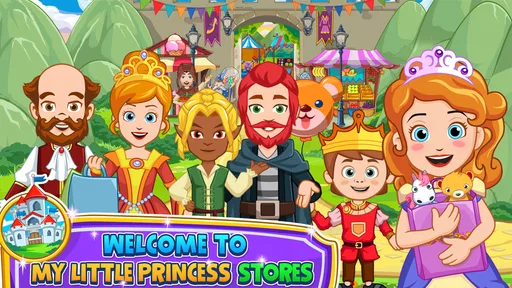
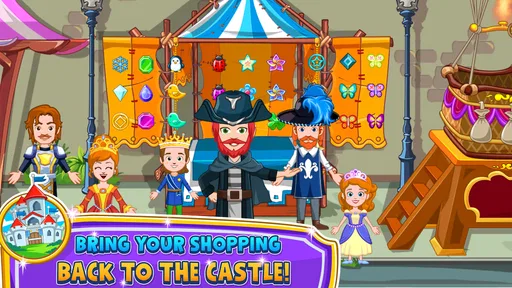
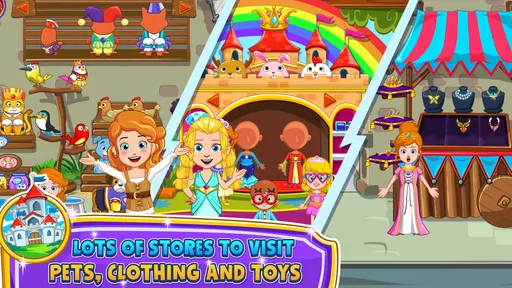
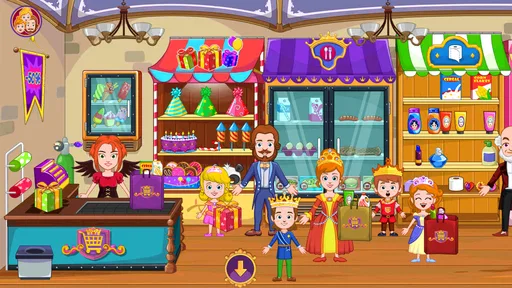
My Little Princess: Stores is a child-friendly digital playhouse where children can explore different shops and create their own stories. Players can move characters around, interact with objects, try on items, and invent imaginative scenarios without following a strict mission structure. It is designed more for open-ended roleplay and discovery than for traditional challenges, competition, or score-based gameplay.
Is My Little Princess: Stores suitable for young children?
The game is aimed primarily at young children and offers colorful visuals, simple controls, and an easy-to-understand environment. There are no complicated objectives or demanding reflex challenges, making it accessible for independent exploration. However, parents should still review the recommended age rating, device settings, and available content, especially if the child will use in-app purchases or access advertisements.
Does the game require an internet connection?
My Little Princess: Stores may be playable offline after installation, which is convenient for travel or situations without Wi-Fi. Nevertheless, certain functions can depend on the platform version, such as updates, restoring purchases, advertisements, or links to other content. It is a good idea to launch the game once while connected and check which features remain available when the device is offline.
Pros
- Colorful
- child-friendly visuals make the stores easy and enjoyable to explore.
- Open-ended play encourages creativity without timers
- scores
- or competitive pressure.
- Simple touch controls are accessible for young children to use independently.
- Different store settings provide varied role-play opportunities and scenarios.
- Offline play is convenient for travel or areas without an internet connection.
Cons
- Some content and features may require additional purchases beyond the base app.
- The lack of structured goals may feel repetitive for children seeking guided gameplay.
- Young children may need supervision when interacting with purchase-related menus.
- Performance can vary on older devices with limited storage or memory.
- Replay value may depend heavily on a child’s interest in imaginative role-play.













