Kids Music: Piano, Xylo, Drums
- 20.00
- 4.3
- Installs
- 1.00M
- Price
- Free

Screenshots
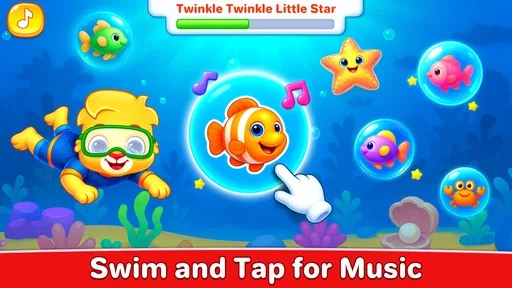
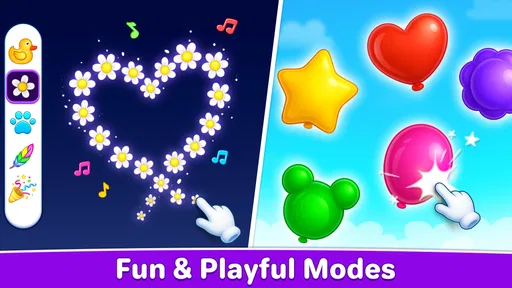
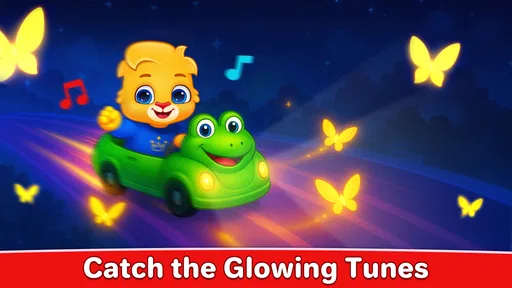
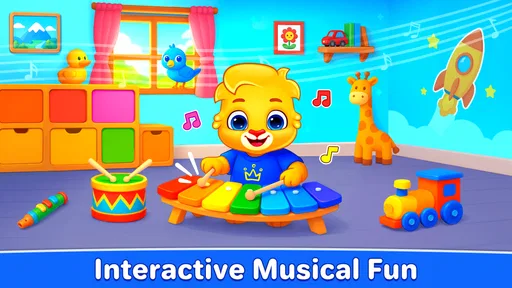
Analysis by Reviewed
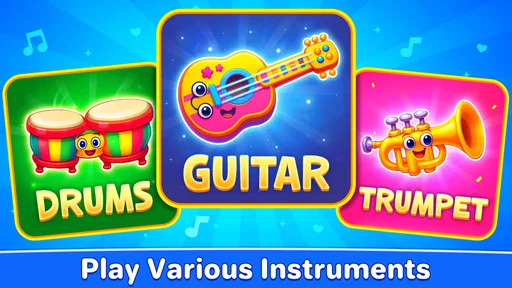
When a young child is curious about the sounds instruments make, a simple tap-and-listen activity can be easier to start than a formal lesson. Kids Music: Piano, Xylo, Drums gives that curiosity three directions to explore: piano, xylophone, and drums. I see it as a playful introduction to making sounds, not a music course or a substitute for a real instrument. Its appeal is the small loop of choosing, tapping, listening, and deciding what to try next.
A good fit for a shared moment
I would reach for it during a short stretch of supervised play: perhaps while waiting for food to cool or when a child needs a change of pace before getting dressed. Rather than expecting the game to occupy a toddler independently, I would sit close, suggest one instrument, and let the child take the first turn. That keeps the activity simple and makes it easier to notice whether the sounds are engaging or becoming too much.
For babies and very young toddlers, an adult can hold or position the device and name what the child is hearing. With a preschooler, I would try a small invitation such as “Can you make a sound for our pretend parade?” The same screen can support different kinds of play, but the adult’s prompt is what gives a brief burst of tapping a clear purpose. The most useful role for this game is as a starting point for listening together.
From the first tap to the next session
I frame this section around what makes a first try feel manageable: choose one instrument, demonstrate a tap, and let the child listen before adding more. That small pause helps an adult tell the difference between curiosity and hurried tapping, while giving the child room to decide what to explore next. From there, the review looks at how each sound can keep the play loop moving.
A low-pressure first action
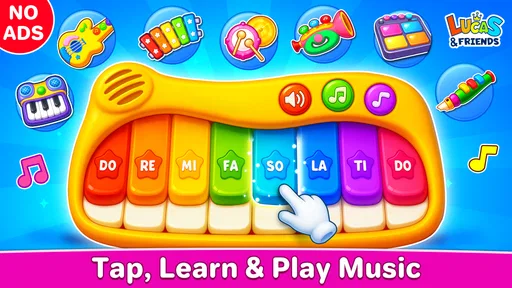
For a toddler, the useful first question is not whether a game teaches theory; it is whether the child can start exploring without an adult having to explain every move. The instrument-based idea here has a clear advantage: a piano suggests keys, a xylophone suggests bars, and drums suggest striking a surface. Those familiar shapes make it easier for a child to guess what to do and learn through trying.
I would introduce it by naming one instrument and inviting the child to tap, rather than handing over the device and expecting a long, self-directed activity. That small prompt turns random touching into a shared moment: “Let’s hear the drums,” for example, then pause so the child can notice the sound. A parent can follow with a simple question or copy the rhythm by tapping a table. The game is most useful when the screen starts a real interaction, not when it becomes background noise.
That distinction matters because this is a music game for young children, not a structured lesson. It can make sound-making approachable, but I would not expect it to teach reading notes, instrument technique, or musical notation. If your child is already asking for guided lessons or wants to practise a particular song, a dedicated learning app or a physical keyboard with an adult nearby will be a better fit.
More From Our News Desk

Weather by Xiaomi Review: Clear at a Glance, Less Clear Up Close

X Under Pressure: Can It Recover When Posting Goes Wrong?

Clash of Clans Is Won Between the Battles

Android Auto Makes the Case for Quieter Car Software

MobiOffice: Transforming Mobile Productivity with Seamless Integration

EA SPORTS FC™ Mobile Soccer: Redefining Mobile Sports Gaming
Sound as immediate feedback
The core loop is easy to picture: the child chooses an instrument, taps, hears a response, and decides what to try next. That immediate connection between movement and sound is the strongest reason to use a musical play app with a very young child. A piano tap can invite a different kind of experimenting from a drum tap, so changing instruments can renew curiosity without requiring the child to learn a complicated control scheme.
In practice, I would treat the sounds as invitations to listen, not as a promise of precise musical feedback. A child can explore loud and soft gestures, repeat a sound, or make a little sequence and listen to how it feels. An adult can make that exploration more meaningful by asking the child to pause between taps, copy a short pattern, or choose which instrument suits a pretend marching band. These are simple ways to add attention and turn sound effects into a shared activity.
There is also a trade-off in that open-endedness. A child who enjoys pressing every available control may produce a jumble of sounds rather than a tune, and that can be exactly the point for a casual play session. But if your child wants clear goals, guided songs, or feedback that explains what was played well, this kind of instrument sampler may feel too loose. I would choose a structured music-learning game for that purpose, and keep this one for free exploration.
What counts as a reward
The reward here is less about winning and more about hearing the result of an action. A sound follows a tap; a different instrument offers a new texture to investigate. For a young child, that small cause-and-effect payoff can be satisfying enough to prompt another try. It also gives a parent an easy way to encourage listening: “Which one sounded lower?” or “Can you make that sound again?”
That is a gentler kind of motivation than a game built around scores, timers, or competition. It can suit a short wait at home or a few minutes of supervised play before another activity. The best use case I can see is a parent sitting beside a toddler and taking turns choosing instruments and making sounds. A second practical one is letting a preschooler explore while an adult prepares a meal nearby, with the device kept within earshot and the play session checked in on rather than treated as a babysitter.
For an everyday example, imagine a rainy afternoon when a child is restless but not ready for a full craft project. I would offer a brief “sound hunt”: try each instrument, pick a favorite, then make a short rhythm for the other person to copy. That gives the child a reason to listen and take turns, while keeping expectations realistic. The game supplies the sound-making prompt; the adult supplies the structure and social reward.
Resetting without making it a chore
A good short activity needs a natural stopping point as well as a reason to begin again. With an open-ended instrument game, the reset can simply be a change of instrument, a turn-taking swap, or a pause before starting a new pretend scenario. I like this approach for young children because an adult can end the session before the novelty turns into restless button pressing. There is no need to stretch a few minutes of musical curiosity into a long lesson.
One useful tip is to set a tiny challenge before the child begins: make three sounds, choose the favorite, then hand the device to someone else. Another is to keep the volume and surroundings in mind; repeated taps can become noisy in a quiet room, so the game may be more comfortable in a shared space where an adult can guide the pace. A third is to use the instrument switch as a reset rather than simply repeating the same action. Moving from piano to xylophone or drums gives the child a fresh listening question without requiring a new activity.
These routines are especially helpful for children who tend to tap rapidly and move on. A parent can slow the loop down by modelling one tap, waiting for the sound to finish, and inviting the child to answer. That changes the experience from constant stimulation to a simple exchange. If the child is tired, frustrated, or becoming overstimulated by repeated sounds, I would close the game and switch to a quieter activity rather than trying to coax one more round.
Where it fits among music apps
Compared with a virtual piano, this game’s appeal is the presence of several instrument styles in one child-focused experience. A piano app may be a better choice for someone who wants a broader keyboard layout or more deliberate practice; a rhythm-training game may offer clearer challenges for a child who likes goals. A real xylophone or drum toy has the advantage of physical movement and room sound, though it also takes space and can be louder. This app sits between those options: convenient for quick digital exploration, but not a replacement for hands-on instruments or teaching.
RV AppStudios is the developer, and the game is free, which makes it straightforward to try as a casual activity. Its Everyone age rating signals a broad audience, but I would still supervise a toddler’s device use and decide whether the sound and screen time suit the moment. The game has a 4.3 average from around 2,400 ratings, and it has passed one million installs. Those figures suggest that many families have tried it, but they cannot tell me whether its play style will hold a particular child’s attention; a short supervised session is a better test.
The release date is August 25, 2025, and the current version is 1.2.5. It requires Android 6.0 or later. Those details make it worth checking the device’s compatibility before planning to use it on an older phone or tablet. Since this is aimed at children, I would also set up the device in advance: open the game, check the sound level, and place it where a young child can reach it comfortably without being left alone with the rest of the device.
Who will enjoy it, and who should skip it
I would recommend Kids Music: Piano, Xylo, Drums to parents looking for a lightweight way to let a baby, toddler, or young child experiment with musical sounds. It is most likely to work well when an adult can join in, name the instruments, and help turn tapping into listening or turn-taking. It may also suit a child who enjoys exploring cause and effect but is not ready to follow a lesson with several steps.
I would skip it if the goal is serious instrument practice, a guided curriculum, or a polished performance tool. Older children who want to compose, record, or build a song may outgrow the simple instrument-play idea quickly. It is also not ideal when a quiet, screen-free activity is the priority, or when a child becomes more excited by repeated sounds than able to pause and listen. In those moments, a physical instrument, a music book, or singing together may offer a better kind of engagement.
A loop worth keeping short
What I like about this game is that its basic rhythm is easy to understand: act, hear the result, enjoy the sound, then choose whether to repeat or switch instruments. The reward is immediate enough for a young child, and a parent can shape each return into a new little activity instead of letting repetition run on by itself. Its limits are just as important: exploration is not the same as instruction, and a screen cannot provide the tactile experience of real instruments.
My advice is to use it in small, shared bursts. Start with one instrument, listen together, and give the child a simple reason to try again—copy a rhythm, swap turns, or pick a different sound. If that loop stays enjoyable, the game has done its job as a playful musical starting point. If your child wants more structure or the tapping stops being attentive play, move on without guilt to a lesson, a toy instrument, or a screen-free song.
Making the first try useful
If you are wondering whether an adult needs to prepare a lesson, I would keep it much simpler: check that the device is ready, choose a comfortable sound level, and let the child explore one instrument before moving on. A quick demonstration can help a child understand the connection between touch and sound, but there is no need to turn every session into a teaching exercise. Watching whether the child waits to hear each response is a better guide than counting taps.
For families comparing it with a video or a general-purpose toy app, the important difference is that the activity invites the child to cause the sound rather than only watch something happen. That can make it a more participatory choice for a brief shared moment. It is still screen play, though, and a toy instrument is the better option when the goal is movement, tactile exploration, or a break from devices.
Choosing the right moment to return
A common practical question is whether the game will hold attention for a long stretch. I would not make that the test. Its simple, repeatable loop is better suited to short visits, and a child’s interest may depend on mood, age, and whether someone is joining in. If the first session is brief, that does not mean it failed; returning later with a different prompt, such as taking turns or making a sound for a pretend scene, can give the same instruments a new purpose.
For a child who keeps asking to play, I would use a clear stopping cue before opening it: one instrument each, then put the device away. That turns the ending into part of the routine instead of a sudden argument when the adult decides play has gone on long enough. If the child resists pausing or becomes more excited than engaged, that is a useful sign to choose a different activity next time rather than making the game the default solution.
Kids Music: Piano, Xylo, Drums Frequently Asked Questions
What can children do in Kids Music: Piano, Xylo, Drums?
Kids Music: Piano, Xylo, Drums is a music-making app centered on simple, child-friendly instruments. Children can tap virtual piano keys, play xylophone bars, and create rhythms with drums. The straightforward touch controls make it easy to explore sounds without needing prior musical experience. It is best viewed as an introductory play activity rather than a structured music course with lessons or progress tracking.
Is Kids Music: Piano, Xylo, Drums suitable for young children?
The app’s simple instrument layout and tap-to-play interaction can make it approachable for children who are just beginning to explore music. However, suitability depends on the child’s age, reading ability, and comfort using a touchscreen. Parents should check the current store listing for the developer’s age guidance and preview the app themselves, particularly to review its interface, content, and any external links before handing over a device.
Does Kids Music: Piano, Xylo, Drums work offline?
Basic instrument play may be available without an internet connection, but offline access can depend on the app version and whether all required content has loaded. Before relying on it during travel or in a place without Wi-Fi, install the app and test its main features in airplane mode. Also check the store listing for details about online requirements, updates, or features that may need a connection.
Is Kids Music: Piano, Xylo, Drums free, and does it contain ads or in-app purchases?
Pricing, advertising, and in-app purchase options can vary by platform, region, and app version, so it is worth checking the current Google Play or App Store listing before downloading. If a child will use the app, review purchase controls and parental settings on the device. Do not assume that an app is ad-free or entirely free just because it can be downloaded at no initial cost.
Does Kids Music: Piano, Xylo, Drums teach children to play real instruments?
The app offers a convenient way to experiment with piano, xylophone, and drum sounds, which may encourage curiosity and rhythm practice. Playing on a touchscreen is different from learning technique on a real instrument, though, and the app should not be treated as a substitute for lessons or a full music curriculum. It is most useful as casual, playful musical exploration, especially alongside other hands-on activities.
Pros
- Offers several instrument sounds
- including piano
- xylophone
- and drums.
- Simple touch controls are suitable for young children.
- Lets children explore music through free play and experimentation.
- Colorful visuals can make the instruments easier for kids to recognize.
- Short play sessions make it easy to use for casual musical activities.
Cons
- Some sounds or features may require an in-app purchase.
- Advertisements may interrupt play
- depending on the version.
- Touch input may produce sounds that are less precise than a real instrument.
- Limited musical guidance may leave parents to suggest activities.
- Children may need supervision to avoid changing settings or opening ads.













