My Talking Tom Friends
- 25.14K
- 4.3
- Installs
- 500.00M
- Price
- Free

Screenshots
Analysis by Reviewed
I enjoy casual games that let me dip in for a few minutes without asking me to master a complicated system, and My Talking Tom Friends fits that mood. It puts a lively group of pets in one shared home, so there is always something small to check on or play with. The experience is deliberately light, though the bustle can become a little demanding if I want a quiet game with a clear finish line.
What a Short Visit Can Look Like
One practical way to approach the game is to make each visit about a single small choice. On a busy afternoon, I might open it during a break, pick one pet-care task, and then decide whether I have time for a mini-game. If I do, I play one; if not, I leave the rest for another visit. That keeps the experience cheerful instead of turning the household into a list of chores I feel obliged to clear.
That flexible rhythm is useful for family play, too. A child can choose a character or activity while an adult keeps the session short and helps manage any purchase settings. Because several characters share the home, it can be more lively than a one-pet game, but that same variety can make it harder to keep a young player focused on one thing. I’d choose it when the goal is a light shared activity, not when I need a quiet, predictable distraction.
Reads About My Talking Tom Friends
Getting Started with Your New Virtual Pals
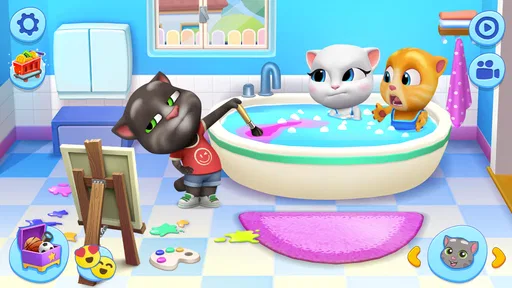
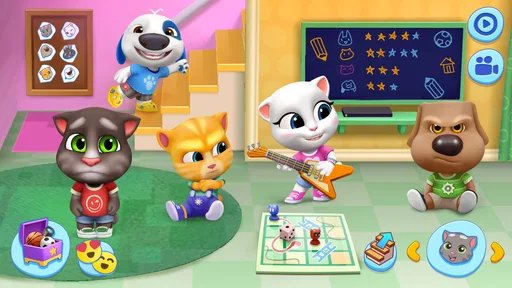
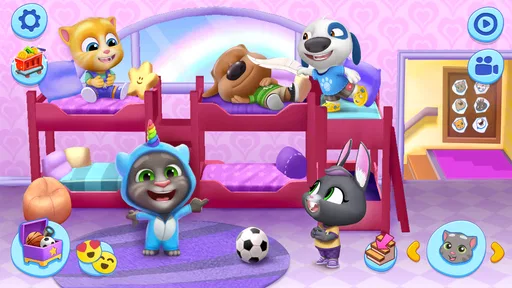
So, let’s dive into what makes My Talking Tom Friends a treat for gamers of all ages. Right off the bat, you’re introduced to a whole gang of quirky characters. There’s Tom, Angela, Hank, Ginger, Ben, and Becca, all ready to hang out with you. The game starts in a lively, colorful house where these adorable animals live, and believe me, they have personalities as vibrant as their surroundings.
Gameplay That Keeps You Hooked
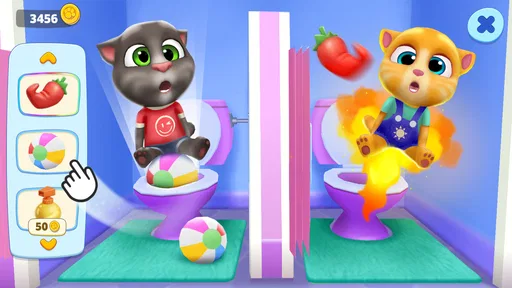
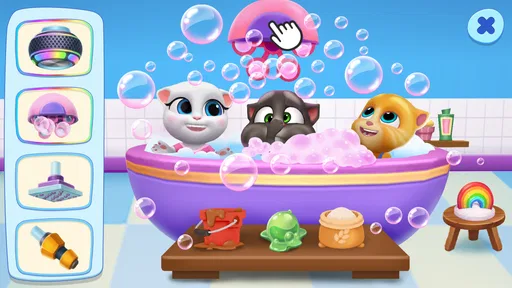
The gameplay is pretty straightforward but oh-so-addictive. You’re tasked with taking care of these furry friends, which includes feeding them, playing with them, and ensuring they’re happy. Sounds simple, right? But here’s the catch – these little critters have a knack for getting into all sorts of trouble or demanding attention at the most inconvenient times. It’s like herding cats, literally! You’ll find yourself giggling at their antics and maybe even rolling your eyes as they get up to their silly shenanigans.
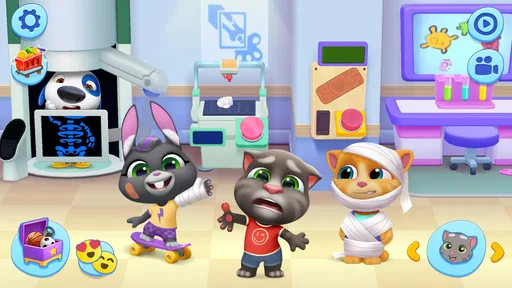
What’s cool is that each character has their own unique mini-games. These range from puzzles to action-packed adventures. They’re not just fun, they’re also designed to challenge your brain and reflexes, making the game a perfect blend of relaxation and excitement. Plus, the more you play, the more items and furniture you unlock to decorate their home, adding a nice touch of personalization to your gaming experience.
Choosing an Activity Without Getting Pulled in Every Direction
The variety is a strength, but it helps to decide what kind of visit I want before I start tapping around. If I’m after a quick distraction, I go straight to a mini-game rather than browsing the home for too long. If I want a calmer session, I focus on the pets and leave the faster activity for another time. This small choice makes the game feel more intentional and helps me avoid drifting between tasks without enjoying any of them.
More From Our News Desk

Android Auto Makes the Case for Quieter Car Software

MobiOffice: Transforming Mobile Productivity with Seamless Integration

EA SPORTS FC™ Mobile Soccer: Redefining Mobile Sports Gaming

How Microsoft OneDrive Became a Mobile Productivity Giant

How Google Translate Breaks Language Barriers Effortlessly

Why Google Sheets Is the Ultimate Mobile Productivity Tool
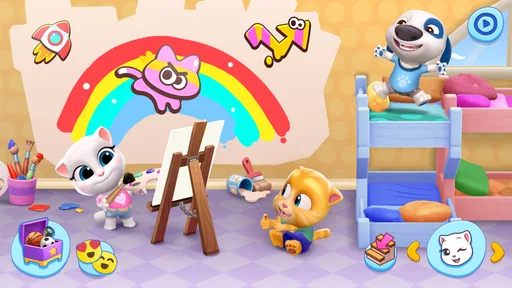
Decorating is a different sort of reward from playing a short challenge: it gives me a reason to notice how the shared home changes as I collect items. I wouldn’t treat it as a substitute for a dedicated design game, though. The appeal is that home-making sits beside pet care and mini-games, not that it offers an especially deep decorating system. If I mainly want to plan rooms or build elaborate layouts, a game centered on interior design would be a better fit.
How It Fits into a Busy Day
The shared household makes this a good choice when I want a soft landing between tasks rather than a long session that demands full attention. I might check in during a short break, handle a few pet-care needs, then try a mini-game before putting the phone away. That routine works best if I treat the game as a collection of little activities, not a checklist I have to complete every time I open it.
A useful habit is to decide what I feel like doing first: caring for the pets, trying a mini-game, or spending time on the home. The choice keeps a quick visit from turning into aimless tapping. If I’m playing with a younger family member, I can also let them choose one character or activity at a time; that gives the session a simple focus without making the game feel like homework.
Mini-Games, Decorating, and a Trade-Off
The mini-games offer a change of pace from tending to the group, which is one reason the game can suit players who get restless with a single repeated task. Decorating adds a slower, more personal activity alongside that action. I like that these loops give me different ways to spend a visit, but they also mean progress can feel spread across several interests. Someone who wants one deep puzzle or a tightly structured campaign may prefer a game built around that single goal.
For a casual pet game, the appeal here is the combination: characters to care for, short diversions, and a home to shape. Compared with simpler virtual-pet alternatives that center on one companion, the group gives the house more bustle and variety. The trade-off is that there is more to keep track of, so this is not my first choice when I want a nearly hands-off toy or a calm screen with very little happening.
What the Busy Screen Means in Practice
The lively presentation is part of the appeal, but it also shapes when I reach for the game. If I’m already tired or using my phone in a noisy, crowded moment, the movement and activity can feel like more stimulation than I want. In that situation I’d choose a quieter puzzle or a simple offline diversion instead. When I do have a few minutes to give it my attention, the character reactions make even a small interaction feel more entertaining than a static menu.
It also helps to separate “quick to understand” from “always calm.” The basic idea is easy to grasp, yet the number of pets and activity choices can make the home feel busy. I’d introduce it to a younger player by pointing out one thing to do at a time, rather than expecting them to decide among everything at once. For an adult, that same approach turns a casual visit into a deliberate little break.
A Feast for the Eyes and Ears
Visually, the game is a delight. It’s bursting with color and detail, making every room in the house feel alive. The animations are smooth, and each pet has distinct expressions that make interactions feel genuine and endearing. Add to this the upbeat background music and amusing sound effects, and you’ve got a game that’s not only engaging to play but also a pleasure to watch and listen to.
Performance and Device Expectations
I’d expect the busiest moments to come when I’m switching between the household and a mini-game, since those are the parts that ask me to pay attention to different kinds of activity. On a device that meets the game’s minimum requirement of Android 6.0, I would still judge the experience by how comfortably it handles the animated scenes on that particular phone or tablet; the operating system requirement alone cannot promise identical speed everywhere. If a session feels sluggish, closing other demanding apps and reopening the game is a sensible first step before deciding the device is simply not a good fit.
Longer play can also make a colorful, animated game feel more demanding than a simple turn-based title, especially on older or entry-level hardware. I would start with a short session and see whether the house and mini-games remain comfortable to use, rather than assuming that a device capable of opening the app will feel equally smooth during every activity. Keeping the game updated can help ensure I’m using its current release, version 25.1.3.14390, though updates do not guarantee the same performance on every device.
Testing Speed Before Committing to Longer Sessions
For me, the best performance check is not a long marathon but a brief tour through the parts I’m most likely to use: look around the home, interact with a pet, and try a mini-game. If those transitions feel comfortable, I’m more confident about keeping it installed for short breaks. If the phone hesitates or the controls feel delayed, I would stop there rather than pushing through and hoping a longer session improves things. This is a practical way to judge fit without treating the minimum operating-system requirement as a promise of smooth play.
Battery and available storage can also affect how willing I am to play, even when the game opens normally. I wouldn’t assume this animated title behaves like a lightweight text or board game during a long stretch of use. If I’m travelling or need my phone for other tasks, I’d keep sessions brief and avoid making the game my main activity. That is less a complaint than a sensible trade-off: its lively scenes are part of what makes the experience appealing, and a simpler game may be more suitable when conserving a device’s resources matters most.
Reliability, Cost, and Who Should Play
When I return to a casual game, I want it to feel easy to pick up again. The familiar home-and-pet routine makes that straightforward here: I can choose an activity without needing to remember a complicated sequence. If the game closes unexpectedly, I’d reopen it and check whether it behaves normally before continuing; I wouldn’t assume that an interrupted session has saved every action. That cautious approach is useful for any game, especially when I have just changed rooms or completed an activity.
Outfit7 Limited makes this free casual game, and optional in-app purchases range from $0.99 to $99.99 per item. I’d treat purchases as a choice rather than a requirement and set spending controls before handing a device to a child. The game is rated Everyone, has a 4.3 average from around 3.9 million ratings, and has passed over 500 million installs. It was released on June 11, 2020, so it has had time to find a large audience, but those figures don’t tell me whether its busy style will suit my own taste.
If you’re wondering whether it costs anything to try, the game is free to download, while optional purchases are available. I’d make purchase controls part of setting it up for a child, rather than waiting until a request appears during play. And if you’re deciding whether it suits an older phone, I’d use the short test above: the minimum requirement is Android 6.0, but how smoothly the animations run depends on the device itself. Those are more useful checks than assuming that a large audience or a compatible operating system guarantees the same experience for everyone.
I’d recommend it to players who like friendly characters, light caretaking, and the freedom to alternate between activities. I’d skip it if I wanted a focused story, a demanding strategy game, or a quiet experience that never nudges me toward another task. For children, the accessible premise is appealing, but I’d still keep an eye on purchase settings and play alongside them if that suits the household. Adults looking for a quick, cheerful break can enjoy it too, provided they don’t mind a game that keeps several little things in motion.
The Social Element
One of the features I really appreciate is the social aspect of the game. You can connect with friends and see how they’re managing their own pet households. There’s a friendly competitive element here that adds another layer of fun. Who has the best-decorated house? Who can keep their pets the happiest? It’s an ongoing challenge that keeps you coming back for more.
My Take on the Crowd and the Calm
The social comparison works best for players who enjoy sharing progress and looking at how other households are arranged. I’d treat it as an optional extra rather than the reason to play: the core appeal for me is still the home, the pets, and the shift between care and mini-games. If I don’t feel like comparing anything, I can focus on my own routine. If I prefer games with no social angle at all, or want a solo experience built around a strong narrative, this is less likely to be the right match.
In conclusion, My Talking Tom Friends is a charming and entertaining game that’s perfect for anyone looking for a fun escape. Whether you’re a kid or just a kid at heart, this game offers a delightful mix of humor, strategy, and creativity. So go ahead, dive into the world of talking pets and let the chaos begin! You won’t regret it.
My Talking Tom Friends Frequently Asked Questions
Is My Talking Tom Friends suitable for younger players?
My Talking Tom Friends has an Everyone age rating and uses colorful characters and casual activities that can appeal to children and families. The game includes optional in-app purchases, so parents may want to review purchase settings on the device before handing it over. It can also help to agree on screen-time expectations, especially if a child enjoys returning to care for the characters.
Who makes My Talking Tom Friends, and how popular is it?
My Talking Tom Friends is developed by Outfit7 Limited. It has more than 500 million installs, with an average rating of 4.3 from around 3.9 million ratings and about 25,000 written reviews. Those figures suggest that the game has reached a large audience, though the best way to judge whether its casual pet-care style suits you is to try its activities yourself.
Is My Talking Tom Friends free to download?
Yes, My Talking Tom Friends is free to download and play. It also offers optional in-app purchases, with items priced from $0.99 to $99.99. You can enjoy caring for Tom and his friends without buying anything, though purchases can provide additional items and customization choices. If children will play, consider using your device’s parental controls to manage purchases.
What devices can run My Talking Tom Friends?
My Talking Tom Friends is available for Android and iOS devices. On Android, it requires Android 6.0 or later, so check your device’s operating system before downloading. The game is developed by Outfit7 Limited and is designed as a casual experience centered on caring for Tom and his friends, playing mini-games, and creating stories together.
What is My Talking Tom Friends?
My Talking Tom Friends is an interactive virtual pet game where players can take care of a group of adorable pets, including the famous Tom, Angela, Hank, Ginger, Ben, and Becca. The game allows users to engage in various activities such as feeding, playing, and exploring with these characters, all while managing their home and keeping the pets happy and healthy.
Pros
- Engaging gameplay for all ages.
- Customizable character features.
- Regular updates with new content.
- Interactive mini-games included.
- Supports offline play.
Cons
- In-app purchases can be costly.
- Requires frequent updates.
- Ads can be intrusive.
- Limited free content.
- Battery consumption is high.