AetherSX2 Emulator
- 4.00
- 3.2
- Installs
- 50.00K
- Price
- Free

Screenshots
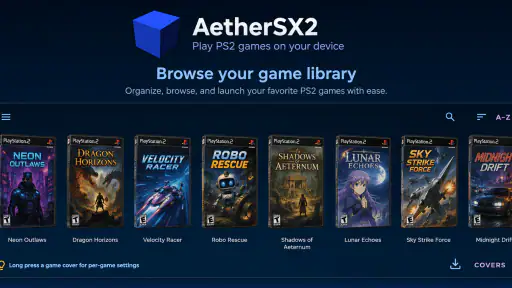
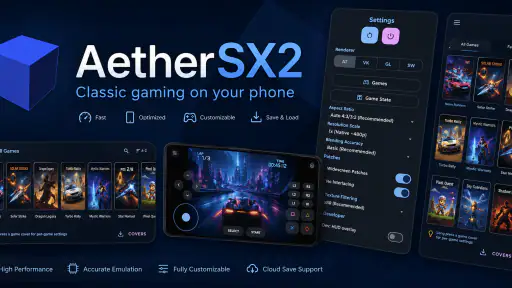
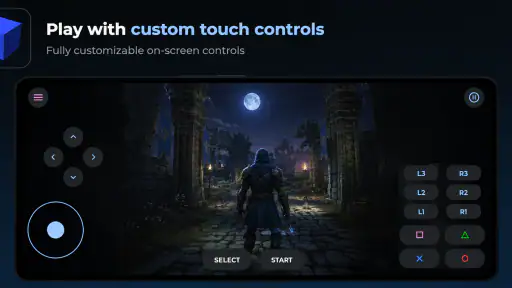
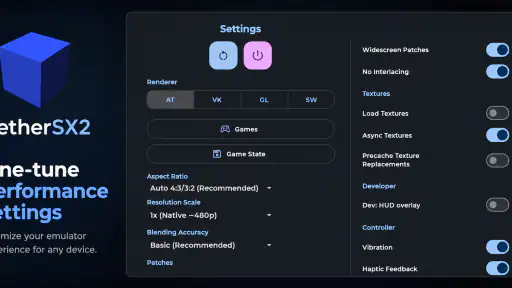
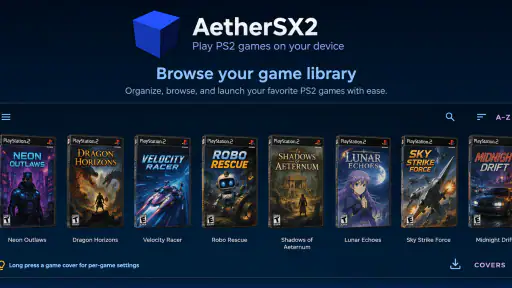
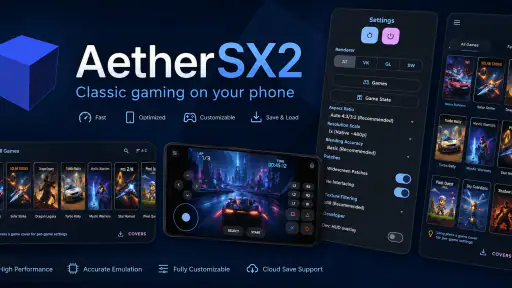
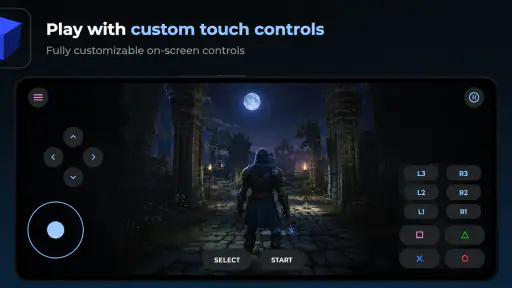
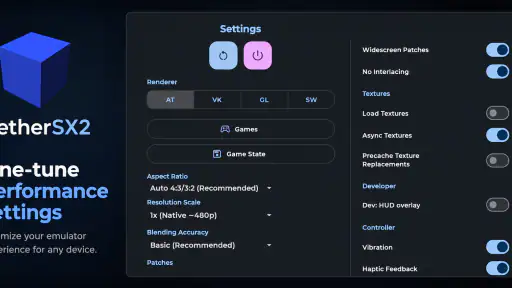
Analysis by Reviewed
I spent time with AetherSX2 Emulator as an arcade-style game utility, and the feature that shaped my experience most was its save-state system. Instead of waiting for an in-game checkpoint, I could preserve the exact moment I wanted to return to. That sounds simple, but it changes how an emulator fits into a normal day: a short break becomes enough time for a meaningful attempt, and a difficult section no longer has to be repeated from a distant save point.
This is a free game from STE RIDA AGENCY, listed for everyone and available for Android devices running version 8.0 or later. The current release is version 1.0.0. Its store presence has reached over 50 thousand installs, while the average rating is 3.2 from around 70 ratings. Those numbers suggest a modest but real audience rather than a polished, universally proven favorite, so I approached it as a practical tool with useful ideas and some reasons to be selective.
Why save states matter more than they first appear
Traditional game saves usually depend on the original title. Some games save only at specific points, some require a long trip back to a menu, and some make restarting part of their challenge. A save state works differently: it captures the running session and lets me resume from that point later. In everyday use, that is more flexible than relying only on the game’s built-in method.
The important distinction is not simply convenience. Save states let me separate “I want to continue playing” from “the game has decided that I am allowed to save now.” When I was testing a demanding section, I could create a recovery point before trying a risky move. If the attempt failed, I could return to the setup instead of replaying everything that came before it.
That flexibility is especially valuable on a phone. Mobile play is often interrupted by messages, travel, work, or a battery warning. With a normal console-style save system, an interruption can leave me choosing between losing progress and keeping the game open. With a state-based workflow, I can make a deliberate stopping point before putting the device away.
There is a tradeoff, though. Save states can make a game feel less natural if I use them after every small action. They are best treated as a convenience and a planning tool, not as a replacement for the original game’s intended rhythm. I found the experience more satisfying when I created a state before a long challenge or a likely interruption, rather than constantly freezing the session.
What the surrounding tools add
The save-state feature does not stand alone. AetherSX2 Emulator also presents HD upscaling, cheat support, and gamepad support as part of its focus. These options point toward a setup aimed at people who want more control than a basic touch-only emulator usually provides.
HD upscaling can make older visuals look cleaner on a modern phone screen, although a sharper output does not change the original artwork or automatically make every game look perfect. Some textures may still look dated, and a higher internal resolution can place more demand on the device. I would treat it as a visual adjustment to test carefully rather than a setting to push without considering stability.
Gamepad support is another practical advantage. Touch controls can be acceptable for menus or slower games, but they are often the weakest part of an action-oriented experience. A physical controller gives buttons a clear position and makes repeated inputs easier to judge. For someone planning longer sessions, this may matter more than visual enhancement.
Cheat support is useful for experimentation, accessibility, and testing, but it changes the balance of a game. I would keep it separate from a normal playthrough: use one approach when I want the original challenge and another when I want to explore, skip repetition, or make an older title more approachable. That separation helps prevent a convenience feature from quietly replacing the reason I started playing.
How I used it in practice
My first practical step with an emulator like this would be to prepare a simple routine rather than changing every option at once. I would begin with the default presentation, connect a controller if I planned to use one, and check how the particular game responds before enabling visual enhancements. This makes it easier to identify whether a later problem comes from the game, the controls, or a graphics adjustment.
For save states, I recommend using clear mental labels even if the interface does not provide elaborate organization. One state can represent a safe starting point, another can mark the beginning of a difficult sequence, and a third can be reserved for experimentation. The useful habit is to avoid overwriting the only good state immediately after a failed attempt. A little discipline prevents the feature from becoming confusing.
A realistic everyday scenario would be a commute or lunch break. I might have only ten minutes, so I would load a previously prepared state, play through one short objective, and create a new state before closing the app. The following evening, I could continue without depending on the game reaching its next built-in checkpoint. That workflow is where the emulator feels most different from a console session that expects uninterrupted time.
Another good use is practice. If a section requires a sequence of movements, I can save before it, attempt the sequence, and return quickly after a mistake. This removes the repetitive travel or setup that often surrounds a challenge. It does not make the challenge automatically easy; it simply concentrates my time on the part I am trying to learn.
I would also keep normal in-game saves whenever possible. A save state is convenient, but it is tied to the emulator session and the exact environment in which it was created. A regular game save is usually the more dependable long-term foundation. The safest workflow is to use the game’s own save system for lasting progress and states for temporary experiments, difficult encounters, or quick pauses.
Controls, display, and the feel of a phone screen
Touch controls are the first area where expectations need to be realistic. A mobile overlay can provide access, but it cannot give the same tactile feedback as a physical button. For games that require fast direction changes or several simultaneous inputs, I would strongly prefer a compatible gamepad. The advertised support makes that option part of the app’s appeal, especially for users who already own a controller.
On-screen play still has a place. It is convenient when I am away from accessories, and it keeps the setup lightweight. I would use it for checking a save, navigating menus, or playing a slower segment rather than assuming it will be ideal for every demanding sequence. The right choice depends less on the emulator alone and more on the control demands of the specific game.
Upscaling should be approached in the same gradual way. I would test a moderate visual setting first, then compare clarity against responsiveness and battery comfort. A cleaner image is valuable on a high-resolution phone, but smooth input matters more to me than a sharper picture when the two goals conflict. The best setting is the one that keeps the game comfortable to play, not necessarily the highest available option.
Because the current version is 1.0.0, I would keep expectations measured when building a complicated setup around it. The app may be perfectly usable for a particular game and device combination, yet another title or handset may behave differently. Emulator performance is rarely universal, so I would judge it through the games and controls I actually intend to use rather than through a single successful launch.
The strongest scenario for this emulator
The best fit, in my view, is a player who already understands the appeal of older console-style games and wants flexible sessions on an Android phone. That person benefits from three things working together: a quick way to pause progress, the option to improve image presentation, and the ability to use a physical controller.
It is particularly useful for someone with an irregular schedule. If I can play for twenty minutes today but may not have another free evening until later in the week, a carefully placed state makes the return less frustrating. I do not have to rush toward a formal checkpoint just because I need to leave.
It also suits a player who enjoys learning rather than merely finishing. Save states allow repeated practice, while cheats can support testing or reduce barriers when the original difficulty is no longer enjoyable. The combination gives the player control over the pace and purpose of a session.
However, I would not recommend making it the first choice for someone who wants a completely effortless plug-and-play experience. Emulation often involves more setup than installing a conventional mobile arcade game. The need to think about controls, visual settings, saves, and game compatibility can feel like work if all you want is a quick game from an app store.
I would also steer away from it if your main priority is a modern touch-first design with built-in progression, tutorials, and automatic cloud-style continuity. A dedicated mobile game will usually be more straightforward for that use. This app’s value comes from flexibility and control, not from replacing a modern game’s polished onboarding.
Where it sits beside the usual alternatives
Compared with a basic emulator that focuses only on launching games, this one has a broader practical pitch. Save states make short sessions easier, HD upscaling addresses the appearance of older graphics, cheats support experimentation, and gamepad support improves the physical feel. I would notice those differences most when moving between several play styles rather than during a single casual session.
Compared with playing on original hardware, the advantage is convenience. A phone is easier to carry, and a state can reduce the time spent repeating earlier sections. The disadvantage is that the experience may require more personal configuration, and touch input can be less satisfying than the original controller.
Compared with a modern mobile arcade title, the appeal is different. A current mobile game is usually designed around the phone from the beginning, while an emulator is about bringing an older style of play into a portable setting. If you want quick access to a familiar game library and enjoy adjusting the experience, this approach is more interesting. If you want a seamless mobile interface, the conventional alternative is likely better.
There is also a meaningful difference between using cheats and simply lowering frustration through save states. A state preserves the challenge while reducing repeated setup. A cheat can alter the challenge itself. I prefer to start with states, then consider cheats only when I have a clear reason, such as testing a feature or making a difficult section accessible.
Who gets the most value from it
I see the greatest benefit for three kinds of users. The first is the short-session player who needs reliable stopping points. The second is the controller user who wants a more console-like feel on Android. The third is the experimenter who enjoys comparing visual settings, practicing difficult sections, or exploring what cheats can change.
It can also serve someone returning to older games after a long break. A state lets me resume near the point where my memory fades, while upscaling can make the presentation more comfortable on a contemporary screen. That does not modernize the design, but it can make the transition back to an older title less abrupt.
The people who should skip it are those who dislike configuration, depend on a single frictionless save system, or expect every game to behave identically. The 3.2 average rating shows that the experience is not universally convincing, and I would take that as a reason to test it with a specific use case rather than install it with unrealistic expectations.
Since it is free and rated for everyone, trying it carries little financial commitment. Still, free does not mean effortless. I would decide based on whether the save-state workflow, controller option, and visual adjustments solve a real problem for me. If I only want a simple arcade distraction, a purpose-built mobile game may offer a smoother path.
My final view is cautiously positive. The save-state capability gives AetherSX2 Emulator a clear identity: it turns fragmented phone time into a more manageable way to play, especially when a game’s own checkpoints are inconvenient. The other tools make the setup more adaptable, but they also invite experimentation that may not suit every user.
My recommendation is to try it when flexible progress matters more than instant simplicity. Start with normal saves, create states at meaningful moments, use a gamepad for demanding play, and raise the visual quality only as far as the device remains comfortable. Used that way, this free arcade game utility can be genuinely useful rather than merely another emulator installed and forgotten.
Pros
- Excellent performance on many Snapdragon-powered Android devices.
- Supports save states
- memory cards
- and customizable control layouts.
- Offers widescreen patches and resolution scaling for sharper visuals.
- Includes controller support for Bluetooth and USB gamepads.
- Can run games offline without requiring an internet connection.
Cons
- Compatibility varies widely between games and Android devices.
- Requires legally obtained BIOS files and game images from the user.
- High-end games can cause overheating and rapid battery drain.
- Touchscreen controls are less comfortable for action-heavy games.
- Development is no longer active
- limiting future fixes and improvements.

- Category
- Arcade
- Version
- 1.0.0