Zumiez
- 1.73K
- 3.2
- Installs
- 500.00K
- Price
- Free

Screenshots
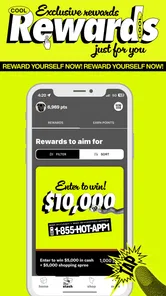
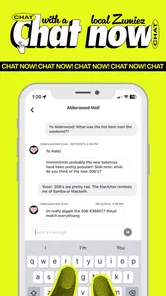
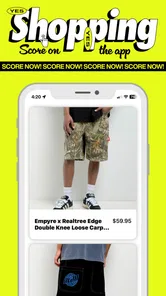
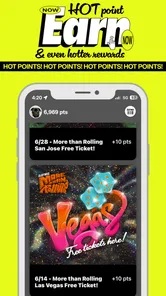

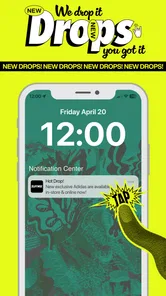
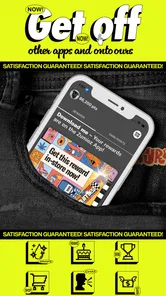
Analysis by Reviewed
I approached Zumiez as a shopping companion rather than a general lifestyle tool, and that distinction matters. The app is built around the Zumiez retail experience, so its usefulness depends on whether you already like browsing the brand’s selection of clothing, shoes, accessories, and related streetwear. I found it most helpful when I had a clear idea of what I wanted but still wanted to compare styles, check product details, and keep the whole process on my phone.
At no cost, it is an easy app to try, and its Everyone age rating makes it broadly accessible. The developer is listed as Zumiez App, while the store presents it simply as a way to bring together the Zumiez experience. That description is brief, but the practical takeaway is clear: this is not a wardrobe planner, a social network, or a marketplace for many retailers. It is a focused retail app for people who shop with Zumiez.
How I use Zumiez from the first browse to the final decision
My baseline workflow starts with browsing rather than searching. That may sound slower, but it gives the app a fair chance to show the kind of products it is designed around. I usually look through the available departments first, notice which styles catch my attention, and only then narrow the session with search or product filters when I have a more specific goal.
That approach is especially useful when I am shopping for an outfit instead of one isolated item. A search-first habit can make the experience feel like a hunt for a single product, while browsing helps me see how shoes, tops, bottoms, and accessories fit the same general look. I would not call this a replacement for trying clothes on, but it is a practical way to build a shortlist before visiting a store or deciding what deserves a closer look.
When I find something interesting, I slow down at the product page. I check the images carefully, read the available description, and look for the options that matter to me, such as size or color. Product pages are where the app becomes more than a visual catalog: they give me a place to decide whether an item is genuinely suitable or merely attractive in a promotional image.
One habit that saves time is creating a small comparison list mentally, or using the app’s available shopping flow to keep likely choices together when possible. I avoid adding every appealing item immediately. Instead, I compare similar products by material information, design, available options, and overall versatility. This reduces the common problem of filling a cart with items that looked good individually but do not work together.
A realistic everyday scenario would be preparing for a weekend trip. I might open the app during a commute, browse casual tops and footwear, save a few candidates, and return later from a larger screen or a more stable connection to make the final decision. That two-stage method works better than trying to complete the entire purchase in a rushed session. The first visit is for discovery; the second is for checking details and removing impulse choices.
More From Our News Desk

Weather by Xiaomi Review: Clear at a Glance, Less Clear Up Close

X Under Pressure: Can It Recover When Posting Goes Wrong?

Clash of Clans Is Won Between the Battles

Android Auto Makes the Case for Quieter Car Software

MobiOffice: Transforming Mobile Productivity with Seamless Integration

EA SPORTS FC™ Mobile Soccer: Redefining Mobile Sports Gaming
I also recommend using the app when you already know the general style you want but not the exact item. Zumiez has a strong identity, and the catalog makes more sense when you are looking for a particular streetwear mood rather than expecting every possible type of clothing. If your goal is a plain basic garment at the lowest possible price, a broad marketplace or a discount retailer may be more efficient.
Settings and small checks that improve the experience
There are not many reasons to overcomplicate the setup. I would begin by checking that the app is updated to its current version, listed as 2.14.23+1, and that the phone meets the stated minimum operating system requirement of 11. Keeping the app current is particularly sensible for a retail tool, because browsing and checkout depend on a connection between the app and changing store inventory.
I also check the phone’s notification settings before allowing everything. Shopping apps can become distracting if every promotional alert is treated as urgent. My preference is to keep only notifications that I genuinely find useful and silence the rest at the system level if they become noisy. This is not a special Zumiez trick; it is a simple way to make a retail app serve my schedule instead of interrupting it.
Another worthwhile check is the account and checkout information before I begin serious shopping. I prefer to confirm that my sign-in details are current and that I can complete the purchase without having to solve avoidable account problems at the end. If I am browsing casually, I do not rush into account setup. If I am shopping for a time-sensitive occasion, I prepare earlier so that the final step is not the first time I discover a problem.
Connection quality also changes how pleasant the app feels. I use a stable Wi-Fi connection when I am comparing several products or reviewing images in detail, especially if I am away from home and relying on inconsistent mobile service. A weak connection can make a retail app seem less responsive than it really is, and it is frustrating to make a decision while images or product information are still loading.
I pay attention to the difference between browsing and committing. A product can be worth saving for later without being worth buying immediately. That separation is one of the most useful habits I developed with the app. I can collect ideas during a quick session, then return when I have time to consider fit, color, and how the item works with clothes I already own.
For families, the Everyone rating makes the app approachable, but that does not remove the need for ordinary shopping judgment. Younger users may enjoy browsing, while an adult should handle purchase decisions and review the final order details. The app is suitable for looking around, but suitability still depends on the person’s needs, budget, and understanding of online shopping.
Faster patterns for repeat shoppers
Experienced users can make the process much quicker by giving each session a purpose. I use three basic modes: discovery, comparison, and purchase. Discovery is when I browse without pressure. Comparison is when I reduce a group of possibilities to a few realistic choices. Purchase is when I stop exploring and verify the details of the item I am actually going to order.
Mixing those modes is where time disappears. If I keep browsing after I have already found a suitable item, I often create unnecessary doubt and add products that do not improve the decision. On the other hand, purchasing too quickly after seeing one attractive image can lead to a poor choice. Separating the stages keeps the app from becoming an endless scroll.
Search works best when I use it after forming a clear description in my head. Instead of entering a vague term and opening dozens of results, I think about the product type, the style, and the feature that matters most. This makes the results easier to evaluate and reduces the temptation to treat every visually similar item as equivalent.
I also use a return visit as a decision test. If an item still looks right after I have closed the app and returned later, it has a better chance of being a considered purchase. If I no longer remember why I wanted it, I remove it from my shortlist. This habit is particularly useful in a catalog built around expressive styles, where novelty can be mistaken for usefulness.
For outfit planning, I start with the item that is hardest to replace. That might be footwear, a distinctive jacket, or a particular pair of bottoms. Once I have a strong anchor, I look for pieces that support it rather than selecting everything independently. The result is usually a smaller and more practical basket, and the app becomes a tool for coordination rather than a stream of unrelated products.
Another efficient pattern is checking availability before investing too much time in styling an item. If a size or color is not suitable, I move on early instead of building an entire outfit around it. Retail catalogs change, so flexibility matters. I keep a second choice in mind when the first product is especially important, which prevents the final decision from collapsing if the preferred option is unavailable.
The app also works well as a preparation tool before an in-person visit. I can learn the vocabulary of the products I like, identify possible brands or styles, and arrive with a clearer idea of what to look for. That is a better use of mobile browsing than treating the app as the only source of confidence about fit. For clothing and shoes, seeing the item in person can still settle questions that images cannot.
Where the app reaches its limits
My biggest limitation with Zumiez is its narrow purpose. It makes sense if I want the Zumiez catalog and shopping experience, but it is not the best choice for comparing the entire market. A general retailer app may offer more brands, broader price ranges, and stronger cross-store comparison tools. I would choose those alternatives when the product matters more than the retailer or when I am hunting for the lowest available price.
The app also cannot remove the normal uncertainty of buying apparel online. Images help with design and color, but they do not fully answer questions about fit, weight, texture, or how a garment moves. I read every available detail and compare sizing information carefully, yet I still treat online selection as an informed estimate. If fit is critical or the purchase is expensive for my budget, I prefer to inspect the item physically when that option is practical.
Another trade-off is that focused retail apps can encourage brand loyalty at the expense of broader discovery. That is useful when I already know I like the store’s style, but limiting myself to one catalog may hide a better match elsewhere. I use Zumiez when its identity is part of what I want, not as a universal fashion search engine.
The average rating is 3.2 from around 3.3 thousand ratings, with roughly 1.7 thousand written reviews. I read that as a reason to keep expectations measured rather than assuming the experience will be perfect on every phone or in every shopping session. The app has passed the threshold of being established, with over 500 thousand installs, but popularity does not guarantee that every user will enjoy the same workflow.
That scale also explains why I would keep a backup plan for important purchases. If I need something for a specific date, I do not wait until the last moment to browse, decide, and complete the order. I give myself time to compare the item, confirm the order details, and deal with any unexpected friction. The app is more useful when it supports planning than when it is treated as an emergency solution.
I would skip it if I do not shop at Zumiez, dislike browsing fashion catalogs, or need a tool that manages an existing wardrobe. It will not replace a closet organizer, a personal stylist, or a marketplace comparison app. People who want those functions should choose a different category of product rather than judging this app for staying focused on retail.
My verdict after building a repeatable routine
After using Zumiez with a deliberate workflow, I see its value in convenience and focus. It puts the retailer’s shopping experience on a phone and works best for people who already recognize the brand’s style or want to explore it with less commitment than an immediate store visit. The free price makes experimenting easy, while the current version and broad device accessibility keep the basic entry barrier low for compatible phones.
I would recommend it to a friend who wants to browse Zumiez products, prepare for a store visit, or compare a small group of streetwear choices from home. I would tell that friend to separate browsing from buying, check product details instead of trusting the first image, and keep a backup option for important purchases. Those habits make a bigger difference than simply opening the app and scrolling.
I would not recommend it as the only shopping app on someone’s phone. For broad comparison, unusual sizing needs, strict budget shopping, or a purchase where fit must be certain, a general retailer, a local store, or an in-person visit may be better. Zumiez earns its place when the destination itself matters and when the shopper values a focused catalog over endless alternatives.
In the end, I find the app most successful when I use it as a planned part of shopping rather than as a source of random temptation. The best result comes from combining focused searches, careful product checks, sensible notification settings, and a pause before checkout. That routine turns a simple retail app into a useful companion for deciding what I actually want, while its limits remain clear enough that I know when another option is the smarter choice.
Zumiez Frequently Asked Questions
What devices can I use the Zumiez app on?
Zumiez is a lifestyle app for mobile devices, and its current version requires iOS 11 or later. Before downloading, check that your device meets this requirement and has enough space for the app. Keeping your operating system and the app up to date can also help you get a smoother shopping experience and access the latest available features.
Who is the Zumiez app intended for?
The Zumiez app is intended for people interested in skate, streetwear, action sports, and youth fashion. Its content rating is Everyone, so the app is rated as suitable for a broad audience. The shopping experience will be most relevant to users looking for apparel, footwear, accessories, or gear associated with Zumiez and the brands it carries.
What is the Zumiez app used for?
The Zumiez app is designed for shoppers interested in skate, streetwear, action sports, and youth fashion. It lets you browse clothing, shoes, accessories, and gear from brands commonly sold by Zumiez, check product details, and look for available sizes. Depending on your location and account settings, you may also use it to place orders, manage purchases, find stores, and receive updates about promotions or new releases.
Can I buy products directly through the Zumiez app?
Yes, the app generally supports shopping directly from a mobile device, allowing you to select products, choose available sizes or colors, add items to a cart, and complete checkout. Before ordering, carefully review shipping costs, taxes, delivery estimates, and the seller or fulfillment information shown at checkout. Product availability can change quickly, especially for limited sneakers, branded apparel, and seasonal items.
Does Zumiez offer exclusive products or limited releases?
Zumiez frequently features products from skateboarding, snowboarding, streetwear, and action-sports brands, and some items may be limited, seasonal, or available only while supplies last. The app can be useful for discovering new arrivals and checking whether a particular style is in stock. However, downloading the app does not guarantee access to every release, and popular items may sell out rapidly or have purchase restrictions.
Pros
- Easy access to Zumiez’s latest streetwear and skate-inspired collections.
- Frequent sales and promotions can make popular items more affordable.
- Product pages typically include multiple photos and useful sizing details.
- Supports browsing by categories
- brands
- sizes
- and other helpful filters.
- Store locator helps users find nearby Zumiez locations and opening details.
Cons
- Some popular sizes and styles may sell out quickly.
- Prices can be high for branded sneakers
- apparel
- and accessories.
- Search results may include items with limited stock availability.
- Shipping costs and delivery times can vary by location.
- The app’s catalog is mainly focused on fashion and lifestyle products.











