WVLT News
- 366.00
- 3.3
- Installs
- 100.00K
- Price
- Free

Screenshots



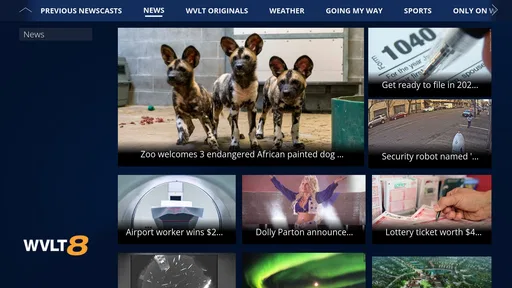
Analysis by Reviewed
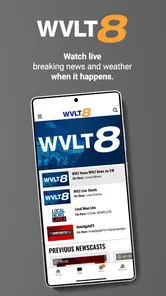
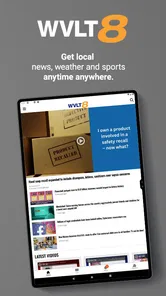
I found WVLT News most useful as a focused local-news companion rather than a complete replacement for every news source on my phone. It is built around WVLT News in Knoxville, Tennessee, bringing together local reporting, sports, weather, and live newscasts in one place. That narrow focus is its biggest strength: when I want to know what is happening around Knoxville, I do not have to sort through a national news app first.
The app is free and belongs to the news and magazine category. Gray Media is the developer, and its audience is clearly local or regional rather than global. It has an Everyone 10+ content rating, so it is aimed at a broad audience while still recognizing that news coverage can include mature topics. With more than 100K installs, it has a meaningful user base, although its average score of 3.3 from roughly one thousand ratings suggests that the experience is useful for many people but not universally smooth.
How WVLT News feels during everyday use
I use WVLT News most naturally in brief, purposeful visits, and that makes the choice of source important: I’m going to the station for its Knoxville coverage, not treating it as a neutral window onto every outlet. The next section looks at what I can actually assess about trust and user controls, rather than assuming anything about permissions or data practices.
Quick checks are where it makes the strongest impression
My favorite way to use this app is in short visits. I open it to check a developing local story, look at the weather before leaving home, or see whether WVLT is covering something live. That workflow suits the app better than treating it like a long-form reading destination. The purpose is immediate awareness: open, scan the important local information, and move on.
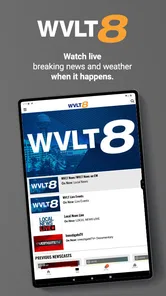
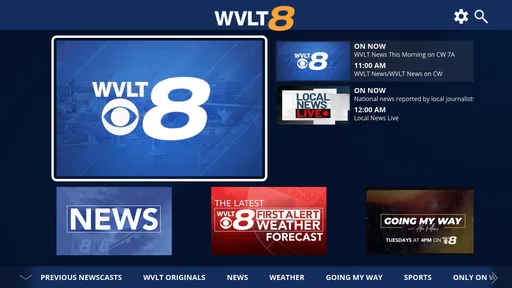
The app’s combination of news, sports, weather, and live newscasts gives it a practical rhythm. These are the sections I am most likely to revisit throughout the day, and they answer different questions without forcing me to install separate local apps. In the morning, weather may be the main reason to open it. During the afternoon, a local headline or sports update takes priority. In the evening, a live newscast can be more useful than reading several individual articles.
I would not describe it as a substitute for a broad national news reader. A general news app is better when I want politics, business, technology, culture, and international coverage in one scrolling feed. WVLT News is more valuable when location matters. Its identity is tied to Knoxville, so the content feels more relevant for residents, commuters, families, and anyone following the area from elsewhere.
Speed is difficult to judge as a single fixed quality because it depends on the network, the amount of current coverage, and whether I am opening ordinary articles or live material. In normal short sessions, the sensible expectation is a news app designed for quick access rather than an elaborate media platform. I appreciate that distinction because it helps set realistic expectations: the app’s value comes from timely local access, not from turning every visit into a feature-heavy browsing experience.
More From Our News Desk

Weather by Xiaomi Review: Clear at a Glance, Less Clear Up Close

X Under Pressure: Can It Recover When Posting Goes Wrong?

Clash of Clans Is Won Between the Battles

Android Auto Makes the Case for Quieter Car Software

MobiOffice: Transforming Mobile Productivity with Seamless Integration

EA SPORTS FC™ Mobile Soccer: Redefining Mobile Sports Gaming
A realistic morning and evening routine
Imagine a weekday morning in Knoxville. Before leaving, I can use WVLT News to check the local forecast and scan the main headlines. If severe weather or a major disruption is developing, having weather and reporting together is more convenient than switching between a dedicated weather service and a separate news source. Later, I might return for a sports update or a live newscast while preparing dinner.
That routine reveals an important trade-off. The app can reduce the number of places I need to check, but it is still a local station app, not a personal information dashboard. I would not rely on it alone for every decision that needs highly specialized information. For detailed travel planning, long-range forecasts, financial news, or national analysis, a dedicated alternative may offer more depth. WVLT News works best as the local layer in a broader setup.
What happens when I use it heavily
Heavy use usually means repeated refreshing during a major local event, moving between written coverage and weather, or staying with a live newscast for an extended period. Those moments place different demands on the app than a quick headline check. Live content naturally depends more heavily on a stable connection, while ordinary articles are generally easier to revisit when conditions are less ideal.
I would plan around that difference. If I know I will be following a developing storm or major local story, I would open the app before the situation becomes urgent, make sure the connection is reliable, and avoid assuming that live coverage will behave exactly like a downloaded article. This is not a criticism unique to WVLT News; it is the practical trade-off of using a local news app that includes live broadcasts.
The app’s focused content can also make heavy use feel more efficient than a large national feed. There is less temptation to lose time in unrelated stories. On the other hand, readers who expect endless variety may find the selection narrower. That is not a performance problem, but it affects perceived value: a person looking for constant new material may prefer a broad aggregator, while someone checking local developments may appreciate the tighter scope.
One useful habit is to separate “monitoring” from “watching.” I use written headlines and weather information for quick monitoring, then choose a live newscast when I have enough time to watch. That keeps the app from feeling unnecessarily demanding during busy moments. It also makes the experience more predictable because I am choosing the format that matches the situation instead of expecting every part of the app to serve the same purpose.
Reliability is about returning to the right information
For a local-news app, reliability is more than simply opening without a crash. I also want the content to remain understandable when I return several times a day, and I want the app to help me distinguish a current local update from something I already saw. WVLT News has a clear reason to revisit it: local news, sports, weather, and live broadcasts change throughout the day.
At the same time, a news app can feel less dependable when the user experience does not match the urgency of the content. If I am checking a developing weather situation, delays, interruptions, or a need to reload are more noticeable than they would be while reading an old feature. That is why I judge the app most favorably for routine local awareness and more cautiously for situations where I need a single uninterrupted source of critical information.
I also like the fact that the app gives local coverage a recognizable home. Using a station-centered app can be less confusing than searching the web repeatedly for the latest Knoxville report. The trade-off is that I am accepting the station’s editorial priorities and presentation. A news aggregator may show more viewpoints in one place, while WVLT News offers a more direct route to the station’s own coverage.
The average rating of 3.3, based on about one thousand ratings and several hundred written reviews, is worth considering before installing. I would not treat that number as a final verdict, because local relevance can matter more than a general score. Still, it tells me to keep expectations balanced. The app may be very useful if its coverage matches my needs, but I should not assume that every user will find the interface or day-to-day behavior equally satisfying.
Device limits and resource-conscious use
WVLT News is the kind of app I would keep for targeted access rather than leave open continuously. News reading itself is usually light compared with demanding games or creative tools, but live newscasts are a different use case. They can consume more network capacity and may be less comfortable on a limited connection or an older device. I would be especially careful about using live video when relying on mobile data.
On a smaller screen, the app’s value depends on how comfortably I can move between the main content types. Weather information benefits from quick readability, while news articles need enough space for comfortable reading. Live video is more sensitive to screen size and connection quality. If I am using an older phone, I would prioritize short checks and written coverage rather than expecting a long live session to be the best experience.
Storage is another practical consideration, although I would not install WVLT News expecting it to replace a full media library or a large collection of offline content. Its role is access to current coverage. That makes it a reasonable choice for someone who wants a dedicated local source without paying for another service, but less compelling for someone who wants extensive offline reading or a single app that covers every possible topic.
Battery expectations should follow the same pattern. Brief headline and weather checks are a sensible low-demand routine, while extended live viewing naturally asks more from a phone than reading text. I find it helpful to treat the live newscast as an intentional activity instead of leaving it running in the background. That small change makes the app easier to fit into a normal day and avoids judging all of its functions by the heaviest one.
Who should install it, and who should skip it?
I would recommend WVLT News to Knoxville residents who want local updates in a single free app, especially people who regularly follow weather, local sports, and station newscasts. It also makes sense for former residents, relatives, or visitors who need a convenient way to keep up with the area. The app’s local emphasis is a genuine advantage for those audiences.
I would be less enthusiastic for someone who does not have a connection to Knoxville or the surrounding coverage area. A national news app, a broad aggregator, or a dedicated weather service would probably provide more useful information in that case. I would also suggest looking elsewhere if the main goal is deep investigative reading, extensive national analysis, or a highly customizable news feed.
People who mainly want weather may prefer a specialist weather app with more detailed forecasting tools. People who mainly want sports may prefer a dedicated sports service that follows leagues and teams beyond the local scope. WVLT News becomes the better choice when I want those local subjects together and appreciate the convenience of returning to one familiar source.
How it compares with the usual alternatives
Compared with a web browser, the app is more direct for repeated local checks. I do not have to remember which page to open or sort through unrelated search results every time. A browser remains more flexible, especially when I want to compare several outlets or investigate a story beyond WVLT’s coverage, but the dedicated app is better for a consistent local routine.
Compared with a national news aggregator, WVLT News is narrower but more geographically relevant. Aggregators are useful for breadth and multiple publishers; this app is useful when I want the Knoxville angle first. I would keep both if local news matters to me: the station app for immediate regional awareness and the aggregator for context outside the area.
Compared with a dedicated weather application, WVLT News is more convenient when weather is only one part of my daily information check. A specialist service may be preferable for detailed maps, extended forecasts, or weather-specific tools. The station app earns its place by combining weather with local reporting and live coverage, not by trying to be the most specialized tool in every category.
Small habits that improve the experience
My first tip is to decide what I am opening the app for before tapping around. If I only need the forecast, I check weather and leave. If I want context, I read the related local reporting. If I have time to watch, I choose the live newscast. This simple approach keeps the app feeling quick and prevents a short task from becoming unfocused browsing.
My second tip is to use it as a confirmation point rather than a single-source emergency plan. During a fast-changing event, I would check WVLT News for local reporting and weather, but I would still follow any official instructions relevant to my location. That is a responsible way to benefit from timely local journalism without treating a phone app as the only channel for urgent guidance.
My third tip is to judge the app after using it across different parts of the day. A morning weather check, an afternoon headline scan, and an evening live broadcast reveal more than one quick launch. The app is designed around changing local coverage, so its usefulness is easier to understand through a routine than through a single session.
Finally, I would keep expectations aligned with the free price. There is no purchase barrier, which makes experimenting easy, but free does not mean the app will replace every specialized service. I see it as a practical local-news tool that earns its place when I value Knoxville coverage and want several formats together.
My performance verdict
WVLT News feels most successful when I use it for short, purposeful visits: checking local headlines, reviewing weather, following sports, or opening a live newscast when the moment calls for it. Its focused design makes it more useful than a generic news app for Knoxville-specific awareness, while its combination of formats gives it more range than a simple headline reader.
The limitations are equally clear. It is not the right choice for broad national coverage, specialist forecasting, deep sports tracking, or a fully customizable information feed. Live viewing also deserves more careful expectations than ordinary reading because connection quality, device capability, and battery use matter more during longer sessions.
Overall, I would install it if Knoxville news is part of my daily life and I want a free, station-centered way to keep up. Gray Media’s app has a clear purpose, and that purpose is easy to understand. My recommendation is positive for local readers who value convenience, but conditional for anyone expecting a complete all-purpose news platform.
WVLT News Frequently Asked Questions
Can I watch live newscasts in the WVLT News app?
Yes. WVLT News includes live newscasts, giving users a way to follow local coverage as it is happening from a mobile device. The app also offers news, sports, and weather content, so it can serve as a convenient companion for keeping up with developments in Knoxville and East Tennessee. Streaming video may use mobile data, so a Wi-Fi connection can be useful.
Who develops WVLT News, and what devices is it for?
WVLT News is developed by Gray Media and is a news app for Android and iOS devices. Its focus is regional coverage connected with Knoxville, Tennessee, making it most relevant to people who live in, work in, or follow that area. Before downloading, users can check their device’s app store for compatibility and the latest version available for their phone or tablet.
What is WVLT News?
WVLT News is a local news application focused on Knoxville, East Tennessee, and surrounding communities. It provides access to breaking news, weather updates, traffic information, sports coverage, investigative reports, and video stories. The app is designed for users who want convenient access to regional reporting from their Android or iOS device throughout the day.
What kind of information can I find in the WVLT News app?
The app typically includes local and national headlines, live and on-demand news video, weather forecasts, radar imagery, severe weather alerts, school or road closure information, sports updates, and community stories. Coverage is especially useful for keeping up with events in the Knoxville area and other parts of East Tennessee, although available sections and content may change over time.
Does WVLT News provide live weather alerts and forecasts?
Yes, weather is one of the app’s main features. Users can generally view current conditions, hourly and extended forecasts, radar maps, and information about storms or other severe weather. Depending on your notification settings and location permissions, the app may also send alerts about significant weather events. Always verify emergency instructions through official local authorities.
Pros
- Live local news
- weather
- and traffic updates in one app.
- Personalized alerts help you follow important regional stories.
- Weather radar and forecasts are useful for daily planning.
- Video reports provide more context than short text updates.
- Simple navigation makes headlines easy to find quickly.
Cons
- Frequent breaking-news notifications may feel excessive for some users.
- Some content may focus heavily on the Knoxville viewing area.
- Video playback can use significant mobile data when streaming.
- Certain stories may require scrolling through several ad placements.
- Coverage and app features depend on WVLT’s local newsroom output.













