Action News 5
- 356.00
- 3.9
- Installs
- 100.00K
- Price
- Free

Screenshots




Analysis by Reviewed
When I want a quick look at what is happening in the Action News 5 coverage area, I prefer having a focused local news app rather than sorting through a large national news feed. Action News 5 is built around that simple purpose: it brings Gray Media’s Action News 5 service to Android as a free News & Magazines app. After using it as a companion for everyday updates, I found it most useful when I wanted local information quickly, without turning the experience into a full-time scrolling habit.
The app has been available since July 14, 2011, and its long presence is reflected in a user base of more than one hundred thousand installs. Its average rating sits at 3.9 from roughly one thousand six hundred ratings, with several hundred written reviews. Those figures suggest a familiar pattern: many people find value in having the station’s coverage close at hand, while the experience may not satisfy users who expect the breadth, customization, or polish of a large national news platform.
How I use Action News 5 in a normal day
My basic workflow is deliberately simple. I open the app when I want a local headline, scan the main news presentation, and decide whether a story deserves a closer read. That makes it especially practical during a busy morning, when I want to understand the local conversation before leaving home, or in the evening, when I want a quick check rather than a long session with several news sources.
The strongest reason to choose this app is its local focus. General news aggregators are good at showing major national and international stories, but they can bury neighborhood-level developments beneath politics, business, entertainment, and viral content from everywhere. Action News 5 gives me a more direct route to the station’s coverage. I am not opening it to replace every source; I am opening it because I want local reporting in a format connected to a familiar news outlet.
That distinction matters. If your main concern is a broad world-news briefing, this is not the most efficient single app. You will probably get more range from a general news reader or a national publication. If your routine begins with local conditions, regional events, and stories connected to the Action News 5 audience, however, the narrower scope becomes an advantage rather than a weakness.
A realistic everyday scenario is checking the app before a commute or school run. I can use it to see whether there is a local story worth knowing before I head out, then close it instead of getting pulled into unrelated content. The useful habit is to treat the app as a first local checkpoint, not as an endless feed. That keeps the experience focused and makes its limited scope feel intentional.
What the free model means for the decision
There is no purchase price to think about, so trying it is relatively easy for Android users who follow Action News 5 or simply want another local source. The free format also makes it suitable for occasional use: I do not need to build my whole news routine around it to get value from opening it when something local matters.
More From Our News Desk

Weather by Xiaomi Review: Clear at a Glance, Less Clear Up Close

X Under Pressure: Can It Recover When Posting Goes Wrong?

Clash of Clans Is Won Between the Battles

Android Auto Makes the Case for Quieter Car Software

MobiOffice: Transforming Mobile Productivity with Seamless Integration

EA SPORTS FC™ Mobile Soccer: Redefining Mobile Sports Gaming
The content rating is Everyone, which fits the app’s role as a general news destination. Still, news itself can cover serious, upsetting, or difficult subjects. The age label should not be confused with a promise that every story will feel suitable for every younger reader; it describes the app’s general classification, while the actual subject matter depends on the news cycle.
Because Gray Media is the developer, the app feels most appropriate for people who already recognize Action News 5 as a trusted local source. That connection is important. I would not install it simply because I need “a news app”; I would install it because I want this particular station’s local perspective available on my phone.
Settings and habits that make the app easier to live with
The first setting-related habit I recommend is checking how the app behaves on your phone after installation. News apps can become distracting when every update demands attention, so I review the app’s notification controls and keep only the alerts that match my routine. If I want a quiet phone, I use the device’s notification settings to reduce interruptions. If timely local updates are central to my day, I allow the app a more visible place.
This is not a minor detail. A local news app works best when it supports a deliberate habit instead of creating background noise. I would rather open Action News 5 at chosen points in the day than react to every alert. Users who need immediate awareness may choose a more active notification approach, while people who check news only once or twice daily will likely prefer tighter control.
I also pay attention to how much time I spend inside individual stories. When I am only looking for a quick update, I scan the available headlines and leave. When a story affects my plans, I read more carefully and compare it with another source if the subject is important. This two-level workflow prevents the app from becoming either too shallow or unnecessarily time-consuming.
Another useful adjustment is deciding where the app belongs on the home screen. I keep a local news app within easy reach only if I genuinely use it as part of my morning or evening routine. Otherwise, placing it in a less prominent folder helps me avoid opening it automatically. That may sound basic, but the best setup is the one that matches how often you actually need local news.
Experienced users should also keep the app updated through the normal Android app process. News applications depend on a current connection to their publishing service, and updates can affect reliability or presentation. I do not assume that a familiar app will always behave identically after an Android system change, so I check it briefly after major phone updates rather than discovering a problem when I urgently need local information.
Faster patterns for repeat visits
The fastest pattern is to give each visit a clear purpose. I might open the app to answer one question: what is the most important local development right now? On another visit, I may be looking for a story I noticed earlier. By deciding that purpose before I start scrolling, I avoid treating the app like a general entertainment feed.
I also use a short scan first and a deeper read second. The initial pass tells me whether there is anything relevant to my day. Only then do I spend time on a particular report. This works well for commuters, parents, students, and anyone who wants local awareness without constantly refreshing a news page.
A second repeatable habit is pairing Action News 5 with a broader source instead of forcing it to do both jobs. I use the local app for regional context and a general news service for national or international coverage. That division is more efficient than expecting a station-focused app to provide every kind of news. It also helps me notice when a local story has wider significance.
For important decisions, I avoid relying on a single headline. If an update could change travel plans, affect a family member, or require immediate action, I read the full item and look for confirmation through an appropriate official or additional news source. The app is useful for bringing a local story to my attention, but a headline alone is not always enough context for a serious decision.
One non-obvious advantage of this approach is that it reduces the temptation to compare apps by the size of their feeds. Action News 5 does not need to compete with a national aggregator on volume. Its value is the shorter path between opening the app and reaching local coverage. For many users, fewer but more relevant choices are more useful than a huge stream that takes longer to filter.
Where the focused approach reaches its limits
The same focus that makes the app useful can make it feel limited. I would not choose it as my only news source if I wanted extensive international coverage, specialized reporting, or a highly personalized cross-publication feed. A national news app, a dedicated newspaper application, or a customizable aggregator may be a better fit for those needs.
There is also a difference between wanting local news and wanting every possible local tool in one place. Some users expect a news app to act as a complete information dashboard, combining broad coverage, deep archives, extensive personalization, and many ways to organize stories. Action News 5 is better understood as a direct mobile doorway to the Action News 5 experience. If that focused doorway is what you need, it is sensible. If you want a research workspace, it may feel too narrow.
I would also skip it if I rarely follow the station’s coverage area. A free app still takes space, attention, and permission to send notifications if enabled. Someone who moves frequently, follows a different region, or only reads national publications may gain more from an app built around their actual location and interests.
Users who are especially sensitive to interruptions should be careful with their setup. The problem is not that local updates are inherently unwanted; it is that any news service can become tiring when alerts are allowed to dictate the day. I recommend starting conservatively, checking the app manually, and increasing visibility only if that proves useful.
Another limitation is that the app cannot remove the need for judgment. News changes quickly, and a mobile presentation encourages fast reading. I make a point of checking the time and context of a story before acting on it, especially when circumstances are developing. This is a good practice with any news application, but it matters more when the app becomes my first source during a busy moment.
Who will get the most from it
Action News 5 is a good match for Android users who want a local station’s coverage close by, prefer a straightforward routine, and do not need one app to represent the entire news world. It is also useful for people who already watch or recognize Action News 5 and want a mobile option that fits around that existing habit.
It can work well for a household too. One person might check it in the morning, another might use it during the evening, and neither needs to become a heavy news reader. The app’s free access lowers the barrier for occasional checking, while the Everyone rating makes it suitable as a general household news application, with the usual need for adults to consider the subject matter of individual reports.
I would recommend it less strongly to readers who demand advanced organization, extensive customization, or a single feed covering every region and topic. Those users may be happier with a broader service. The right choice depends on whether local relevance is more important to you than scale and variety.
My verdict after building a repeatable routine
After using Action News 5 as a focused local-news tool, I see its main strength clearly: it reduces the distance between me and the coverage I actually want. It does not need a complicated workflow. A quick scan, a deliberate notification setup, and a habit of reading beyond the headline are enough to make it useful.
Its 3.9 average from around one thousand six hundred ratings reflects a reasonably positive but not universal experience, and that feels fair to me. The app’s value depends heavily on your relationship with Action News 5 and on whether a local-first news routine suits you. It is not the broadest or most flexible option, but breadth is not always the goal.
My recommendation is simple: choose it if you want free, direct access to Action News 5 on Android and can benefit from a local checkpoint in your day. Keep notifications under control, use it alongside a broader source when necessary, and do not expect it to replace every other news service. For the right reader, that focused role is exactly why it earns a place on the phone.
For me, the app works best when I open it with a question, find the local answer or context I need, and move on with the day. That is a modest promise, but it is a useful one. Action News 5 succeeds when treated as a practical local companion rather than an all-purpose news universe.
Action News 5 Frequently Asked Questions
Who publishes the Action News 5 app, and is it available for Android?
Action News 5 is a news app published by Gray Media. Its store summary describes it as bringing the power of Action News 5 to Android, making it a straightforward option for readers who want the station’s news on a mobile device. It is listed in the News & Magazines category, and the app is free to download.
What is Action News 5, and what type of content does it provide?
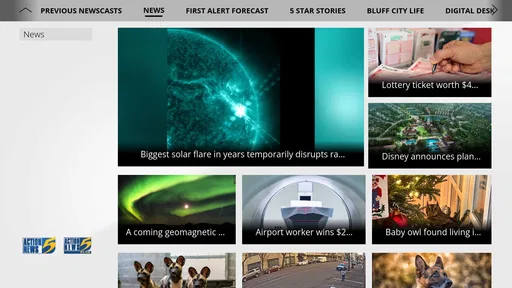
Action News 5 is a local news application focused primarily on the Mid-South region, including Memphis, Tennessee, and nearby communities. After exploring the app, users can expect access to breaking news, local reports, weather updates, traffic information, sports coverage, investigative stories, and video segments. The exact content available may depend on your location and the station’s current coverage schedule.
Is the Action News 5 app free to download and use?
The Action News 5 app is generally free to download, and users can typically browse news articles, watch selected videos, check weather information, and receive important alerts without paying a subscription fee. However, mobile data charges may apply when using cellular networks, especially for video streaming or frequent updates. Some content may also depend on third-party services or regional availability.
Can I receive breaking news, weather, and emergency notifications?
Yes, one of the app’s most useful features is its notification system. Users can usually enable alerts for breaking news, severe weather, school or community announcements, and other urgent local developments. Notifications can be managed through the app and your phone’s settings. If you prefer fewer interruptions, you can disable selected alert categories while keeping critical weather warnings active.
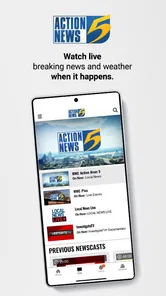
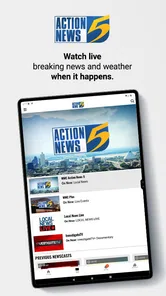
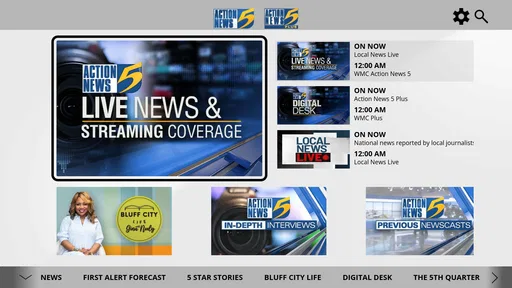
Does Action News 5 include live streaming and video news coverage?
Action News 5 commonly includes video reports, news clips, weather segments, and, when available, live coverage from the station. Live-stream availability may vary depending on the broadcast schedule, your geographic location, licensing restrictions, and whether a major event is taking place. A stable Wi-Fi or mobile data connection is recommended because video content can consume significant data and may buffer on slower networks.
Pros
- Live local coverage keeps you updated on breaking news in the Mid-South.
- Personalized alerts can notify you about weather
- traffic
- and major stories.
- Video reports and live streams make important events easy to follow.
- Weather tools include forecasts
- radar
- and severe weather information.
- Clean navigation helps you quickly find news
- videos
- and local updates.
Cons
- Frequent breaking-news alerts may feel excessive without careful customization.
- Some video content may load slowly on weaker mobile connections.
- Advertising can interrupt browsing and take up noticeable screen space.
- Coverage is mainly regional
- so it may offer limited national news depth.
- Certain features may require location access or background notifications.













