Vimu Media Player for TV
- 307.00
- 4.4
- Installs
- 50.00K
- Price
- $2.99

Screenshots
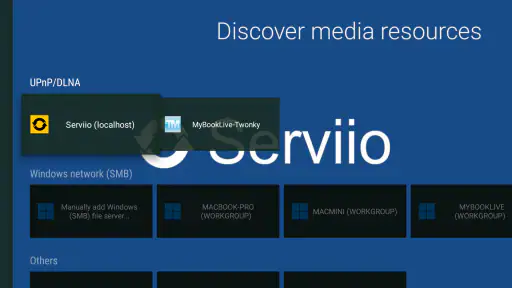
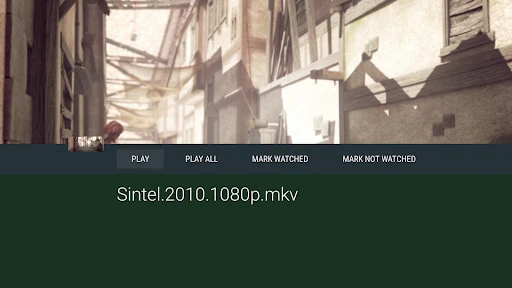
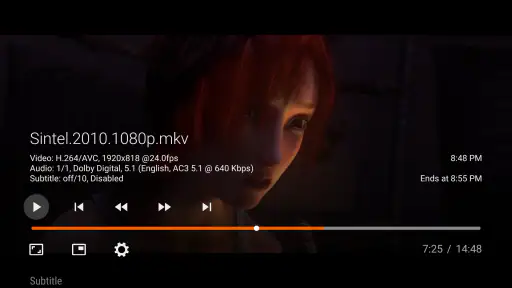
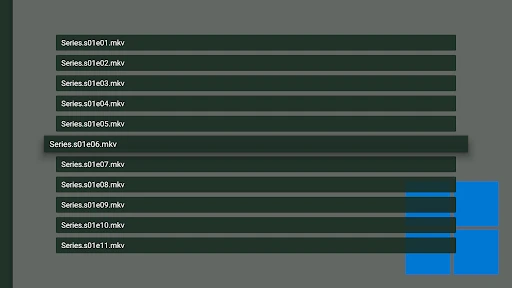
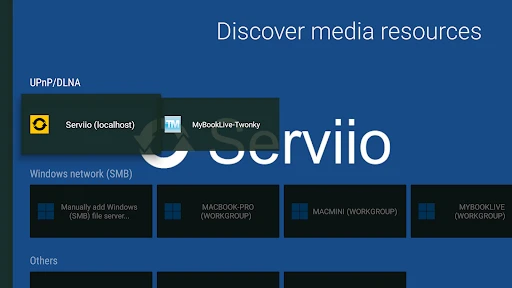
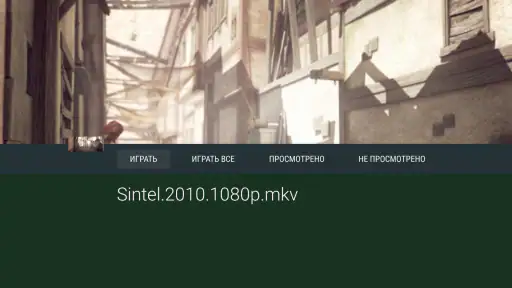
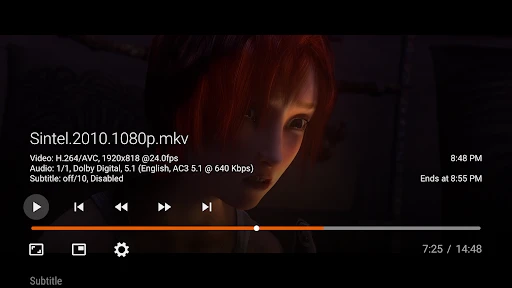
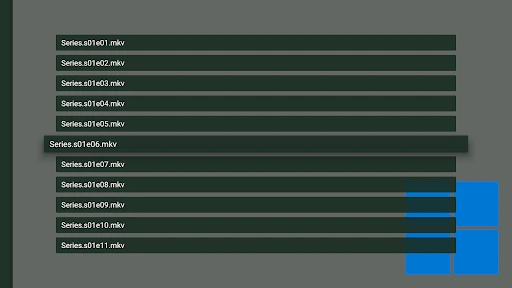
Analysis by Reviewed
I judge a TV media player by how well it fits into the way I already watch: can I get to my own video files without a fuss, and can I adjust playback when a film’s audio or subtitles need attention? Vimu Media Player for TV is aimed at that specific job. It makes the most sense for someone who wants a dedicated player on a television or set-top box, rather than another service for browsing and streaming a catalog.
Start with the way your media is stored
Before paying for any TV player, I’d check where the videos I want to watch actually live and how the television or box can reach them. A player can only be convenient if your files are already available through your setup. If they are scattered across devices or depend on a transfer routine you dislike, the friction may come from managing the collection rather than from the playback app.
I find it useful to think of this as a living-room tool, not a replacement for every way of watching video. The strongest case is a household with a personal collection that already has a sensible folder structure. Being able to browse that collection on the TV can make a saved film or home video feel immediately accessible, instead of turning a relaxed evening into a search through several services.
Getting Started with Vimu
Setting up the Vimu Media Player for TV was surprisingly straightforward. You simply download it from the app store on your smart TV or Android TV box. The installation process is quick, and the app doesn’t take up much space, which is always a plus. Once installed, it’s a matter of navigating its user-friendly interface to get your media loaded.
That TV-first focus is worth keeping in mind. On a large screen, the useful test is whether you can browse folders and control playback from the couch, not whether the app behaves like a phone video editor. If your videos are already organized on a device or storage location your TV setup can access, a dedicated player can be more direct than opening a streaming app and searching for a title you already own.
A User-Friendly Experience
From the moment you open Vimu, you’ll notice how intuitive it is. The layout is clean, and everything is exactly where you’d expect it to be. No more digging through endless menus to find your content. Instead, you can easily access your media library, browse through your folders, and get straight to watching.
One thing I love about Vimu is its support for a wide range of file formats. Whether you have MKV, MP4, AVI, you name it—Vimu plays it. This versatility means you don’t have to worry about converting files, which is a huge time-saver.
More From Our News Desk

Clash of Clans Is Won Between the Battles

Android Auto Makes the Case for Quieter Car Software

MobiOffice: Transforming Mobile Productivity with Seamless Integration

EA SPORTS FC™ Mobile Soccer: Redefining Mobile Sports Gaming

How Microsoft OneDrive Became a Mobile Productivity Giant

How Google Translate Breaks Language Barriers Effortlessly
A small but useful habit is to test one representative file before settling in for a long movie night. Try a file with the kind of picture and audio you commonly use, then check that subtitles and sound behave as you expect on your particular TV or box. Playback depends on the whole setup, so this quick check can save the frustration of discovering a mismatch halfway through a film.
Performance and Features
Performance-wise, Vimu is pretty solid. Videos play smoothly without the annoying buffering that can plague other media players. I’ve tried it on both high-speed Wi-Fi and a more modest connection, and the results were consistently good. Plus, the app supports hardware acceleration, which helps in maintaining the video quality without draining too much processing power.
Another standout feature is its subtitle support. For someone who watches a lot of foreign films, having reliable subtitle options is crucial. Vimu doesn’t disappoint here, offering easy integration with external subtitle files. You can even adjust the timing and font size to suit your preference.
That flexibility is especially helpful when a subtitle file is slightly out of sync: adjusting timing can be a better fix than abandoning the file or searching for a different copy. I’d also check font size from the usual viewing distance, since a setting that looks fine close to a screen may be hard to read from a sofa. These are practical controls, not just cosmetic extras.
Why TV controls matter more than a long feature list
On a television, small playback annoyances can become disproportionately distracting. A control that is easy to reach with the remote can make the difference between correcting a subtitle issue and giving up on the film. I’d spend a few minutes learning where the settings I use most often are, rather than waiting until a movie is already underway. That is particularly useful if more than one person in the household will be using the player.
There is a trade-off, though: a remote is not as quick for detailed browsing as a phone or computer. If you keep hundreds of loosely named files in deep folders, choosing something can still take patience. A simple naming and folder habit helps more than any playback setting: group films or home videos in a way that makes sense from the sofa, and keep related subtitle files easy to identify alongside the video.
Customization and Compatibility
Customization is another area where Vimu shines. You can tweak the audio settings, adjust the aspect ratio, and even change the interface themes. It’s these little touches that enhance the overall viewing experience, making it feel personalized to your tastes.
The app is compatible with most smart TVs and Android TV boxes, so you’re not limited to a particular brand or model. This flexibility is great because it means you can enjoy Vimu’s features without having to upgrade your entire setup.
Still, compatibility is not the same as a guaranteed fit for every home. The experience depends on the TV or box you use and how your media is made available to it. If you mainly watch through subscription services, or want an app that recommends shows and handles a complete streaming library, a mainstream streaming app is the more natural choice. Vimu’s appeal is local playback and control, not replacing those services.
Where it differs from everyday alternatives
The usual alternatives fall into two broad groups: the player already built into a TV or box, and streaming apps that provide their own catalogs. A built-in player may be enough if it opens your files and handles your regular subtitle and picture needs; there is little value in changing tools just to have another icon on the home screen. Vimu becomes more interesting when you want a player focused on browsing personal media and adjusting playback from the TV.
Streaming services solve a different problem. They make it easy to find something to watch without maintaining your own collection, but they do not serve as a universal front end for files you already have. I wouldn’t choose Vimu expecting recommendations, a subscription library, or a substitute for those services. Its value is narrower and clearer: it gives personal video playback a dedicated place in a TV setup.
Another practical distinction is that a phone-oriented player is not automatically a better living-room option. Touch controls are convenient in your hand, but couch viewing calls for an interface that can be operated at a distance. If most of your watching happens on a TV or set-top box, that change in context matters more than a crowded list of technical options.
Who Should Pay for a Dedicated Player?
Vimu is a paid app at $2.99, so I’d decide based on how often you play personal media on your TV. If you regularly watch downloaded films, home videos, or other files and value subtitle and picture adjustments from the sofa, paying once for a purpose-built player can be a reasonable trade. If you only watch an occasional clip, or your current TV player already handles your files comfortably, there may be little reason to switch.
For a realistic evening routine, imagine choosing a film stored among several folders, settling on the couch, then noticing the subtitles are too small or arrive a little late. A folder-based player and on-the-fly subtitle controls are useful in that moment because they address the problem without sending you back to a computer. The practical advantage is not that every file will behave perfectly; it is having playback controls suited to fixing common viewing annoyances.
I’d particularly consider it for someone who watches films in different languages, shares a TV with people who prefer different subtitle sizes, or keeps home recordings they want to revisit on a larger screen. I’d be less enthusiastic for a viewer who mostly watches short clips on a phone, relies entirely on streaming catalogs, or wants a media library to organize and recommend content automatically. Those are different needs, and a dedicated TV player is not an all-purpose answer.
What to Expect from the App
Vimu Media Player is developed by GTVBox.net and sits in the video player and editor category, though its TV-oriented role is firmly playback rather than editing. It has a 4.4 average from around 1.3 thousand ratings, with over 50 thousand installs. Those figures suggest an established audience, but they don’t tell me whether it will suit your particular hardware or file collection. The app is rated for Everyone, and version 11.01 requires Android 5.0 or later.
It was released on November 3, 2011, which gives it a long history as a media-player option. For me, the more useful question is whether its controls solve a problem I actually have: playing my own files on a TV, rather than streaming from a service. The price is easiest to justify when that is a regular part of your viewing, not a rare exception.
One question I’d ask before installing is whether the device I plan to use meets the Android requirement and can already access my media. Another is whether I need playback controls often enough to value a dedicated app, rather than relying on the player I already have. Thinking through those points makes the purchase decision less about a feature list and more about the actual routine in your home.
I’d also treat format support as a reason to try the files that matter to me, not as a promise that every combination of video, audio, and subtitles will behave identically on every television. The source file, device, and viewing setup all play a part. Testing a typical file early is a sensible way to find out whether the app fits your collection before depending on it for a planned viewing night.
My verdict for the living room
Overall, I’ve found the Vimu Media Player for TV to be a reliable and versatile app that enhances my media consumption. Whether you’re a casual viewer or a die-hard movie buff, Vimu offers features that cater to all types of users. Give it a try, and you might just find yourself wondering how you ever watched TV without it!
My recommendation is more specific than that closing enthusiasm might suggest: it is a sensible choice when personal files are a regular part of watching on a TV and you want useful control over subtitles and presentation. If your built-in player already does the job, keep using it; if you want a streaming catalog or automatic discovery, choose a service designed for that instead. For the right setup, Vimu is a focused tool that earns its place by making your own videos easier to watch from the couch.
Vimu Media Player for TV Frequently Asked Questions
Who develops Vimu Media Player for TV, and what is its age rating?
Vimu Media Player for TV is developed by GTVBox.net and is intended for a general audience, with an Everyone age rating. It is a video player and editor app made for TV-based media playback. If you are choosing an app for a shared household screen, that rating makes its intended audience easy to understand before you decide to install it.
Is Vimu Media Player for TV free to download?
Vimu Media Player for TV costs $2.99, so it is a paid app rather than a free download. The one-time purchase gives you access to a player designed for TV and set-top box use, with features such as broad media-format support and network streaming. Consider whether those playback options suit your setup before purchasing.
What is Vimu Media Player for TV and what platforms does it support?
Vimu Media Player for TV is a versatile media playback app designed for Android TV and Fire TV platforms. It offers seamless streaming capabilities and supports a wide range of audio and video formats. Users can enjoy their media content directly on their TV screens, making it a preferred choice for home entertainment.
Does Vimu Media Player support subtitles and multiple audio tracks?
Yes, Vimu Media Player for TV supports a variety of subtitle formats and multiple audio tracks. This feature allows users to enjoy media in different languages and with subtitles for better understanding. The app provides easy-to-use options to switch between audio tracks and subtitle settings, enhancing the viewing experience.
How user-friendly is the interface of Vimu Media Player for TV?
Vimu Media Player boasts a user-friendly interface tailored for TV screens, ensuring easy navigation with remote controls. The interface is intuitive, featuring large icons and clear menu options that make browsing through media libraries straightforward. Users appreciate the simplicity and speed with which they can access their favorite content.
Pros
- Supports multiple video formats
- User-friendly interface
- Customizable playback settings
- High-quality audio and video output
- Seamless streaming from network
Cons
- Limited subtitle support
- No offline download option
- Occasional playback glitches
- Requires in-app purchases
- Not compatible with all devices
- Category
- Video Players & Editors
- Version
- 11.01











