Uinto - Live Chat & Connect
- 0.00
- 0.0
- Installs
- 10.00K
- Price
- Free

Screenshots

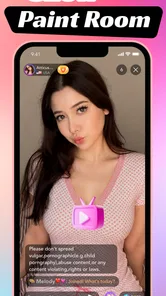
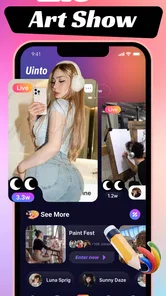
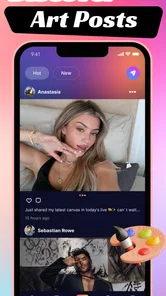

Analysis by Reviewed
I approached Uinto - Live Chat & Connect as a lightweight lifestyle app built around staying in touch and sharing creative activity from a phone. Its identity is easy to understand: it combines live conversation with an art-focused idea, rather than trying to be a full social network, a professional drawing suite, or a traditional messaging replacement. In my experience, that narrow direction is both its appeal and its main limitation.
The app comes from Hamza Munirr and is free to install, with optional purchases ranging from $0.99 to $99.99 per item. It is listed for Teen users, runs on Android 7.0 and later, and its current release is version 1.0.6. Those details make it accessible to many older Android phones, although the actual comfort of using a live communication app will still depend heavily on the phone, the connection, and the way you use it.
What matters most here is not simply whether the app opens. The real question is whether its connected experience fits your daily habits. If you want a simple place to combine conversation, video, and art sharing, it may be worth exploring. If you need a mature chat platform with a large established community, extensive controls, or dependable performance in weak-signal areas, I would be more cautious.
How Uinto feels when the connection is doing the work
The live side of the app naturally makes the network part of the experience. A conversation can feel immediate when messages, video, or shared creative content move smoothly, but that immediacy disappears quickly when the connection hesitates. I found that the app makes more sense when I treat it as a connected activity rather than as a private sketchpad that happens to include chat.
That distinction is useful before you install it. A drawing app normally lets me focus on the canvas first, while a conventional messenger puts people and messages at the center. Uinto sits between those expectations. The creative element gives a conversation something to do, yet the communication element means that the quality of the session depends on more than my own actions.
For a realistic everyday example, imagine taking a short break after work and wanting to show a friend a quick visual idea instead of explaining it in a long message. This is where the concept feels practical. A shared image or creative moment can communicate mood, direction, or a rough thought faster than text. The exchange becomes more personal than sending a standard reaction, without requiring the formality of a polished design project.
That use case also reveals an important trade-off. The app is better suited to spontaneous expression than to carefully managed communication. If the point is to send a fast visual response, its combination of art and conversation can feel natural. If the point is to organize a long discussion, preserve a detailed record, or manage a large group with precision, a dedicated messaging service may be the better tool.
More From Our News Desk

Weather by Xiaomi Review: Clear at a Glance, Less Clear Up Close

X Under Pressure: Can It Recover When Posting Goes Wrong?

Clash of Clans Is Won Between the Battles

Android Auto Makes the Case for Quieter Car Software

MobiOffice: Transforming Mobile Productivity with Seamless Integration

EA SPORTS FC™ Mobile Soccer: Redefining Mobile Sports Gaming
I would not judge it only by the short store wording. The useful question is how much of your interaction depends on seeing something happen in the moment. When the answer is “quite a lot,” a stable connection becomes part of the feature itself. When the answer is “not much,” the live emphasis may feel unnecessary compared with a normal image editor or text messenger.
Why mobile use changes the experience
Uinto is designed for the kind of interaction people usually start on a phone: a quick check-in, a visual reply, or a brief creative exchange while moving between other tasks. That makes its compact, immediate character appealing, but it also means I have to accept the limitations of a mobile screen. Fine creative work is harder with a fingertip than with a larger display, and switching between conversation and visual activity can feel less controlled than it would on a tablet or computer.
I found it most convincing in short sessions. A phone is excellent for capturing an idea before it disappears, responding while away from a desk, or sharing something informal with another person. It is less comfortable for extended, detail-heavy work where I want accurate control, a large working area, or a carefully organized project history.
That leads to a practical tip: decide what you want from a session before opening the app. If you are checking in with someone and want to add a quick visual touch, the mobile format works in its favor. If you are expecting a complete art workflow, prepare for a more constrained experience. The app’s value is in connecting expression with conversation, not necessarily in replacing advanced creative software.
The phone itself also matters. Older Android compatibility is helpful for people who do not have a recent device, but compatibility does not guarantee an equally smooth experience on every handset. Live communication, video, and creative interaction can place different demands on a device. I would keep other heavy apps closed during an important session and avoid beginning a time-sensitive exchange when the phone is already struggling.
Another mobile habit worth adopting is checking the screen before starting a live interaction. A bright, busy environment can make small visual details difficult to judge, while a quiet room makes conversation easier to follow. This sounds simple, but Uinto’s mixed format means that both the visual side and the communication side affect whether a session feels comfortable.
What happens when the network is unreliable
The most important limitation is that a live application cannot separate itself completely from network conditions. A weak or changing signal can interrupt the rhythm of a conversation, delay a visual exchange, or make video less pleasant to use. I would not begin an important conversation assuming that every moment will remain perfectly continuous, especially while traveling or moving between coverage areas.
My preferred approach is to keep the first interaction low-pressure. Try a short exchange before planning a longer session, and notice whether messages or shared content arrive consistently. This gives you a realistic sense of how the app behaves in your normal locations instead of relying on how it performs in a strong home connection.
When something fails, the best recovery habit is patience rather than repeated tapping. Sending the same action several times can create confusion if the connection catches up later. I would wait, check whether the app has visibly responded, and then retry once. If the session remains unstable, leaving the live activity and returning later is often more sensible than turning a small network problem into a series of duplicate actions.
This is also where expectations matter. I see Uinto as an app for connected moments, not as a dependable replacement for every form of communication. If a message is urgent, I would use the communication method I already trust most. If the creative exchange is casual, a brief interruption is easier to accept.
Recovery is not only about the network. A phone call, notification, low battery, or accidental app switch can break concentration. Before starting a longer session, I would close distractions, make sure the phone has enough charge, and use a reliable connection. These small preparations are especially useful because the app’s appeal depends on maintaining a shared moment rather than completing an isolated task.
Using it without wasting mobile data
Because the app brings together live communication and video-oriented interaction, I would be careful with mobile data when away from Wi-Fi. I would reserve longer sessions for a trusted wireless connection and use mobile data for shorter exchanges when possible. That is not a criticism unique to Uinto; it is a sensible habit for any app where visual and live content may be involved.
A useful workflow is to separate planning from the live moment. Think through what you want to show or say before starting, rather than opening a session and spending time deciding what to do. This reduces idle connection time and makes the exchange feel more purposeful. It also helps on a smaller screen, where preparation can prevent unnecessary back-and-forth.
I would also avoid assuming that a free installation means every part of the experience is free. The app includes optional purchases, with individual items priced from $0.99 to $99.99. That is a wide range, so I would review each purchase carefully before confirming it, particularly if a younger person is using the device. The Teen content rating is a useful signal about the intended audience, but it does not replace personal judgment about communication and spending.
For families, the practical question is not only whether a teenager can install the app. It is whether the household is comfortable with a live social environment, video-related interaction, and optional spending. I would discuss those expectations in advance and use the device’s purchase controls where appropriate. That creates a clearer boundary than discovering the cost structure after a purchase has already been attempted.
Data-conscious use also means being selective about when the app adds value. If I only need to send a plain sentence, a standard messenger may be quicker and lighter. If a visual response is the point, the extra connected activity becomes easier to justify. In other words, Uinto is most efficient when I use its distinctive combination deliberately rather than opening it for every small message.
Where it stands beside familiar alternatives
Compared with a conventional chat app, Uinto feels more expressive and less purely transactional. A normal messenger is usually the safer choice when I need a broad contact list, established conversation habits, or a straightforward text-first exchange. Uinto becomes more interesting when the visual and artistic element is central to the interaction.
Compared with a dedicated drawing app, it puts more emphasis on sharing and connection than on detailed creative control. A specialist art tool will generally be the more sensible choice for serious illustration, precision work, or a project that needs a deep editing workflow. Uinto’s advantage is the moment of expression between people, not the promise of replacing a professional canvas.
Compared with a video-first social platform, its appeal is more focused. It does not need to compete on endless public discovery to be useful in a small, personal exchange. That can make the experience feel less overwhelming, but it also means the app may seem limited to someone looking for a large entertainment feed or a fully developed social ecosystem.
One of the less obvious trade-offs is that the app’s simplicity may be valuable precisely because it narrows the purpose. There are fewer reasons to wander if I open it with a specific person and a specific creative idea in mind. On the other hand, users who expect a complete collection of social tools may interpret that same focus as a lack of depth.
Who should try it, and who should skip it
I think Uinto is a good match for people who enjoy informal visual communication, want to make conversations more personal, and are comfortable with a connection-dependent experience. It may also suit someone looking for a low-commitment way to experiment with sharing art rather than publishing finished work to a large audience.
I would recommend it cautiously to parents and younger users. The Teen rating places it in an older youth category, while the live nature of the concept makes it sensible to think about who the user may interact with and how purchases are handled. The app can be enjoyable in a guided, familiar setting, but I would not treat any live social app as something that needs no supervision or discussion.
I would skip it if your priority is offline creative work, a highly advanced art tool, or a mature communication platform with a long list of established features. I would also look elsewhere if you regularly use the app in places with unreliable coverage and cannot tolerate interruptions. The concept depends too much on connected immediacy for those conditions to be minor details.
The install base is already over ten thousand, which suggests that the app has reached an initial group of Android users, but I would not mistake that for proof that it will fit every social circle. An app centered on connection is much more useful when the people you want to reach are willing to use it too. Before committing to it as a main communication tool, I would test whether your intended friends or family members actually find the creative angle worthwhile.
My practical routine for getting more from it
I would begin by using the app for one clearly defined purpose: a short visual exchange with someone I already know. That makes it easier to judge the quality of the live interaction without confusing the result with the pressure of learning several functions at once.
Next, I would compare the same task with my usual messenger and drawing app. If Uinto lets me communicate an idea more naturally or makes the exchange more enjoyable, it has earned a place in my routine. If it takes longer and adds little beyond what I already have, I would keep it as an occasional option rather than a daily essential.
I would also establish a connection rule. Use Wi-Fi for longer video-oriented sessions, keep mobile-data exchanges brief, and avoid starting when the signal is changing rapidly. This does not guarantee perfect performance, but it reduces the most predictable sources of frustration.
Finally, I would keep purchases intentional. Since optional items can cost substantially more than a casual impulse purchase, I would read the confirmation screen carefully and avoid treating every extra as necessary. The free entry point is useful for trying the concept, while the purchase range makes a little caution worthwhile.
After spending time with it, my view is that Uinto - Live Chat & Connect is an interesting lifestyle app with a specific purpose rather than an all-purpose communication solution. Its strongest idea is bringing artistic expression into a live exchange, especially when two people want something more personal than text but less formal than finished artwork.
The connection requirement shapes nearly every judgment. On a reliable network and in short mobile sessions, the app can feel immediate, friendly, and different from the usual alternatives. In poor coverage, during extended use, or when I need advanced creative control, its limitations become much more visible.
My recommendation is to try it as a focused companion for casual art sharing and conversation, not as a replacement for your main messenger or professional drawing software. If that narrow role matches what you want, the free installation makes experimentation easy. If you need reliability above all else, or if your preferred experience is offline and highly controlled, another category of app will serve you better.
Uinto - Live Chat & Connect Frequently Asked Questions
What does Uinto - Live Chat & Connect offer beyond chatting?
Uinto is a Lifestyle app with the short description “Uinto” and a store summary that highlights painting, video, and sharing art. That makes its presentation broader than a chat tool alone: creative content is part of its stated focus. If you are mainly looking for social communication, the live-chat features may be the most relevant part, while the art-related features may appeal if you also enjoy sharing creative work.
Which devices can run Uinto - Live Chat & Connect?
Uinto is available for Android devices running Android 7.0 or later. Before downloading, check your device’s operating system version in its settings to make sure it meets that requirement. The app is also offered for iOS, so iPhone users should check the app’s compatibility details in the iOS app store before installing. Keeping your device’s software current can also help avoid common installation or performance issues.
What is Uinto - Live Chat & Connect, and how does it work?
Uinto - Live Chat & Connect is a social communication app designed for meeting people, starting conversations, and building new connections online. After creating a profile, users can typically browse available members, discover people with similar interests, and use live chat features to communicate. The experience depends on the community in your region, so activity levels and available interactions may vary.
Is Uinto - Live Chat & Connect free to download and use?
The app is free to download, but some features may be limited to free users. Uinto offers optional in-app purchases, with items ranging from $0.99 to $99.99. Before confirming a purchase, review the price and terms shown in the app store and inside the application so you understand what you are buying and whether it is a one-time purchase or an ongoing charge.
Is Uinto safe for meeting and chatting with new people?
Uinto includes the usual risks associated with social and live-chat platforms, because conversations may involve people you have never met. Avoid sharing your address, passwords, financial details, private documents, or sensitive photographs. Use blocking and reporting tools when available, keep conversations within the app, and arrange any real-life meeting only in a public place while informing someone you trust.
Pros
- Quick way to meet people through live conversations.
- Supports spontaneous interactions with users worldwide.
- Simple interface makes browsing chats easy for newcomers.
- Live format can feel more engaging than traditional messaging.
- Useful for discovering different personalities and interests.
Cons
- Chat quality may vary significantly between users.
- Public interactions can expose you to unwanted messages.
- Some features may require in-app purchases or subscriptions.
- Finding meaningful connections can take time and patience.
- Requires careful privacy settings when sharing personal details.











