TV Remote App for All TV
- 29.00
- 3.2
- Installs
- 1.00M
- Price
- Free

Screenshots
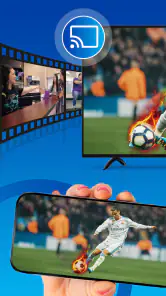
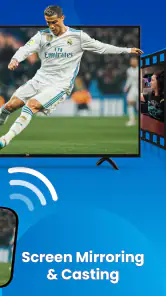
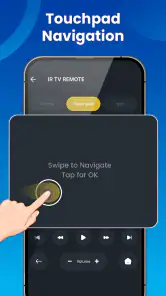
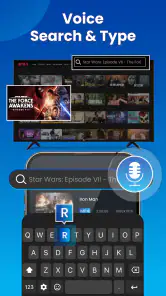
Analysis by Reviewed
Ever found yourself in one of those moments when you just can't find the TV remote, right when your favorite show is about to start? 🤦♂️ We've all been there! Luckily, with the TV Remote App for All TV, those frantic searches under the couch cushions are a thing of the past.
Before reaching for your phone
I see the appeal most clearly when the remote is missing, out of reach, or being used by someone else. This is a free House & Home app from FutureAppsTechnology, with a 3.2 average from around 2,600 ratings and over a million installs. It is rated for Everyone, though in-app purchases range from $0.99 to $99.99 per item, so I would check any purchase screen carefully before proceeding.
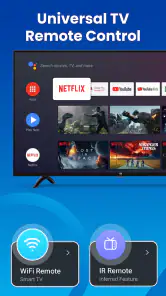
The practical question is whether a phone can communicate with your particular television. The app’s summary describes control for smart TVs and infrared devices, but those are different routes: a smart TV may be controlled over a shared network, while infrared control depends on the phone having suitable IR hardware. Before relying on it for movie night, I would check which connection method applies to my phone and TV rather than assuming every combination works the same way.
A sensible first test at home
I would begin at a quiet moment rather than discovering a compatibility problem just as everyone is waiting for a program to start. Keep the television’s own remote within reach, open the app, and try one simple command at a time. A volume adjustment is a useful first test because it makes the result obvious without changing settings or interrupting what is on screen. If that works, try navigation; if it does not, stop and check the selected TV and connection method before repeating the same tap.
This small trial also answers a practical question: can the app serve as a dependable backup in this household, or is it only useful for occasional convenience? I would not put the physical remote away after one successful command. Test again later, ideally after leaving the app and returning to it, so the phone is not being judged only under the easiest possible conditions. The app’s usefulness depends on the path between the phone and the TV, and that path is more important than a promising first screen.
Getting Started with the App
Installing the TV Remote App for All TV is as easy as pie. Available for both Android and iOS, you just need to head over to your respective app store, search for the app, and hit install. The app is lightweight, meaning it doesn’t hog your phone's storage, which is always a plus in my book!
Compatibility and Setup
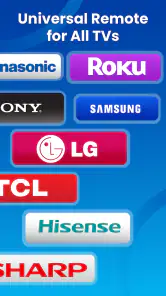
One of the first things I noticed is how compatible this app is with a wide range of TV brands. Whether you've got a Samsung, LG, Sony, or a more obscure brand, this app supports them all. Setting it up was a breeze—within minutes, I had it connected to my TV via Wi-Fi, and it was just like having the actual remote in my hand. No more worrying about battery replacements!
More From Our News Desk

Weather by Xiaomi Review: Clear at a Glance, Less Clear Up Close

X Under Pressure: Can It Recover When Posting Goes Wrong?

Clash of Clans Is Won Between the Battles

Android Auto Makes the Case for Quieter Car Software

MobiOffice: Transforming Mobile Productivity with Seamless Integration

EA SPORTS FC™ Mobile Soccer: Redefining Mobile Sports Gaming
For a less frustrating first run, I would keep the physical remote nearby while testing. Confirm that the TV is powered on, then try a basic action such as changing volume before depending on more involved navigation. If the phone and TV are meant to communicate over Wi-Fi, putting them on the same home network is a sensible first check when the television does not appear or respond. These small checks help distinguish a setup problem from a limitation of the connection method.
Features That Stand Out
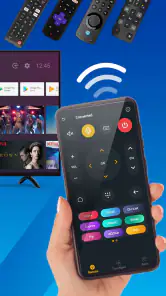
The app boasts a plethora of features that make it stand out from the crowd. From a user-friendly interface to quick access buttons for volume and channel control, everything feels intuitive. The app also includes a voice command feature, which is super handy when you're feeling a bit lazy. "Hey TV Remote, play the latest episode of my favorite show," and voila! It's like having a personal assistant just for your TV.
Another neat feature is the touchpad control, which allows for seamless navigation through smart TV menus. It's pretty cool how smooth and responsive the touchpad is, making browsing through apps and settings a cinch. The app also supports multiple TVs, so if you have more than one set, you can effortlessly switch between them with just a tap.
Choosing the right control for the task
The quickest way to get value from a phone remote is to match the control style to the job. I would reach for the volume and channel buttons for a small adjustment, use touch navigation when moving through a menu, and try voice control when I already know what I want to ask for. Browsing is different from issuing a direct command: when I am unsure which menu item I need, a touchpad gives me room to look around instead of guessing at a phrase.
There is a trade-off in using a phone as the controller. It gives me one device that is usually close at hand, but I have to unlock it, find the app, and make sure I am controlling the right television. That can be more steps than picking up a physical remote that is already on the table. The phone option makes the most sense when the physical controller is missing or inconvenient, not when every extra tap would be annoying.
Making the handoff work at home
A useful everyday workflow is to use the phone for a quick adjustment, then hand it back to its owner instead of passing around the TV remote. For example, if someone is settling in with snacks while another person has the physical remote, I can use the app to lower the volume or navigate a menu without interrupting them. With more than one television, I would label or identify the intended set carefully before sending commands; otherwise, switching between devices can become the very source of confusion the app is meant to avoid.
Voice control and touch navigation are most valuable in different situations. Voice can save time when I know what I want, while a touchpad is better when I need to browse menus and make a deliberate selection. Neither replaces every button on a physical remote equally well, so I would treat the phone as a convenient alternative for common tasks, not assume it will be the best tool for every television function.
A realistic evening workflow
Imagine I have settled on the sofa and realize the remote is across the room, while another person is already using it to navigate. I can use the app for the limited job at hand—adjusting the sound or helping move through a menu—then let the person holding the physical remote continue. If the TV is in another room, I would first confirm the intended device in the app rather than firing off a command and hoping it reaches the right screen. That extra pause is worthwhile in a home with several sets.
For a shared household, the best handoff is often conversational: one person keeps the physical remote for detailed browsing, while another uses the phone for a quick change. This avoids turning the app into a contest over who controls the screen. It is also a useful way to judge whether the phone interface fits the family’s habits. If people keep asking whose phone is connected or which TV is selected, the original remote may be the simpler shared tool.
Performance and Reliability
In terms of performance, the app is rock solid. I've used it for hours on end without any hiccups or lag. The connection between the phone and the TV is stable, ensuring that commands are executed swiftly and accurately. Not to mention, it’s a lifesaver during family gatherings when everyone wants to watch something different. You can easily switch channels without having to wrestle for the remote!
My main caution is that reliability depends on the connection between the phone and the television, so I would test the controls before putting the original remote away. If a command does not register, check that the correct TV is selected and revisit the connection setup rather than repeatedly tapping buttons. A traditional remote is still the safer choice when a television is not compatible with the phone’s available control method, or when I need a dependable physical button without unlocking and handling my phone.
How it compares with the usual alternatives
The obvious alternative is the remote that came with the television. It remains the better choice for someone who wants tactile buttons, quick access without unlocking a phone, and no need to think about which control method is available. A replacement remote is also a more straightforward option when the original is broken or missing for good. I see this app as a backup and convenience layer, rather than a reason every household should abandon its existing controller.
Compared with a TV maker’s own remote app, a universal-style option has an appealing purpose: it aims to bring control of different televisions into one phone app. That is useful if the household has mixed equipment or if I want to try one interface before installing separate apps. The trade-off is that an app designed to work broadly may not offer the same tailored experience as a manufacturer’s tool for one specific model. If a particular TV app reliably handles the functions I use most, there may be little reason to switch.
Who will get the most from it?
I would recommend trying this app if you regularly misplace the remote, want a backup for basic controls, or manage more than one TV from the same phone. It is less compelling if your existing remote works reliably, you dislike using a phone while watching, or you need guaranteed control of a device that has not been tested with your setup. The app is free to install, but the listed in-app purchase range makes it worth being attentive to any optional paid features.
It may also suit someone who wants to help a family member with a simple adjustment without taking the remote out of their hands. On the other hand, I would skip it as a primary controller if I need a reliable solution for a TV that cannot be tested in advance, if the phone lacks the hardware needed for the relevant infrared route, or if a shared physical remote is already easy to find and use. Convenience is personal here: adding an app is only an improvement when it removes more friction than it creates.
If I were choosing whether to keep it, I would judge it on a short list of ordinary tasks rather than on the number of controls visible at first glance. Can I reconnect or select the right set when I need it? Do the basic commands respond in the room where I watch TV? Does touch navigation make menu browsing easier, or does it feel less direct than the original remote? Those answers matter more than trying every control in one sitting, and they give a household a fair basis for deciding whether the app deserves a regular place on the phone.
The current version is 1.4.5 and requires Android 7.0 or later. That gives Android users a straightforward compatibility check before installing. The listing also identifies a December 23, 2024 release, while the modest 3.2 average rating suggests I would approach it with practical expectations: test the basics first and judge the connection with my own TV rather than assuming the same experience for every household.
Overall, the TV Remote App for All TV has revolutionized the way I interact with my television. It's convenient, versatile, and a must-have for anyone looking to simplify their home entertainment setup. If you're tired of losing your remote or just want to try something new, give this app a shot. Trust me, your couch cushions will thank you. 😉
TV Remote App for All TV Frequently Asked Questions
Does the TV Remote App for All TV work with infrared devices as well as smart TVs?
Its description presents it as a remote for smart TVs and infrared devices, so it may suit more than a Wi-Fi-connected television. Infrared control depends on compatible hardware, so check that your phone or setup can send infrared signals before relying on it. For smart-TV control, the app’s setup and connection requirements may differ from those for infrared use.
What should I check before downloading the TV Remote App for All TV?
Check that your phone meets the app’s operating-system requirement and consider whether you want to use its free features or make in-app purchases. The app is free to download, but optional purchases are available. It is rated for Everyone, and its House & Home category reflects its practical role in controlling televisions and related devices.
What devices are compatible with the TV Remote App for All TV?
The TV Remote App for All TV is designed to be compatible with a wide range of smart TVs and streaming devices from popular brands such as Samsung, LG, Sony, and Roku. It also supports Android and iOS platforms, ensuring that users with various smartphone models can utilize the app to control their TV seamlessly.
How do I set up the TV Remote App for All TV with my television?
Setting up the TV Remote App for All TV is straightforward. First, ensure that both your smartphone and TV are connected to the same Wi-Fi network. Then, open the app and follow the on-screen instructions to pair it with your TV. The app will automatically detect compatible TVs and guide you through the setup process.
Is the TV Remote App for All TV free to use?
The TV Remote App for All TV offers a free version with basic functionalities, allowing users to perform essential tasks like changing channels and adjusting volume. However, for advanced features such as screen mirroring and voice control, users may need to purchase a premium subscription, which enhances the overall user experience. Optional in-app purchases range from $0.99 to $99.99 per item.
Pros
- Compatible with most TV brands.
- User-friendly interface design.
- Quick setup process.
- Supports voice commands.
- Customizable remote layout.
Cons
- Contains ads in free version.
- Limited features in free version.
- Occasional connectivity issues.
- Requires stable Wi-Fi connection.
- No support for older TV models.
- Category
- House & Home
- Version
- 1.4.5









