Turning Point Ministries
- 2.01K
- 4.9
- Installs
- 500.00K
- Price
- Free

Screenshots
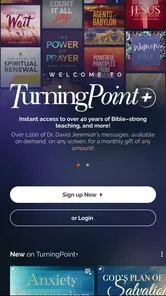
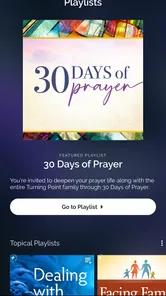
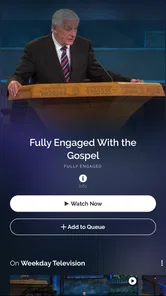
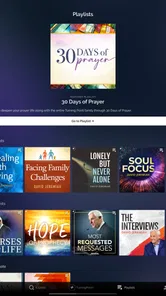
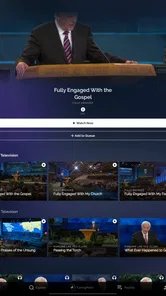
Analysis by Reviewed
If you are looking for a simple way to keep up with Dr. David Jeremiah’s Christian teaching, Turning Point Ministries is a focused lifestyle app worth considering. I found its appeal less in having a huge collection of unrelated tools and more in putting recent messages from Turning Point Ministries in one place. That narrow purpose makes the app easy to understand from the beginning: install it, open it, find a message, and decide whether its style fits the way you like to spend time with devotional content.
The app is developed by Turning Point for God, Inc., and it is free to install. It is aimed at a Teen audience, so I would still encourage families to use their own judgment about which messages are suitable for younger listeners. The overall experience feels designed for people who already know Dr. David Jeremiah, as well as for newcomers who want to explore his teaching without starting with a complicated religious media platform.
What to expect when you open Turning Point Ministries
The first thing I would set expectations about is the app’s scope. This is not a general-purpose Bible study suite, a social network, or a broad entertainment service. Its central value is access to recent messages from Dr. David Jeremiah. If that is what you want, the focused design is helpful. If you are expecting extensive note-taking, group discussion, multiple teachers, or a large set of unrelated spiritual tools, you may find it more limited than a full Bible app.
I like that the purpose is clear. Many faith-based apps try to combine reading plans, daily verses, podcasts, radio, community features, and shopping into one crowded menu. Turning Point Ministries takes a more direct route. You come to it for teaching, and the first meaningful goal is simply finding a message that speaks to your current interest or situation.
The app has been available since December 5, 2011, which gives it a long presence compared with many newer mobile services. Its current version is 26.1.7, and it supports devices running Android 7.0 or later. That older minimum requirement is useful if you are using a phone that is not recent, although the exact feel of the app will naturally depend on your device and operating system.
Its audience is also reflected in its store performance: it holds a 4.9 average from around 9.2 thousand ratings, with roughly 2 thousand written reviews and more than 500 thousand installs. I would treat those figures as a sign of strong satisfaction among its audience, not as proof that every listener will enjoy the presentation. Religious teaching is personal, and the speaker’s delivery, interpretation, and pacing matter more than a rating alone.
My practical advice is to approach the app with one clear question in mind. Are you trying to hear recent teaching from this particular ministry, or are you searching for a general Christian resource? Turning Point Ministries is much better suited to the first need. Knowing that before installation prevents the most common disappointment: expecting a complete replacement for every other faith app on your phone.
More From Our News Desk

Weather by Xiaomi Review: Clear at a Glance, Less Clear Up Close

X Under Pressure: Can It Recover When Posting Goes Wrong?

Clash of Clans Is Won Between the Battles

Android Auto Makes the Case for Quieter Car Software

MobiOffice: Transforming Mobile Productivity with Seamless Integration

EA SPORTS FC™ Mobile Soccer: Redefining Mobile Sports Gaming
Who will get the most from it
I think the app is a good match for listeners who already enjoy Dr. David Jeremiah’s messages and want a convenient place to return to them. It can also suit someone who has heard a broadcast or recommendation and wants an easy first step into the ministry’s content. The focused catalog gives a newcomer a manageable starting point instead of forcing them to choose from an overwhelming range of teachers and formats.
It is especially practical for people who prefer listening during ordinary parts of the day. You might use it during a quiet morning, while preparing dinner, or during a personal reflection period. The important benefit is not that it transforms every spare minute into a study session; it is that the app lowers the effort needed to begin one.
I would be more cautious about recommending it to someone who wants a structured reading plan with progress tracking, detailed cross-references, or a large library of translations. A dedicated Bible app may be a better choice for those needs. Likewise, if you want live conversation with other users, the focused ministry format may feel solitary.
Getting through the first setup without overthinking it
Installation should be straightforward for a compatible Android device. Because the app is free, you can try the basic experience without making a purchase at the start. That matters for first-time users: there is no need to decide immediately whether you want to spend money before discovering whether the content and presentation suit you.
One detail worth keeping in mind is that in-app purchases are listed from $4.99 to $49.99 per item. I would not treat those optional purchases as part of the basic decision to test the app. First open the free experience and see whether it gives you the access you came for. Only then should you consider whether any paid material or support option is relevant to your personal use.
During setup, I recommend resisting the urge to browse aimlessly. Start by looking for the most recent message or the clearest entry point available in the app. The store’s main promise is immediate access to recent messages, so that is the path most likely to produce a useful first session. You do not need to understand every area before listening to something.
A helpful habit is to decide in advance how much time you have. If you have only ten minutes, choose a message you can sample without feeling that you have failed to complete a full session. If you have a longer quiet period, give the teaching enough attention to judge its tone and depth. This small choice makes the app feel less like another task and more like a resource you can fit around your day.
I also suggest checking your device’s sound before starting. That sounds obvious, but spoken-word content is much harder to assess when the volume is low or background noise is competing with the speaker. Headphones can help in a busy setting, while your phone speaker may be enough in a quiet room. The best first impression comes from listening in conditions where the message is easy to follow.
Your first meaningful success
For me, the first successful action with Turning Point Ministries is not completing a profile or exploring every menu. It is finding a message and listening long enough to decide whether I would return. That gives the app a clear test. If you can move from opening the app to engaging with a relevant message without confusion, it has already done its main job.
Try this simple first-session workflow:
Open the app and look for the most recent available message rather than browsing every category at once.
Choose a quiet moment and listen to enough of the message to understand the speaker’s approach.
Notice whether the subject connects with what you wanted from the app today.
If it does, return later and make the app part of a regular listening routine instead of treating it as a one-time download.
This workflow is useful because it tests both content and convenience. A message can be valuable, but if you cannot comfortably fit it into your routine, you may not use the app consistently. Conversely, a smooth interface cannot compensate for teaching that does not match your beliefs or preferred style. The first session should help you judge both sides.
One non-obvious advantage of a focused ministry app is that it can reduce decision fatigue. When I open a general video or podcast service, I may spend more time comparing thumbnails than listening. With Turning Point Ministries, the ministry identity gives the search a boundary. That is helpful when I want a deliberate listening session rather than endless recommendations.
A realistic everyday example would be a Sunday afternoon when you want to reflect but do not want to build a study plan from scratch. I would open the app, choose a recent message, and listen while sitting with a notebook or simply taking a quiet break. Afterward, I might write down one idea that stood out. The app does not need to manage that entire process; its value is giving me a direct starting point.
How to make the app part of a routine
The strongest use case is consistency. Instead of opening it only when you feel especially motivated, attach it to a routine that already exists. A morning coffee, a commute when you are not driving, or a quiet evening can become a natural reminder. I prefer this approach to setting an ambitious schedule that turns devotional listening into another obligation.
Another useful approach is to match the message length and subject to your available attention. When you are tired, a complicated or lengthy teaching may be difficult to absorb. On a day when you can concentrate, you may appreciate giving the message more space. The key trade-off is that the app offers access to teaching, but you still have to choose the right moment and environment for it.
If you listen while traveling, remember to keep safety first. I would never interact with the app while driving. Set up what you want before leaving, or use it only when you are a passenger and can pay attention appropriately. This is a small but important distinction for any spoken-content app.
For personal reflection, I found it more useful to write one or two questions before listening rather than trying to capture every sentence. For example, you might ask what encouragement you need today or what part of your faith you want to examine. This turns a passive listening session into a more intentional one without pretending that the app itself provides a complete study system.
Common points of confusion and honest limitations
The first possible confusion is assuming that “recent messages” means the same thing as a full archive. The app’s clearest identity is current access to Dr. David Jeremiah’s messages, so I would not install it expecting the organization and breadth of a general-purpose media library. If your priority is exploring many speakers or comparing interpretations, another platform may serve you better.
A second point is the difference between free access and optional purchases. Since the app is free, it is easy to assume every part of the experience must be completely without cost. The listed in-app purchase range shows that some items may require payment. My recommendation is simple: use the free portion first, read each purchase screen carefully, and only buy something when you understand what it adds to your experience.
The Teen content rating is another reason to use personal judgment. It does not tell me how every individual message will land with every family, and it should not replace parental guidance. Adults choosing the app for a household should listen or preview material themselves when age suitability matters.
Some users may also confuse a ministry app with a replacement for pastoral care, counseling, or a local church community. I would not use it as the only answer for a serious personal crisis. Listening to a message can offer encouragement and perspective, but it is not the same as speaking with a trusted pastor, counselor, or qualified professional when direct support is needed.
The focused design can be both a strength and a weakness. It keeps the purpose clear, but it may feel narrow if you want built-in tools for highlighting, journaling, reading plans, or community interaction. My workaround would be to pair it with a notes app or a physical notebook, but that means accepting a two-app workflow. For someone who wants everything in one place, a broader Bible platform may be more convenient.
There is also a personal-style trade-off. Even a highly rated app cannot guarantee that the speaker’s pace, vocabulary, or interpretation will match your preferences. I would give the first message a fair listen, but I would not force myself to continue simply because the rating is high. The right app is the one that helps you engage thoughtfully, not the one with the most impressive public score.
How it compares with familiar alternatives
Compared with a general podcast app, Turning Point Ministries is more focused but usually less flexible as a discovery environment. A podcast service may make it easier to combine several teachers, save unrelated programs, and manage a broad listening queue. Turning Point Ministries is preferable when you want to stay close to this ministry’s own messages without sorting through a larger audio ecosystem.
Compared with a Bible app, the difference is even clearer. Bible apps are generally built around text, translations, reading plans, search, and study tools. This app is better understood as a direct doorway to ministry teaching. If you want to read a passage and compare translations, choose the Bible app. If you want to hear recent messages from Dr. David Jeremiah, this dedicated option is the more natural fit.
Compared with watching religious videos on a general video platform, the dedicated app can feel more purposeful. A broad video service may offer more visual variety, comments, and recommendations, but it can also pull you away from your original intention. Turning Point Ministries makes sense when you want a quieter, more defined route to the ministry’s content rather than a stream of unrelated clips.
My practical recommendation is not necessarily to choose only one. I can imagine using a Bible app for reading and cross-references, a notes tool for reflection, and Turning Point Ministries for listening. That combination is less convenient than an all-in-one application, but it may be better for someone who values each tool’s specific strength.
The next step after your first message
After the first successful session, decide whether you want occasional access or a routine. Occasional listeners can open the app whenever a recent message catches their interest. Regular listeners should choose a realistic rhythm and keep it simple. Even one attentive session is more useful than downloading several spiritual apps and never opening any of them.
If you enjoyed the teaching, explore the app with a purpose rather than tapping through every available area. Look for another recent message that connects with a question you are already carrying. This is one of the most effective ways to avoid passive scrolling: let your need guide the selection.
If the first message did not suit you, I would not immediately conclude that the entire app is unusable. Try a different subject or listen at a better time of day. Spoken teaching can feel very different when you are distracted, rushed, or tired. At the same time, do not ignore a consistent mismatch in theology or presentation. The app is not the right choice simply because it is free and well rated.
For users concerned about purchases, keep the free experience as your baseline. You can decide later whether a paid item is worthwhile, but there is no reason to make that decision before you know that the app belongs in your routine. This is especially important for first-time users who may be exploring the ministry rather than arriving as long-time followers.
Turning Point Ministries has a clear identity, and that clarity is its biggest advantage. It gives listeners a direct way to engage with Dr. David Jeremiah’s recent messages without requiring them to navigate a large, general-purpose platform. The trade-off is that it does not aim to be every kind of Christian app at once.
My final view is positive, with a specific recommendation: try it if your main goal is focused access to this ministry’s teaching, and judge it through one real listening session rather than through the download page alone. Skip it if you need extensive Bible-study tools, broad multi-speaker discovery, or built-in community features. For the right listener, the best reason to install Turning Point Ministries is its direct path from opening the app to hearing a message that can fit into ordinary life.
As a free lifestyle app from Turning Point for God, Inc., it is easy to test without a major commitment. Its long availability, strong user response, and current support for Android 7.0 or later make it accessible to many users, while the Teen rating and optional in-app purchases are details worth considering before making it part of a family routine. I would recommend starting small: open it, choose a recent message, listen attentively, and then decide whether this focused approach genuinely helps you.
Turning Point Ministries Frequently Asked Questions
How much storage space does Turning Point Ministries need?
If your phone is close to full, it is sensible to check available storage before installing Turning Point Ministries. The app gives access to messages and other ministry resources, and streaming audio or video can also use temporary space while it plays. The amount needed may vary with your device and how you use the app, so keeping some room available can help avoid interruptions.
Which devices can run Turning Point Ministries?
Turning Point Ministries is available for Android and iOS devices, making it an option for users who want to access the ministry’s content on a phone or tablet. On Android, the app requires version 7.0 or later. Check that your device meets the relevant system requirements before downloading, and keep the operating system and app updated for the best compatibility.
What is the Turning Point Ministries app?
Turning Point Ministries is a Christian media app connected with the ministry of Dr. David Jeremiah. It provides access to sermons, Bible teaching, devotionals, podcasts, videos, articles, and other faith-based resources. The app is designed for users who want to study Scripture, listen to encouraging messages, and follow Turning Point content from a mobile device wherever they are.
Is Turning Point Ministries free to download and use?
The app is free to download, and many of its sermons, broadcasts, devotionals, and other resources can be accessed without a subscription. It also offers in-app purchases, with individual items priced from $4.99 to $49.99. Users should remember that streaming audio and video can consume mobile data unless they are connected to Wi-Fi.
What kind of content can I find in Turning Point Ministries?
After exploring the app, users can expect a broad selection of Christian teaching materials, including Bible-based sermons, radio and podcast episodes, video programs, daily devotionals, articles, and ministry updates. Content typically focuses on practical faith, biblical understanding, encouragement, and spiritual growth. Availability may vary by platform, location, and app updates.
Pros
- Clear
- Bible-centered teaching from a trusted Christian ministry.
- Large library of sermons
- devotionals
- and Bible study resources.
- Content is available for convenient on-demand listening and viewing.
- Helpful materials for personal study
- reflection
- and spiritual growth.
- Regular ministry content keeps the app useful for returning users.
Cons
- The app’s Christian focus may not suit users seeking broader religious content.
- Some resources may require a stable internet connection to stream smoothly.
- The amount of content can feel overwhelming for first-time users.
- Teaching styles and topics may not appeal to every Christian denomination.
- Limited appeal for users looking primarily for interactive community features.











