The San Francisco Chronicle
- 720.00
- 4.0
- Installs
- 50.00K
- Price
- Free

Screenshots


Analysis by Reviewed
I approached The San Francisco Chronicle as a daily news companion rather than a simple newspaper replica. Published by Hearst Newspapers - LLC, this free News & Magazines app brings Bay Area reporting, San Francisco sports, weather, alerts, puzzles, food coverage, and newspaper content into one mobile destination. My overall impression is that it makes the most sense for readers who want local context close at hand, especially when their routine already involves checking the phone during commutes, lunch breaks, or the start of the day.
The app is available to everyone, runs on Android devices using version 9 or later, and has reached more than 50,000 installs. Its average score sits at 4.0 from roughly 1,700 ratings, with about 720 written reviews. Those numbers suggest a generally positive experience, but not one without compromises. In my use, the biggest factor was not the amount of content; it was the quality of the connection at the moment I wanted to read it.
How the connection changes the reading experience
I find the connection matters most when a quick alert turns into a longer reading session: the notification can point me toward a story, while a stable connection helps me follow its context and explore related local coverage. This section looks at how I move from that first prompt to a useful understanding, and where the handoff from headline to article can feel less seamless.
When a strong connection makes the app feel useful
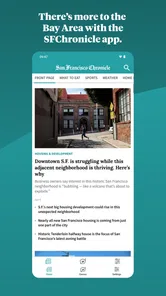
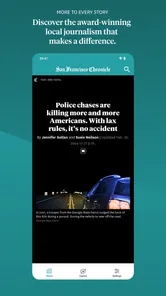
The San Francisco Chronicle feels most natural when I open it with a dependable mobile or Wi-Fi connection. Headlines can be checked quickly, and the different editorial areas give the app a broader role than a single-topic news feed. I can move from a local story to a weather update, then look at sports or food coverage without switching between separate services.
That range is particularly valuable for readers who care about the Bay Area as a place, not just as a source of breaking headlines. Local reporting can sit beside practical information and lighter sections, which makes the app suitable for a short morning scan as well as a longer weekend reading session. The experience is less about endlessly scrolling through anonymous national stories and more about keeping a regional perspective within reach.
The connection also affects how quickly the app becomes useful. When the network responds promptly, I can open the app, identify the sections that matter to me, and leave after a few minutes without feeling that I have started a large research task. That is a real strength for busy readers. It is not necessary to dedicate a full hour to the newspaper to get value from it.
Alerts are helpful only when timing matters
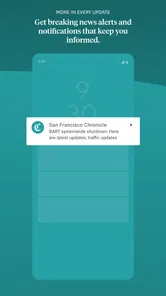
News alerts are one of the features that depend most obviously on connectivity. They can bring an important development to my attention without requiring me to open the app first, which is useful during a developing local story or a major sports moment. At the same time, an alert is only helpful if the phone can receive it at the right time and if I have configured notifications in a way that matches my attention span.
More From Our News Desk

Weather by Xiaomi Review: Clear at a Glance, Less Clear Up Close

X Under Pressure: Can It Recover When Posting Goes Wrong?

Clash of Clans Is Won Between the Battles

Android Auto Makes the Case for Quieter Car Software

MobiOffice: Transforming Mobile Productivity with Seamless Integration

EA SPORTS FC™ Mobile Soccer: Redefining Mobile Sports Gaming
I would not treat alerts as a complete replacement for reading the article. A notification is a prompt, not the surrounding explanation. My practical approach is to use alerts selectively, then open the relevant story when I have enough time to understand the context. Readers who enable every possible notification may find the app intrusive rather than convenient, particularly on a busy workday.
Weather and local information benefit from being nearby
Weather coverage has a different rhythm from general news. I may check it before leaving home, again before an evening plan, and once more when conditions look uncertain. Having it inside the same local publication reduces the need to jump between several apps. The benefit is modest but real: fewer separate destinations and a more consistent Bay Area focus.
However, I would still use a dedicated weather service when I need highly detailed forecasting or specialized conditions. The Chronicle is better suited to a quick local check within a broader news routine. That distinction matters because the app is strongest when its sections work together, not when I expect it to replace every specialized tool on my phone.
Reading on the move requires patience
Mobile news use rarely happens in perfect conditions. I have opened apps while walking between appointments, waiting for public transport, sitting in a crowded café, or trying to make sense of the day during a short break. In those situations, the quality of the connection can change from one minute to the next. A page that opens quickly on home Wi-Fi may take longer on a congested mobile network.
That makes the app more comfortable for planned reading than for frantic checking in a dead zone. If I know I will be traveling through areas with unreliable service, I would not make this my only source of information. A browser, a general news aggregator, or a service with a clearly established offline workflow may be more practical for that particular situation.
A realistic morning routine
My most convincing use case is a short morning routine. I open the app over Wi-Fi, scan local headlines, check the weather, and look at sports if there is a team or event I am following. If a story catches my attention, I read it immediately; if not, I close the app and return later. This workflow takes advantage of the publication’s local breadth without demanding constant attention.
The important detail is opening it before leaving a reliable connection. I do not assume that every article or section will remain available in the same way after the network disappears. Preparing the first reading session while connected makes the routine smoother, but it should not be confused with a guaranteed offline newspaper experience.
Where the app fits among familiar alternatives
Compared with a general news aggregator, The San Francisco Chronicle offers a more focused regional identity. Aggregators are often better when I want many publishers, international headlines, or a single stream assembled around broad interests. This app is better when San Francisco and the wider Bay Area are the main subject.
Compared with visiting the publication through a mobile browser, the app provides a more direct habit. I can go straight to the newspaper instead of opening a browser, searching for the site, and navigating through tabs. The trade-off is that a browser can be more flexible when I want to compare several sources or avoid adding another dedicated app to my phone.
Compared with a dedicated weather or sports application, the Chronicle is less specialized but more integrated. I prefer it for a quick local overview, not for replacing every expert tool. That balance is central to my recommendation: this is a good regional news hub, not an all-purpose replacement for the rest of a phone’s information tools.
What happens when a page does not load
Connectivity problems are not always dramatic. Sometimes the app opens but a story takes longer to appear. Sometimes a section is ready while another part is still waiting. In those moments, I find it better to move back to the main view and try a different item rather than repeatedly tapping the same article. A brief pause can be a network issue rather than a sign that the entire app has failed.
My recovery habit is simple: check whether other apps are loading, switch between Wi-Fi and mobile data when appropriate, and reopen the Chronicle only after the connection has stabilized. If the problem is limited to one location or one moment, that approach usually tells me more than repeatedly forcing the same screen. I also avoid relying on an alert as proof that the full story is immediately available; the notification and the article do not have identical network demands.
This is one area where the app could feel less forgiving for readers who expect instant access everywhere. A reader in a basement office, on an underground train, or in a crowded stadium may encounter more friction than someone reading at home. Since the publication’s value comes from timely local information, delays are more noticeable than they would be in a static reference app.
Using mobile data without wasting it
For data-conscious readers, the safest routine is to reserve longer reading sessions for Wi-Fi and use mobile data for headlines, short checks, and genuinely relevant articles. Images and article pages can make a casual browsing session grow beyond what I intended, especially when I open several stories simply because they appear one after another.
I would also avoid leaving the app open while doing something unrelated. A focused session is easier to control: check the sections I care about, read one or two pieces, and close it. This is more practical than endlessly refreshing a feed in the background. Readers with limited data plans should pay attention to their phone’s own data controls and notification settings, because those system tools are the most reliable way to manage general app usage.
The app’s free download makes trying it easy, but some content may involve in-app purchases ranging from $5.99 to $14.99 per item. I would review any purchase screen carefully before confirming, particularly if I am only testing the publication for occasional local updates. The free entry point is convenient, while the paid options mean that regular readers should decide how deeply they want to use the newspaper experience.
Who will get the most from it
I would recommend it to Bay Area residents, former residents who still follow San Francisco closely, commuters who want a local briefing, and readers who enjoy moving between hard news, sports, weather, puzzles, and food. It also suits people who prefer one publication with a clear regional identity instead of a mixed feed where local stories compete with national and international coverage.
The app is especially useful for someone building a repeatable news habit. Opening it at a consistent time, using alerts selectively, and choosing a small number of sections can make the experience feel intentional rather than overwhelming. Puzzles and food coverage also give the app a softer side, which may appeal to readers who do not want every visit to be about breaking news.
Who should choose something else
I would skip it if my priority is comprehensive global coverage, highly specialized weather detail, or a single feed combining dozens of unrelated publishers. It is also not my first choice for travel through areas where I expect to lose connectivity and still need dependable access to current reading material.
Readers who dislike paid content options should also examine how the app fits their habits before committing to it as a primary newspaper. The download costs nothing, but the presence of in-app purchases means the complete experience may not be identical for every reader. For occasional headline checks, a browser or general news service may be enough.
Small habits that improve the experience
I found three habits particularly useful. First, I open the app while connected to stable Wi-Fi when I have time for more than headlines. That gives the initial session the best chance of being smooth. Second, I keep alerts limited to information I genuinely want to act on, rather than allowing every notification to compete for attention. Third, I use the section structure deliberately: local news first, then weather or sports, and lighter areas only when I have extra time.
A fourth habit is to treat the app as a starting point for local awareness rather than the sole authority for every decision. If a weather situation is serious, I would consult a dedicated source as well. If a major event is unfolding, I would compare reporting when the details matter. The Chronicle’s regional perspective is its reason to install it, but that does not eliminate the value of specialist services.
My connectivity verdict
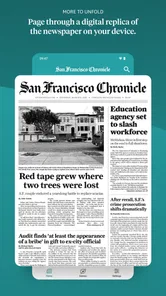
After using The San Francisco Chronicle in both quick-check and longer-reading situations, I see it as a capable local news app whose best moments depend on being connected. It brings the Bay Area, San Francisco sports, weather, alerts, puzzles, food, and newspaper reading into a focused mobile experience. That combination is more useful than a generic headline stream for anyone whose daily life is tied to the region.
The main limitation is equally clear: I would not depend on it as though every part of the newspaper were guaranteed to work without a network. Connection quality shapes how quickly stories appear, how useful alerts are, and whether a spontaneous reading session feels effortless. Planning longer sessions around Wi-Fi and keeping mobile browsing focused reduces that friction.
The current version is 202608.28, and the app has been available since October 23, 2018, giving it a longer presence than a brand-new local experiment. My recommendation is straightforward: install it if you want a San Francisco-centered news habit and are comfortable managing connectivity and optional purchases. If you need broad international coverage, specialist tools, or dependable reading in disconnected places, pair it with another service or choose a different primary news option. For the right reader, The San Francisco Chronicle is most valuable not as an everything app, but as a convenient local window that works best when I open it with a reliable connection and a clear reason to read.
The San Francisco Chronicle Frequently Asked Questions
What is The San Francisco Chronicle app?
The San Francisco Chronicle app is the digital companion to the long-running Bay Area newspaper. It provides access to local and regional reporting, breaking news, politics, business, sports, culture, food, and opinion. The app is designed for readers who want a convenient way to follow San Francisco and Northern California news from an Android or iOS device. It also brings together Bay Area news, weather, alerts, puzzles, and newspaper content.
Can I use The San Francisco Chronicle app on my device?
The app is available for Android and iOS devices, making it possible to follow the Chronicle on a phone or tablet. Its minimum operating-system requirement is version 9, so check your device’s software before downloading. Keeping the operating system and app updated can also help with compatibility and performance. The app is published by Hearst Newspapers - LLC.
Is The San Francisco Chronicle app free to download and use?
You can generally download the app without paying an installation fee, but access to all articles and premium features may require a subscription. Some stories or limited content may be available to non-subscribers, while regular readers can encounter a digital paywall. In-app purchases range from $5.99 to $14.99 per item. Before subscribing, check the current plans, trial terms, renewal conditions, and pricing shown in the app or official store listing.
What content can I read in the app?
The app typically includes coverage of San Francisco, the Bay Area, and wider California, along with sections such as news, politics, sports, business, technology, entertainment, food, travel, and opinion. Its focus also includes Bay Area news, SF sports, weather, alerts, puzzles, food, and newspaper content. Content availability can change, and certain special features, investigations, newsletters, or subscriber-only articles may be restricted to eligible digital subscribers.
Can I read articles offline or receive breaking-news notifications?
The app may offer features such as saved stories, personalized reading options, and notifications for important breaking news, depending on the current version and your device settings. Offline availability can vary by article and app release, so it is best to test the save or download functions before traveling. Notifications can usually be managed or disabled through the app and operating-system settings.
Pros
- Reliable coverage of Bay Area news
- politics
- and local events.
- Strong reporting on California issues with useful regional context.
- Includes sports coverage for teams such as the Giants and Warriors.
- Well-organized sections make browsing different topics straightforward.
- Digital access lets subscribers read articles across supported devices.
Cons
- Many articles and premium features require a paid subscription.
- Some content may feel too focused on San Francisco and nearby areas.
- Frequent news alerts can become distracting without notification controls.
- The app may use considerable storage for images and downloaded content.
- Older devices may experience slower loading with multimedia-heavy stories.













