CT Insider
- 93.00
- 4.0
- Installs
- 10.00K
- Price
- Free

Screenshots


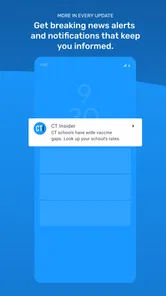




Analysis by Reviewed
When I want a quick sense of what is happening across Connecticut, I would rather open one focused news app than sort through several unrelated sources. CT Insider is built for that purpose. It brings together Connecticut news, sports, UConn coverage, weather, business stories, puzzles, and newspaper content in one place, with a free download and an Everyone age rating.
My first impression is that this is a practical regional reading app, not a general-purpose news portal trying to cover the entire country. That focus is its main appeal. If Connecticut is where you live, work, study, or regularly follow, the app can make your daily reading routine more direct. If you mainly want national headlines, international reporting, or a broad collection of publishers, a larger news aggregator will probably suit you better.
It comes from Hearst Newspapers - LLC and has built a modest but established audience on Android, with over ten thousand installs. Its average rating sits at four out of five from around two hundred ratings, alongside dozens of written reviews. Those numbers suggest a useful regional product with a real user base, although they also tell me not to treat it as a universal replacement for every news source.
What to expect when opening CT Insider
The app’s central idea is simple: give Connecticut readers a single starting point for local information. Instead of beginning with a national front page and hunting for regional coverage, I can approach the day through subjects that matter locally. News and business provide the broader civic picture, sports and UConn serve a more specific audience, weather helps with immediate planning, and puzzles offer something lighter when I am finished reading.
That combination makes the app feel more like a daily local companion than a one-purpose headline reader. A commuter might check weather before leaving, scan local developments during a break, and then read a sports update later. A student or parent may care most about UConn coverage, while someone following the local economy may spend more time in business stories. The useful point is that these interests live beside one another rather than being scattered across separate apps.
I would not install it expecting a completely neutral stream of every important story from every region. Its value depends on your connection to Connecticut. The narrower editorial focus is helpful when local relevance matters, but it can feel limiting if your reading habits are mostly national or international. In that situation, I would keep a broader news app for the wider picture and use this one only when Connecticut coverage is the priority.
The newspaper element also affects how I think about it. This is not merely a weather utility or a sports score tool. The presence of newspapers and business coverage points toward longer, more deliberate reading as well as quick updates. That makes it more worthwhile for people who want context around their area, although readers who only want instant alerts may find a dedicated alert service faster.
More From Our News Desk

Weather by Xiaomi Review: Clear at a Glance, Less Clear Up Close

X Under Pressure: Can It Recover When Posting Goes Wrong?

Clash of Clans Is Won Between the Battles

Android Auto Makes the Case for Quieter Car Software

MobiOffice: Transforming Mobile Productivity with Seamless Integration

EA SPORTS FC™ Mobile Soccer: Redefining Mobile Sports Gaming
How the main topics fit a real day
A realistic routine could begin with the weather section before a school run or commute. I would then move to local news to understand anything that might affect the day, check business if I wanted a sense of regional activity, and leave sports or puzzles for later. This order matters because it turns the app into a repeatable habit instead of an endless scroll with no clear purpose.
One useful trade-off is that the app lets different members of a household use the same starting point for different reasons. One person may open it for UConn, another for weather, and another for newspaper reading. That shared usefulness is stronger than it first appears, especially when a general news app would require each person to search for local material manually.
At the same time, I would keep expectations realistic about personalization. The store information establishes the subjects it covers, but I would not assume that every section can be deeply customized to match a particular neighborhood, team, or reading schedule. I would first explore the available sections and see whether the organization naturally matches my habits before making it my only news source.
Getting through the first setup without overthinking it
Installation is straightforward in the sense that the app is free to download and supports Android devices running version nine or later. The current release is identified as version 202608.28. That compatibility range makes it accessible to many Android users, but anyone with an older phone should check the operating-system requirement before planning to use it.
Once installed, I would begin with a short orientation rather than trying to read everything immediately. I would look for the main navigation areas, identify where local news and weather sit, and then open one story from the section I care about most. This first pass is more useful than judging the whole app from its opening screen, because the app’s strength lies in the combination of sections.
It is also worth deciding what kind of reader you are before spending time arranging your routine. If you want a fast morning briefing, start with news and weather. If you follow college sports closely, go directly to UConn and sports. If you prefer slower reading, explore newspaper and business content. Beginning with your strongest interest gives the app a fair test and makes the first session feel purposeful.
Because the app is free, there is little financial risk in trying it. However, in-app purchases range from around eight dollars to around fifteen dollars per item. I would treat that as a reason to pay attention during any subscription or premium-content prompt rather than tapping through automatically. The free download does not mean every possible reading option must be free, so I would review the wording on any purchase screen and decide whether the extra access is genuinely useful to me.
This is especially important for a first-time user who assumes that installing a news app automatically provides unlimited access to everything. I would start with the freely available material, learn how often I actually return, and only then consider a paid item. If I read Connecticut coverage every day, a purchase might make sense depending on what it unlocks. If I open the app occasionally, the free experience may be enough.
My recommended first five minutes
Open the local news area and choose one story whose subject affects your community or daily plans.
Check the weather section to see whether its presentation works for the way you make decisions.
Visit sports or UConn if either is a major reason you installed the app.
Look at business or newspaper content to judge whether you want deeper reading, not just quick headlines.
Return to the main screen and decide which section deserves a place in your regular routine.
This sequence gives me a meaningful first impression without pretending that one glance can evaluate every part of a regional publication app. It also answers an important practical question: what should I do after installation? I would not wait for the app to become useful on its own. I would deliberately test the section connected to my immediate need.
Finding the first useful result
The first successful action should be something concrete, not simply opening the app. For me, that would be using the weather section to plan the day or finding a local story that explains something I had already heard about. That moment proves whether the app is relevant to my life. A news app becomes a habit when it helps me make a decision, understand a local issue, or follow a team without unnecessary searching.
For a commuter, the workflow could be: open CT Insider before leaving home, check weather, read one local headline, and save the rest of the browsing for a quieter moment. For a UConn follower, success may mean reaching the sports coverage quickly and finding enough context to understand what happened rather than relying only on a score. For a business reader, the useful action is opening a regional story and deciding whether the app provides the local perspective missing from a national business feed.
I like this approach because it prevents a common mistake: judging a news app by how much content it displays. More headlines do not automatically mean more value. The better test is whether I can reach the information I need with little friction and whether the article gives me a reason to return. CT Insider’s Connecticut focus gives it a clear advantage in that test for the right audience.
Puzzles are another practical part of the first-session experience. They create a different kind of use from news reading, and that variety can make the app easier to revisit during a short break. I would not install the app solely for puzzles unless that is my main interest, but their presence is useful for readers who want a small, low-pressure activity alongside local coverage.
The newspaper material may also change how long I stay. A quick headline check can become a more considered reading session when I move into longer-form coverage. That is a strength if I want context, but it is also a possible source of friction when I am in a hurry. My tip is to decide in advance whether the session is for a quick update or deeper reading. Otherwise, it is easy to spend time browsing without reaching the information that brought me there.
Three habits that make the app more useful
Use weather as the entry point on busy mornings. It gives the session an immediate purpose and prevents aimless headline scrolling.
Pair a fast section with a slow section. Read weather or a headline first, then use business or newspaper coverage when you have time for context.
Test the section tied to your real interest before considering paid content. If UConn, local news, or puzzles does not fit your routine, a purchase is unlikely to fix that mismatch.
These habits are not flashy features, but they are the difference between installing a regional app and actually using it. The app works best when I give each section a job instead of treating the whole product as one undifferentiated feed.
Where first-time readers may get confused
The biggest potential confusion is the difference between a free app and free access to every item. Since paid items are available, I would read the labels around premium material carefully. A reader who wants occasional local headlines may be satisfied without paying, while a frequent newspaper reader may encounter a different access model. The right choice depends on how deeply you want to use the publication content.
Another point to understand is that local focus can feel both precise and narrow. When I want Connecticut information, that focus saves time. When I want a national overview, it means I may need another app beside it. I would not see that as a flaw in itself; it is a trade-off. The mistake would be expecting one regional publication app to replace a national newspaper, a worldwide news service, a dedicated weather app, and a specialist sports tracker all at once.
Readers may also wonder whether the app is suitable for children because its content rating is Everyone. That rating makes it broadly accessible, but news topics can still vary in seriousness. I would treat the age label as a general access guide, not as a promise that every article will be aimed at young readers. Adults should still use their judgment about what children read.
People deciding between this app and a mobile browser may ask whether installing it is worthwhile. A browser is more flexible and can reach many publishers, but it also makes local discovery less consistent. CT Insider is the better choice when I want a repeatable Connecticut starting point. The browser wins when I want to compare several sources or search for a very specific topic outside the app’s main focus.
A general news aggregator offers the opposite balance. It can provide more variety and broader personalization, but local Connecticut stories may be buried beneath national headlines. CT Insider is preferable when regional relevance matters more than breadth. I would choose the aggregator for an all-purpose news diet and this app for a focused local layer.
There is also a difference between this app and a dedicated weather service. A weather app will usually be the more direct tool for forecasts and alerts, while CT Insider places weather alongside reporting and other local subjects. I would use the dedicated service when weather safety or detailed forecasting is the main concern, and use this app when weather is one part of a wider Connecticut check-in.
Who should make it part of a daily routine?
I think it is a strong fit for Connecticut residents, people with family or work connections in the state, UConn followers, local sports readers, and anyone who wants regional business or newspaper coverage in the same place. It is also useful for newcomers who are trying to understand what matters locally rather than relying only on national coverage.
I would be more cautious if my interests are almost entirely outside Connecticut, if I need highly specialized financial reporting, or if I want instant score tracking above all else. In those cases, a specialist app may be faster and more complete. I would also skip making it my primary news source if I prefer a broad international perspective every morning.
The app’s rating and audience suggest that it has found a reasonable place among users, but I would still judge it by personal relevance rather than popularity. A four-out-of-five average can indicate a solid experience while leaving room for differences in expectations. Someone seeking local coverage may be very satisfied, while someone expecting a full national news replacement may not be.
My next step after the first successful session
After the first useful visit, I would give the app several ordinary days rather than deciding immediately. News apps are easiest to evaluate when used in the situations they are meant to serve: a rushed morning, a quiet lunch break, a sports update, or an evening reading session. I would notice which sections I actually open and whether the app helps me reach local information more easily than my current routine.
If I repeatedly return for Connecticut news, weather, UConn, sports, or business, then the app has earned a place on my phone. If I only open it once because I was curious, I would leave it as an occasional reference rather than forcing it into a daily habit. That is a fair test because the app’s value is practical, not dependent on constant entertainment.
I would also postpone any in-app purchase until I understand my reading pattern. The available items cost roughly eight to fifteen dollars each, so the decision deserves more thought than a casual tap. Start with the free experience, identify the content you return to, and then decide whether paid access improves something you already use. That workflow protects against paying for access before knowing whether the app fits.
For me, the strongest reason to recommend CT Insider is its clear regional purpose. It does not need to compete with every news product to be useful. It needs to help Connecticut readers move from a local question to a relevant story, weather check, sports update, business article, or puzzle without unnecessary detours. Its best feature is the way those Connecticut-focused interests share one starting point.
There are sensible limits. I would pair it with a broader source for national and international news, and I would choose a specialist tool when detailed weather, live sports, or a narrow professional topic matters more than local variety. Still, for a first-time user who wants a friendly path into Connecticut coverage, the free app is easy to justify. CT Insider is worth trying when local relevance is the reason you opened your phone in the first place.
CT Insider Frequently Asked Questions
Is CT Insider suitable for readers who do not live in Connecticut?
CT Insider is centered on Connecticut, so its strongest appeal is to people who live in the state or follow its communities, institutions, and local issues. Former residents and readers with family, business, or other interests in Connecticut may also find its reporting useful. If you mainly want broad national or international coverage, this app is better viewed as a local-news supplement than a complete news source.
What can I expect before downloading CT Insider?
CT Insider is a free News & Magazines app from Hearst Newspapers - LLC, with a Everyone content rating and a minimum operating-system requirement of version 9. Its store summary highlights Connecticut news, sports, UConn, weather, puzzles, newspapers, and business. The app has a 4.0 average from around 200 ratings, giving prospective readers a quick sense of its store feedback.
What is CT Insider?
CT Insider is a digital news and information app focused on Connecticut. It brings together local reporting, breaking news, politics, business, sports, entertainment, lifestyle coverage, and community stories in one place. The app is designed for readers who want Connecticut-focused journalism rather than a general national news feed, with articles organized for convenient browsing on a mobile device.
Is CT Insider free to download and use?
The CT Insider app can generally be downloaded at no cost, but access to all articles or premium content may depend on the publication’s subscription model. Some stories may be available to everyone, while other content can require registration or a paid subscription. The app includes in-app purchases priced from $7.99 to $14.99 per item, so review the subscription terms, pricing, and renewal conditions before purchasing.
What type of news and content can I find in CT Insider?
CT Insider primarily covers Connecticut news, including local government, education, crime, transportation, health, business, and regional events. Readers may also find sports, UConn coverage, weather, puzzles, newspapers, arts, entertainment, opinion pieces, and feature stories. Its strongest value is its local perspective, making it useful for residents, former residents, and anyone following issues across the state.
Pros
- Covers Connecticut news with strong local focus.
- Offers timely updates on politics
- business
- and community events.
- Includes reporting from experienced regional journalists.
- Clean layout makes articles easy to browse.
- Useful for readers who want statewide news in one app.
Cons
- Some articles may require a subscription to read fully.
- Coverage is less useful for readers outside Connecticut.
- Advertising can interrupt the reading experience.
- The app may send frequent breaking-news notifications.
- Some content loads slowly on weaker mobile connections.













