The Roku Channel
- 177.00
- 3.9
- Installs
- 1.00M
- Price
- Free

Screenshots
Analysis by Reviewed
I tend to judge a streaming app by one simple question: does it make choosing something to watch easier, or does it just give me another library to scroll through? The Roku Channel is most appealing when I want casual, no-cost entertainment rather than a particular must-see title. It’s an entertainment app from Roku, Inc. and its affiliates, and its free access makes it an easy option to keep alongside other ways of watching.
What free access means in practice
The app is free, so there’s no purchase price to weigh against a monthly subscription. That is a clear advantage if I want something to put on without adding another paid service. The trade-off is that free viewing comes with advertising, so I wouldn’t choose it when uninterrupted viewing is my priority. I also wouldn’t assume every title I might want is available here; it works better as another source of entertainment than as a replacement for a carefully chosen subscription.
The Roku Channel has an average rating of 3.9 from around 2,900 ratings, with more than 1 million installs. It is rated for teens, and its current version is 2.0.34. Those figures give a useful sense of its audience and reach, but my decision would still come down to whether its mix suits what I actually watch.
Endless Entertainment Options
First off, the sheer variety of content available on The Roku Channel is pretty impressive. From blockbuster movies to classic TV shows, and even some exclusive content, it feels like there's always something new to discover. One of the things I personally appreciate is the mix of old and new. You can catch up on missed episodes of your favorite shows or dive into a nostalgic binge session with some retro classics.
Easy Navigation
One of the standout features of this app is its user-friendly interface. I found it super easy to navigate through different genres and categories. The search function is pretty robust too, which means finding what you want to watch is a breeze. It’s like the app just "gets" what you're looking for, making the whole experience quite seamless.
For a better evening routine, I’d treat the home screen as a discovery tool and search as the shortcut. If I know the sort of thing I want but not a title, browsing genres gives me a low-effort way to find a candidate; if I already have a film in mind, searching first avoids drifting through rows. That distinction matters in a free streaming app, where browsing can be part of the fun but can also eat into the time I meant to spend watching.
Quality Streaming
Now, let's talk about streaming quality. Nobody likes buffering, right? Thankfully, The Roku Channel delivers a smooth streaming experience. Even when I was connected to a not-so-great Wi-Fi network, the app managed to maintain decent picture quality without much lag. It’s perfect for those nights when you just want to kick back and enjoy a movie without any interruptions.
More From Our News Desk

Clash of Clans Is Won Between the Battles

Android Auto Makes the Case for Quieter Car Software

MobiOffice: Transforming Mobile Productivity with Seamless Integration

EA SPORTS FC™ Mobile Soccer: Redefining Mobile Sports Gaming

How Microsoft OneDrive Became a Mobile Productivity Giant

How Google Translate Breaks Language Barriers Effortlessly
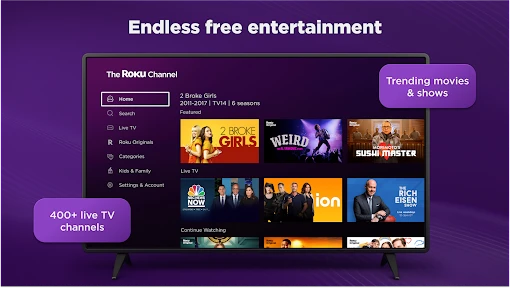
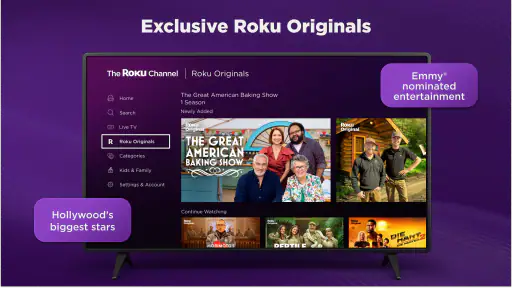
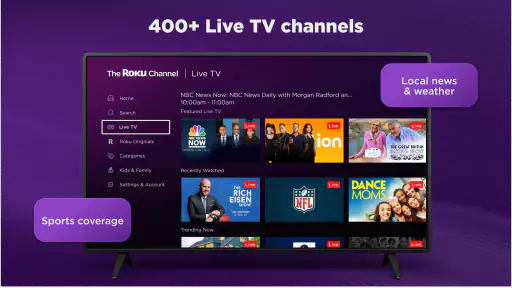
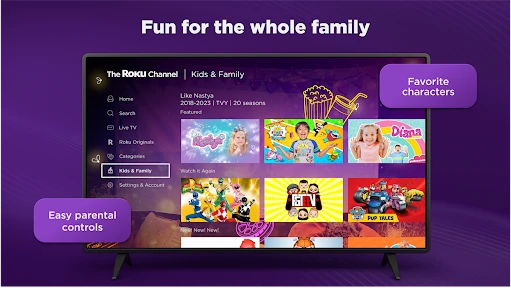
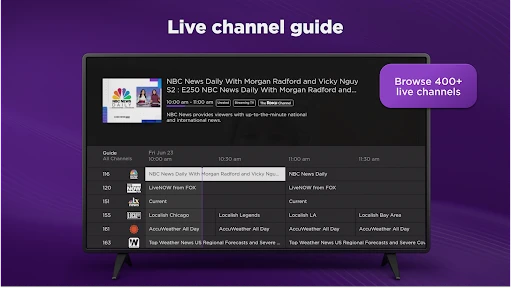
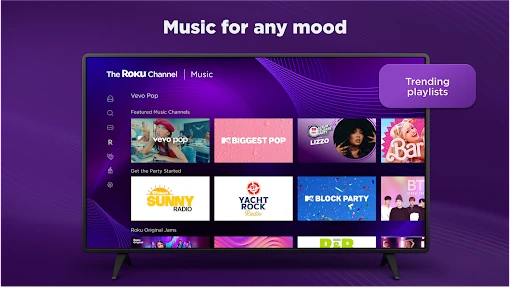
A realistic use is an unplanned weeknight: I have a short window before bed, don’t want to decide which paid service to open, and can browse for a movie or a live channel without making another purchase. The Roku Channel’s offering includes live TV alongside films, Originals, sports and kids’ entertainment, so it can serve different moods in one place. For a household, that breadth is handy, but the teen content rating is a reminder that parents should choose viewing with younger children in mind rather than treating the whole catalog as children’s programming.
Ad-Supported Content
Okay, so here's the deal - while the app is free, it does come with ads. Personally, I don't mind the occasional interruption because it means I get access to a ton of content without having to pay a dime. But, if you're someone who prefers an ad-free experience, this might be something to consider.
Compared with subscription services, the main draw here is avoiding another bill, not getting the same focused, paid-library experience. Compared with free video apps that center on user-uploaded clips, this is more suited to settling in for scheduled channels or a longer movie. I’d use it as a complement: keep paid services for exclusive shows I follow closely, and turn to this when I want a free alternative or live programming. If ads are a deal-breaker, or you want a specific new release on demand, another service may be a better fit.
Who is likely to get value
I’d recommend it to budget-conscious viewers, people who like channel-style browsing, and anyone who wants a backup source when their usual streaming choice has nothing appealing. It is less suitable for viewers who expect every title to be available on demand, want an ad-free session, or prefer to pay for a narrow selection they already know they love. The app is free to download and has been available since June 27, 2023; it supports Android 7.0 and newer, which makes it accessible to many older devices as well as recent ones.
One practical tip is to decide your viewing mode before opening it: choose live TV when you want something already in progress, or browse movies and shows when you want to pick a title yourself. That small choice can make the app feel less like an endless menu. It also helps set expectations: channel-style viewing is convenient when I don’t want to curate a queue, while on-demand browsing is better when I have a specific kind of evening in mind.
A useful role beside other streaming apps
I wouldn’t organize my entire viewing life around one free service, and that is not where this app makes the most sense to me. Its practical role is as a low-commitment extra: I can check it after finishing a series elsewhere, or use it when I want television on without first choosing a particular title. That differs from a subscription app built around a few tentpole originals or a carefully curated catalog. Those services are stronger when I’m following a show and want continuity; Roku’s app is more useful when flexibility and avoiding a new cost matter more.
It also occupies a different space from short-form video. If I have only a few minutes and want quick clips, a social video feed is the more natural choice. If I have time to sit down for a film, a channel or a longer program, this app is a better match. I find that separating those moods prevents a common frustration: opening a streaming app expecting a specific kind of viewing and then blaming its catalog when it was really the wrong format for the moment.
Choosing a show without losing the evening
When I have company over, I’d use the app differently than I would alone. Instead of asking everyone to name a film and then searching for it, I’d browse a broad category or switch to live programming so the group can react to what is available. That can be a relief when nobody has a strong preference. The downside is that discovery is not the same as certainty: if friends have gathered for one particular title, I’d check a service known to carry it rather than assume it will be here.
For solo viewing, I’d give myself a small decision rule. If I can name a genre or mood, browse that route; if I know the title, search directly; if I’m indifferent, try the live option and let the programming decide. It sounds simple, but it keeps browsing from becoming the whole activity. I also wouldn’t treat a search result as a promise that the app will always be the best place to watch that title. Streaming catalogs can change, so it is sensible to look when I’m ready to watch rather than plan around a title weeks ahead.
Household viewing and expectations
The mix of kids’ entertainment and broader programming may make the app useful in a shared home, but I’d be thoughtful about who is choosing what. The teen rating applies to the app’s overall content context; it is not a guarantee that every program suits a younger child. If a child is going to browse independently, I’d first explore the available choices together and set clear expectations. For a family film night, the range can help everyone find a possible option, but it does not remove the need for an adult to make the final call.
That same care applies to sports and live channels. They offer a different kind of convenience from on-demand viewing: I can drop in when I want something happening now, but I have less control over exactly what appears at that moment. If timing matters, live programming is useful; if I need to pause my decision until later or want a very specific program, selecting an on-demand title is a more sensible plan. I’d choose based on whether I want the app to make the schedule or me to make the schedule.
What to expect from the free model
The value is straightforward, but it helps to be clear about what “free” buys me. I can try the service without paying a purchase price, and the trade is that advertising is part of the viewing experience. I see that as a reasonable exchange when I’m browsing casually, especially if I would otherwise spend the same evening scrolling among paid subscriptions. It is less attractive for a movie night where interruptions would bother me or for viewers who place a premium on a consistently ad-free session.
I also wouldn’t measure its value by counting how many items appear in a catalog. The more useful question is whether I find something I genuinely want to watch when I open it. A large selection can still feel limited if it misses my preferred genres or the exact series I follow. Conversely, a free service can be worthwhile even if I only use it occasionally, provided those sessions replace a purchase I didn’t need to make. For me, that makes it a sensible companion rather than an automatic substitute for every paid platform.
Because the app is free, trying it is a fairly low-stakes decision, but the viewing trade-off remains personal. I’d give it a chance if I enjoy browsing, live channels, or having a backup source of films and shows. I’d skip it if I already have a tightly planned watchlist, dislike ads, or expect a single service to carry every title I want. The right question is not whether free is always better; it is whether this particular mix earns a place in my routine.
In conclusion, The Roku Channel is a solid choice for anyone looking to expand their streaming options without breaking the bank. With its vast library of content, easy-to-use interface, and reliable streaming quality, it's definitely worth checking out. Whether you're a movie buff or a TV show enthusiast, there's something here for everyone. So, why not give it a try and see for yourself? Happy streaming!
The Roku Channel Frequently Asked Questions
What devices and operating systems can I use with The Roku Channel?
The Roku Channel is an entertainment app from Roku, Inc. & its affiliates, and the mobile app is available for Android and iOS. On Android, it requires version 7.0 or later. You can also access The Roku Channel on Roku streaming players and TVs, as well as through a web browser on a computer, so a Roku device is not the only way to watch.
Is The Roku Channel free to download, and what should I expect after installing it?
The Roku Channel is free to download and use, so you can explore its entertainment offering without paying a subscription fee for the app itself. Some content is supported by advertisements, and paid subscription options are available for additional channels. The app’s focus is a broad mix of live and on-demand entertainment, including movies, originals, sports, and kids’ content.
What content is available on The Roku Channel?
The Roku Channel offers a diverse range of content, including movies, TV shows, news, sports, and even live broadcasts. Users can enjoy both classic and newly released films and series across various genres. Additionally, The Roku Channel includes a selection of free content supported by ads, as well as premium subscriptions for channels like HBO, Showtime, and Starz.
Is The Roku Channel free to use?
Yes, The Roku Channel is free to use, offering a wide array of content without any subscription fees. However, users should be aware that while there is a large selection of free content, the channel is ad-supported. For those who prefer an ad-free experience or want access to premium content, there are paid subscription options available for additional channels.
Do I need a Roku device to access The Roku Channel?
No, you do not need a Roku device to access The Roku Channel. While the app is available on Roku streaming players and TVs, it can also be accessed on other platforms. Users can enjoy content through The Roku Channel's mobile app for iOS and Android, or via a web browser on a computer, providing flexibility in how you choose to watch.
Pros
- Wide variety of free content
- No subscription required
- User-friendly interface
- Compatible with all major devices
- Regular content updates
Cons
- Ads can be intrusive
- Limited offline viewing
- Some content is region-restricted
- No live TV options
- Requires stable internet connection
- Category
- Entertainment
- Version
- 2.0.34