Tagofy - Geotag Map Camera
- 100.00
- 4.1
- Installs
- 10.00M
- Price
- Free

Screenshots

Analysis by Reviewed
Have you ever found yourself on a breathtaking trip, desperately wishing you could mark your location on a photo for future reference? Well, that's where Tagofy - Geotag Map Camera steps in to save the day. This app is designed for both Android and iOS users who love to travel and capture every moment with geographical precision. Let me take you through my experience with this nifty little app.
Snapping with Precision
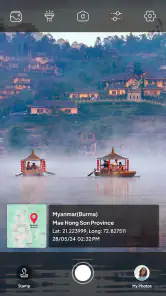
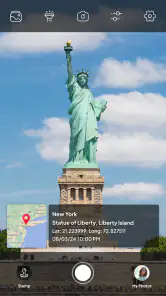
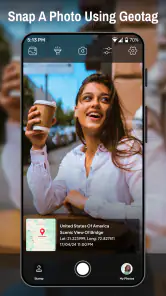
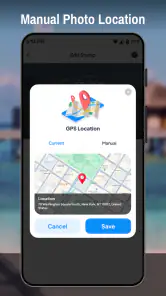
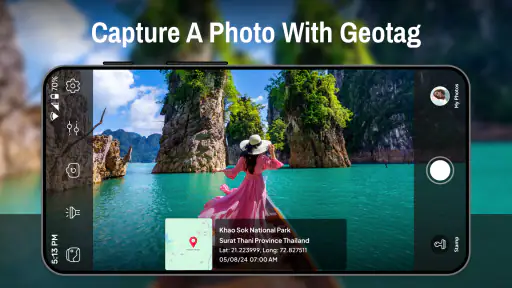
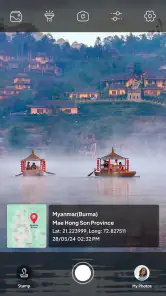
One of the first things I noticed when using Tagofy - Geotag Map Camera is how seamlessly it lets you snap photos with embedded geographical data. Imagine standing on the edge of the Grand Canyon and knowing that every picture you take is automatically tagged with the exact coordinates. This feature is not just a gimmick; it’s a game-changer for travel enthusiasts like me who want a detailed record of their journeys.
The app integrates with your phone’s camera, allowing you to take high-quality images without any additional steps. It’s as simple as point, shoot, and tag. The interface is straightforward, making it easy even for the most tech-averse individuals to navigate without a hitch.
Organize and Share with Ease
Now, let’s talk about organization. The app provides an intuitive way to catalog your photos based on location. You can create albums for different trips, view them on a map, and even share them with friends directly from the app. No more endless scrolling through your gallery trying to find that one picture you took at that one beautiful spot. Everything is sorted and easy to access.
Sharing your adventures is also a breeze. Whether it's via social media or direct messaging, Tagofy ensures your photos maintain their geotags, so your friends and family can see exactly where you’ve been. It feels like inviting them on a mini journey across the globe with you.
Why It’s Worth Your While
Another aspect I appreciate about Tagofy - Geotag Map Camera is its ability to work offline. Yes, you read that right. Even if you’re in a remote area with no internet, the app still logs your location data, uploading it the next time you connect. This is especially useful for those off-the-grid adventures where connection is scarce but the desire to capture memories is not.
In terms of usability, the app is light on resources, ensuring it doesn’t drain your battery or hog storage space. It’s designed to work smoothly on a wide range of devices, making it accessible to a broad audience.
In conclusion, if you’re a traveler who loves documenting their locations with precision, Tagofy - Geotag Map Camera is definitely worth a try. It’s not just an app; it’s a companion that ensures your memories are as vivid and detailed as the experiences themselves.
So, next time you’re planning an adventure, make sure to have Tagofy ready on your smartphone. Trust me, you won’t regret it!
Pros
- Easy geotagging for photos
- User-friendly interface
- Supports multiple languages
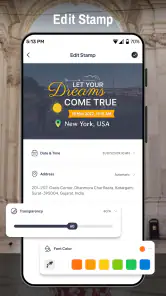
- Customizable watermark options
- Works offline effectively
Cons
- Limited editing features
- Requires large storage space
- Occasional GPS inaccuracies
- Ads in free version
- Limited cloud integration

- Category
- Photography
- Version
- 4.4











