Starlink
- 9.74K
- 4.9
- Installs
- 10.00M
- Price
- Free

Screenshots

Analysis by Reviewed
Have you ever gazed up at the night sky and wondered if there’s a way to get better internet from those twinkling stars? Well, let me tell you, Starlink might just be the answer to your prayers. This revolutionary app is changing the game when it comes to satellite internet, making high-speed connectivity accessible even in the most remote corners of the planet. So, let’s dive into what makes Starlink a star player in the world of internet services.
What Exactly is Starlink?
Alright, picture this: thousands of small satellites orbiting Earth, beaming down high-speed internet to anyone with the right equipment. That’s the magic of Starlink. It’s a satellite internet constellation constructed by SpaceX to provide satellite Internet access. The app itself is a crucial component, simplifying the user experience and making it super easy to manage your connection.
Getting Started with Starlink
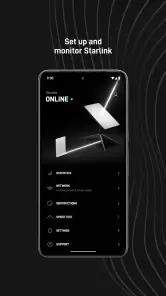
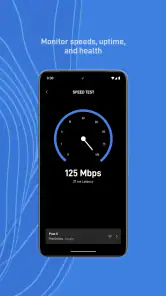
First things first, setting up Starlink is a breeze. You just need a clear view of the sky, which is crucial for the best connection. The app guides you through every step, from setting up your dish to optimizing its placement. I was genuinely surprised at how intuitive the whole process was. The app even has a built-in speed test feature, which is a neat touch for those of us who like to keep tabs on our internet speeds.
Performance and Reliability
Let’s talk about what’s really important: performance. Starlink offers impressive download speeds, often surpassing traditional rural internet options. During my testing, I experienced minimal lag and consistent speeds, even during peak hours. It’s like the satellites know when you’re about to binge-watch your favorite series and make sure you’re not left hanging. However, keep in mind that weather conditions can affect performance, but that’s a small price to pay for the benefits.
User Experience
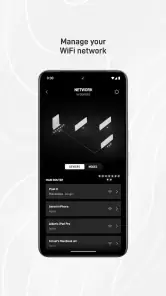
The user interface of the app is as sleek as they come. It’s designed with the user in mind, offering a seamless experience whether you’re a tech newbie or a seasoned pro. The app’s dashboard provides all the information you need at a glance, like your current download and upload speeds, network status, and more. Plus, the ability to troubleshoot directly from the app is a lifesaver for those unexpected hiccups.
One of my favorite features is the community support integrated within the app. You’re never alone with Starlink; there’s always a forum or a support channel ready to help.
Is Starlink Worth It?
In my humble opinion, if you’re someone who struggles with unreliable internet or lives in a rural area, Starlink is a game-changer. The combination of cutting-edge technology, ease of use, and reliable performance makes it a must-have. Sure, there might be a few hiccups here and there, but the pros far outweigh the cons.
So, if you’re ready to take your internet experience to new heights, give Starlink a shot. It’s not just an app; it’s a revolution in connectivity. Trust me, you won’t be disappointed!
Pros
- Fast and reliable internet speeds
- Global coverage including remote areas
- Easy to install and set up
- Low latency suitable for gaming
- Frequent updates and improvements
Cons
- Expensive initial hardware cost
- Service might be interrupted by weather
- Limited availability in urban areas
- Data caps may apply in future
- Requires clear view of the sky

- Category
- Tools
- Version
- 2025.31.0











