SG SLS Type Camera
- 38.00
- 3.6
- Installs
- 5.00K
- Price
- $4.99

Screenshots
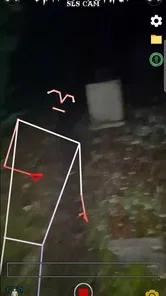
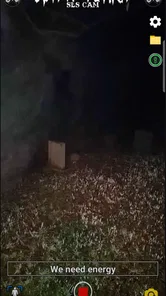
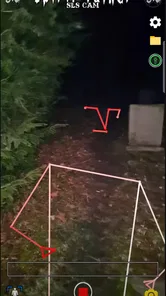
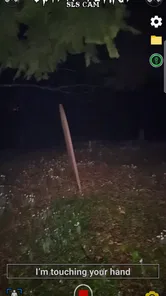
Analysis by Reviewed
I’d put this app in the “planned activity” category, not the “open it whenever I need a camera” category. Its combination of spirit-talk prompts and SLS-style body and face detection makes it suited to a particular kind of evening: you want to explore a room, watch what the camera displays, and discuss the experience with someone else. I’d approach it as an atmospheric, paranormal-themed tool—not as proof that anything supernatural is present.
Start with a room you can actually read
Before opening the camera, I’d choose a space where the visible objects are familiar and easy to identify. Clear away anything that blocks the view if you can, and make a mental note of distinctive shapes such as chair backs, coat hooks, or picture frames. This isn’t about making the room look perfect; it gives you a better chance of checking an unusual-looking result against its ordinary surroundings.
I’d also decide how the session will work before anyone starts scanning. A quiet room and a simple route are easier to follow than a group wandering from one crowded space to another. If you’re trying the app with a friend, agree that one person will hold the phone while the other watches the room. That small bit of coordination helps keep movement and reactions from becoming part of the mystery.
A focused alternative to an everyday camera
This is a lifestyle app for people interested in ghost-hunting-style sessions, rather than a general camera utility. A regular camera is the more practical choice for composing photos and handling everyday snapshots; this app’s appeal is the combination of visual detection and spirit-talk interaction. If that specific format sounds fun, its focus is a strength. If what you need is a dependable tool for ordinary photography, I’d use a standard camera app instead.
From camera view to a session you can review
First things first, downloading the SG SLS Type Camera was a breeze. Available on both Android and iOS, it’s just a quick search away in your respective app store. Once installed, the setup is straightforward, guiding you through permissions like any other standard camera app. But don’t let its simplicity fool you; under the hood, it’s packed with features waiting to be explored.
Run a calm, repeatable scan
For a practical workflow, I’d start with a slow pass across one part of the room rather than sweeping the phone in every direction. Hold the camera steady, notice the furniture and shadows in view, and give the display time to settle before moving on. If something catches your attention, stop and check the physical scene from another angle. A chair leg, a coat on a hook, or an odd shadow can look suggestive on a screen without representing a person. That pause is not a flaw in the experience; it helps keep the session grounded.
A realistic example would be a quiet evening with a friend who enjoys paranormal games. We’d choose one room, agree on a short route, and take turns holding the phone so neither person has to narrate and operate it at once. If the display seems to mark a figure, we’d change position and see whether the shape still makes sense against the room. The app can provide a shared activity and a conversation starter, but I wouldn’t treat a detection as evidence of a ghost.
More From Our News Desk

Weather by Xiaomi Review: Clear at a Glance, Less Clear Up Close

X Under Pressure: Can It Recover When Posting Goes Wrong?

Clash of Clans Is Won Between the Battles

Android Auto Makes the Case for Quieter Car Software

MobiOffice: Transforming Mobile Productivity with Seamless Integration

EA SPORTS FC™ Mobile Soccer: Redefining Mobile Sports Gaming
The spirit-talk element also changes the pace: it encourages you to ask questions and listen rather than use the app like a rapid-fire camera. I’d keep questions simple and leave a pause between them. That makes it easier to tell what came from the app’s output and what came from your own expectations or a friend’s reactions. For a more useful record, jot down the room, the approximate point in the session, and what was physically in view. That small habit gives you something concrete to compare later instead of relying on a vivid memory.
What happens after a detection
The handoff from screen to real-world interpretation is the part I’d handle most carefully. A detection is something to inspect, not a conclusion: move the phone, look at the scene directly, and ask whether an ordinary object could explain the shape. If you’re exploring with someone else, let one person operate the camera while the other watches the surroundings. That division reduces accidental movement and makes it less likely that both people will miss a simple explanation while concentrating on the display.
For anyone wondering whether this suits a casual first-timer, I think it can, provided they’re comfortable treating it as an interactive experience rather than a scientific instrument. It is also a natural fit for paranormal hobbyists who want a phone-based activity they can bring into a planned investigation. I’d skip it if you need reliable documentation, want a conventional camera, or are likely to find ambiguous visual effects unsettling. A dedicated camera app or a non-camera ghost-story game will serve those needs better.
Compared with using a generic camera alongside a separate spirit-themed activity, the appeal here is having both ideas in one focused app. The trade-off is that the experience depends on how you interpret what appears on screen; it won’t replace careful observation or independent recording. If you want to share a result afterward, describe what you saw and the conditions rather than presenting an unexplained shape as confirmed evidence. That makes the handoff to friends more honest and gives them context for their own view.
Features That Stand Out
What really caught my eye were the unique filters and effects that are not just your run-of-the-mill options. I mean, we’ve all used those basic filters that every app offers, but here, the effects are designed to make your photos pop in an entirely different way. From vintage vibes to modern aesthetics, you can transform a simple click into a masterpiece.
Another cool feature is the app's ability to capture high-quality images even in low light. If you're someone who loves night photography or often finds themselves snapping pics in dimly lit rooms, this is a lifesaver. The app’s intelligent sensor adjusts lighting to make sure your photos come out clear and vibrant.
Customization and Usability
Customization is key with the SG SLS. It offers a variety of manual controls for those who love tinkering with settings. From adjusting the aperture to playing around with ISO levels, it’s perfect for photography enthusiasts who like to have full control over their shots. And for those who prefer a more hands-off approach, the auto mode is surprisingly effective, making it ideal for quick snaps.
The user interface is quite intuitive. I didn’t find myself fumbling around trying to locate features, which is a huge plus. Everything is laid out logically, and the app doesn’t overwhelm you with too many options on the screen at once.
Keep the session useful, not just dramatic
One non-obvious trade-off is that the conditions that feel most atmospheric can also make the room harder to interpret. A dim setting may add to the mood, but it can hide the very edges and objects you need to check when a figure-like shape appears. I’d keep enough light to recognize the layout, then lower it only if the scene remains easy to understand. The point is not to make the display more dramatic at the cost of knowing what is actually in front of the phone.
If you’re using the app during a get-together, I’d avoid having everyone call out interpretations at once. Let the person holding the phone describe what they notice before other people suggest a shape. That simple order can reduce group expectation influencing what everyone thinks they see. It also makes the conversation afterward more interesting: you can compare first impressions without turning a shared guess into an apparent consensus.
A useful follow-through is to make a brief note after the session rather than trying to remember every moment. Record where you stood, what objects were in view, and whether the display changed when you shifted position. This doesn’t turn an app session into a controlled investigation, but it helps separate a repeatable observation from a fleeting impression. If you want to show a friend later, that context is more valuable than a dramatic retelling alone.
What the purchase means in practice
This is a paid app, listed at $4.99, so I’d decide whether the specific ghost-hunting format appeals to me before buying. The listed audience rating is Everyone, but that describes the app’s content classification, not whether every person will enjoy a session involving unexplained-looking figures. It has a 3.6 average from around a hundred ratings, which suggests experiences are mixed enough that I’d keep expectations measured rather than assume it will behave like a polished professional tool.
It was released in July 2022, and version 2.0.3 is the current version. The app is made by Spotted: Ghosts, has passed five thousand installs, and runs on Android 5.0 or later. Those details make it easier to judge compatibility and whether a paid experiment feels worthwhile. I’d check that my phone meets the minimum system requirement before purchasing, then plan a short first session in a familiar, uncluttered room rather than making the app the centrepiece of a long outing.
One practical trade-off is that a low-light room may suit the atmosphere but can make it harder for you to judge the physical objects in view. I’d use enough ordinary light to recognize furniture and edges, even if that makes the setting less dramatic. Another is group size: more people can make the session fun, but too many voices and hands near the phone can muddy what happened. A small group, a steady camera holder, and a simple route make the experience easier to follow.
Who will enjoy this format—and who won’t
I’d recommend it most to someone who already enjoys paranormal stories, themed investigations, or a slightly eerie activity to share with a friend. It can also suit a curious first-time user who wants to try a spirit-talk and camera-based experience without treating the output as a verdict. The strongest use case is a planned, low-pressure session where the fun comes from watching, questioning, and comparing interpretations.
I’d pass if I were looking for a tool to document a real event, a regular photography app, or a source of dependable answers. People who are easily unsettled by ambiguous shapes may also prefer a story-driven ghost game, where the fictional framing is clearer. That distinction matters: this app invites interpretation of a live scene, while a conventional camera or scripted game gives you a different, more predictable kind of experience.
For a household with mixed levels of interest, I’d introduce it as a camera-based game rather than announce a search for evidence. That framing lets a skeptical friend take part without feeling pressured to believe a result, and it gives everyone permission to question what they see. If a session becomes uncomfortable, stopping is a perfectly sensible outcome; there is no need to keep scanning just because the room has grown quiet or the group expects something to happen.
Where the experience can break down
The biggest limitation is interpretive, not just technical. A camera-based figure effect can be compelling in the moment, especially in a shadowy room, but a compelling impression is not the same as a verified presence. If you’re collecting material to discuss later, record the surrounding scene and your own explanation as well as the moment that drew your attention. That keeps the result useful even if a friend sees only an ordinary object where you saw something unusual.
I also wouldn’t choose this as a replacement for a proper camera workflow. The original article describes photography controls, filters, and low-light image handling, but the app’s defining appeal is its paranormal-style detection and spirit-talk focus. Anyone shopping for polished portraits, dependable manual photography, or a general-purpose camera should compare ordinary camera apps instead. Here, the value is the themed session and the shared process, not a promise that every result will be clear or convincing.
There is also a practical handoff question: what should you do if a result looks meaningful to you but not to the person beside you? I’d describe the conditions and invite them to look at the same part of the room, without telling them what figure I think I saw first. If they interpret it differently, that difference is useful context rather than a reason to argue. The session works best when curiosity stays open and nobody is asked to accept a conclusion on trust.
Final Thoughts
In conclusion, the SG SLS Type Camera app is definitely worth checking out if you’re in the market for a new camera app. Whether you’re a seasoned photographer or just someone who loves taking pictures, it offers a little something for everyone. The mix of advanced features and user-friendly design makes it a standout choice in a sea of camera apps.
So go ahead, give it a try, and let your creativity run wild. Capture those fleeting moments and make them memorable with a touch of magic that this app provides. After all, every picture tells a story, and with the right tools, that story can be absolutely captivating.
SG SLS Type Camera Frequently Asked Questions
What is SG SLS Type Camera, and what is it intended to do?
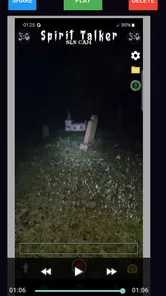
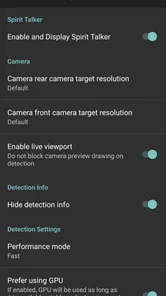
SG SLS Type Camera is a lifestyle app described as a Spirit Talker with SLS Type Body Detection and Face Detection. Its central appeal is this spirit-talk and detection concept, rather than serving as a general-purpose photography tool. If that is the kind of experience you are looking for, the app’s description gives you a clear idea of its focus before you decide whether to download it.
Who develops SG SLS Type Camera, and what should I know about its reputation?
SG SLS Type Camera is developed by Spotted: Ghosts. It has an average rating of 3.6 from 103 ratings, alongside 38 written reviews, giving prospective users a modest amount of community feedback to consider. Ratings and reviews reflect individual experiences, so it is worth reading a range of opinions and deciding whether the app’s spirit-talk and detection concept matches what you want.
What features does the SG SLS Type Camera offer?
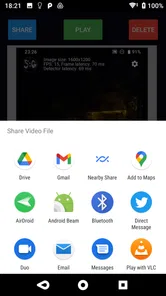
The SG SLS Type Camera is packed with advanced features including high-resolution imaging, smart focus, and intuitive controls. It also offers various shooting modes, filters, and the ability for real-time editing. Additionally, users can seamlessly share their photos and videos across social media platforms directly from the app.
Is the SG SLS Type Camera compatible with my device?
The SG SLS Type Camera is designed to work on both Android and iOS devices. However, it is important to check the specific system requirements before downloading to ensure compatibility, particularly if you have an older device. The app generally requires recent OS versions to ensure optimal performance. On Android, it requires version 5.0 or later, so check your device’s software version before installing.
How user-friendly is the SG SLS Type Camera for beginners?
The SG SLS Type Camera is designed with user-friendliness in mind, featuring an intuitive interface that simplifies the photography process. Beginners will find the guided tutorials and on-screen tips helpful. The app also includes automated settings to help users achieve professional-quality photos effortlessly, making it ideal for novice photographers.
Pros
- User-friendly interface boosts productivity.
- High-quality image processing features.
- Seamless integration with various devices.
- Regular updates enhance functionality.
- Comprehensive tutorials for easy learning.
Cons
- Limited free features restrict usage.
- Occasional bugs hinder performance.
- High system requirements needed.
- Subscription model can be costly.
- Customer support response is slow.












