Scan, Create: QR Code, Barcode
- 12.00
- 4.5
- Installs
- 1.00M
- Price
- Free

Screenshots
Analysis by Reviewed
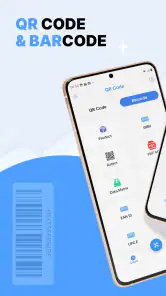
Ever found yourself in a store needing to quickly check the price or authenticity of a product? Or perhaps you needed to swiftly share your contact details with a new acquaintance? That's where the Scan, Create: QR Code, Barcode app comes into play. This nifty application is your go-to tool for all things related to QR codes and barcodes, making everyday tasks a breeze.
Getting Started with Ease
From the get-go, you'll find that setting up the Scan, Create: QR Code, Barcode app is as easy as pie. Installation is straightforward, and the user interface is sleek and intuitive. The app guides you through its features with simple prompts, so even if you're not tech-savvy, you'll get the hang of it in no time. The main menu is clutter-free, allowing you to focus on what you need to do without getting lost in unnecessary options.
Scan Like a Pro
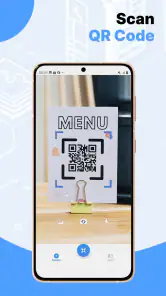
One of the standout features is its scanning capability. Whether you're dealing with a QR code or a barcode, this app handles it like a champ. Just point your camera at the code, and in a split second, you have all the information you need. Got a barcode on a product? The app not only reads it but also connects you to a wealth of data about the product, including prices, reviews, and availability.
Create and Share Effortlessly
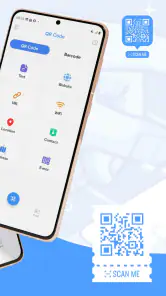
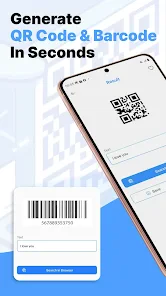
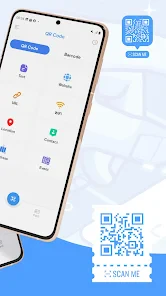
But this app doesn't stop at scanning; it also lets you create your own QR codes. Whether you want to share your contact information, a link to your website, or even a WiFi password, creating a QR code is just a few taps away. Once created, sharing it is seamless. You can save it to your gallery, share it via email, or post it on social media directly from the app. Talk about convenience!
Why It's a Must-Have
In today’s digital age, having a reliable tool for handling QR codes and barcodes is invaluable. The Scan, Create: QR Code, Barcode app stands out because of its ease of use and comprehensive features. It's like having a Swiss Army knife in your pocket, ready to tackle any scanning or sharing task you throw at it. Plus, the app is consistently updated, ensuring you have the latest features and security patches.
If you're looking for a versatile, user-friendly app that simplifies the way you interact with QR codes and barcodes, look no further. This app not only meets but exceeds expectations, making it a worthy addition to your smartphone toolkit. So why wait? Dive into the world of QR codes and barcodes with confidence and style!
More From Our News Desk

Clash of Clans Is Won Between the Battles

Android Auto Makes the Case for Quieter Car Software

MobiOffice: Transforming Mobile Productivity with Seamless Integration

EA SPORTS FC™ Mobile Soccer: Redefining Mobile Sports Gaming

How Microsoft OneDrive Became a Mobile Productivity Giant

How Google Translate Breaks Language Barriers Effortlessly
Scan, Create: QR Code, Barcode Frequently Asked Questions
What is the main purpose of the Scan, Create: QR Code, Barcode app?
The Scan, Create: QR Code, Barcode app is designed to provide users with a comprehensive tool for both scanning and creating QR codes and barcodes. Whether you need to quickly scan a code for instant information or generate a new code for your business or personal use, this app offers a user-friendly interface that simplifies these tasks. Its versatility makes it a valuable tool for various applications ranging from marketing to personal organization.
How easy is it to use the Scan, Create: QR Code, Barcode app for beginners?
The app is incredibly user-friendly, making it suitable for beginners who may not have prior experience with QR code or barcode applications. With a straightforward interface and step-by-step instructions, users can easily navigate the app's features. The app also provides tutorials and tips to help users get started, ensuring that even the least tech-savvy individuals can create and scan codes with ease.
What types of codes can be created and scanned with this app?
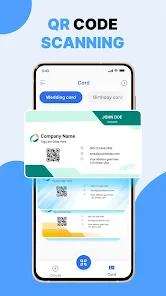
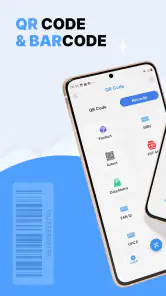
The Scan, Create: QR Code, Barcode app supports a wide array of code types, including QR codes, barcodes, and more. Users can create custom codes for URLs, contact information, Wi-Fi access points, and even event details. Additionally, the app can scan various barcode formats, making it a versatile tool for both personal and professional use, whether for inventory management or sharing digital content.
Is the Scan, Create: QR Code, Barcode app available for both Android and iOS devices?
Yes, the app is available for both Android and iOS platforms. This cross-platform availability ensures that users can enjoy its features regardless of their preferred mobile device. Whether you're using a smartphone or a tablet, the app provides a seamless experience. The developers have optimized it for both operating systems, ensuring high performance and compatibility with a wide range of devices.
Are there any costs associated with using the Scan, Create: QR Code, Barcode app?
The app offers a free version with basic features suitable for casual users. However, for those who need advanced functionalities such as batch processing, detailed analytics, and customization options, a premium version is available for purchase. This tiered pricing model allows users to choose a plan that best fits their needs and budget, providing flexibility whether for personal or commercial use.
Pros
- User-friendly interface for quick access
- Supports multiple code formats
- Fast scanning and code generation
- Offline functionality available
- Customizable QR code designs
Cons
- Limited editing options for created codes
- Ads in free version can be intrusive
- Some features require in-app purchases
- Occasional scanning errors
- No option to save scan history
- Category
- Tools
- Version
- 1.4.0









