Satellite Tracker: Dish Finder
- 92.00
- 4.0
- Installs
- 1.00M
- Price
- Free
Screenshots

Analysis by Reviewed
I find Satellite Tracker: Dish Finder most useful when I need to plan a dish adjustment rather than guess at the sky by eye. It is a free navigation app from InfinitumSoft, and its focus is much narrower than a road map: helping you locate a satellite and work out where a dish should point. That makes it worth considering for people who already use satellite equipment, though it is not a replacement for a receiver or a guarantee of a strong signal.
What the current version is suited to
The app’s current version is 1.5.69, and it has been available since August 2023. It has a 4.0 average from around 6,000 ratings, with more than a million installs. Those figures suggest it has found an audience, but I would treat ratings as a broad impression rather than proof that it will work equally well on every phone or in every location. It is rated for Everyone and supports Android 7.0 and later.
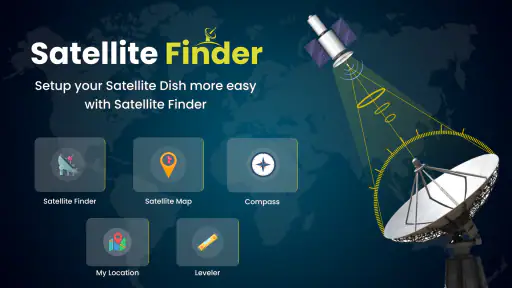
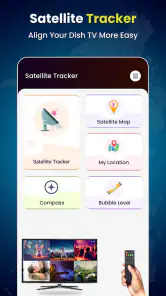
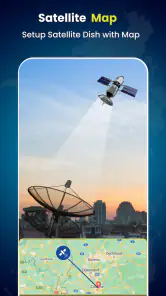
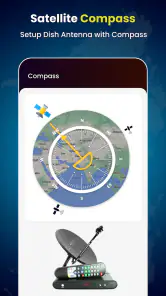
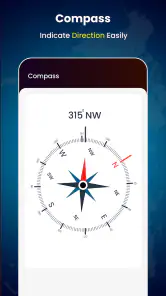
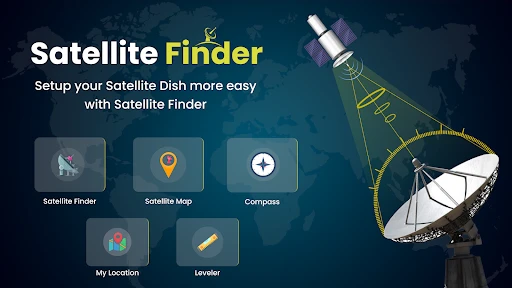
The core workflow is practical: use your phone’s GPS and compass to orient yourself, then use the satellite position display to guide dish alignment. An AR view can put that direction in the context of the camera image, which is helpful when the sky is visually confusing. I would still make small, deliberate adjustments and check the receiver’s own signal readings; a phone can guide the direction, but it cannot confirm that a particular installation is receiving a usable broadcast.
How I would use it in the field
Imagine arriving at a campsite late in the afternoon and finding that trees or a nearby building block the usual place for the dish. I would use the app to identify a clearer direction before unfolding equipment, then check the view from the actual dish location rather than relying on a reading taken beside the vehicle. That simple change in workflow can save repeated repositioning. A compass can be affected by nearby metal, so I would also step away from the vehicle and give the phone a moment to settle before trusting its orientation.
For a home installation, the app is more useful as a planning aid than as a one-tap setup solution. I would check the intended line of sight, make sure the dish and phone are positioned sensibly, and make fine adjustments while watching the receiver. If the satellite direction is obstructed, moving the dish or choosing another mounting point may matter more than repeatedly fine-tuning its angle. That is the sort of practical limitation an on-screen guide cannot solve for you.
What to expect from the experience
The interface is meant to make satellite finding approachable, and the camera-based view gives the direction information a useful visual reference. For someone who has never aligned a dish, that can make the task less intimidating. At the same time, using an AR overlay outdoors depends on having a clear view and a phone compass that is behaving reliably. I would not treat the overlay as a substitute for checking the signal at the receiver, especially when a small adjustment can make a difference.
Compared with general navigation apps, this tool is specialized: a map app helps you get to a campsite or property, while this one is intended to help with satellite direction. Compared with a dedicated meter or an installer’s equipment, it is more convenient to carry but does not offer the same kind of direct signal measurement. If you already have a receiver with signal feedback, using both is the sensible approach. If you need a professional installation, have a difficult roof setup, or cannot safely reach the dish, an app is not a reason to attempt risky work.
More From Our News Desk

Clash of Clans Is Won Between the Battles

Android Auto Makes the Case for Quieter Car Software

MobiOffice: Transforming Mobile Productivity with Seamless Integration

EA SPORTS FC™ Mobile Soccer: Redefining Mobile Sports Gaming

How Microsoft OneDrive Became a Mobile Productivity Giant

How Google Translate Breaks Language Barriers Effortlessly
Who should try it—and who may not need it
I can see this being useful for RV owners, campers who rely on satellite television, and homeowners adjusting or relocating a dish themselves. It makes the most sense when you can safely access the equipment and want help choosing a direction before making physical adjustments. It is less compelling if you do not own satellite gear, rely on streaming instead, or expect a phone to diagnose cable, receiver, weather, or obstruction problems.
The app is free to download, with in-app purchases ranging from $2.49 to $29.99 per item. I would start with the available basic experience and decide whether any paid option is relevant to my own setup before spending. Since phones differ in compass behavior and camera presentation, I would also test the app in an open area first, rather than discovering on a roof or at a remote campsite that my device needs calibration or gives an unstable direction.
What to keep in mind as it evolves
The release date and current version give a useful snapshot of the app’s development, but they do not tell me what future changes will include. For existing users, the practical question is whether the current build continues to work smoothly with their phone and satellite setup. I would keep the app updated through the usual store process and judge any change by whether it improves the alignment workflow, clarity, or reliability in real use—not simply by a higher version number.
Have you ever found yourself in a remote location, desperately trying to get a clear signal for your satellite dish? Well, worry no more because the app is here to save the day! This nifty tool is designed to make aligning your satellite dish a breeze, and let me tell you, it’s a game-changer.
Feature-Rich and User-Friendly
First off, let’s talk about the features. It is loaded with functionalities that cater to both amateurs and professionals. The app uses your phone’s GPS and compass to pinpoint the exact location of satellites, ensuring you get the best possible signal. What’s even cooler is its augmented reality (AR) view, which overlays satellite positions over your phone’s camera view. It’s like having a personal satellite technician in your pocket, without the hefty price tag!
The user interface is incredibly intuitive. As someone who isn’t exactly a tech wizard, I found navigating through the app to be a piece of cake. The developers clearly prioritized user experience, making it accessible to users of all skill levels. Plus, the step-by-step guide included in the app ensures you’re never lost or confused.
A Handy Tool for RV Enthusiasts and Home Users Alike
Whether you’re an RV enthusiast traveling across the country or a home user looking to optimize your dish setup, this app is perfect for you. I took it for a spin during a recent camping trip, and it worked like a charm. I didn’t have to deal with the frustration of fuzzy signals or endless adjustments. Instead, I was able to enjoy my favorite shows under the stars, thanks to the app’s precision.
Home users will appreciate the convenience it brings as well. Setting up a satellite dish can be a daunting task, but with this app, it’s as simple as following the on-screen instructions. It’s definitely a must-have for anyone looking to streamline their satellite setup process.
Final Thoughts
In a world where convenience is king, the app is a standout app that delivers on its promises. It’s reliable, easy to use, and packed with features that make satellite alignment a hassle-free experience. Whether you’re out in the wilderness or in your backyard, this app ensures you’re always connected. So, if you’re tired of dealing with bad satellite signals, give this app a try. You won’t regret it!
Satellite Tracker: Dish Finder Frequently Asked Questions
Is Satellite Tracker: Dish Finder free to download, and does it include in-app purchases?
Satellite Tracker: Dish Finder is free to download, so you can try the app without paying for the initial installation. It also offers in-app purchases, with individual items priced from $2.49 to $29.99. Consider whether you need any paid options before purchasing; the free download and paid items are separate parts of the app’s pricing.
What should I check on my phone before downloading Satellite Tracker: Dish Finder?
The app is listed for Android devices running version 7.0 or later. Before downloading, check your phone’s operating system and make sure its location and compass functions are available, since the existing description of the app’s alignment process relies on GPS and compass readings. The app is intended for Everyone, so its content rating is not restricted to adults.
What is Satellite Tracker: Dish Finder and how does it work?
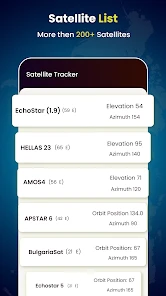
Satellite Tracker: Dish Finder is a mobile application designed to help users locate and align satellite dishes accurately. It works by using your device's GPS and compass to track satellites in real-time, providing precise azimuth and elevation angles. This ensures optimal alignment for better signal reception, making it an essential tool for both professional installers and DIY enthusiasts.
Is Satellite Tracker: Dish Finder compatible with all satellite dishes?
Yes, Satellite Tracker: Dish Finder is compatible with a wide range of satellite dishes, regardless of brand or model. The app provides universal support by focusing on satellite positions rather than specific dish types. This makes it versatile and useful for anyone looking to align their satellite dish for improved signal quality.
Does the app require an internet connection to function?
Satellite Tracker: Dish Finder primarily relies on your device's GPS and compass to track satellite positions, so it does not require a constant internet connection for its core functionalities. However, occasional internet access may be needed for downloading updates or accessing additional features and resources, enhancing overall app performance and user experience.
Pros
- User-friendly interface for easy navigation.
- Accurate satellite positioning data.
- Supports multiple satellite providers.
- Customizable notifications for updates.
- Works offline with preloaded maps.
Cons
- Requires GPS for accurate tracking.
- Ads can be intrusive at times.
- Limited free features available.
- Battery consumption is high during use.
- May not support all satellite models.
- Category
- Maps & Navigation
- Version
- 1.5.69