Reelzy
- 103.00
- 4.6
- Installs
- 100.00K
- Price
- Free

Screenshots
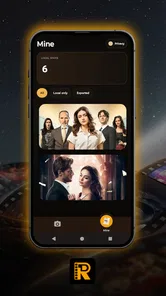



Analysis by Reviewed
I often take photos and short videos that make sense only when I remember where and when they were captured. A beach view, a family gathering, a market visit, or a quick clip from a weekend trip can lose that context once it is shared outside my camera roll. Reelzy is built around a simple answer to that problem: adding time, date, and location watermarks to visual content before it reaches someone else.
That narrow purpose is also what makes this Lifestyle app easy to understand. It is not trying to replace a full photo editor or become a social network. Instead, it focuses on turning an ordinary image or video into something with visible context. I see it as a practical utility for people who want memories, records, or shared clips to carry their basic story with them.
The app is free, rated for Everyone, and developed by Austrea Group Ltd. Its current version is 1.2.0, and it supports devices running Android 8.0 or later. With an average rating of 4.6 from around 7.3 thousand ratings and more than 100 thousand installs, it has clearly found an audience among people who want this kind of quick annotation rather than a large editing suite.
From an unlabelled clip to a shareable record
I focus here on the moment before sharing: deciding whether a clip needs a visible record of when and where it was made, rather than relying on a caption that may get separated from it. That small choice affects both the look of the video and the context a viewer takes away. Next, I consider how that workflow holds up when I have several pieces of media to prepare.
Starting with the right kind of material
The most useful way to approach Reelzy is to begin before opening it. I first decide what the image or clip needs to communicate. If I am sending a scenic photo to a friend, the location can add personality. If I am keeping a visual record of a visit, the date may be more important than decoration. For a short travel video, having time and place visible can save the recipient from asking follow-up questions.
This small decision matters because a watermark is not merely an effect. Once it is placed on the final image or video, it becomes part of the presentation. I would not add a large location label to every personal photo, especially when the picture is meant to feel clean or private. Reelzy makes more sense when context is part of the purpose.
A realistic everyday example is a rental inspection. I can capture a room, add the relevant date and location, and send the marked images to another person. The watermark does not replace a proper report, but it gives each visual item a quick reference when several photos are viewed later in a messaging thread or shared folder.
More From Our News Desk

Weather by Xiaomi Review: Clear at a Glance, Less Clear Up Close

X Under Pressure: Can It Recover When Posting Goes Wrong?

Clash of Clans Is Won Between the Battles

Android Auto Makes the Case for Quieter Car Software

MobiOffice: Transforming Mobile Productivity with Seamless Integration

EA SPORTS FC™ Mobile Soccer: Redefining Mobile Sports Gaming
Building the watermark step by step
The central workflow is refreshingly direct: choose the visual material, apply the available time, date, and location information, review how the watermark sits on the frame, and then use the finished result elsewhere. I like this order because it keeps the app focused on the outcome instead of surrounding the task with unrelated editing tools.
The first practical check is framing. A location label that looks fine across an open landscape may cover an important detail in a portrait or a close-up. I would inspect the edges, faces, signs, and any text before saving or sharing. This is one of the less obvious habits that makes the app more useful: the watermark should support the image, not compete with the thing being documented.
For videos, I would also watch enough of the clip to make sure the overlay remains readable throughout the scene. A label that is visible at the beginning may become distracting when the camera moves or the background changes. Reelzy’s value is therefore not just adding information; it is helping me produce a version that remains understandable after it leaves the app.
There is a trade-off between completeness and visual simplicity. Including all three watermark types gives a viewer more context, but it can make a small image feel busy. For a personal memory, I might prefer only the date or location. For documentation, I would lean toward keeping the details together. The right choice depends on whether the recipient needs atmosphere or evidence of context.
Making the handoff work
The important handoff happens after the watermark is applied. Reelzy is useful because the contextual information travels with the exported visual rather than remaining hidden in a camera gallery or device metadata. That makes the result easier to understand when it is forwarded, placed in a presentation, or viewed by someone who was not present when it was captured.
I would use this workflow for a group trip in which several people contribute photos. Instead of asking everyone to explain which day or place each image belongs to, contributors can prepare marked versions before sending them to the group. This does introduce a little extra work for the person creating the files, but it can reduce confusion later, especially when images are mixed together.
Another useful handoff is between a phone and a person who does not share the same photo library. A family member may receive a clip through a chat app, or a colleague may need a visual record without access to the original device. The watermark makes the basic context visible immediately. I find that more dependable than expecting people to inspect file details, which many viewers never do.
At the same time, I would not treat a visible watermark as a guarantee of authenticity. It shows information on the image or video, but it does not turn the file into a formal verification document. For serious records, I would keep the original material as well and avoid relying on the marked copy alone. That distinction is important for anyone considering the app for work-related documentation.
What the finished result feels like
When the workflow goes well, the result is a visual that answers basic questions without a separate caption. The viewer can see when and where the moment belongs, while the image or clip remains the main focus. That is a modest improvement, but it is exactly the kind of improvement that becomes valuable when content is shared repeatedly.
I especially like the idea for travel diaries. A sequence of images with visible context can be browsed later without reconstructing the itinerary from memory. It can also help when a trip contains several similar-looking places. The watermark becomes a lightweight index attached directly to each item.
For social sharing, the result is more subjective. Some people will enjoy the documentary style, while others will find any overlay unattractive. I would use Reelzy for a themed set of travel photos, event clips, or behind-the-scenes material rather than automatically marking every image in my camera roll.
The app’s free price lowers the barrier to trying this workflow. Someone who only occasionally needs dated or located content does not have to commit to a larger editing product first. That simplicity is a strength, although users wanting advanced visual control may eventually prefer a conventional editor with a broader toolset.
Where the workflow can break
The first point of friction is privacy. A visible location watermark can reveal more than intended, particularly when a photo shows a home, workplace, or regular routine. I would carefully check the location before sharing anything publicly. In many cases, the best decision may be to leave location information out and use only the date, depending on what the image is meant to communicate.
The second issue is visual obstruction. A watermark placed over a face, product label, road sign, or other important detail weakens the result. This is why I would never treat the process as completely automatic. A few seconds of inspection can make the difference between a useful record and an awkwardly labelled image.
There is also a workflow cost when the original and marked versions both need to be kept. If I am careful, I save the original for personal archiving and use the watermarked copy for sharing. That is sensible, but it can create duplicates and make file organization more important. Anyone who wants a one-tap, no-review process may find this extra step inconvenient.
Reelzy is also not the best choice when the main goal is detailed creative editing. If I need layered designs, retouching, complex typography, extensive color work, or a carefully branded layout, I would choose a full photo or video editor instead. Reelzy’s advantage is speed and purpose, not breadth.
Who benefits most from Reelzy
I think the app suits travelers, families, casual creators, event participants, and anyone who regularly sends visual updates to people outside their immediate context. It is particularly helpful when the same image may be viewed days or weeks later and the date or place would otherwise be forgotten.
It can also fit a simple personal archive workflow. I might mark a series of renovation photos, garden progress images, or snapshots from a local outing, then keep the labelled versions in a separate album. The useful insight here is to treat the watermark as an organizational aid, not only a decorative stamp. Consistent information can make a scattered collection easier to browse.
I would recommend caution for people who frequently share sensitive images, who need formal evidence, or who dislike any alteration to their media. In those situations, the app may create more concerns than benefits. A metadata-focused approach or an unedited original may be more appropriate, depending on the task.
How it compares with usual alternatives
The usual alternative is to type the date and location into a caption or message. That is faster for a single image, but the context can disappear when the file is forwarded without the accompanying text. Reelzy keeps the information attached to the visible content, which is its clearest advantage.
Another alternative is using a general-purpose editor and manually adding text. That offers more control over fonts, placement, and design, but it also requires more decisions and more effort. For someone who wants a repeatable time, date, and location workflow, a focused app is less demanding. For someone who wants a polished poster or branded video, the general editor remains the better tool.
Camera metadata is another comparison point. It can preserve useful details inside a file, but it is not always visible to the person receiving the image, and some sharing services may remove or hide it. Reelzy takes the opposite approach by making the information part of the visible presentation. That is convenient, but it also means the label cannot be hidden from viewers and may affect the look of the content.
Practical habits that improve the outcome
Choose the watermark information based on the recipient’s need rather than automatically displaying everything.
Review the label against the most important part of the frame before sharing, especially with portraits, documents, and close-up shots.
Keep an unmarked original when the image may later be needed for editing, private archiving, or formal documentation.
Use location labels cautiously for public posts, since a convenient context marker can also disclose a sensitive place.
These habits also answer a common practical question: is the app useful for occasional users, or does it require a dedicated content routine? In my experience, it works for both. An occasional user can apply a watermark only when context matters, while a frequent user can make it part of a consistent sharing process. The key is deciding the purpose before adding the overlay.
My experience with the complete process
What I appreciate most is the clear relationship between input and outcome. I start with an image or clip whose context may be lost, add the details that matter, inspect the presentation, and hand over a file that explains itself more clearly. There is no need to turn the task into a full editing session.
That focus also defines the app’s limits. Reelzy is not a replacement for a camera, an archive, a professional evidence system, or a complete creative editor. It is a small bridge between capturing something and sharing it with enough context to remain understandable.
For me, the decision comes down to whether visible time, date, or location information improves the content. When it does, the free app from Austrea Group Ltd is a convenient option, and its Everyone rating makes it approachable for a broad audience. When a clean, untouched image matters more, or when privacy is the priority, I would skip the watermark rather than add one automatically.
My recommendation is simple: use Reelzy when the story behind a photo or video is as important as the picture itself. Check the placement, think twice about location sharing, and preserve the original when the material matters. Used that way, it delivers a practical result without pretending to be more than a focused Lifestyle tool.
Reelzy Frequently Asked Questions
Does Reelzy add watermarks to videos or photos?
Reelzy’s stated purpose is to add time, date, and location watermarks. This may be useful when you want media to show when or where it was captured, such as for personal records or sharing context with others. Before using location details in anything you share, consider whether revealing that information is appropriate for your privacy.
Which devices can run Reelzy?
Reelzy requires Android 8.0 or later, so check your device’s operating system before downloading. If your phone or tablet meets that requirement, you can consider installing the app from its official app store. Keeping your operating system and apps up to date is also a sensible way to support compatibility and smooth everyday use.
What is Reelzy and what can I use it for?
Reelzy is designed for users who enjoy discovering, watching, and interacting with short-form video content. After installing it, you can browse a personalized feed, explore popular clips, and engage with creators through likes, comments, shares, or follows, depending on the features available in your version. It is mainly intended for entertainment and quick content discovery rather than long-form video viewing.
Is Reelzy free to download and use?
Reelzy can generally be downloaded at no initial cost, allowing users to access its core browsing and viewing features without purchasing the application. However, availability of optional premium tools, advertisements, creator features, or in-app purchases may depend on the platform and region. Before confirming a purchase, review the store listing carefully so you understand any recurring charges or subscription conditions.
Does Reelzy require an account or internet connection?
An internet connection is normally required to load videos, refresh recommendations, and interact with content. Some basic browsing may be limited or unavailable without reliable mobile data or Wi-Fi. Reelzy may also ask you to create an account or sign in to use features such as commenting, following creators, saving content, or uploading videos. The exact requirements can vary after updates.
Pros
- Quickly browse short-form videos in a familiar vertical feed.
- Simple interface makes discovering new creators easy.
- Useful sharing options for sending clips to friends.
- Frequent content updates keep the feed feeling fresh.
- Works well for casual viewing during short breaks.
Cons
- The feed can become repetitive after extended viewing.
- Content quality varies widely between creators.
- Personalization may require time and regular interaction.
- Some features may depend on a stable internet connection.
- Frequent notifications can feel distracting if not adjusted.











