RAIO
- 30.00
- 3.4
- Installs
- 50.00K
- Price
- Free

Screenshots
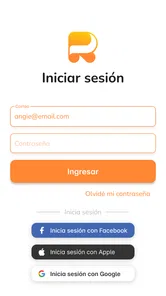



Analysis by Reviewed
I found RAIO most useful when I treated it as a small, focused language-practice tool rather than a complete course. Its central idea is simple: study sentences, then meet them again through spaced repetition so that review happens before the material disappears from memory. That approach feels more practical than endlessly browsing vocabulary lists, especially when I want to remember how a phrase works in context.
Because it is a lifestyle app from Kale Anders, it sits in an interesting middle ground. It is not trying to replace a teacher, a conversation partner, or a full language-learning platform. Instead, it gives me a repeatable routine for sentence-based practice. I can imagine using it during a quiet ten-minute break, after dinner, or while waiting for an appointment. The free download makes trying it easy, although the in-app purchase range of $19.99 to $179.99 per item means I would look carefully at the available options before committing to anything paid.
How RAIO fits into a shared household routine
The most realistic household use is not everyone studying together on one device at the same time. It is a shared tablet or family phone being used by different people at different moments. One person might review sentences in the morning, another might use the device later, and a child or teenager could open it for a short practice session. In that situation, the app’s value depends less on entertainment and more on whether each person can keep a clear personal routine.
I would not assume that a shared device automatically means shared progress. Language practice works best when I know which sentences belong to me and when I can recognize my own review history. If several people use the same app area without clear boundaries, the experience can become confusing quickly: one learner may see material chosen by another, and the spaced-repetition rhythm may no longer reflect either person’s actual memory.
My practical solution would be to agree on simple household rules before beginning. Each learner should use a separate device profile or account area if the app offers one, and nobody should reset, skip, or reorganize another person’s study material casually. I am deliberately framing this as a household habit rather than promising a built-in family system. The important point is that the app should support an organized routine, not become a communal notebook where everyone changes the same pages.
This matters particularly when adults and younger learners share access. A parent may want to practice travel sentences, while a teenager is working on everyday conversation. Those are both reasonable goals, but they need different material and different pacing. The sentence-based format can serve both, yet the experience will be much better if each person knows what they are responsible for reviewing.
What the first sessions feel like
My first impression of this kind of learning is that it rewards patience more than constant novelty. The appeal is not a stream of games, animations, or unrelated challenges. The useful moment comes when a sentence appears and I realize I can recall its meaning, structure, or wording more quickly than before. That can feel modest compared with a flashy lesson, but it is exactly the sort of progress that becomes valuable after repeated sessions.
More From Our News Desk

Weather by Xiaomi Review: Clear at a Glance, Less Clear Up Close

X Under Pressure: Can It Recover When Posting Goes Wrong?

Clash of Clans Is Won Between the Battles

Android Auto Makes the Case for Quieter Car Software

MobiOffice: Transforming Mobile Productivity with Seamless Integration

EA SPORTS FC™ Mobile Soccer: Redefining Mobile Sports Gaming
I would begin with a small daily target instead of trying to process everything at once. A short session gives me enough time to pay attention to the sentence itself: what the key verb is doing, which word order feels unfamiliar, and whether the phrase sounds like something I could actually say. If I rush through reviews merely to clear a queue, I may technically complete practice while remembering very little.
One useful habit is to connect each sentence to a personal situation. If I am learning a phrase about ordering food, I picture a café. If it concerns introductions, I imagine meeting a colleague. This turns a detached card into a small mental scene. The spaced-repetition method can bring the sentence back later, but the personal connection helps me retrieve it when I need it outside the app.
Another good household habit is to avoid interrupting somebody’s review session unless the device is genuinely needed. A short practice window can be easy to lose, and a learner may not return later. On a shared phone, I would also close the app properly after finishing and leave a note for the next person if the device is being passed around. That is not an exciting feature, but it prevents the sort of small confusion that undermines regular study.
Keeping accounts and progress separate
Account boundaries deserve more attention than they usually receive in app reviews. When I use a language app alone, I can experiment freely. On a shared device, every tap may affect somebody else’s learning path. Before inviting other household members to use RAIO, I would check how the installed version handles profiles, sign-in, saved progress, and switching between learners. I would not assume that a family can safely share one login just because the app opens on the same device.
This is also where expectations should stay realistic. I found no reason to treat the app as a replacement for a household organizer. It may help each learner review sentences, but coordination still belongs to the people using it. A parent can decide that the teenager practices after homework, or two adults can agree to review separately, yet those arrangements are external routines rather than something I would present as built-in family controls.
If only one person will use the app, this concern largely disappears. A personal phone is the cleanest arrangement because the review sequence reflects one learner’s memory. If the app is installed on a family tablet, I would keep a simple record of who is using which profile and avoid changing language settings without checking first. That extra minute can save a frustrating restart later.
I would also be cautious about purchasing anything on a shared device. The app is free to install, but individual in-app items range from $19.99 to $179.99. That is a meaningful difference in household spending, so I would make sure the purchaser understands exactly what is being selected and whether the purchase suits the intended learner. A child should not be left to interpret a high-priced option alone, even though the content rating is Everyone.
Coordination without turning practice into homework
Shared use works best when coordination stays light. I would not create a complicated family timetable for an app that is designed around repeated sentence review. A better approach is to give each person a predictable moment: one learner before breakfast, another after dinner, or separate days if the device is only available at certain times. Predictability is more useful than pressure because spaced repetition depends on returning consistently.
A household can also coordinate by discussing the type of sentences each person finds useful. That conversation may reveal that one learner wants travel language, another wants workplace phrases, and a younger user needs basic everyday expressions. Even if the app does not provide a family dashboard, those discussions can keep people from assuming that everyone should follow the same path.
I would avoid comparing review totals between family members. Sentence recall is personal, and a learner who needs more repetitions is not necessarily progressing more slowly in a meaningful way. The better question is whether the person can recognize and use the material with less hesitation. This is one of the strongest reasons I prefer the app as an individual practice tool: its real benefit is gradual retention, not a household leaderboard.
For a parent supporting a teenager, a weekly conversation about what feels useful may be more helpful than checking every session. Ask which sentences are memorable, which feel unnatural, and whether the practice fits the learner’s actual goals. That approach respects the learner’s independence while still making the app part of a shared plan. It also exposes a limitation: RAIO can provide review material, but it cannot by itself create motivation or decide whether the content matches a family member’s immediate needs.
Age, trust, and the limits of supervision
The Everyone age rating makes the app approachable for a broad household audience, but an age label is not the same thing as a complete learning recommendation. A younger learner may still need an adult to help choose a sensible routine, understand unfamiliar sentences, and decide whether any paid option is appropriate. I would especially avoid handing over payment decisions simply because the app is suitable for general audiences.
Trust also means being honest about what the app can and cannot show a parent. I would not describe it as a monitoring tool or claim that it offers detailed family supervision. If a parent needs formal reporting, assignment tracking, or teacher-style feedback, a dedicated education platform may be a better fit. RAIO makes more sense when the learner is trusted to open the app, review sentences, and mention difficulties when they arise.
For independent older learners and adults, that simplicity can be a strength. There is less need to turn every practice session into a supervised lesson. I can choose a quiet moment, work through the material, and stop before the session becomes tiring. For younger children who need visual variety, pronunciation coaching, or constant guidance, I would compare it with a more structured course before deciding.
One subtle issue is the difference between recognizing a sentence and being able to produce it. Spaced repetition can make familiar material feel comfortable, but I still need to say the sentence aloud, adapt it, and use it in a real exchange. In a household, a parent or partner can help by asking the learner to use one reviewed sentence naturally at dinner. That small activity adds speaking practice without pretending that the app itself provides a full conversation environment.
Where it stands beside familiar alternatives
Compared with a traditional vocabulary flashcard app, RAIO has a clear advantage in context. A complete sentence can show how words behave together, which is more useful to me than memorizing isolated translations. The trade-off is that sentence review may feel slower when I only need a quick list of words for a trip or an exam. Someone focused on rapid vocabulary collection may prefer a conventional flashcard system.
Compared with a gamified language course, this app is more restrained. I would choose the game-like alternative if motivation comes from streaks, levels, visual rewards, and varied activities. RAIO is a better match for a learner who already understands the value of repetition and wants to spend time with sentences rather than chase a score. Neither approach is automatically superior; the right choice depends on what gets the learner to return tomorrow.
It also differs from conversation-focused services. A tutor or exchange partner can correct pronunciation, react to unexpected answers, and keep a real dialogue moving. RAIO cannot replace that human unpredictability. Its role is narrower and, in my view, more manageable: strengthen sentence memory so that later conversations feel less intimidating. I would combine the two if speaking ability were my main goal.
Finally, a full course may offer grammar explanations, listening exercises, writing tasks, and a carefully staged curriculum. RAIO’s sentence-centered design is appealing when I want a compact review habit, but it may feel incomplete as a sole resource. This is the most important trade-off for a new user: the app can become a useful part of a language routine, yet I would not rely on it alone for balanced progress across every skill.
Practical ways to get more from sentence review
My first recommendation is to review for meaning before worrying about speed. When a sentence appears, I would try to understand the whole idea, then notice the one detail that makes it valuable: a verb form, a preposition, or an unfamiliar word order. This prevents the session from turning into a reflexive tapping exercise.
Second, I would say difficult sentences aloud even if the app does not require it. Speaking exposes gaps that silent recognition hides. If I can understand a sentence but cannot produce it without looking, I mark it mentally as unfinished and revisit it later in a real-life example. This is especially useful for household learners who may have nobody available for a full conversation lesson.
Third, I would connect reviews to a weekly situation. Before a trip, I might focus on sentences that help with directions or food. Before meeting new colleagues, I might prioritize introductions and polite requests. The point is not to invent a feature or claim that the app automatically organizes such plans; it is to give the existing sentence practice a purpose outside the screen.
Fourth, I would protect the review rhythm from household interruptions. On a shared device, a learner should finish or pause deliberately rather than simply handing the phone to someone else. If the app resumes in the middle of a review, the next person should not answer on the previous learner’s behalf. That small discipline keeps the spaced-repetition experience meaningful.
Fifth, I would reassess after a few weeks based on actual use, not enthusiasm from the first day. If I remember sentences more easily and look forward to short reviews, the app is earning its place. If I am only opening it because another family member expects me to, a different format may work better. The best language tool is the one that fits the learner’s behavior, not the one with the most impressive promise.
Who should choose it, and who should look elsewhere
I would recommend RAIO to an independent learner who likes concise, repeatable practice and wants language presented through sentences. It is also suitable for a household that can keep users and payment decisions clearly separated. Adults, older students, and motivated beginners may appreciate the focused format, particularly when they already have another way to hear and speak the language.
I would be more cautious for someone seeking a complete curriculum from one app. If you need lessons that move from pronunciation to grammar to free conversation in a carefully guided order, a broader platform is likely the better starting point. I would also hesitate to make it the only tool for a young child who needs close supervision, highly visual exercises, or a parent-facing progress system.
The average rating is 3.4 from around 229 ratings, while the app has around 30 written reviews. I read that as a sign to approach it with measured expectations rather than assuming it will suit every learning style. Its appeal is specific: sentence practice supported by spaced repetition. When that matches your goal, the focused design can be useful; when it does not, the same narrowness may feel limiting.
My household verdict
After considering RAIO as a shared-device app, I see it as a personal study tool that can live comfortably in a household, provided everyone respects clear boundaries. It is free to install, works on Android versions from 7.0 onward, and the current version is 1.16.9. The app was released on February 3, 2023, and its growing reach of over 50 thousand installs suggests that it has found an audience without changing what it is: a focused way to revisit sentences.
I like the fact that the method encourages memory over passive browsing. I also like that a learner can build a practical routine around short sessions instead of waiting for a long block of free time. The strongest use case is an adult or older student who wants reinforcement between classes, alongside conversation practice, or during a period when a full course feels too demanding.
My reservations are just as clear. Shared accounts can blur progress, family coordination is not something I would assume the app handles automatically, and the paid options require careful attention on a common device. The sentence format may also leave gaps for learners who need extensive speaking, listening, writing, or grammar instruction. Those are not reasons to dismiss it; they are reasons to place it correctly in the household routine.
For me, the final decision comes down to whether the family wants a quiet review habit or a complete language-learning environment. If the goal is the former, I think RAIO is worth trying, with one learner per account boundary and a simple agreement about device use. If the household wants shared supervision, rich course structure, or instant conversation practice, I would choose a broader alternative instead. Used on its own terms, RAIO is a practical sentence-review companion, not a substitute for the whole language-learning journey.
RAIO Frequently Asked Questions
What is RAIO, and what can I use it for?
RAIO is an application designed to provide users with its core services through a mobile-friendly interface. Depending on the version and region, its tools may help you manage information, access content, complete tasks, or interact with connected features more conveniently. Before downloading, check the official store description because available functions, supported devices, and regional options may vary.
Is RAIO free to download and use?
RAIO may be available as a free download, but some features or services could require in-app purchases, a subscription, registration, or payment through an associated provider. I recommend reviewing the pricing section in Google Play or the App Store before installing it. Also check whether subscriptions renew automatically and whether any trial period changes into a paid plan.
Does RAIO require an account or personal information?
The information required by RAIO depends on how you intend to use the app. Basic access may be possible without creating an account, while personalized features, synchronization, saved settings, or transactions may require registration. Review the requested permissions and privacy policy carefully, especially if the app asks for contact, location, camera, storage, or notification access.
Is RAIO compatible with my Android or iPhone?
Compatibility can differ according to your operating system version, device model, available storage, and the most recent app release. Before downloading RAIO, open its official Google Play or App Store listing and confirm the minimum Android or iOS requirements. Keeping your phone updated is also recommended, since older devices may experience missing features, slower performance, or installation problems.
Is RAIO safe to download and use?
The safest way to install RAIO is through its official Google Play or Apple App Store listing rather than an unofficial website or modified APK. Before installation, check the developer name, recent user reviews, update history, privacy disclosures, and requested permissions. Avoid granting access that seems unrelated to the app’s purpose, and keep both the application and your phone’s operating system updated.
Pros
- Fast access to local news
- alerts
- and updates in one place.
- Clean interface makes browsing different content categories straightforward.
- Useful for staying informed about nearby events and public information.
- Notifications can help users receive important updates without checking manually.
- Available on mobile
- making information accessible while traveling or commuting.
Cons
- Content quality and coverage may vary depending on the user’s location.
- Frequent notifications could become distracting without careful settings management.
- Some features may require a stable internet connection to work properly.
- The app may offer limited value in areas with little local coverage.
- Privacy details should be reviewed before enabling location or notification access.











