Radar - Speed Camera Detector
- 90.00
- 4.2
- Installs
- 5.00M
- Price
- Free

Screenshots
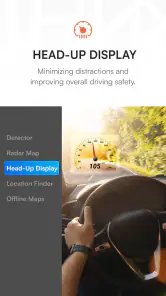
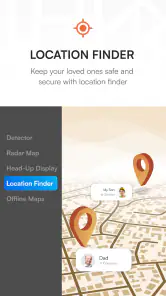
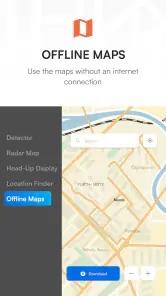
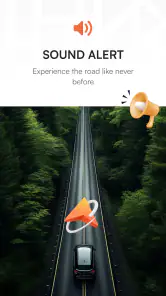
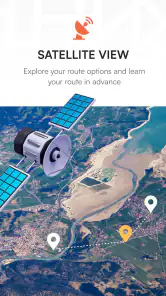
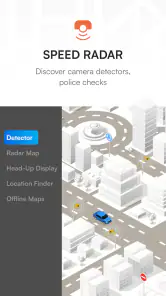
Analysis by Reviewed
My first week with Radar - Speed Camera Detector would be about finding out whether its alerts fit naturally into a drive, rather than treating it as a replacement for navigation. It is a free Maps & Navigation app from Rear Window Limited, focused on radar awareness and traffic alerts. On an unfamiliar road, a timely reminder can help me stay alert without repeatedly checking a map, but that benefit depends on the warnings being useful rather than distracting.
Testing it on roads I already know
I’d begin with a familiar commute, where I already know the usual speed changes and traffic patterns. That makes it easier to judge whether an alert adds anything and whether its timing feels comfortable. I would set up the phone before pulling away, keep my attention on the road, and treat every warning as a prompt to check my surroundings—not as a reason to stop looking for signs.
After that, I’d try a route I don’t know well. This is where a focused alert tool may feel more valuable: I can concentrate on unfamiliar junctions and traffic while remaining aware that conditions may change. Still, it is not a substitute for a route planner when I need detailed directions, and no alert app can guarantee that every camera or hazard will be flagged.
Who gets the most from the alerts
The strongest fit is a driver who already has a navigation routine and wants an additional layer of awareness, especially when commuting on changing routes or travelling through places they rarely visit. Someone who dislikes audible prompts, expects complete coverage, or wants one app to handle every part of trip planning may be happier with a general-purpose navigation app alone.
A useful way to decide is to test the app on ordinary drives, not just a long trip when everything feels new. Ask whether the alerts help you stay composed, whether you can leave the phone alone, and whether the information seems relevant on roads you actually use. If the answer is no, adding another app to the routine may not be worth the attention it requires.
How it fits beside a regular navigator
General navigation apps are usually the natural choice when I need turn-by-turn directions, route choices, or a broader trip-planning experience. Radar has a narrower purpose: it puts speed-camera and traffic awareness at the center. That makes it a possible companion for someone who already trusts another navigator, rather than an automatic replacement for it.
Running two apps can also add friction. I’d decide before setting off which one is responsible for directions and whether a second source of alerts genuinely helps. If managing both means looking at the screen or adjusting settings while driving, the extra information is not worth the distraction. A single familiar navigator may be the safer and simpler choice for a route that needs close guidance.
You May Like

Clash of Clans Is Won Between the Battles

Android Auto Makes the Case for Quieter Car Software

MobiOffice: Transforming Mobile Productivity with Seamless Integration

EA SPORTS FC™ Mobile Soccer: Redefining Mobile Sports Gaming

How Microsoft OneDrive Became a Mobile Productivity Giant

How Google Translate Breaks Language Barriers Effortlessly
A realistic commute, not a perfect test
Picture a weekday drive where roadworks or congestion push me onto streets I rarely take. I can start the route with my usual navigation app, use Radar for its focused warnings if that setup is practical, and keep following posted limits and signs. The point is not to chase alerts; it is to have another reminder to stay attentive when the journey differs from the one I expected.
On the way home, I’d notice whether the same alerts are still useful or whether they feel repetitive on roads I now recognize. That distinction matters: a tool can feel impressive on day one and become background noise later. If I find myself wanting to silence it every trip, I’d revisit the setup while parked or decide that the app does not suit my routine.
What a good setup looks like
I’d choose an alert style while stationary and keep the phone mounted securely in a position that does not obstruct my view. A stable setup reduces the temptation to pick up the device when a notification arrives. For longer drives, I’d also think ahead about battery life and start with enough charge; a GPS-based app is only helpful if I can run it without worrying about the phone dying partway through the journey.
There is a trade-off between hearing more reminders and keeping the cabin calm. A driver who often uses unfamiliar roads may prefer a more noticeable setup, while someone repeating a known commute may find frequent prompts tiring. I’d adjust only when parked, then give the chosen setup a few ordinary drives before judging it. Constantly changing alert preferences makes it harder to tell whether the app itself is useful.
What Exactly Does It Do?
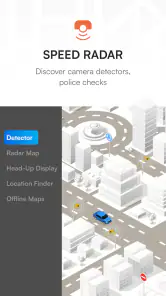
Picture this: you’re cruising down the highway, and suddenly, there’s a flash. Yeah, we’ve all been there. Well, Radar - Speed Camera Detector is designed to keep those pesky surprises at bay. It’s like having a co-pilot who’s always on the lookout for speed cameras, traffic lights, and even potential hazards on the road.
User-Friendly Interface
Now, I’m not someone who’s easily impressed by tech, but the user interface of this app is as intuitive as it gets. Even if you’re a tech newbie, navigating through the app is as easy as pie. It’s got this neat, minimalistic design that doesn’t overwhelm you with unnecessary features. Just what you need, where you need it.
Real-Time Alerts
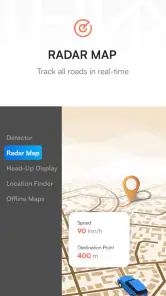
The real magic of this app lies in its real-time alert system. You get notified well in advance about speed cameras and road conditions. The app uses GPS to track your location and updates its database regularly to ensure you’re always in the loop. This feature is a game-changer, especially if you’re driving in unfamiliar areas.
Making alerts work for your routine
Customization matters most after the novelty wears off. I’d set up the alert style before driving, then leave the phone alone once moving; fiddling with tones or frequency in traffic defeats the point of having a co-pilot. If the warnings feel too chatty, a quieter setup may be easier to live with, while a driver who often crosses unknown roads may prefer more reminders. The useful setting is the one that informs without pulling attention away from the windshield.
For an everyday example, imagine a commute that takes a detour through roads you rarely use. Traffic changes can make the route feel less predictable, and a timely heads-up may help me stay prepared. I would still check the route before setting off and follow signs throughout. Radar is best as an extra layer of awareness, not a substitute for a dedicated navigation app when I need detailed turn-by-turn planning or a carefully optimized route.
Customization Options
One of the coolest things about this app is how customizable it is. You can tweak the settings to suit your driving style and preferences. Want alerts to be more frequent? Done. Prefer a different alert tone? No problem. It's like the app adapts to your needs, making it a seamless addition to your driving routine.
Community-Driven Updates
What’s even better is the community-driven approach. Users can report new speed cameras or road hazards, which means the app is constantly evolving and improving with real-time data from fellow drivers. It’s like being part of a community that’s dedicated to making the roads a safer place for everyone.
What changes after the novelty
Over the months, the real question is whether the warnings stay relevant on routes I repeat. Community reports can be useful, but they depend on information being current and on drivers contributing; I would not assume every camera or hazard is reported correctly. A sensible habit is to keep expectations modest, use alerts as prompts to check conditions, and stop relying on them if they become stale or distracting. That caution matters more than any single notification.
Compared with a general-purpose maps app, this one is more narrowly centered on radar awareness and alerts rather than being the tool I would automatically choose for every navigation task. That focus can be valuable for regular drivers who already have a preferred route planner. If I need dependable directions, route alternatives, or a broader trip-planning workflow, I’d keep using a full navigation app and treat Radar as a companion only if running another app is practical and safe.
Maintenance, cost, and who should skip it
Keeping the app useful is mostly about making it part of a calm routine: check it before setting off, configure alerts while parked, and avoid interacting with it in motion. GPS-based tools also make phone battery and mounting choices worth considering on longer drives; I’d start a trip with a charged phone and a stable, legal mount rather than reach for the device while driving. The app is free to download, with optional in-app purchases priced from $4.99 to $29.99 per item, so I’d try the free experience first and only consider spending if I understand what an offer adds.
It is a better fit for people who drive regularly, encounter changing routes, and can use alerts as a quiet reminder. It may be the wrong choice for someone who wants a single all-purpose navigator, dislikes audible prompts, or expects perfect coverage everywhere. The app was released on August 23, 2023, and its current version is 3.7.0; those details help identify the product, but my lasting judgment would come from whether it stays accurate and unobtrusive on the roads I actually use.
When the habit is worth keeping
Radar earns space on my phone only if it continues to help without demanding attention. I would judge it after several ordinary commutes, not just one exciting road trip: are the alerts useful, do they feel timely, and can I leave the phone untouched? If the answer is yes, it can serve as a focused companion alongside my usual navigation choice. If not, a standard maps app—or simply relying on road signs and attentive driving—is the better fit.
In conclusion, if you’re someone who spends a lot of time on the road, Radar could be a real lifesaver. It’s not just about avoiding fines; it’s about driving smarter and safer. So next time you’re planning a road trip, make sure this app has a spot on your home screen. Drive safe and happy travels!
Will it earn a place beyond the first week?
The app has an Everyone age rating and supports Android 5.0 and up, which makes it available to a broad range of Android users. Its 4.2 average from around twelve thousand ratings and over five million installs suggest that many people have tried it, but popularity cannot settle the question that matters on my commute: whether the alerts are current, useful, and easy to ignore when they are not needed. I’d treat the first few drives as a personal fit check rather than assume that other drivers’ experiences will match mine.
For a driver who travels regularly, the recurring value is simple: a focused reminder may be worthwhile if it blends into an established routine. For someone who drives only occasionally on familiar roads, the benefit may be too small to justify another app and another source of prompts. Either way, following speed limits and road signs remains the reliable foundation; a detector can support awareness, but it cannot take responsibility for decisions behind the wheel.
Radar - Speed Camera Detector Frequently Asked Questions
Who makes Radar - Speed Camera Detector, and what should I know before installing it?
Radar - Speed Camera Detector is a Maps & Navigation app developed by Rear Window Limited. It is free to download and is rated for Everyone, making it suitable for a broad audience. The app also offers in-app purchases, so check the purchase details shown on your device before choosing any optional paid features. Its focus is helping drivers stay aware of speed limits, radar locations, and traffic alerts.
Which devices can run Radar - Speed Camera Detector?
Radar - Speed Camera Detector is available for Android devices running Android 5.0 or later. Before downloading, check your device’s operating system version and make sure you have enough space for the installation. The app is intended for use with a device that can access GPS location services, since location awareness supports its navigation and camera-alert features. Keep the phone positioned safely, and do not handle it while driving.
What is Radar - Speed Camera Detector and how does it work?
Radar - Speed Camera Detector is an application designed to alert drivers about nearby speed cameras and traffic enforcement zones. The app uses GPS technology to pinpoint your location and cross-reference it with a database of known camera locations. As you drive, it provides real-time notifications to help you adhere to speed limits and avoid fines. Users can also contribute by reporting new camera locations, enhancing the app's accuracy.
Is Radar - Speed Camera Detector legal to use while driving?
Yes, Radar - Speed Camera Detector is legal in many countries, as it serves as a tool to promote safer driving by encouraging adherence to speed limits. However, the legality can vary depending on regional laws regarding the use of speed detection devices. It is important to check local regulations to ensure compliance while using the app.
Does Radar - Speed Camera Detector require an internet connection?
While Radar - Speed Camera Detector can work offline by using your device's GPS, an internet connection enhances its functionality. Online access allows the app to update its database with new camera locations and user-reported updates in real-time, ensuring you have the most accurate and up-to-date information while driving.
Pros
- Real-time updates on speed cameras.
- User-friendly interface design.
- Customizable alerts for speed limits.
- Supports multiple map views.
- Accurate GPS tracking.
Cons
- Requires constant internet connection.
- Drains battery quickly.
- Limited features in free version.
- Frequent ads interrupt usage.
- Inconsistent camera detection in rural areas.

- Category
- Maps & Navigation
- Version
- 3.7.0