

Private Callr - Secure & Anony
- 172.00
- 3.1
- Installs
- 50.00K
- Price
- Free

Screenshots
Analysis by Reviewed
I tested Private Callr - Secure & Anony as a communication app built around a simple idea: keep your everyday phone number out of situations where you would rather not share it. The app comes from Caller ID Faker LLC, and its focus is private calling rather than messaging, social networking, or a full replacement for your normal mobile service. That narrow purpose is also its main appeal. If you occasionally need a separate number for a transaction, a temporary conversation, or a call where privacy matters, it can be more practical than handing over your personal line.
My overall impression is mixed but useful. Private Callr is easy to understand, free to install, and aimed at a real problem: separating personal communication from less familiar contacts. At the same time, a privacy-number app needs to be judged carefully. It is not automatically the best tool for blocking every unwanted call, and it should not be treated as a guarantee of anonymity in every situation. The value depends heavily on how often you need a second line and how comfortable you are with optional purchases.
How Private Callr fits into everyday communication
The app sits in the communication category, but I would describe it more specifically as a privacy layer for phone calls. Instead of giving your main number to everyone who asks for it, you can use a private number for selected conversations. That distinction matters because the usual alternatives solve different problems. A spam-blocking app tries to identify or filter suspicious callers, while a second-SIM service gives you another line for broader, ongoing use. Private Callr is more focused: it is for keeping your primary number separate when you still need to communicate by phone.
That makes the app relevant in situations that are ordinary rather than dramatic. Imagine selling a chair through a local marketplace. A potential buyer wants to call, but you do not want your personal number saved permanently in a stranger’s contacts. A private number can create a boundary between the sale and your personal life. The same logic can apply when arranging a repair, responding to an online advertisement, coordinating a short-term project, or speaking with someone you do not yet know well.
I also see a benefit for people who want to keep a public-facing number separate from a family number. Someone who posts a service advertisement or manages occasional freelance work may not need a complete business phone system. A private calling app can be a lighter option, provided its available calling behavior fits the user’s needs. It is especially useful when the goal is not to hide from everyone, but simply to avoid exposing the number attached to your personal contacts, accounts, and daily routines.
The app is free to download, which makes trying the basic experience less of a commitment. Its age rating is Everyone, so it is presented as suitable for a broad audience. The current release is version 2.2.2 and works on Android 7.0 or later. Those details make it accessible to people using older Android devices, although I would still keep the operating system updated for general security reasons.
What the free option means in practice
The important cost distinction is that installation is free, while the app also offers in-app purchases ranging from $1.50 to $59.99 per item. I would not describe that range as a single price for the whole experience. It means the financial value depends on which paid option appears in the app and how frequently you need the service. Someone who only wants to explore the basic setup may spend nothing, while a heavier user could face a much larger total over time.
More From Our News Desk

 Gmail
GmailGmail in a Busy Inbox: Who Benefits Most?
From first account to crowded workday, Gmail earns its place through dependable search and flexible sorting—but its best fit depends on how much inbox maintenance you can tolerate.

 Prime Video
Switching to Prime Video: What Changes in Your Viewing Routine
Prime Video can make a compelling second home for streaming, but switching means learning a different catalog, rental layer, and route from browsing to playback.

 Universal TV Remote Control
Universal TV Remote Control Works Best as a Reliable Backup
A phone remote earns its place through quick setup and reliable habits. Here is how to get more from Universal TV Remote Control—and where its limits show.

 Weather - By Xiaomi
Weather by Xiaomi Review: Clear at a Glance, Less Clear Up Close
Xiaomi’s weather app makes everyday forecasts quick to scan, but its calm surface can leave useful details and recovery paths harder to find than they should be.

 X
XX Under Pressure: Can It Recover When Posting Goes Wrong?
A resilience-focused review of X, examining setup, mistaken posts, interruptions, weak connections, and the gaps that matter when recovery needs to be dependable.

 Clash of Clans
Clash of Clans Is Won Between the Battles
Its raids are quick; its community is a long-term project of coordination, teaching, rivalry, and shared responsibility—with all the friction that entails.
Latest News



That pricing structure changes how I would approach the app. I would install it first, look at what is available without paying, and only then decide whether a purchase solves a specific need. I would not buy anything merely because the idea of a private number sounds useful. Before spending money, I would check how long the number remains useful, what calling limits apply, and whether the purchase matches occasional use or repeated use. Those are the practical questions that determine value, and they are more important than the headline price of the download.
The free entry point is a genuine advantage for cautious users. You can judge whether the interface makes sense on your device and whether the app fits your communication habits before committing. However, free access should not be confused with unlimited value. A person who needs a dependable second line every day may quickly find that a dedicated carrier plan, a second SIM, or another established calling service is easier to budget for. Private Callr makes more sense when the need is occasional or specific enough that a separate full phone plan would feel excessive.
What I found useful about the workflow
The strongest part of the concept is the separation it creates. I would use it before sharing a number, not after a personal number has already circulated. That small change in timing is important. Once a personal number has been copied into a buyer’s phone, posted in a message thread, or passed between contacts, changing the situation is difficult. A private calling number gives you a chance to make the privacy decision at the beginning.
A practical workflow would be to reserve the private number for one category of contact, such as marketplace conversations. I would avoid mixing family, banking, medical, and informal sales calls under the same privacy number. Keeping the purpose narrow makes it easier to recognize who should be calling and easier to stop using the number when the activity ends. It also reduces the temptation to treat the app as a universal substitute for a normal phone line.
Another useful habit is to write the reason for using the number in your own notes before making a call. That sounds simple, but it prevents confusion later. If I use separate numbers for a repair appointment and a short-term sale, I can immediately understand why an unfamiliar person is calling. This is one of the less obvious benefits of separating communication: privacy is not only about hiding a number; it is also about organizing access to you.
I would also treat the app as a boundary tool rather than a shield against all nuisance calls. A private number may reduce exposure of your main line, but it does not mean every caller using that number is trustworthy. I would still avoid sharing sensitive information, clicking unexpected links sent after a call, or assuming that a caller is legitimate simply because the conversation began through a privacy-focused service.
Where it differs from familiar alternatives
Compared with a standard second SIM, Private Callr is likely to appeal to someone who wants less hardware and less commitment. A second SIM or carrier line can be better for a long-term work identity, regular client calls, or situations where consistent service is essential. It may also feel more familiar because it behaves like a conventional mobile line. The trade-off is that a second line can involve a separate plan, device support, and more ongoing management.
Compared with a spam-call blocker, Private Callr addresses the problem earlier in the chain. A blocker helps protect a number that already receives calls; a private-number app helps you avoid distributing your main number in the first place. If your main frustration is a flood of robocalls already reaching your personal line, I would look for a service designed specifically around detection and blocking as well. Private Callr may complement that approach, but it is not the same tool.
Compared with a general internet calling app, its privacy angle is more central to the decision. A broader calling app may be better for contacting friends, making international calls, or keeping a long-term conversation history, depending on its design. Private Callr is more appealing when the question is, “Which number should I give this person?” rather than, “Which app should I use for all my calls?” That narrower purpose can be a strength because it keeps the workflow understandable.
I would be cautious about choosing it for emergency communication, account recovery, or any service that requires a stable number tied to your identity. Those situations call for reliability and continuity above all else. A privacy number is better suited to controlled, lower-stakes contact where separating identities is useful and where you can switch back to your normal line if necessary.
Limitations I would consider before paying
The average rating is 3.1 from around 317 ratings, with about 172 written reviews. I read that as a sign to keep expectations realistic rather than as an automatic rejection. A middling score often means that the concept works well for some users but becomes frustrating when expectations are too broad. In this case, the gap between “a private number for selected calls” and “a complete anonymous communication system” could easily lead to disappointment.
The developer is Caller ID Faker LLC, a name that may make some users pause before trusting the app with communication. I would personally review the app’s current behavior and privacy explanations inside the store and on the device before using it for sensitive conversations. I would also avoid assuming that a caller ID choice makes a person untraceable or removes every record associated with a call. Privacy tools should be used with realistic expectations, not with the belief that they erase responsibility or risk.
There is also a management cost that is easy to overlook. Any extra number creates another place to monitor calls, remember contacts, and decide when to stop responding. If you only need a separate number once or twice, that may be worthwhile. If you are constantly switching between your normal line and the private one, the separation can become confusing. I would label the purpose clearly in my contacts and avoid using the private number for unrelated conversations.
Purchases deserve particular attention. The lower end of the in-app purchase range may be reasonable for a small, defined need, but the upper end is a serious commitment for an app used casually. I would set a firm spending limit before buying and consider whether a recurring need would be better served by a predictable second-line plan. The right question is not whether the app is free to install; it is whether the paid path remains sensible after the novelty wears off.
Who is most likely to get real value
I think Private Callr is best for people with occasional privacy needs and a clear reason to separate calls. Marketplace sellers, short-term contractors, people arranging local services, and users who publish contact details online are the most obvious candidates. It can also suit someone who wants to test the idea of a second number without immediately adding another carrier plan.
It may be helpful for a person who is tired of giving a personal number to businesses that only need to call once. In that situation, the private number acts like a disposable front door. I would still keep records of important appointments elsewhere, because I would not want a privacy-focused number to become the only place where essential contact details live.
The app is less suitable for families who need a shared, dependable line, professionals who require a permanent business identity, or anyone who expects a complete call-management suite. It is also not my first recommendation for someone whose main concern is robocall detection. For that user, a dedicated spam filter or carrier-level protection may deliver more direct value.
People who strongly dislike in-app purchasing should also approach carefully. The free installation is useful for evaluation, but the presence of purchases up to $59.99 per item means that the app is not automatically a no-cost long-term solution. I would only move into paid use after confirming that the available option matches the exact duration and calling pattern I need.
My buy-or-skip verdict
I would recommend trying Private Callr if you need a separate number for a defined, everyday situation and want to avoid exposing your main line. Its focused purpose is easy to understand, the free download lowers the barrier to testing it, and the privacy-first workflow can be genuinely convenient for temporary or semi-public conversations. The app has over 50 thousand installs, so it has reached a meaningful group of Android users, although that alone is not a reason to overlook the middle-of-the-road rating.
I would skip it if you want a permanent replacement for your mobile service, a guaranteed solution for robocalls, or a business-grade phone system. I would also skip paid use until I had confirmed the exact terms shown in the app and decided that the purchase was cheaper or simpler than a second SIM or another established calling option. The best value comes from using Private Callr as a controlled privacy boundary, not as an all-purpose phone identity.
For my own recommendation, this is a conditional yes. Install it when you have a specific reason to keep your personal number private, test the free experience first, and keep the private line limited to that purpose. If the app makes your calls easier to separate without creating extra confusion, it can earn its place on your phone. If your needs are constant, highly sensitive, or centered on blocking unwanted calls, a conventional second line or a dedicated call-filtering service is likely the better choice.
Private Callr - Secure & Anony Frequently Asked Questions
Is Private Callr - Secure & Anony available for my device?
Private Callr - Secure & Anony is a communication app that supports devices running Android 7.0 or later. Before downloading, check your device’s operating system version and make sure you are choosing the edition for your platform. Keeping your device and app updated can also help with compatibility and security.
Who develops Private Callr, and how established is the app?
Private Callr - Secure & Anony is developed by Caller ID Faker LLC. It was released on April 8, 2020, and has passed 50,000 installs. Its average rating is 3.1 from 317 ratings, with 172 written reviews, so it is worth reading recent user feedback alongside the app’s privacy information before deciding whether it suits your needs.
What is Private Callr - Secure & Anony used for?
Private Callr - Secure & Anony is designed for people who want more control over their calling privacy. It may help users place calls without revealing their personal number, depending on the selected settings, country, and service availability. Before using it for important conversations, check how the app handles caller ID, temporary numbers, call routing, and account verification in your region.
Does Private Callr - Secure & Anony provide completely anonymous calls?
The app can improve privacy, but “anonymous” does not mean that calls are impossible to trace. Mobile carriers, internet providers, app systems, and legal authorities may still retain technical or billing information. Caller ID behavior can also vary by country and recipient network. Read the privacy policy carefully and avoid assuming that the application guarantees total anonymity in every situation.
Is Private Callr - Secure & Anony free to use?
The application is free to download, but private calling services commonly include paid credits, subscriptions, or charges based on call duration and destination. Private Callr offers in-app purchases ranging from $1.50 to $59.99 per item, and pricing can differ according to the country being called and the method used. Review the in-app purchase screen, renewal terms, and cancellation instructions before starting a trial or purchasing calling credit.
Pros
- Lets you keep your personal phone number private during calls.
- Useful for temporary conversations with sellers or new contacts.
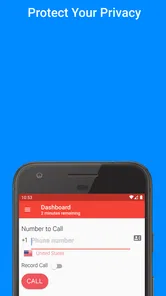
- Simple interface makes starting a private call quick.
- Can reduce unwanted callbacks to your main number.
- Adds an extra privacy layer for sensitive conversations.
Cons
- Call privacy may depend on the service’s available numbers.
- Recipients may be less likely to answer unfamiliar caller IDs.
- Temporary numbers can create confusion when calling back later.
- Some features may require payment or in-app credits.
- Call quality can vary with your internet connection and region.











