

PDF Reader - Mobile Viewer
- 53.00
- 2.9
- Installs
- 100.00K
- Price
- Free
Screenshots
Analysis by Reviewed
When I need to open a PDF quickly on a phone, I do not want a complicated office suite standing between me and the document. That is the situation where PDF Reader - Mobile Viewer makes the most sense. It is a free Tools app from Caller app studio, built around the simple job of opening, reading, and managing PDF files on mobile. My experience with it is best understood as a practical document workflow: a file arrives, I locate it, read it on a smaller screen, and decide what to do next.
The app is currently at version 1.0 and works on Android 8.0 or later. It has reached over one hundred thousand installs, while its average score sits at 3.0 from roughly two hundred and fifty ratings and just over fifty written reviews. Those figures suggest a useful but still developing utility rather than a polished replacement for every document tool. It is also rated for Everyone, which fits its straightforward purpose.
From receiving a PDF to finishing the task
I look at the handoff as part of the task, not an afterthought: once I have read the PDF, I decide whether I need to reply, keep the file, or pass it along. For a shared phone, a useful habit is to name the document’s purpose before switching apps, so the next person is less likely to mistake it for another attachment. That leads naturally to the question of how each household member should approach the reader.
The starting condition: a document that needs attention now
A realistic example is a PDF sent through a messaging app while I am away from my computer. It might be a timetable, a set of instructions, a receipt, a school handout, or a form I only need to read. In that moment, the important question is not whether the app can replace a full desktop document system. I simply need a dependable way to get from an incoming file to a readable page without losing time.
This is where the focused nature of the app is helpful. Instead of approaching it as a writing or editing suite, I treat it as a mobile viewing station. That distinction matters because it keeps expectations sensible. If my goal is to inspect the contents, check a page, or keep a PDF available for later, a dedicated reader is usually more comfortable than opening a large productivity application.
Before opening a document, I recommend deciding what the actual task is. If I only need to confirm a date or read a few pages, a lightweight viewer is appropriate. If I need to change the text, fill a complex form, sign a document, or collaborate with someone, I would choose a more specialized tool instead. The best use of this app is controlled reading and basic file handling, not a complete paperless office.
Step one: finding the file without creating a mess
The first practical challenge with any mobile PDF reader is often not reading. It is locating the right file among downloads, message attachments, cloud folders, and documents saved by other apps. I approach this by opening the reader before I start searching elsewhere, then checking how it presents the PDFs already available on the device.
More From Our News Desk

 Gmail
GmailGmail in a Busy Inbox: Who Benefits Most?
From first account to crowded workday, Gmail earns its place through dependable search and flexible sorting—but its best fit depends on how much inbox maintenance you can tolerate.

 Prime Video
Switching to Prime Video: What Changes in Your Viewing Routine
Prime Video can make a compelling second home for streaming, but switching means learning a different catalog, rental layer, and route from browsing to playback.

 Universal TV Remote Control
Universal TV Remote Control Works Best as a Reliable Backup
A phone remote earns its place through quick setup and reliable habits. Here is how to get more from Universal TV Remote Control—and where its limits show.

 Weather - By Xiaomi
Weather by Xiaomi Review: Clear at a Glance, Less Clear Up Close
Xiaomi’s weather app makes everyday forecasts quick to scan, but its calm surface can leave useful details and recovery paths harder to find than they should be.

 X
XX Under Pressure: Can It Recover When Posting Goes Wrong?
A resilience-focused review of X, examining setup, mistaken posts, interruptions, weak connections, and the gaps that matter when recovery needs to be dependable.

 Clash of Clans
Clash of Clans Is Won Between the Battles
Its raids are quick; its community is a long-term project of coordination, teaching, rivalry, and shared responsibility—with all the friction that entails.
Latest News



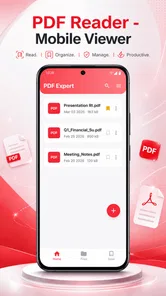
That workflow can be faster than repeatedly opening a file manager and choosing an application each time. It also gives me a single place to return to when I need to review several documents during the same task. For example, when comparing two versions of a travel document, I prefer entering the reader once and working through the files from there rather than bouncing between a browser, a messaging app, and a file manager.
The trade-off is that a reader cannot improve a disorganized storage area by itself. If filenames are vague or several copies exist, I still need to pay attention to which document I opened. My useful habit is to rename important PDFs before a busy day and remove obvious duplicates afterward. That small step reduces the chance of reading an outdated copy, especially when a document has been resent with minor changes.
Step two: reading on a small screen
Once the file is open, the quality of the experience depends on how easily I can move through pages and keep my place. On a phone, I usually begin by checking whether the text is comfortable at the current view. A page that looks fine on a laptop may require zooming on a mobile display, particularly when it contains tables, narrow columns, or small footnotes.
For long documents, I do not read in the same way I would read a novel. I first scan the early pages, identify the section I need, and then move through the relevant part carefully. This is a good scenario for a mobile viewer because I can check a document during a commute, in a waiting room, or while standing somewhere without carrying a notebook computer.
There is also a useful distinction between reading and verifying. If I am simply looking for an instruction, I can move quickly. If I am checking an invoice or a form, I slow down and inspect every line that matters. The app supports the first kind of mobile access well in principle, but the second still depends on screen size and the clarity of the original PDF. A poorly scanned document remains difficult to read regardless of the viewer.
Step three: managing the document after reading
Reading is only half of many phone-based PDF tasks. After checking a file, I may need to return to it later, keep it with other documents, or remove it when it is no longer useful. This is why I pay attention to the management side rather than judging the app only by whether a page opens.
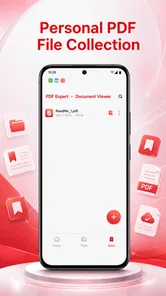
A sensible workflow is to separate temporary documents from files I expect to keep. A delivery receipt can be treated differently from a warranty document or a study guide. When I finish, I decide whether the PDF belongs in long-term storage, should be shared through the app that delivered it, or can be deleted. That decision prevents the reader from becoming another crowded drawer on the phone.
One non-obvious advantage of this approach is that it makes the app useful even when I do not read the entire file. I can open a document just to confirm its identity, check the number of pages, or verify that an attachment is the correct version before passing it to somebody else. That quick inspection step can prevent an awkward handoff of the wrong file.
Handoffs between apps and people
Most PDFs do not begin and end inside the reader. They arrive from another app and often need to be sent somewhere else afterward. A friend may send a document through a chat service, I open it in the reader, and then I return to the original conversation to answer. In another case, I may need to show a page to a colleague or keep the file ready for a later appointment.
These handoffs are where I judge a mobile tool more realistically. A reader is useful when it lets me move through the document without losing the surrounding task. I do not want to forget who sent the file, why it matters, or which response is needed. For that reason, I keep the original message open in my mind, note the document’s purpose, and avoid treating the reader as a storage system for every attachment I receive.
There is a practical trade-off here. Using a dedicated PDF app can make viewing more consistent than relying on whichever application happens to open an attachment, but it adds another step to the chain. Someone who only opens one PDF every few months may find the phone’s built-in viewer sufficient. Someone who regularly handles documents may appreciate having a recognizable place to read them.
What the finished result looks like
The successful outcome is modest but valuable: I found the intended file, read the relevant pages, and kept or passed it on without needing a computer. That is enough for many everyday situations. The app is particularly suitable when the document is informational and the main requirement is access rather than modification.
I can imagine using it for checking a booking confirmation, reviewing a short instruction sheet before attempting a repair, reading a school circular, or opening a work document while away from my desk. In each case, the benefit comes from reducing friction between the file arriving and the information becoming usable.
It is also a reasonable choice for people who want a simple entry point into PDF management on Android. The Everyone content rating makes it appropriate for general household use, and the minimum requirement of Android 8.0 or later means it is aimed at a broad range of still-common devices. I would still keep important documents backed up elsewhere rather than treating any single reader as the only copy.
Where the workflow breaks down
The app becomes a weaker choice when the task changes from viewing to producing or altering documents. A reader is not automatically a PDF editor, form-filling service, scanner, signing platform, or cloud collaboration workspace. If I need those functions, I would rather use an established office suite or a dedicated PDF editor, even if that means accepting a busier interface.
Long, technical PDFs can also expose the limits of a phone-centered workflow. Dense tables, diagrams, legal clauses, and multi-column layouts often require repeated zooming and careful repositioning. That is not necessarily a fault unique to this app, but it affects the final experience. For serious study or detailed comparison, a tablet or computer remains more comfortable.
The average rating of 3.0 is another reason I would approach it with measured expectations. It has enough adoption to show that people are trying it, but the score does not suggest universal satisfaction. Since the current version is 1.0, I see it as an early, focused utility that may suit a clear need while leaving room for refinement. I would test it with ordinary, non-critical files before making it part of an important work process.
Who should use it, and who should skip it
I would recommend trying PDF Reader - Mobile Viewer if your usual problem is simple: PDFs reach your phone and you want a dedicated place to open and review them. It is a good fit for students checking handouts, travelers reviewing confirmations, families keeping reference documents available, and workers who need occasional mobile access away from a desk.
I would skip it if I expect advanced annotation, document conversion, electronic signatures, extensive search tools, or synchronized teamwork. In those cases, a more mature document platform is likely to save time because its broader feature set matches the job. I would also avoid depending on it as the only location for sensitive or irreplaceable files; a reader should be part of a sensible document routine, not the entire routine.
My advice is to install it with one ordinary PDF and follow the complete path: open the file, read the pages you need, leave the app, find the document again, and decide how you would share or store it. That test reveals more than simply seeing whether the first page loads. Pay attention to whether the file is easy to identify, whether reading remains comfortable, and whether returning to the document feels natural.
My final take on this mobile reader
PDF Reader - Mobile Viewer is most convincing when I use it for what its name implies: quick, mobile-first access to PDF files. It does not need to become a full office suite to be useful. Its value lies in shortening a common everyday journey from receiving a document to understanding what it contains.
At the same time, the 3.0 average and early version make me cautious about calling it a universal recommendation. I would choose it for straightforward reading and basic organization, then switch to a stronger alternative when the workflow involves editing, signing, collaboration, or demanding document review. For a free PDF reader, the deciding question is not whether it does everything; it is whether your next document only needs to be opened and understood.
PDF Reader - Mobile Viewer Frequently Asked Questions
Is PDF Reader - Mobile Viewer free, and who is it for?
PDF Reader - Mobile Viewer is a free Tools app from Caller app studio, intended for people who want to open, read, and manage PDF files on a mobile device. It is rated for Everyone, so its stated age suitability is broad. The app has an average rating of 3.0 from 248 ratings, which may be useful context as you decide whether it fits your needs.
What is PDF Reader - Mobile Viewer used for?
PDF Reader - Mobile Viewer is designed for opening, reading, and managing PDF documents on a mobile device. After installing it, users can browse files stored on their phone, access documents from supported locations, and read pages without needing a desktop computer. It is particularly useful for manuals, forms, ebooks, receipts, study materials, and work-related documents.
Can I use PDF Reader - Mobile Viewer without an internet connection?
Yes, PDF Reader - Mobile Viewer can generally be used offline for PDF files that are already saved on your device. This makes it convenient when traveling or working without a reliable connection. Internet access may still be required for downloading files from online services, displaying advertisements, syncing with cloud storage, or using any features that depend on external accounts or web-based content.
Does PDF Reader - Mobile Viewer support searching, zooming, and page navigation?
The app provides the essential tools expected from a mobile PDF viewer, including page-by-page navigation, pinch-to-zoom, and document searching where supported by the file. These features make longer documents easier to use on a small screen. Performance can vary depending on the PDF’s size, number of pages, embedded images, fonts, and whether the document contains scanned rather than searchable text.
Can I edit, annotate, or sign PDF documents with this app?
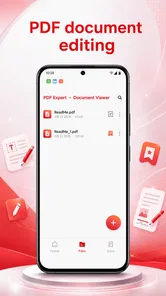
PDF Reader - Mobile Viewer is primarily intended for viewing PDF files, so users should not assume that it offers the complete editing capabilities found in dedicated PDF editor applications. Basic options such as sharing, downloading, printing, or opening a file in another app may be available, while advanced editing, annotations, form filling, and electronic signatures can depend on the version and device.
Pros
- Opens PDFs quickly
- even on older phones.
- Supports pinch-to-zoom for comfortable reading on small screens.
- Remembers your last reading position between sessions.
- Simple interface makes basic document viewing easy.
- Allows sharing PDF files directly from the app.
Cons
- May show advertisements during use.
- Advanced editing and annotation tools may be unavailable.
- Large PDFs can take longer to load on low-end devices.
- Some files may display differently from desktop versions.
- Extra features may require in-app purchases or subscriptions.









