Ovibox - Spirit Box & ITC Tool
- 189.00
- 4.4
- Installs
- 10.00K
- Price
- $9.99

Screenshots
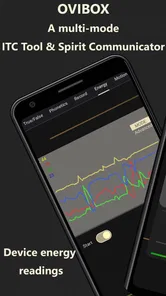
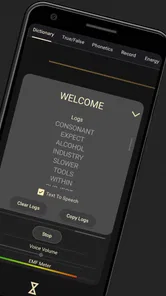
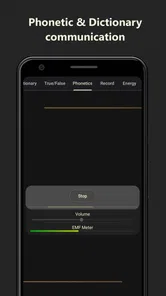
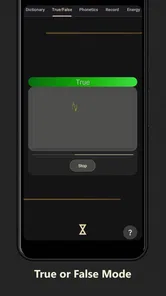
Analysis by Reviewed
Have you ever felt a chill down your spine, thinking there's more to the world than meets the eye? Well, I took a dive into the mysterious realm of the supernatural with an app that's all about connecting with spirits. So, let me introduce you to the intriguing world of Ovibox - Spirit Box & ITC Tool.
A strange hobby, best approached with a plan
I’d treat Ovibox as a focused paranormal experiment rather than an everyday utility. It is a paid lifestyle app from Paranormal Tech United, and its audience is fairly specific: people who enjoy EVP and ITC experiments, whether they approach them as believers, curious newcomers, or skeptics who want to examine how sound can shape perception. Its Everyone age rating makes it broadly accessible, but the subject matter may still be unsettling for younger users or anyone who finds ghost stories stressful.
A useful first session does not need to happen in a supposedly haunted place. At home, choose a quiet room, decide in advance how long you want to listen, and keep the phone in one position. That simple routine gives you a more consistent point of comparison than moving around while listening. If an odd sound seems meaningful, note what you heard before replaying it; knowing what you hope to hear can influence how you interpret ambiguous noise.
Choose the setting before the session begins
The app’s niche is part of its appeal, but it also means the right surroundings matter more than they would for a casual voice memo. A quiet room gives you fewer competing sounds to interpret, while a busy location may make the session feel lively but makes it harder to separate app audio from nearby conversation, traffic, or movement. I would decide which experience I want before opening the tools: a controlled listening exercise or a social, spooky activity with friends. Those are both reasonable uses, but they call for different expectations.
Connectivity is worth checking as part of that preparation. I would open the app where I have a reliable connection before leaving for an unfamiliar location, then confirm that the tool I plan to use is ready. That is a practical precaution, not a claim that every feature needs a network connection. If reception changes during an investigation, I would avoid interpreting a pause or loading delay as a paranormal event; first check the phone and connection, then decide whether the session is still useful.
Unveiling the Mystery
When I first stumbled upon Ovibox, I was instantly curious. It's like having a mini ghost-hunting kit right in your pocket. The app is designed to help users communicate with spirits using a variety of tools that fall under the ITC (Instrumental Transcommunication) category. Sounds spooky, right?
Features That Captivate
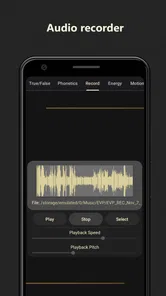
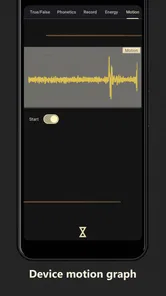
Once I fired up the app, I was welcomed by a sleek interface that makes navigating through the features quite intuitive. Ovibox offers a range of tools like a spirit box and EVP (Electronic Voice Phenomenon) recorder. These tools are designed to capture and interpret paranormal sounds and voices. It's fascinating how technology can transform a smartphone into a gateway to the unknown.
More From Our News Desk

Weather by Xiaomi Review: Clear at a Glance, Less Clear Up Close

X Under Pressure: Can It Recover When Posting Goes Wrong?

Clash of Clans Is Won Between the Battles

Android Auto Makes the Case for Quieter Car Software

MobiOffice: Transforming Mobile Productivity with Seamless Integration

EA SPORTS FC™ Mobile Soccer: Redefining Mobile Sports Gaming
One feature that really stood out to me was the "White Noise Generator." It's believed that spirits can communicate through these random sounds. I found myself sitting in a dimly lit room, headphones on, waiting for any sign of communication. The anticipation was intense!
Network, noise, and a more careful session
Connectivity can matter whenever an app depends on online access, but I would not assume that every part of an investigation will behave the same way in every location. Before heading to a basement, a remote property, or a crowded event, open the app and check that the tools you intend to use are available in the setting where you plan to work. If a feature stalls, avoid repeatedly tapping controls; pause, check your connection, and try again once the app responds. That is a calmer approach than treating a delay as evidence of anything paranormal.
For mobile use, headphones can help you focus on quiet details, but they also make it easier to lose awareness of traffic, other people, or your surroundings. I’d use them only somewhere safe and stationary. In a group, agree on a short session and take turns listening rather than talking over one another. That small change reduces ordinary voices and movement becoming part of what you later interpret as a result.
There is also a useful trade-off between atmosphere and careful observation. A dark room and suspenseful expectations can make the experience immersive, yet they can also encourage the mind to find words in random sound. If you want a more grounded comparison, run one session in a quiet room and another with ordinary background noise, keeping your listening setup as similar as you can. This will not prove where a sound came from, but it can help you notice how much the environment changes your impression.
Taking it along without letting the phone take over
In practice, I would use Ovibox in places where I can stop, listen, and stay aware of what is around me. A stationary session at home or in a permitted, quiet indoor setting is a better fit than trying to use headphones while walking, driving, or moving through a public space. If I were visiting a location with friends, I would keep the phone in one person’s hands at a time and agree on where to stand before starting. That avoids a group crowding around the screen and making the audio harder to assess.
A small but useful habit is to separate the listening phase from the discussion phase. During a short session, let each person listen without announcing guesses. Afterward, ask what they noticed independently. This reduces the chance that one person’s suggested phrase steers everyone else toward the same interpretation. It also makes the app more enjoyable for skeptics, who can take part in the experiment without being pressured to treat every odd sound as a message.
User Experience and Accessibility
Using Ovibox was a breeze. The developers have clearly put thought into making the app accessible to everyone, regardless of their tech skills. The app runs smoothly, with no noticeable glitches or crashes during my sessions. Plus, the on-screen instructions are easy to follow, which is great for anyone new to the world of ITC tools.
For those who are skeptical, the app also provides a history of recorded sessions. This feature allows you to go back and review any findings, which can be both exciting and chilling, depending on what you uncover.
Reviewing recordings without reading too much into them
The session history is most helpful when I use it as a review aid, not as an automatic verdict. I’d write down the time and a neutral description of a sound before replaying it, then listen again without deciding in advance that it is a voice. If someone else is present, ask what they hear before offering your own interpretation. Different first impressions can be more revealing than repeatedly replaying the same clip until it seems to say something specific.
Because recordings may include voices or sounds from the room, be thoughtful about where you use the app and who might be captured nearby. Avoid recording a private conversation without permission, and consider keeping sessions in a personal space where other people are not unintentionally included. If you prefer not to retain a session, make that choice deliberately rather than building a large archive you are unlikely to revisit.
Ovibox is not a substitute for a standard voice recorder if your main goal is clear interviews, notes, or reliable documentation. A conventional recorder is the more practical choice for those tasks, while this app is aimed at a paranormal-themed exploration of EVP and ITC. Its current version is 2.9.6.5 and it requires Android 6.0 or later. The app has an average rating of 4.5 from around 355 ratings, with over 5,000 installs; those figures suggest an established niche audience, not proof that its interpretations are accurate.
Cost, expectations, and the right alternative
Ovibox costs $9.99, so I would judge it as a specialty pastime rather than a free recorder with a ghostly theme. The value depends on whether you specifically want to explore spirit-box and ITC-style sessions. If what you need is a dependable way to capture a meeting, interview, or reminder, a standard recording app is the more sensible choice and is less tied to paranormal interpretation. If you want a structured, atmospheric activity centered on EVP listening, the price may make more sense to you, provided you are comfortable treating the results as ambiguous.
The app is also a poor fit for anyone seeking scientific confirmation of spirit contact. A sound that resembles a word can be interesting without establishing what caused it, and playback can strengthen an expectation rather than settle the question. I find that distinction especially important when a session feels intense: enjoy the mystery if that is the point, but do not use an unclear recording as a basis for a serious decision or a claim about another person.
Who will enjoy it, and who may prefer another tool
I can see Ovibox suiting someone who already enjoys paranormal investigations and wants a phone-based way to structure a listening session. It may also appeal to a skeptical friend group looking for a spooky activity, provided everyone understands that unusual audio is open to interpretation. At $9.99, I’d consider whether the specific spirit-box and EVP experience is what you want before buying; someone merely curious about recording sound may get more practical value from a general-purpose recorder.
A realistic use would be a quiet evening with a friend: pick one room, keep the phone still, take brief turns listening, and review the session afterward rather than reacting to every sound in the moment. If the app becomes unresponsive, close the session calmly and reopen it when the phone is behaving normally. I would not keep experimenting in a setting where a connection problem, background noise, or distractions make it hard to tell what you are hearing.
A practical routine for a first visit
If I were taking the app to a place I had not visited before, I would check the venue’s rules, make sure my phone has enough charge for the outing, and open the app before entering an area with uncertain reception. I would choose one tool rather than trying to use everything at once, keep the phone still, and note the time and surroundings when something catches my attention. That simple sequence helps distinguish a memorable moment from a collection of impressions that are difficult to compare later.
For a group, I would also agree in advance that anyone can stop the session. The Everyone rating does not mean the ghost-hunting theme will suit every person, and a nervous participant should not feel pushed to stay in a dark or uncomfortable room. That consideration matters more than keeping a session going. The app works best as a shared curiosity, not as a test of who is willing to ignore their discomfort.
Final Thoughts
So, there you have it. My journey with Ovibox - Spirit Box & ITC Tool was nothing short of thrilling. Whether you're a believer or a skeptic, the app offers an intriguing experience that might just make you question the boundaries of our reality. It's a fantastic tool for anyone interested in the paranormal, and it certainly kept me on the edge of my seat. Give it a try, and who knows? You might just have a story or two to share with your friends!
My connectivity verdict
For me, the best reason to use Ovibox is the focused, eerie listening experience, not a promise that a phone can confirm contact with spirits. I’d plan sessions around a quiet, safe setting, check that the app is ready before travelling somewhere with uncertain reception, and treat recordings as material to review rather than evidence on their own. If you want a paranormal pastime and are comfortable with that uncertainty, it has a clear niche; if you need dependable recording or a tool that works as a straightforward utility, choose a regular recorder instead.
Ovibox - Spirit Box & ITC Tool Frequently Asked Questions
How much does Ovibox - Spirit Box & ITC Tool cost, and what age group is it for?
Ovibox is a paid Lifestyle app priced at $9.99, so you can check that cost before deciding to download it. Its content rating is Everyone, making it suitable for a broad audience. The app is focused on paranormal investigation, so younger users may still benefit from adult guidance when discussing its themes and interpreting any results.
What operating system does my device need to run Ovibox?
Ovibox requires Android 6.0 or later. Before downloading, check your device’s operating-system version to make sure it meets this minimum requirement. Keeping your device compatible can help the app install and run as intended, while the app’s spirit-box and ITC theme may appeal to users who are curious about paranormal investigation.
What is Ovibox - Spirit Box & ITC Tool and how does it work?
Ovibox is a paranormal investigation tool designed to help users communicate with spirits. It utilizes a combination of ITC (Instrumental Trans-Communication) techniques and spirit box functionality to capture and analyze audio frequencies. Users can ask questions, and the app attempts to provide answers by detecting and interpreting potential spirit responses through audio signals.
Is Ovibox - Spirit Box & ITC Tool safe to use?
While Ovibox is designed for entertainment purposes, users should approach its use with caution and respect. The app simulates a spirit box, which some believe can facilitate communication with spirits. It is important to ensure a safe environment and maintain a clear mindset when using such tools, as results can be unpredictable and should not be taken as definitive evidence of paranormal activity.
What features does Ovibox - Spirit Box & ITC Tool offer?
Ovibox offers several features to enhance the user experience, including real-time audio analysis, session recording, and playback options. Users can customize frequency sweeps and adjust settings for optimal results. The app also includes a history log to review past sessions and a user-friendly interface to simplify navigation and use.
Pros
- User-friendly interface design.
- Wide range of spirit voices.
- Real-time audio processing.
- Customization options available.
- Regular updates and improvements.
Cons
- Requires internet connection.
- Limited free features.
- Ads can be intrusive.
- Complex for beginners.
- Battery consumption is high.











