MyMoney Pro - Expense & Budget
- 417.00
- 4.7
- Installs
- 10.00K
- Price
- $4.99

Screenshots

Analysis by Reviewed
Today, let's talk about MyMoney Pro - Expense & Budget, an app that has slipped into my daily life like a trusty old wallet. I must admit, at first, I was a bit skeptical about yet another budgeting app. But, oh boy, was I wrong! This app is like having a personal finance guru in your pocket, minus the hefty consulting fees.
All About Managing Your Dough
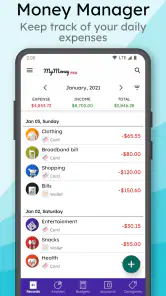
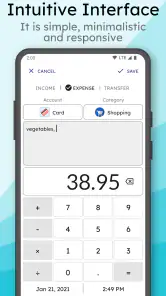
The first thing you'll notice about MyMoney Pro is its straightforward interface. Right off the bat, it's simple and intuitive. You don't need to be a financial wizard to navigate through it. The app allows you to track your income and expenses effortlessly. Just input your earnings and outgoings, and watch as it magically categorizes everything. It's like having a neat little ledger without the hassle of scribbling down every coffee purchase.
Budgeting Made Simple
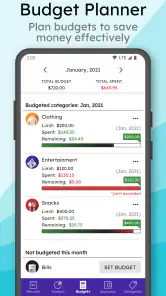
One of my favorite features is the budgeting tool. You set your limits on different categories, and the app does the rest. Whether it's groceries, dining out, or that pesky "miscellaneous" category, you name it, MyMoney Pro has got it covered. The app nudges you gently when you're nearing your limits, almost like it’s whispering, "Hey, maybe skip that extra latte today."
Visualize Your Financial Health
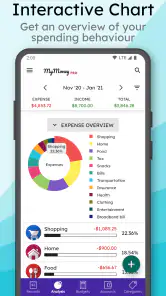
Let's talk charts and graphs, folks. If you're a visual learner like me, you'll love this aspect. The app provides a colorful overview of where your money is going. It’s fascinating to see it all laid out in pie charts and bar graphs. Suddenly, your financial habits become crystal clear. Who knew you spent so much on takeout last month?
Security and Syncing
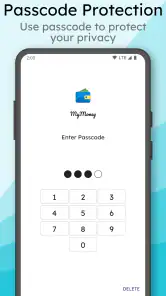
Now, I know what you're thinking – "Is my data safe?" Rest assured, MyMoney Pro takes security seriously. With encrypted data and secure cloud syncing, your financial secrets are locked away tighter than a drum. Plus, the app syncs seamlessly across devices, so whether you're on your phone or tablet, you've got access to your financial snapshot anytime, anywhere.
In conclusion, MyMoney Pro - Expense & Budget is more than just an app; it's a lifestyle change. It makes managing money not only easier but genuinely enjoyable. So, if you're looking to take control of your finances, give this app a spin. Your wallet will thank you later!
Pros
- User-friendly interface
- easy navigation.
- Comprehensive budgeting tools available.
- Supports multiple currencies.
- Detailed expense tracking features.
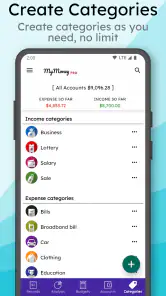
- Customizable categories for expenses.
Cons
- Limited free version features.
- No integration with banking apps.
- Occasional syncing issues.
- Limited customer support options.
- Requires frequent updates.

- Category
- Finance
- Version
- 5.8-pro











