Coinbase: Buy BTC, ETH, SOL
- 114.94K
- 4.4
- Installs
- 50.00M
- Price
- Free

Screenshots
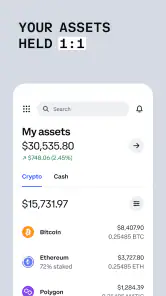
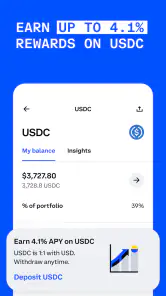
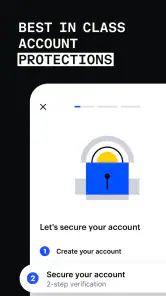
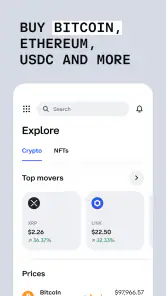
Analysis by Reviewed
When I open Coinbase: Buy Bitcoin & Ether, I treat the first session as a tour, not a race to buy. Crypto prices can move quickly, and a polished interface does not make an asset low-risk. I’d start by deciding what I want to learn—how buying works, how to follow a price, or what staking means—before putting money into anything.
What a first-time user should expect
Coinbase is a finance app from Coinbase Inc, built around accessing and managing crypto. It is free to install, rated for Everyone, and its current version is 13.44.24. The app has been around since March 6, 2013, and its 4.4 average from around 915,000 ratings, alongside over 50 million installs, suggests it has reached a broad audience. Those figures say something about familiarity, not whether crypto is suitable for your budget or risk tolerance.
The app’s appeal is that buying, following assets, and exploring ways to put crypto to work sit in one place. Its current focus includes staking options for assets such as Ethereum, Solana, and Cardano. I’d think of these as distinct activities: owning an asset, trading it, and staking it are not interchangeable, and each comes with its own risks and conditions. The key first question is not “What can I buy?” but “What do I understand well enough to hold?”
Getting Started with Simplicity
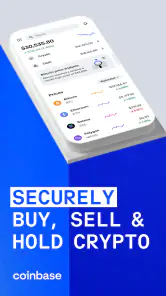
The first thing you'll notice when you open the Coinbase: Buy Bitcoin & Ether app is its clean, user-friendly interface. It's like they knew exactly what we needed to get started without breaking a sweat. Setting up an account is a breeze. Just a few clicks and you're on your way to trading like a pro. The app gives you a comprehensive walkthrough, making sure you're not left in the dark.
Make setup work for you
Before funding an account, I’d take a few minutes to review the account and security prompts carefully and use a login method I can keep access to. Then I’d explore the asset pages without treating every price move as a signal to act. A useful first pass is to choose one asset you recognize, read its available information, and note what the app shows about buying or holding it. That keeps the learning process focused instead of turning the home screen into a list of tempting options.
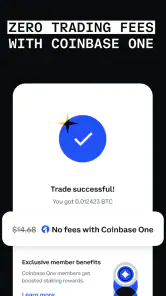
Fees and payment steps matter in practice, so I would check the final order details before confirming any purchase. The amount spent is not always the same as the amount of crypto received, and the confirmation screen is the moment to pause if the total or terms are unclear. If your goal is simply to learn the interface, there is no need to rush into a transaction; browsing first is a sensible use of the app.
An Abundance of Features
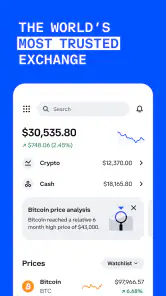
Once you're logged in, the app opens up a world of possibilities. You can buy and sell not just Bitcoin and Ether, but a whole range of cryptocurrencies. It's like walking into a candy store with a pocket full of cash! The app also provides real-time market data and alerts, so you're always in the know about the latest market trends.
More From Our News Desk

Weather by Xiaomi Review: Clear at a Glance, Less Clear Up Close

X Under Pressure: Can It Recover When Posting Goes Wrong?

Clash of Clans Is Won Between the Battles

Android Auto Makes the Case for Quieter Car Software

MobiOffice: Transforming Mobile Productivity with Seamless Integration

EA SPORTS FC™ Mobile Soccer: Redefining Mobile Sports Gaming
That breadth is convenient, but it can also make choosing harder. Compared with a traditional investing app that centers on familiar securities, Coinbase is specifically for crypto, where prices can be unusually volatile and assets do not all behave alike. Compared with a self-managed crypto wallet, an exchange app puts more emphasis on account-based buying and selling than on personally handling every technical detail. I’d choose it when I want a guided route into crypto; I’d look elsewhere if my priority were broad conventional investments or direct control over wallet infrastructure.
A practical routine can prevent impulse decisions. For example, if I had a regular payday and wanted to build a small position gradually, I’d decide on a fixed amount I could afford to lose, set a schedule only after checking how it works, and review the plan occasionally rather than reacting to each alert. That is not a promise of profit; it is simply a way to make the process deliberate. Alerts can help me notice movement, but I would not let a notification make the decision for me.
One point worth checking before relying on a feature is whether it is available for the particular asset and account situation I’m using. Crypto products can differ by asset and location, and an option shown for one coin should not be assumed to apply to every coin. I’d read the in-app explanation before staking or setting a recurring purchase, especially if I might need access to the funds soon.
One of the standout features is the ability to set up recurring buys. If you're someone who likes to set it and forget it, this feature is a godsend. You can schedule daily, weekly, or monthly purchases. It's a great way to steadily build your crypto portfolio without having to constantly monitor the market.
I’d use recurring buys only after deciding on a budget and checking the schedule and order details. The convenience cuts both ways: it can reduce the urge to time every dip, but it can also keep purchasing when my circumstances or view of an asset have changed. I’d put a reminder on my own calendar to review the plan, rather than assuming “set and forget” means “never check again.”
Security That Gives Peace of Mind
Security is a big deal when it comes to handling digital currency, and the app takes it seriously. With two-factor authentication and biometric logins, you can rest easy knowing your investments are secure. Plus, Coinbase holds the majority of its users' funds in offline storage, adding an extra layer of protection.
Even with those protections, I’d treat account security as a habit, not a guarantee. Use a strong, unique password, keep account recovery details current, and be cautious with messages that ask you to act urgently or share login information. For a first meaningful success, I’d count being able to sign in securely, understand an order preview, and know how to find account settings—not just completing a purchase.
Educational Resources at Your Fingertips
What I really appreciate about this app is the wealth of educational resources it offers. Whether you're a newbie or a seasoned trader, there's something for everyone. From detailed articles to video tutorials, the app ensures you have all the knowledge you need to make informed trading decisions.
I’d use those resources to answer one question at a time. If I’m considering staking, for instance, I’d learn what the process involves and what limitations may apply before committing assets. If I’m comparing two coins, I’d look beyond a recent price change and ask what each project is for and what risks I’m accepting. Educational material can make the interface easier to understand, but it cannot remove market risk or replace independent judgment.
Choosing a first useful task
A good first task is to follow one asset for a few days without buying it. I’d note what makes its price move on the screen, how the app presents the asset’s details, and whether I can find the account and order areas again without hunting. This small exercise tests whether the layout suits me and helps separate curiosity from an actual investment plan. It also gives me time to decide whether crypto belongs in my finances at all.
If I do go ahead with a small purchase, I’d treat the order preview as a decision point rather than a button to tap through. I’d compare the amount I intend to spend with the amount of crypto shown, check any displayed costs, and make sure I am choosing the asset I meant to choose. Afterward, I’d review the activity record so I know where to look when I want to check what happened. That is a more useful first win than buying several coins just to explore the interface.
Where the convenience has limits
Keeping buying, market information, and staking exploration together saves app-switching, but it can also blur the difference between learning about an asset and being ready to own it. I would avoid browsing the full range of available coins when I have not yet decided on a purpose; a long menu can make novelty feel like a reason to act. A short watchlist, built around assets I can explain in plain language, is a better starting point than trying to track everything.
For someone comparing options, the choice depends on what they want to control. A conventional brokerage is a better fit for a person seeking familiar investment products rather than crypto. A self-custody wallet may suit someone who specifically wants to manage wallet access and transfers directly, but that route also asks the user to take more responsibility for technical steps. Coinbase sits between those priorities: convenient account-based access, without being a general-purpose investing app or a substitute for learning how crypto custody works.
I would also avoid treating staking as a bonus that automatically improves a holding. It is a separate choice with its own conditions, and the practical question is whether I can accept those conditions for the asset and time I have in mind. If I may need the money soon, or I do not understand when and how I can access it, I would leave that option alone until I have read its explanation carefully. A feature can be useful and still be wrong for my situation.
Who will get the most from it
I think Coinbase suits a beginner who wants a recognizable starting point, a straightforward way to follow crypto, and the option to explore purchases or staking without assembling several separate tools. It can also suit an existing crypto holder who prefers to keep routine account activity in one app. Someone who wants only long-term, low-volatility saving, needs a conventional brokerage, or is uncomfortable with the possibility of losing money should skip crypto trading rather than feel pressured to try it.
For a realistic first week, I’d install it, complete the account setup carefully, explore a few asset pages, and read about one feature I might actually use. If I later choose to buy, I’d start with an amount that would not disrupt bills or savings, confirm the order details, and check the resulting activity afterward. If I decide not to buy, learning how the app presents the process is still a useful outcome.
To sum it up, the Coinbase: Buy Bitcoin & Ether app is a fantastic tool for anyone looking to venture into the world of cryptocurrencies. It's packed with features that cater to both beginners and experts, all while ensuring a secure trading environment. So why wait? Dive into the crypto market today and explore the endless opportunities it offers!
I’d soften that final enthusiasm with one practical rule: use Coinbase because its tools fit a considered plan, not because crypto feels urgent or because an app makes investing look effortless. For me, the best next step is to learn the flow, understand the risks, and only then decide whether buying or staking belongs in my finances. That makes the app a useful starting place without mistaking convenience for certainty.
Coinbase: Buy BTC, ETH, SOL Frequently Asked Questions
Does Coinbase include staking and rewards?
Yes. Coinbase’s app summary highlights putting crypto to work and earning rewards, and it describes staking crypto such as Ethereum, Solana, and Cardano. These options may appeal if you want to explore uses for crypto beyond buying and selling. Before participating, review the terms for each feature and remember that crypto values and outcomes can change.
Is Coinbase intended for beginners, or do I need crypto experience?
Coinbase is a finance app for managing cryptocurrency, with buying, selling, and storage among its core uses. Its interface is designed to make those activities accessible, but getting started still means understanding the risks of crypto and checking transaction details before confirming a purchase. If you are new, take time to learn how the features work before committing money.
Can I access Coinbase on both Android and iOS?
Coinbase is available as a mobile app for Android and iOS, so you can use it on a compatible smartphone. Before downloading, check that your device meets the minimum operating system requirement. The app is free to install, while using certain crypto services, including transactions, may involve fees. Its content rating is Everyone.
Is Coinbase free to download, and what devices can run it?
Coinbase is a free finance app from Coinbase Inc, available for Android and iOS. Its minimum operating system requirement is version 8.1, so check your device’s software before installing. The app is rated for everyone and has more than 50 million installs. Downloading is free, but buying, selling, or using crypto services may involve transaction fees.
What does Coinbase offer beyond buying and selling cryptocurrency?
Coinbase’s app is designed for managing crypto, and its store summary highlights putting crypto to work and earning rewards. It also describes staking crypto such as Ethereum, Solana, and Cardano. These features can make the app relevant to users interested in more than simple purchases, though crypto services carry risks and rewards or staking terms can vary.
Pros
- User-friendly interface for beginners
- Supports a wide range of cryptocurrencies
- Strong security measures in place
- Instant transaction notifications
- High liquidity for trading
Cons
- High transaction fees
- Limited customer support options
- Requires ID verification
- Price volatility risk
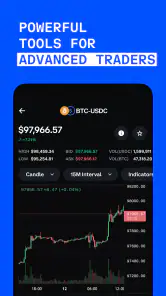
- Limited advanced trading features
- Category
- Finance
- Version
- 13.44.24