My Kitchen: 3D Planner
- 160.00
- 4.3
- Installs
- 1.00M
- Price
- Free

Screenshots
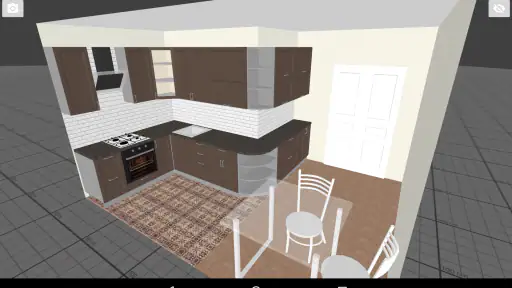
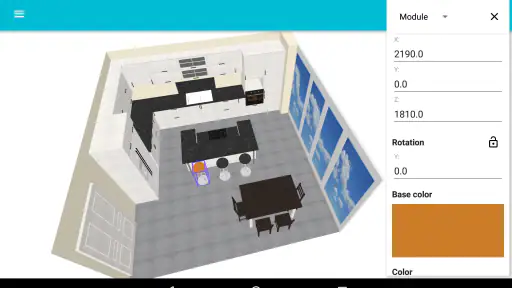
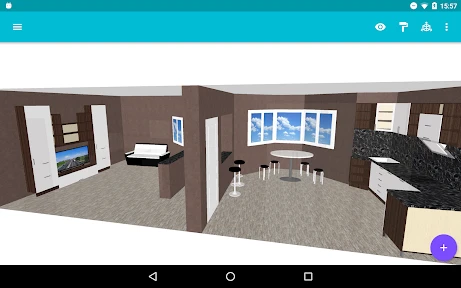
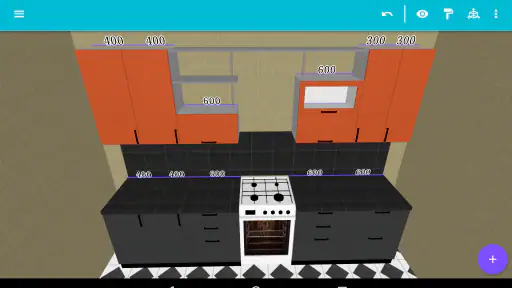
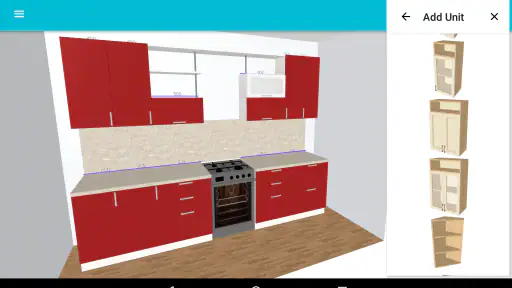
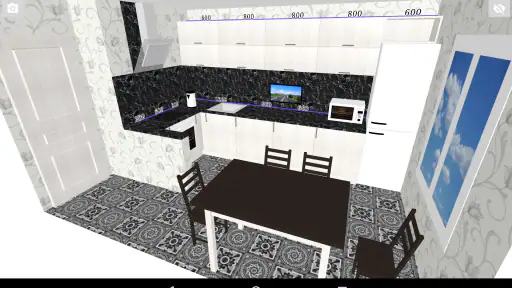
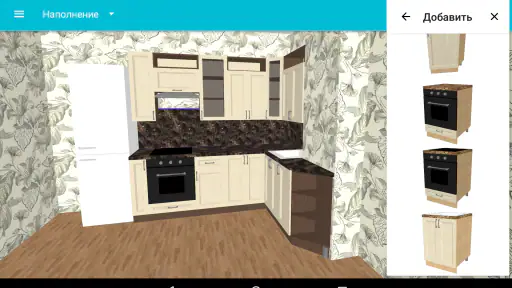
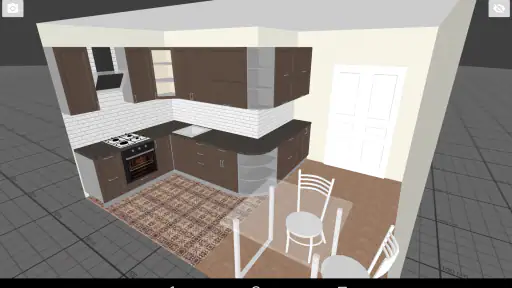
Analysis by Reviewed
When I first open a kitchen planner, I want to know whether I can get from a blank screen to a useful idea without already being an expert. My Kitchen: 3D Planner is aimed at that early, visual stage: trying layouts and finishes before you commit to a real renovation. I’d treat it as a way to explore possibilities, not as a substitute for checking dimensions or getting professional advice.
What to expect from a first session
This is a free House & Home app by Ovchinnikov Andrey, with optional in-app purchases priced from $0.99 to $9.99 per item. It has a 4.3 average from around 4.5K ratings, and more than 1 million installs. The app is rated for Everyone; its current version is 1.33.0, and it requires Android 7.0 or later. Those details make it easy to assess whether it suits your device and whether optional spending is something you’re comfortable with.
The central appeal is visual experimentation. Instead of drawing every idea by hand, you can work with a kitchen scene, move pieces around, and see how different choices affect the overall look. That’s useful when you’re still deciding whether an island, a different cabinet finish, or a new arrangement feels right. I’d start with one clear question rather than trying to design the entire room perfectly in one sitting.
From install to a useful first result
For a first project, I’d keep the goal modest: make a rough version of your current kitchen, then test one change. Before opening the planner, jot down the basic room shape and the locations of doors, windows, and fixed appliances. You don’t need a polished plan to begin; having those reference points nearby simply makes it easier to judge whether a proposed layout is plausible.
Once you have a starting scene, try moving one major element and view the room again. A small workflow tip is to compare one change at a time: if you alter the layout, cabinetry, and finishes together, it becomes harder to tell which choice actually improved the design. Save a version you like before experimenting further, so you have a sensible point to return to. That simple habit can make a casual design session more useful when you later discuss ideas with someone else.
Where it helps—and where I’d be cautious
A realistic use case is planning a kitchen refresh after work: you have a few minutes, a photo or rough sketch of the room, and want to compare whether a more open arrangement feels better than the one you have now. The 3D view helps make that conversation more concrete than a list of cabinet colors. It can also help housemates or family members react to the same visual proposal instead of imagining different things from the same description.
There is a trade-off, though. A visual planner can help you explore, but a convincing-looking scene is not proof that a real installation will fit. Treat the layout as a concept, then verify measurements and practical constraints independently before buying materials or arranging work. If you need construction-ready drawings, exact product specifications, or a complete renovation budget, a specialist tool or a kitchen professional is the better next step.
More From Our News Desk

Weather by Xiaomi Review: Clear at a Glance, Less Clear Up Close

X Under Pressure: Can It Recover When Posting Goes Wrong?

Clash of Clans Is Won Between the Battles

Android Auto Makes the Case for Quieter Car Software

MobiOffice: Transforming Mobile Productivity with Seamless Integration

EA SPORTS FC™ Mobile Soccer: Redefining Mobile Sports Gaming
What Makes My Kitchen: 3D Planner Stand Out?
First things first, the user interface is super intuitive. Even if you're not tech-savvy, navigating through My Kitchen: 3D Planner is a breeze. The app provides a variety of customizable templates, ensuring that no matter your taste—be it modern, rustic, or minimalist—you’ll find something that tickles your fancy.
One of the coolest features is the drag-and-drop capability. Imagine being able to pick up a virtual kitchen island and place it wherever you want without breaking a sweat. This app makes kitchen planning feel like a fun puzzle game, rather than a daunting task.
Design Flexibility
The customization options in this app are off the charts. You can tweak just about everything—from countertop materials to cabinet finishes. And the 3D rendering is top-notch, providing a realistic view of how your dream kitchen will look. It's almost like stepping into a real kitchen showroom.
But, it’s not all about aesthetics. The app also allows you to play around with layout options to maximize space efficiency. Trust me, this feature is a lifesaver for those of us dealing with limited square footage.
For a more useful comparison, I’d put this kind of planner between a paper sketch and a full professional design service. Paper is quicker for rough notes, but it can be difficult to picture how an arrangement feels in three dimensions. A professional can address technical details that a planning app is not meant to settle. This app’s strength is the middle ground: trying visual alternatives early, when you are not ready to pay for a finished plan.
Ease of Use
Now, let's talk about usability. What truly impressed me was how easy it was to save and share my designs. With a simple tap, you can save your project or share it with friends or even professional designers for feedback. The app bridges that gap between personal creativity and professional input seamlessly.
Moreover, the app supports both metric and imperial measurement systems, which is a small detail that makes a huge difference, especially for users globally.
If you’re wondering how to make feedback more useful, share a design with a specific question attached: for example, whether the proposed arrangement leaves a comfortable path through the room or which finish feels less busy. That is more actionable than asking someone whether they simply like the whole design. I’d also keep a saved version before a major revision, so a quick experiment doesn’t replace the version you meant to show.
Getting more from a short planning session
One way I’d make the first session less overwhelming is to separate the room’s fixed points from the choices that are still flexible. Doors, windows, and appliances that will stay put should guide the rough plan; cabinet color and the position of movable pieces can be treated as experiments. This keeps the scene anchored in the kitchen you actually have instead of letting a polished-looking idea drift away from the room’s constraints.
It also helps to make two deliberately different versions rather than endlessly adjusting one. For example, keep one arrangement close to your current setup and make the second a more open alternative. Looking between those options makes trade-offs easier to notice: a layout may feel spacious from one angle but less convenient for everyday movement. The point is not to declare a winner on the spot, but to learn what you value before speaking with a contractor or designer.
Who will find it useful
I’d recommend this to renters who want to explore furnishing ideas without starting a renovation, homeowners at the early inspiration stage, and anyone who struggles to imagine a room from a flat sketch. It can also help a household get on the same page. One person may care most about storage, while another is focused on an open cooking area; putting those preferences into a shared visual proposal can make the conversation more specific and less abstract.
It is less compelling for someone who already has a finalized plan and only needs exact installation documentation. It is also not the right tool if your main task is comparing appliance specifications, calculating a detailed budget, or producing technical plans for tradespeople. In those cases, a spreadsheet, a purpose-built measurement tool, or professional design software may answer the practical question more directly. I’d use this planner to shape the brief, not to replace the people and tools needed to execute it.
Common points of confusion
A frequent trap with any 3D room planner is mistaking visual confidence for measurement accuracy. A room can look balanced on screen while a real walkway, cabinet clearance, or appliance door creates a problem. I would use the scene to spot questions to investigate, then measure the actual room and confirm those details separately. If a choice depends on a narrow clearance, that is precisely the point where a rough visual test should lead to careful checking rather than a confident purchase.
Another thing worth keeping straight is the difference between a style decision and a build decision. Seeing a finish beside another finish can help you decide what mood you like; it does not establish how a material will perform in your home or what it will cost to install. Similarly, a layout that looks attractive is a useful discussion starter, not a guarantee that plumbing, electrical work, or structural constraints will allow it. I’d bring the design to a professional with those questions clearly marked.
Final Thoughts
In conclusion, My Kitchen: 3D Planner is a must-have for anyone serious about kitchen design. Its user-friendly interface, coupled with extensive customization options, makes the process not just simple but enjoyable. So, if you're ready to transform your kitchen space into something spectacular, give this app a try. You won't regret it!
My recommendation is more specific: it’s a good fit if you want to explore a kitchen’s look and layout before making decisions, especially if you enjoy learning by moving things around rather than staring at a floor plan. It may be less suitable if you only need a quick shopping list, already have final measurements and technical drawings, or want an authoritative answer about whether a renovation is feasible. In those cases, a simpler notes-and-sketch approach or direct help from a designer may save time.
For a first meaningful success, aim to finish one alternative layout you can explain to another person. That gives you something concrete to compare against your current room, while leaving the costly and safety-critical decisions for proper measurement and expert review. Used with that boundary in mind, the app is an approachable place to turn a vague kitchen idea into a visual starting point.
My Kitchen: 3D Planner Frequently Asked Questions
Is My Kitchen: 3D Planner free to download, and what should I know about its purchases?
My Kitchen: 3D Planner is free to download, so you can try its kitchen-planning tools without paying upfront. It also offers optional in-app purchases, with items priced from $0.99 to $9.99. These purchases may unlock extras, so it is worth checking what each item includes before buying. The app is rated for Everyone and is designed for a broad audience.
What kind of app is My Kitchen: 3D Planner, and who develops it?
My Kitchen: 3D Planner is a House & Home app from developer Ovchinnikov Andrey. Its focus is kitchen design, making it relevant if you are exploring layouts or want to visualize ideas for a home project. The app has a 4.3 average from around 4.5K ratings, with about 160 written reviews, offering prospective users a sense of how others have responded to it.
What is My Kitchen: 3D Planner and what are its main features?
My Kitchen: 3D Planner is a versatile app designed to help users create and visualize their dream kitchen layouts in a 3D environment. Key features include customizable kitchen designs, a wide selection of cabinets, appliances, and decor options, as well as the ability to view designs in a virtual tour. Users can also save and share their designs, making it an ideal tool for both personal use and professional kitchen planning.
Is My Kitchen: 3D Planner suitable for both beginners and professionals?
Yes, My Kitchen: 3D Planner is designed to cater to both beginners and professionals. The app offers an intuitive interface with easy-to-use tools for novices, while also providing advanced design options for professional kitchen planners. Its comprehensive library of kitchen elements and real-time 3D rendering capabilities ensure that users of all skill levels can create detailed and realistic kitchen designs.
Does My Kitchen: 3D Planner require an internet connection to function?
My Kitchen: 3D Planner does not require a constant internet connection for designing and planning purposes. However, some features, such as downloading new design elements or sharing your kitchen plans online, may require internet access. This allows users to work offline on their designs and connect only when they need to access additional resources or share their work.
Pros
- User-friendly interface for easy design
- Realistic 3D visualization of kitchen plans
- Extensive library of kitchen appliances
- Customizable color and material options
- Works offline for planning anytime
Cons
- Limited free version features
- Occasional app crashes reported
- Ads can be intrusive at times
- Requires large storage space
- No direct customer support channel
- Category
- House & Home
- Version
- 1.33.0









