Moe’s Southwest Grill
- 3.92K
- 4.6
- Installs
- 1.00M
- Price
- Free

Screenshots
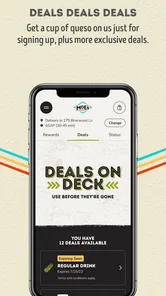
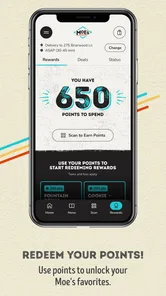
Analysis by Reviewed
I found Moe’s Southwest Grill easiest to judge as a habit rather than as a one-time restaurant app. The first impression is straightforward: it puts Moe’s ordering and rewards experience in one place, with the central reason to return being Moe Rewards, where purchases earn points. That sounds simple, and in daily use, simplicity is mostly the appeal. I can see myself opening it before a planned meal, checking the available choices, and deciding whether the convenience is worth using instead of ordering another way.
What makes the app worth considering is not that it transforms dining out. It is that it can reduce a few small decisions around a Moe’s visit. If you already eat there, those small reductions can add up: keeping rewards activity in the same place, preparing an order before arriving, and avoiding the need to start from scratch every time. If you rarely visit Moe’s, however, the app has a harder job. Its value depends on returning to the restaurant often enough for the rewards side to become part of your routine.
How Moe’s Southwest Grill Holds Up Beyond the First Week
I find the best way to judge long-term use is to notice whether opening the app becomes a comfortable part of a meal I already planned, rather than another task I feel obliged to complete. That distinction matters even more when a phone is shared, used one-handed, or checked in a noisy setting: a useful routine should reduce mental juggling, not add to it. Next, I’d look at how clearly the app supports different ways of reading and navigating.
The first-week appeal is practical, not flashy
During my first week with the app, I would not describe the experience as something I wanted to explore for its own sake. This is a focused restaurant ordering app, not a broad lifestyle tool filled with unrelated content. That narrow purpose is a strength when I already know I want Moe’s. I can concentrate on the meal, the visit, and the rewards connection instead of navigating a large collection of distractions.
The app is free, which removes the most obvious barrier to trying it. It is listed for Everyone, so it is positioned as a general-purpose dining companion rather than something aimed at a restricted audience. Moe’s Southwest Grill is developed by Moe's Southwest Grill itself, which gives the app a direct connection to the restaurant brand rather than making it a general delivery service that happens to include Moe’s.
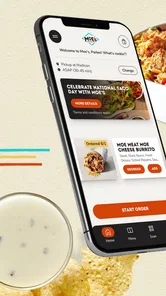
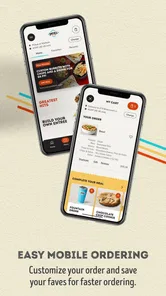
The most useful first-week habit is to open the app before I am hungry enough to rush. That gives me time to review the order and catch mistakes in customization before committing. This is especially helpful for a group meal, where I might otherwise be trying to remember several preferences at once while standing in a busy restaurant. I would still check the final order carefully, but preparing it calmly is more comfortable than making every decision at the counter.
There is also a small psychological benefit to having rewards visible in the same experience as the purchase. When the reward system is separate from the meal, it is easy to forget about it. When it is part of the ordering routine, I am more likely to remember to use the app on visits where earning points matters to me. That does not make every meal cheaper or better, but it can make the program easier to participate in consistently.
More From Our News Desk

Weather by Xiaomi Review: Clear at a Glance, Less Clear Up Close

X Under Pressure: Can It Recover When Posting Goes Wrong?

Clash of Clans Is Won Between the Battles

Android Auto Makes the Case for Quieter Car Software

MobiOffice: Transforming Mobile Productivity with Seamless Integration

EA SPORTS FC™ Mobile Soccer: Redefining Mobile Sports Gaming
Where the app fits into a realistic day
Imagine leaving work and deciding to pick up dinner for two people. One person wants a familiar order, while the other wants to change ingredients. Instead of arriving and trying to coordinate everything verbally, I can build the meals ahead of time, review them, and use the app as a checklist for the visit. The real advantage is not speed in isolation; it is reducing the chance that a rushed conversation turns into a wrong meal.
For a solo lunch, the benefit is smaller. If I am already passing a quiet restaurant and know exactly what I want, ordering in person may be just as easy. This is an important trade-off: the app earns its place more clearly when I am planning ahead, customizing an order, or trying to keep track of rewards. It is less compelling when the visit is spontaneous and uncomplicated.
That distinction helped me avoid expecting too much from it. I would not install it because every restaurant visit needs an app. I would install it because repeated Moe’s visits create a pattern that the app can support. The first week is therefore about learning whether my own routine matches its purpose.
What the early experience does not solve
A restaurant app cannot remove every uncertainty from a meal. I still need to make sure I selected the right location and that the order details match what I intended. In a busy moment, the convenience of a digital order can disappear if I move too quickly through the final steps. My practical advice is to pause before submitting, especially when ordering for other people or changing several parts of a meal.
I also would not treat the rewards balance as the only reason to use the app. Points are useful when they support a dining routine I already have; they are not a good reason to visit more often than I can reasonably afford. The strongest approach is to let the app organize purchases I was already planning, rather than letting the reward system dictate every meal.
Month-to-month value depends on repetition
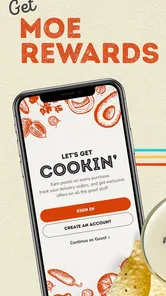
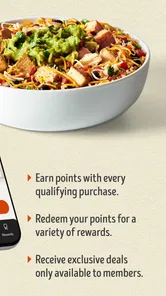
After the novelty wears off, the question becomes whether Moe Rewards gives me a reason to keep opening the app. The store summary emphasizes earning points with every purchase, and that recurring structure is the app’s clearest long-term hook. Each visit can feel connected to the next one instead of being an isolated transaction.
That connection matters most for people who have a regular Moe’s pattern: a recurring lunch, a family dinner, or a dependable stop during a busy week. In those cases, the app can become a small piece of routine maintenance. I do not need to rediscover the service each time. I simply use the same place to prepare the purchase and keep the rewards activity attached to it.
For occasional visitors, the calculation is different. If months pass between visits, the rewards feature may not feel meaningful enough to justify changing behavior. I might still appreciate the app when I want to plan an order, but it would not necessarily become a permanent part of my phone. This is where it compares differently with general restaurant or delivery alternatives: those services may be more useful across many restaurants, while Moe’s app is more focused and potentially more rewarding for someone loyal to this one brand.
The focused design is both its advantage and its limitation. A general delivery platform can act as a single hub for several restaurants, which is convenient for variety. Moe’s own app makes more sense when I have already chosen Moe’s and want a direct route into that experience. I would choose the broader alternative when I am comparing restaurants, looking for a wider selection, or ordering from several places in the same week. I would choose this app when the restaurant decision is already made.
A useful way to judge the rewards habit
I found it helpful to think of the rewards feature as a record of normal behavior, not a challenge to complete. If I am going to Moe’s anyway, earning points is a welcome extra. If I am opening the app only to chase a reward while ignoring my budget or appetite, the arrangement has stopped being useful.
There is also a practical reason to keep the process consistent: switching between ordering methods can make it harder to remember where the rewards activity belongs. My advice is to choose one routine for planned Moe’s purchases and follow it whenever it is convenient. That could mean using the app for pickup orders while handling an occasional walk-in visit in the usual way. The important point is not perfection; it is avoiding a scattered process that makes the rewards program easy to forget.
Maintenance is light, but not invisible
The app does not demand constant attention in the way a social network or daily content app might. That is good for long-term use. I would not expect to spend time browsing it when I have no meal in mind. Its maintenance burden is mainly behavioral: remembering to open it before relevant purchases, keeping my account access available, and checking the order before completing it.
That low level of maintenance makes it easier to keep installed than many promotional apps. I can leave it alone between visits and return when I need it. Still, “low maintenance” does not mean “no friction.” If I forget the app during a spontaneous visit, the rewards habit becomes inconsistent. If I change phones or stop visiting Moe’s for a while, the app’s place in my routine can weaken quickly.
I would also avoid installing it too far in advance of a planned meal and then assuming I have already learned everything. The useful workflow is situational: open it when I know the restaurant and approximate timing, build the order without rushing, and review the details before finalizing. That approach makes the app serve the meal instead of becoming another notification source competing for attention.
Small workflow choices make a difference
One non-obvious strength is that the app can act as a planning buffer. I can make decisions while I am still comfortable, rather than trying to remember preferences in a line or while coordinating a group. A second is that the rewards feature gives me a reason to keep planned purchases in one place. A third is that the app is most valuable when used selectively, not automatically for every possible visit.
My preferred workflow would be to decide the restaurant first, prepare the order second, and think about rewards third. That order prevents the points system from distracting me from the actual meal. For a family order, I would review each person’s choices separately before submitting. For a solo order, I would use the app only if the preparation or rewards tracking offered a clear advantage over walking in.
These choices sound minor, but they determine whether the app feels like assistance or administrative work. The app cannot know whether I am in a hurry, ordering for several people, or simply passing by. I have to use it in the situation where its strengths matter.
Where fatigue can appear
The main source of fatigue is repetition without enough personal benefit. If every visit feels like opening an app merely to perform steps that would have been simple in person, I will stop using it. The rewards program helps offset that feeling, but only when I value the ongoing connection to Moe’s.
Another possible frustration is the narrow scope. I cannot use a Moe’s-specific app as a universal dining planner. If I am deciding between several restaurants, I may prefer an alternative that combines menus, ordering, and delivery choices across brands. That broader service may be less focused on Moe’s rewards, but it can be more practical for a mixed restaurant routine.
There is also a difference between convenience and control. Digital ordering can make customization easier to review, yet it can encourage me to add details without considering the total order carefully. I recommend treating the confirmation screen as a deliberate checkpoint, not as a formality. This is particularly important when the meal is for someone else and a small selection error affects more than one person.
Who should keep it installed?
I think the app is a good fit for regular Moe’s customers, people who often plan pickup meals, and families or friends who benefit from preparing a shared order ahead of time. It is also suitable for anyone who wants a direct way to participate in Moe Rewards without relying on a separate restaurant platform.
I would be more cautious if I rarely eat at Moe’s, prefer choosing between many restaurants from one app, or dislike maintaining separate restaurant accounts. In those cases, the focused rewards benefit may not compensate for having another app on the phone. A general ordering service could be a better match for variety, even if it does not provide the same direct connection to Moe’s program.
The app has been available since October 12, 2015, and its current version is 4.33. It supports devices running Android 8.0 or later. Those details suggest it is intended for a broad range of established Android devices, although my recommendation would still be to keep the operating system and the app updated when possible for the smoothest experience.
My long-term verdict
My final opinion is positive but conditional. Moe’s Southwest Grill earns lasting space on my phone when Moe’s is already part of my regular eating pattern. In that setting, the free price, direct restaurant focus, and points earned through Moe Rewards work together in a sensible way. The app becomes a quiet utility: I open it when I need it, use it to prepare a meal, and return later because the habit has a practical payoff.
It does not earn permanent space simply because it is well known or because rewards exist. If my visits are rare, the app can feel unnecessary between meals. If I want one tool for many restaurants, a broader alternative is likely more efficient. The honest test is whether I can imagine using it during my next few planned Moe’s visits without having to force the habit.
The public response gives it an average rating of 4.5 from around 18 thousand ratings, with more than 1 million installs, so it clearly has a substantial audience. Those figures do not replace personal fit, but they do reinforce the impression that this is an established companion for people who already choose the restaurant. My own recommendation is to try it before a planned order rather than installing it abstractly. If the rewards and preparation flow make that visit easier, keep it. If the process adds more steps than it removes, the usual in-person or broader ordering alternative will probably suit you better.
For me, the lasting value comes from restraint. I would use Moe’s Southwest Grill to support a real dining routine, not to create one artificially. That is why I see it as a worthwhile lifestyle app for loyal Moe’s customers, while viewing it as optional for everyone else.
Moe’s Southwest Grill Frequently Asked Questions
Does the Moe’s Southwest Grill app let me browse the menu before choosing a restaurant?
The app is centered on ordering from a selected Moe’s Southwest Grill location, with menu options and availability tied to that restaurant. Choosing a location can help you see which items and ordering choices are relevant before you build a cart. Menu details may differ by restaurant, so review the options shown for your chosen location before making plans.
Can I use the Moe’s Southwest Grill app to keep track of rewards and offers?
The app includes access to Moe’s Rewards, where eligible customers can keep up with points and member benefits connected to their account. The store summary highlights earning points with every purchase through Moe Rewards. Offers and reward rules can change, so it is sensible to check the current details in the app before placing an order or counting on a particular promotion.
What devices and age groups is the Moe’s Southwest Grill app intended for?
Moe’s Southwest Grill is a Lifestyle app from Moe’s Southwest Grill, intended for everyone. It is available for Android devices running version 8.0 or later, as well as iOS devices. Before downloading, check that your device’s operating system is compatible and that you have an internet connection for browsing the menu, managing an account, and placing orders.
How popular is the Moe’s Southwest Grill app?
Moe’s Southwest Grill has an average rating of 4.5 from around 18,000 ratings, with roughly 3,900 written reviews and over 1 million installs. Those figures offer a broad indication of its reach and user feedback, but individual experiences can differ depending on device, location, and ordering needs. The app is free to download.
What is Moe’s Southwest Grill, and what can I do with the app?
Moe’s Southwest Grill is a fast-casual restaurant app designed to make ordering and earning rewards more convenient. After selecting a participating location, you can browse the menu, customize burritos, bowls, tacos, salads, and sides, place pickup or delivery orders where available, and review current promotions. The app also provides access to Moe’s Rewards, although available features may vary by location.
Pros
- Generous portions make many menu items satisfying for the price.
- Customizable burritos
- bowls
- and tacos suit different tastes and diets.
- Fresh salsa options add variety and adjustable heat to meals.
- Rewards program can provide discounts and occasional free food.
- Online ordering and delivery are convenient at participating locations.
Cons
- Food quality and portion sizes may vary between restaurant locations.
- Popular meal combinations can become expensive with extra toppings.
- Some menu items are high in sodium
- calories
- or saturated fat.
- Delivery availability and fees depend heavily on your local area.
- Limited-time items may disappear before you get a chance to reorder.











