Mistplay Cash: Play and Earn
- 167.26K
- 4.5
- Installs
- 10.00M
- Price
- Free

Screenshots


Analysis by Reviewed
I treat MISTPLAY as a way to add a small reward to mobile gaming I already enjoy, not as a way to earn dependable income. That distinction matters: if I would play a game anyway, earning toward a gift card can feel like a pleasant extra. If I’m installing games only for money, the time and attention involved may not feel worthwhile. The app is free, and its entertainment focus makes most sense for people who want a casual reason to try new mobile games.
Decide by how you already play
Before installing, I’d ask myself whether I’m open to playing games selected through a rewards app, rather than only the titles I already know. MISTPLAY, made by MISTPLAY, is built around discovering and playing games through its own catalog. That setup is the core trade-off: it can introduce me to something I might enjoy, but it does not simply reward every game session on my phone.
I’d also be realistic about what a reward means. Gift cards are useful if I already shop with the available choices, but they are not the same as flexible cash for bills or everyday expenses. A good first step is to browse the catalog and think about whether any games genuinely appeal to me before giving them time. If none do, I would not force myself to play just to chase a balance.
Choose the right kind of reward app
It helps to compare this with the alternatives by asking what you want your spare time to feel like. A survey or task app is a more natural choice if you prefer answering questions or completing small jobs over playing. A standard game-store browse is better if you want the widest control over what you install and do not care about rewards. This app sits between those choices: it gives gaming a reward-oriented frame, but the game still needs to be enjoyable on its own.
That distinction matters when a game starts feeling like a chore. I would not keep playing just because a progress bar is moving, and I would not let a gift-card goal dictate how I spend an evening. A useful personal rule is to try a catalog game as entertainment first; if it does not hold my attention, I move on rather than treating time already spent as a reason to continue.
Make a low-friction first trial
For a first session, I would choose one game that already matches my taste, install it through the app’s catalog, and play for a short stretch. Then I’d return to the rewards app to see whether that session registered. This is a practical way to test the whole routine before installing several titles or building expectations around a particular redemption.
I would also check the phone’s available storage before adding games. It is easy to focus on the reward and overlook the ordinary cost of another mobile game: downloads take room, and a title that gets abandoned still leaves cleanup to do. Trying one at a time makes it easier to remove games I do not enjoy and keeps the phone from becoming a pile of half-used experiments.
More From Our News Desk

Weather by Xiaomi Review: Clear at a Glance, Less Clear Up Close

X Under Pressure: Can It Recover When Posting Goes Wrong?

Clash of Clans Is Won Between the Battles

Android Auto Makes the Case for Quieter Car Software

MobiOffice: Transforming Mobile Productivity with Seamless Integration

EA SPORTS FC™ Mobile Soccer: Redefining Mobile Sports Gaming
Discovering the World of MISTPLAY
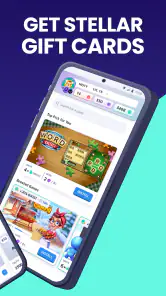
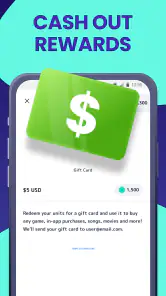
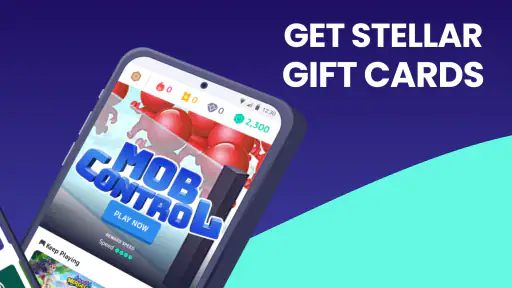
So, what exactly is MISTPLAY? In simple terms, it's a loyalty program for mobile gamers. The app curates a list of games that you can download and play. As you play these games, you earn units which can be redeemed for gift cards from popular retailers like Amazon, Google Play, and even virtual Visa cards. It’s like earning brownie points just for having fun!
How It Works
The process is pretty straightforward. Once you download the app, you’ll be asked to create an account. After that, you can browse through a variety of games. The more you play, the more units you earn. It’s essential to keep your app running in the background while playing to ensure your game time is tracked. So, make sure your phone’s battery is up for the challenge!
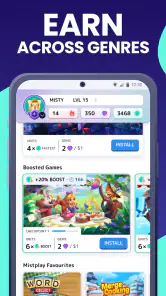
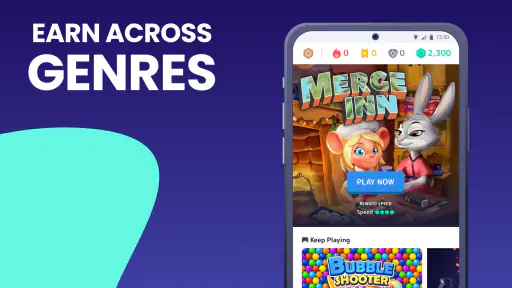
The app features a selection of games ranging from strategy to casual puzzles. Whether you’re into intense battles or relaxing with a simple puzzle, MISTPLAY has got you covered. Plus, the app’s recommendation system suggests games based on your preferences, making it easier to find new favorites.
Make the reward routine work for you
In practice, I’d use it in short sessions that fit into spare time rather than turning it into a second job. For example, if I have a quiet stretch after dinner, I can choose one catalog game, play for a while, then check that the session has counted before moving on. That small check is useful because it helps catch tracking problems early instead of discovering much later that expected progress did not register.
I would also avoid installing several new games at once. Trying one at a time makes it easier to see which title I actually like and whether playing it through the rewards app suits my routine. It also keeps a phone from filling up with games I have already lost interest in. Since background tracking and gaming both use device resources, I’d pay attention to battery drain and storage, especially on an older or nearly full phone.
Turn spare time into a deliberate routine
A realistic use case is a commute, a waiting room, or a quiet break at home—provided playing on the phone is already something you enjoy in those moments. I would pick a single game before that stretch of free time instead of browsing repeatedly while the break disappears. The aim is not to maximize every spare minute; it is to make an existing gaming habit a little more satisfying without letting reward-checking take over.
There is a small but useful distinction between checking that a session counted and constantly monitoring progress. The first helps me catch a tracking issue while it is still easy to notice. The second can turn a casual game into a numbers exercise. I’d check after an initial session and then at natural stopping points, rather than interrupting play to revisit the rewards screen over and over.
The Perks of Playing
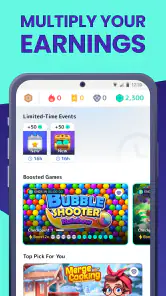
Let’s talk about the rewards – the main attraction of MISTPLAY. Once you accumulate enough units, you can redeem them for a variety of gift cards. The app also hosts weekly contests and leaderboards which add a competitive edge to your gaming experience. Who doesn’t like a little friendly competition?
Moreover, the app features a sleek and user-friendly interface. Navigating through the app is a breeze, and the vibrant design adds an extra layer of excitement to your gaming journey. It’s clear that the developers have put a lot of thought into making this app not only functional but also visually appealing.
Where it fits among other ways to play
Compared with playing games directly from an app store, this approach adds a rewards layer and a reason to explore titles beyond my usual picks. The trade-off is that I’m choosing from a curated selection and spending time inside a separate rewards routine. Compared with survey or task apps, it is more appealing to someone who genuinely wants to play games; someone who dislikes mobile gaming will probably find a non-game rewards option more natural.
It is also different from simply buying a game or playing a favorite without tracking. Those choices can be better if I want full control over what I play, or if I value uninterrupted sessions more than gift cards. Here, the reward should be treated as a bonus rather than a reason to ignore whether the game itself is fun. I’d stop playing a title I don’t enjoy, even if I have already spent time on it.
Keep the reward secondary to the game
The strongest fit is someone who likes trying casual mobile games and can regard a gift card as a pleasant extra, not a target that needs to be reached on a schedule. It is less suited to a player with a fixed gaming library, a limited-data connection, little free storage, or a phone that struggles when games run. Those are not reasons to rule it out automatically, but they make a one-game trial more sensible than installing a handful at once.
I would also think about what I usually do with gift cards. If the redemption options are useful to me, the reward has practical value; if I would rather receive flexible money or need income for regular expenses, this is the wrong kind of app. The distinction is not just about how much time I play. It is about whether the form of the reward fits something I would have chosen anyway.
What to expect before committing
A common practical question is whether this replaces a normal gaming library. I wouldn’t use it that way: it is best understood as an optional route for discovering games and collecting rewards, while my regular favorites can remain separate. Another sensible question is whether it suits someone who plays only occasionally. It can, provided they are happy with gradual progress and do not expect a quick payout; frequent play is not a guarantee of a particular reward pace.
The app is rated Teen, so it is not aimed at very young children. It has a 4.5 average from around 960,000 ratings, with over 10 million installs, which suggests it has attracted a substantial audience, though that alone cannot tell me whether its game selection will suit my taste. It launched on July 2, 2016, and version 6.8.2 is listed for devices running Android 7.0 or later. Those details make compatibility worth checking before building a routine around it.
Think through setup and follow-through
Another question is what to do if a session does not appear to count. I would first make sure I opened the game through the app’s catalog and give the tracking routine a simple, controlled test with one title, rather than switching between several new games and guessing where the issue began. If progress still seems inconsistent, I would avoid investing a long session until I understand whether the routine works reliably on my device.
Likewise, I would treat redemption as a reason to check the app’s current options, not as a promise that every reward will suit me. The practical decision is whether the choices available when I use it are worth working toward. That makes browsing before settling into a game a better move than assuming a particular card will always be the right fit.
Is It Worth It?
Now, the million-dollar question – is MISTPLAY worth your time? If you’re someone who already spends a good chunk of your day playing mobile games, then absolutely! It’s a no-brainer to earn rewards for something you love doing anyway. However, if you’re looking to make a quick buck, you might want to manage your expectations. The earnings are modest, and it may take some time to rack up enough units to redeem a substantial reward.
In conclusion, MISTPLAY is a fun and engaging app for those who enjoy mobile gaming. It offers a unique opportunity to earn while you play, and who wouldn’t want that? Just remember, it’s more about the experience and less about the money. So, next time you’re about to dive into a gaming session, why not give MISTPLAY a shot?
My recommendation is simple: try it if you already enjoy mobile games, are curious about exploring a curated selection, and would be happy with gift cards as an occasional extra. Skip it if you need predictable earnings, want unrestricted choice, or would resent keeping another app involved while you play. For the right person, it can make spare gaming time feel a little more rewarding; for everyone else, playing normally may be the better deal.
Mistplay Cash: Play and Earn Frequently Asked Questions
Do I need an account to use MISTPLAY Cash: Play and Earn?
Before you begin, check the sign-in and setup steps shown when you open the app. Creating or using an account may be part of accessing game offers and keeping track of rewards, so use details you are comfortable providing and review the app’s privacy terms. Once set up, you can explore the games and reward options presented in MISTPLAY.
How much time should I expect to spend playing before rewards feel worthwhile?
The time needed to work toward a reward depends on how often you play and which games are available to you. MISTPLAY is designed to connect gameplay with rewards, but it is best approached as entertainment rather than a guaranteed source of income. Browse the current games and redemption choices first, then decide whether the play style and time commitment suit you.
Does MISTPLAY require an internet connection?
You will generally need an internet connection to browse offers, access the app’s reward features, and keep your activity connected with MISTPLAY. Individual games may have their own connection requirements, which can vary. If you expect to play away from Wi-Fi, check the game’s details and your mobile data settings before starting, so you can avoid unwanted data use.
Can I use MISTPLAY while traveling or in any country?
Availability of games and rewards can depend on where you use the app, and the options shown in MISTPLAY are the most useful guide for your location. Before spending time on a game, look through the current in-app selection and reward choices. If you are traveling, check the app after arriving, since the available offers may differ from those you see at home.
What kind of games can I play through MISTPLAY?
MISTPLAY is built around discovering and playing games offered through the app, so the available selection is central to the experience. You can browse the games shown in MISTPLAY and choose one that appeals to you. If you prefer a particular genre or style, check the current in-app selection before downloading, since the games you can play are the ones presented there.
Pros
- Earn real rewards while gaming
- Wide variety of games to choose from
- User-friendly interface
- Regularly updated game selection
- Loyalty program with added benefits
Cons
- Limited to specific countries
- Requires constant internet connection
- Points system can be slow
- Some games are less rewarding
- Occasional app crashes reported
- Category
- Entertainment
- Version
- 6.8.2











